Full-desk mouse pads have quietly become one of the most important upgrades for a gaming setup in 2026. With hybrid work pushing more people to keep their rigs looking clean, and esports-inspired desk setups going mainstream, the XL desk mat category has exploded — you’ll find full-coverage cloth pads at every price from $20 to $100+.
The difference between a desk pad and a standard mouse pad isn’t just size. A good XL mat unifies your whole setup — keyboard, mouse, headset stand, drink coaster — under a single cohesive surface. It reduces desk noise, protects the surface underneath, and gives your mouse a consistent tracking area no matter where you’re moving.
In a hurry? The SteelSeries QcK XXL is the best choice for most gamers — trusted by pros, under $30, and covers a standard 35” desk width perfectly. If budget is the priority, the Glorious XXL Stealth at $19.99 is hard to argue with.
SteelSeries QcK XXL — Best Overall
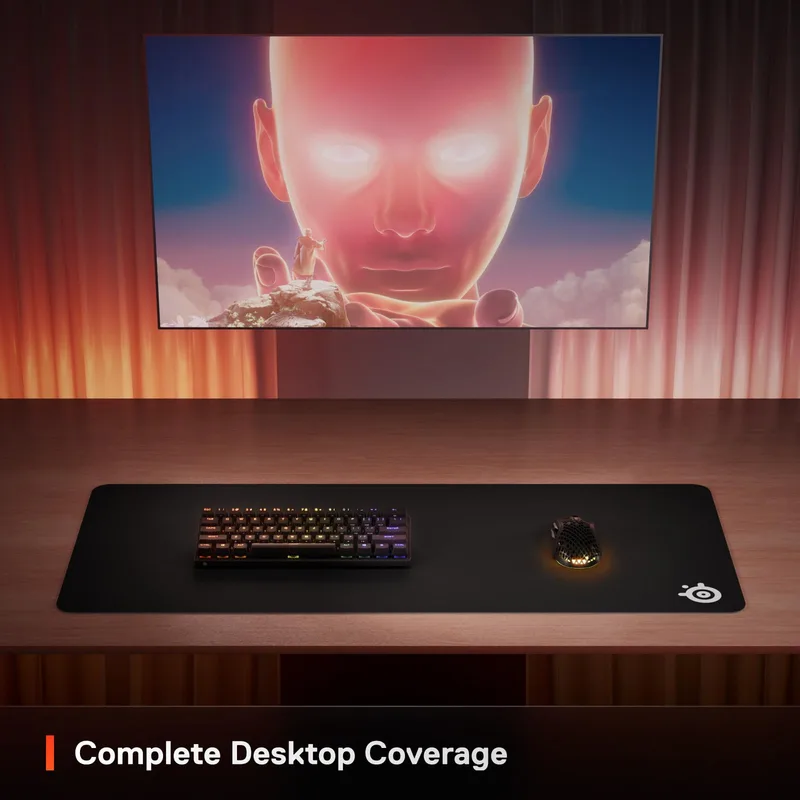
SteelSeries QcK XXL
Pros
- ✓ Micro-woven surface delivers consistent mouse tracking — no dead spots across the full 35" width
- ✓ Trusted by esports pros for its balanced speed-to-control ratio
- ✓ Stitched edges prevent fraying even after years of daily use
- ✓ Non-slip rubber base grips the desk firmly, even during aggressive mouse movements
Cons
- ✗ Only 2mm thick — wrist padding is minimal compared to 4mm options
- ✗ No RGB or premium aesthetic features
- ✗ Logo placement is more visible than competitors' minimalist options
The QcK line has been the go-to for competitive gamers since SteelSeries first introduced it, and the XXL version delivers everything that made the original popular at full-desk scale.
The micro-woven cloth surface is the reason esports pros still reach for QcK pads over flashier alternatives. It’s not the fastest or slowest surface — it sits in the balanced middle where you get good glide speed without feeling like you’re fighting for control. At 35”x16”, it covers most standard gaming desks edge to edge.
The 2mm thickness is worth noting. It’s thinner than Razer’s Gigantus, which means less wrist cushioning if you’re resting your wrist on the pad. But for gamers who lift and move their mouse rather than drag, the low-profile feel is actually preferred.
Best for: All-around competitive gaming, esports-style setups, value-conscious buyers who want a reliable surface.
Logitech G840 XL — Best for Competitive Gaming
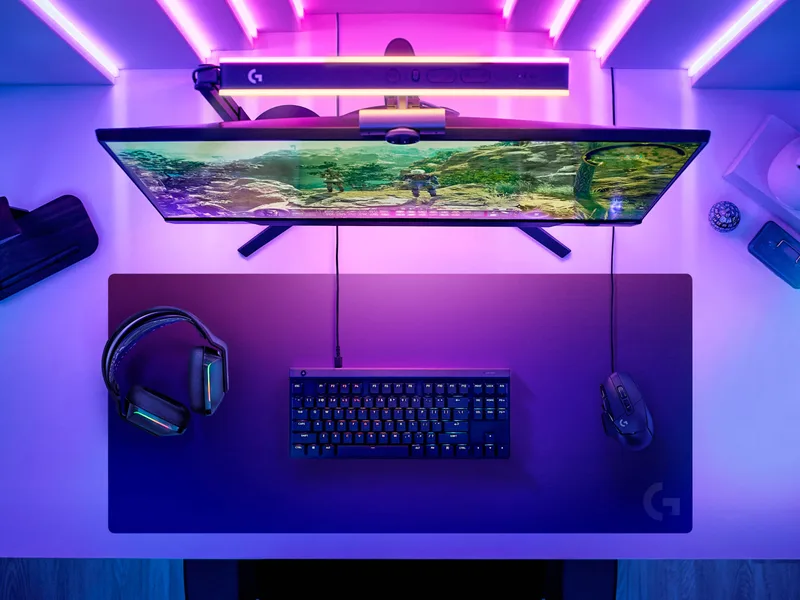
Logitech G840 XL
Pros
- ✓ Performance-tuned surface optimizes sensor accuracy across optical and laser mice
- ✓ 3mm profile is slim enough for precise wrist positioning without being uncomfortable
- ✓ Comes with a durable transport tube — great if you play at LAN events or friends' setups
- ✓ Balanced glide surface favored by FPS players for controlled flicking
Cons
- ✗ No RGB, completely understated look
- ✗ 3mm padding is middle-ground — not the thickest or thinnest option
- ✗ Costs more than Razer and Glorious alternatives of similar size
Logitech engineered the G840 surface specifically for gaming sensor accuracy, and it shows. The performance-tuned cloth is slightly different from generic micro-woven surfaces — it’s designed to work optimally with Logitech’s HERO sensors but performs consistently with any optical mouse.
The 3mm profile is the sweet spot Logitech landed on after testing with professional players. Slim enough that you’re not fighting for wrist angle when positioned flat, but enough cushion that the rubber base doesn’t telegraph every imperfection in your desk through to your wrist. The included transport tube is a thoughtful touch — roll it up, snap it in, and you’re LAN-ready.
At $39.99, it’s pricier than the Razer and Glorious options, but the surface quality holds up noticeably better over time. It doesn’t glaze over or develop slick patches the way cheaper pads sometimes do after a year of use.
Best for: FPS players, esports practice setups, anyone who moves their pad frequently.
Razer Gigantus V2 XXL — Best Value
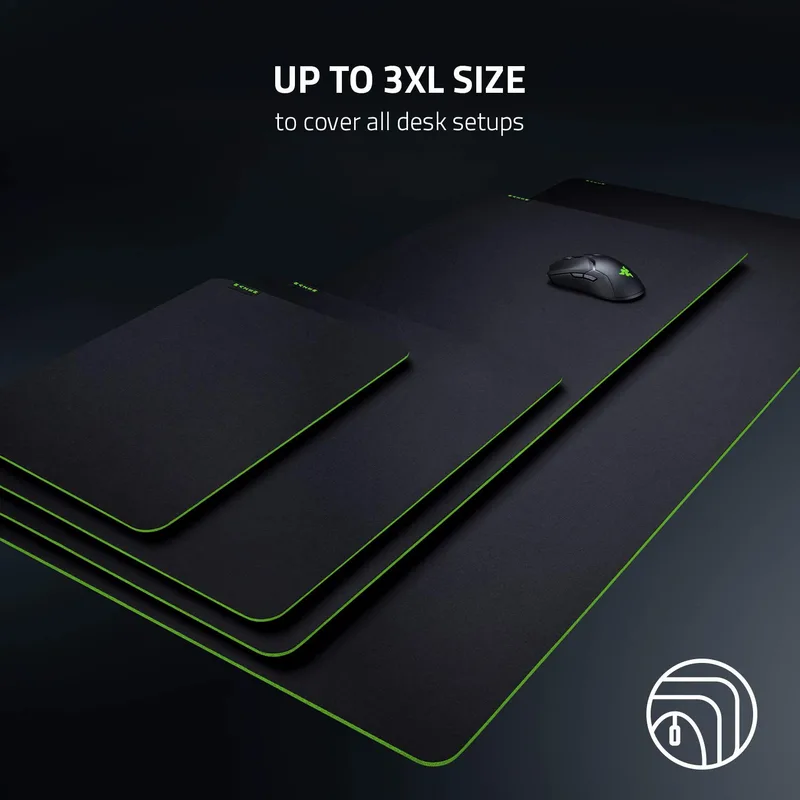
Razer Gigantus V2 XXL
Pros
- ✓ 4mm high-density foam is noticeably more comfortable under your wrists than thinner pads
- ✓ Wider than most XL pads at 37.4" — covers more of your desk surface
- ✓ Micro-weave cloth runs slightly fast, which suits lower-DPI FPS players
- ✓ One of the most-used pads in the pro esports scene at a fraction of boutique prices
Cons
- ✗ Razer logo is prominent — not ideal for minimalist setups
- ✗ Surface runs toward the faster side, which some control-preference players find slippery
- ✗ Rubber base can curl at edges over extended periods
At $22.99, the Gigantus V2 XXL outperforms its price by a significant margin. The 4mm high-density foam is the first thing you notice when you lay your wrists down — this pad is meaningfully more comfortable than thinner alternatives. If you play 4+ hours at a stretch, that cushioning makes a real difference.
The micro-weave cloth runs slightly faster than SteelSeries or Logitech surfaces. For FPS players at lower DPI settings (400–800), that extra glide feels natural. Players who prefer slower, more controlled swipes for tactical games might want to try before committing, but the vast majority of gamers find this surface works well across genres.
At 37.4”x15.7”, the Gigantus V2 XXL is actually the widest pad in this roundup — it’ll cover even slightly oversized desks. The stitched edges are well-executed for a $23 product.
Best for: Budget-conscious buyers, wrist comfort prioritizers, low-DPI FPS players.
Corsair MM700 RGB Extended — Best for RGB Setups
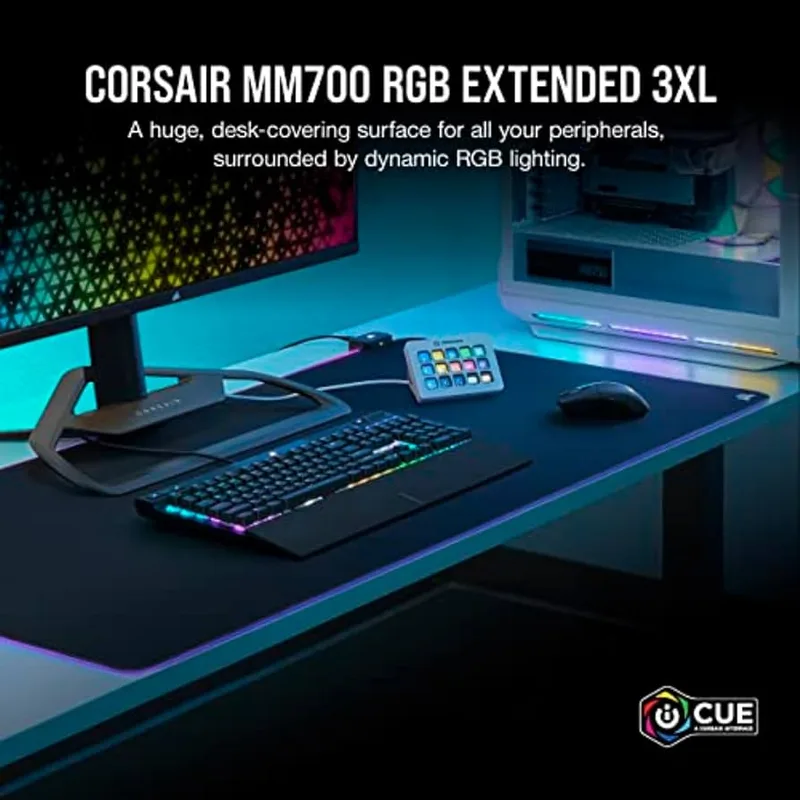
Corsair MM700 RGB Extended
Pros
- ✓ Three-zone 360° RGB lighting is genuinely impressive and ties into full iCUE setups
- ✓ Built-in 2-port USB hub adds real functionality — saves desk USB slots
- ✓ 4mm padding is comfortable for long sessions
- ✓ Premium stitched edges and solid rubber base
Cons
- ✗ Requires USB connection for RGB and hub features — adds a cable to manage
- ✗ iCUE software is resource-heavy for some systems
- ✗ Premium price for features most serious gamers may not prioritize
The MM700 is what happens when Corsair takes the desk mat category seriously. The RGB implementation isn’t the cheap single-strip lighting you see on budget pads — it’s a full 360° three-zone dynamic RGB that wraps around the entire perimeter of the pad. With iCUE software, it syncs directly with the rest of a Corsair RGB ecosystem.
More impressive than the lighting is the built-in 2-port USB hub. Rather than just being a flashy cable management feature, the hub genuinely solves a real problem: where do you plug in your USB gaming headset, wired mouse, or charging cable when your case’s front USB ports are already occupied? Having two right there on the desk pad is more useful than it sounds.
The downside is the price: the MM700 costs $64.99 — more than double the Razer Gigantus V2 ($22.99). The RGB and USB hub justify the premium for buyers who are building out a coordinated iCUE setup. For pure gaming performance, the SteelSeries or Logitech options are better value.
Best for: iCUE ecosystem builders, streamers, setup aesthetics-first buyers.
Glorious XXL Stealth — Best Budget
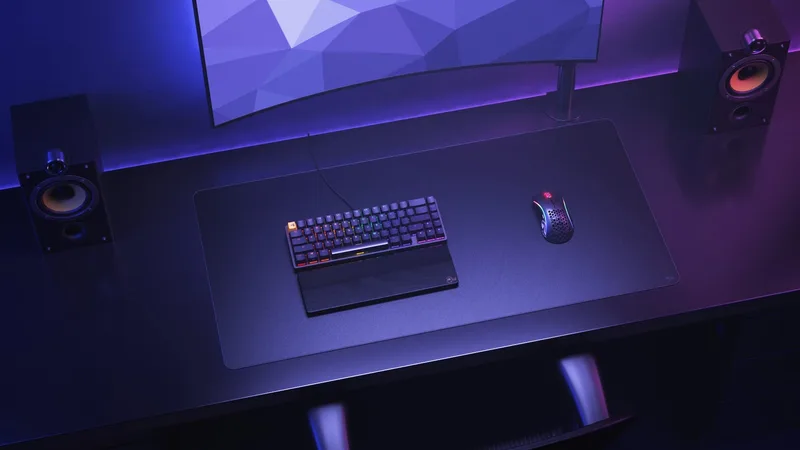
Glorious XXL Stealth
Pros
- ✓ Stealth edition has a dimmed, near-invisible logo — best-looking minimalist option at this price
- ✓ Pro stitched edges keep the pad intact through years of use
- ✓ 18"x36" footprint covers both keyboard and mouse for most standard desks
- ✓ Best price in the XL category — solid choice if you're building a budget gaming setup
Cons
- ✗ Rubber base is thinner than premium pads — slightly less grip on glass desks
- ✗ 3mm padding is fine but not as comfortable as 4mm alternatives
- ✗ Surface texture is slightly coarser than SteelSeries or Logitech options
The Stealth edition of Glorious’s XXL pad gets one design decision exactly right: the logo is dimmed to near-invisibility. On most budget gaming pads, you’re staring at a corporate logo at center stage. The Glorious Stealth just gives you clean black cloth.
The 18”x36” footprint covers most desks adequately — it’s oriented to be wider (36”) than it is deep (18”), which works well for standard rectangular desk setups. The 3mm rubber base does its job, though it’s noticeably thinner than what you get from Corsair or Razer. On glass or very smooth desk surfaces, the pad can shift more than premium alternatives.
For $19.99, this is hard to criticize. Pro stitched edges, adequate surface texture, full keyboard-and-mouse coverage. If you’re building a budget setup or you just need a temporary desk upgrade, the Glorious XXL Stealth delivers.
Best for: Budget setups, clean minimalist aesthetics, first-time desk pad buyers.
Desk Pad Comparison
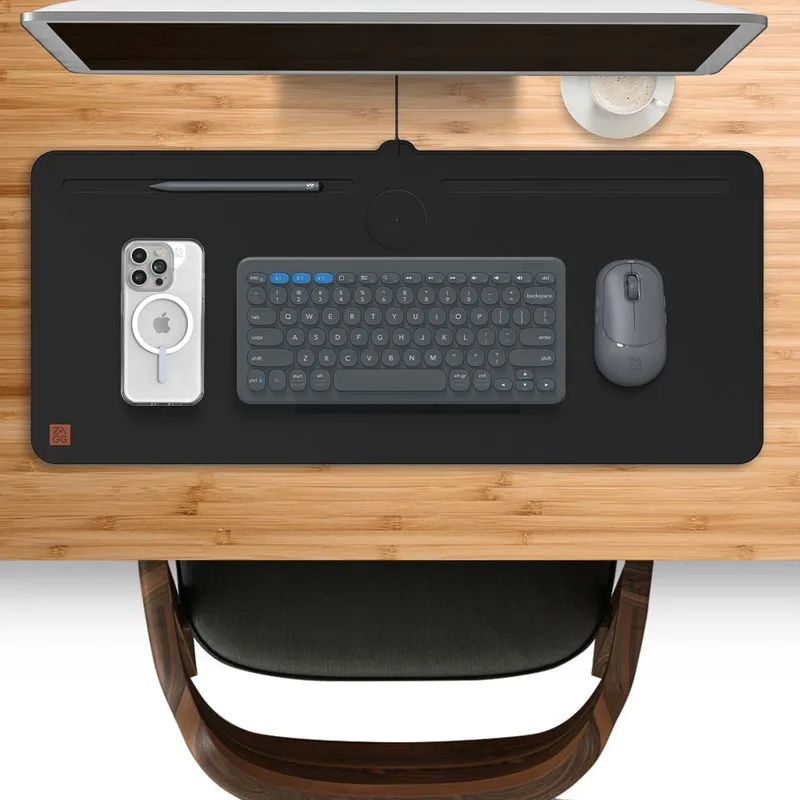
| Product | Price | Size | Thickness | Surface | USB Hub | RGB |
|---|---|---|---|---|---|---|
| SteelSeries QcK XXL | $24.49-$29.99 as of Oct 18, 2026 | 35” x 16” | 2mm | Micro-woven cloth | No | No |
| Logitech G840 XL | Unavailable | 35.4” x 15.7” | 3mm | Performance-tuned cloth | No | No |
| Razer Gigantus V2 XXL | $17.99 as of Oct 18, 2026 | 37.4” x 15.7” | 4mm | High-density micro-weave | No | No |
| Corsair MM700 RGB Extended | $37.79-$44.99 as of Oct 18, 2026 | 36.6” x 15.8” | 4mm | Micro-woven cloth | 2-port | Yes |
| Glorious XXL Stealth | Unavailable | 18” x 36” | 3mm | Black cloth | No | No |
Buying Guide: What to Look for in a Gaming Desk Pad
Size: How Much Coverage Do You Actually Need?
For most setups, you want a pad that covers at least 35” horizontally and 14” deep. That’s enough room for a full-size keyboard, your mouse pad area, and a couple inches of margin on each side.
If you run a 47”+ desk, consider the Glorious 3XL or Corsair MM700 3XL to go truly edge-to-edge. For smaller 40”–48” desks, any of the XXL options above will work perfectly.
Surface Texture: Speed vs. Control
Desk pad surfaces fall on a spectrum:
- Fast surfaces — less friction, more glide. Good for large arm swipes at low DPI.
- Control surfaces — more friction, more precision. Good for small wrist movements at high DPI.
- Balanced — the SteelSeries QcK and Logitech G840 land here.
The Razer Gigantus V2 runs slightly faster; the Logitech G840 runs balanced-to-controlled.
Thickness: Padding vs. Feel
2mm: Minimal padding, flat feel. Good for players who hover their wrist or have a floating grip.
3mm: Middle ground — the Logitech G840 and Glorious XXL. Comfortable without noticeably changing wrist angle.
4mm: Most cushioning — the Razer Gigantus V2 and Corsair MM700. Noticeably softer for long sessions, but slightly raises your wrist position relative to keyboard level.
Stitched Edges: Worth It
Every pad in this guide has stitched edges. This matters more than people realize — unstitched edges start fraying within months of daily use. All stitched pads last significantly longer.
Budget Guide
- Under $25: Glorious XXL Stealth ($19.99) or Razer Gigantus V2 XXL ($22.99)
- $25–$45: SteelSeries QcK XXL ($29.99) or Logitech G840 ($39.99)
- $45–$75: Corsair MM700 RGB Extended ($64.99) for RGB and USB hub features
Pairing Your Desk Pad
A great desk pad is just the foundation. Once you have full-desk coverage dialed in, the natural next upgrades are your mouse, wrist support, and overall ergonomic setup:
- Best Ergonomic Gaming Mice — pairing a good surface with the right mouse shape reduces wrist strain significantly
- Best Wrist Rests for Gaming — if you rest your wrist while gaming, a separate wrist rest on top of the desk pad adds even more comfort
- Best Ergonomic Streaming Setup — full desk coverage is a core part of any clean streaming desk layout
- Gaming Posture Guide — the pad is one piece of the puzzle; wrist angle and monitor height matter just as much
FAQ
Are gaming desk pads worth it over regular mouse pads?
Yes, especially if you have a wide keyboard or a low-DPI gaming style. XL desk pads give your mouse unlimited room to move without going off the edge, protect your desk surface, reduce noise from keyboard and mouse movements, and unify the aesthetic of your setup. For most people, a $20–30 desk pad is one of the highest ROI upgrades in a gaming setup.
What size desk pad do I need for a 60-inch desk?
For a 60”+ desk, look at 3XL or custom-sized pads in the 48”–60” range. The SteelSeries QcK 3XL and Corsair MM700 3XL are good starting points. For most standard 47”–55” desks, an XXL pad (35”–37” wide) leaves visible margins on the sides, which many people actually prefer for cable routing.
Do hard desk pads or soft cloth desk pads perform better for gaming?
It depends entirely on your grip style. Hard pads (like polycarbonate options from Artisan or Glorious Elements Air) offer near-frictionless glide and never wear out — ideal for very high-sensitivity or wrist-aimer playstyles. Cloth pads like every option in this guide provide more control and are more forgiving across different grip styles. The majority of competitive players use cloth, which is why this roundup focuses there.
Does desk pad thickness affect gaming performance?
For pure sensor accuracy, no — any quality cloth surface will track well regardless of thickness. Where thickness matters is ergonomics: a 4mm pad raises your wrist slightly relative to your keyboard, which changes your wrist angle during gaming. If you’re prone to wrist fatigue, 4mm provides more cushioning. If you’ve never had issues, 2–3mm is perfectly comfortable.
How do I stop my desk pad from sliding?
The rubber bases on quality pads like the QcK XXL and Logitech G840 grip wood and laminate desks well. If your pad slides on a glass desk, apply a thin anti-slip mat layer underneath. For most users, a pad with a quality rubber base on a standard desk won’t slide noticeably during normal use.
How long does a gaming desk pad last?
With stitched edges, a quality desk pad should last 3–5 years of daily use. The surface will gradually show wear patterns in the high-use mouse area — this is normal and doesn’t affect tracking significantly. The SteelSeries QcK line in particular is known for surface durability. Unstitched pads typically start failing at the edges within 6–12 months.
Conclusion
For most gamers, the SteelSeries QcK XXL is the right answer — proven surface, full desk coverage, stitched edges, and under $30. It’s been the benchmark in competitive gaming for a reason.
If you’re watching your budget, the Razer Gigantus V2 XXL at $22.99 is genuinely excellent and includes thicker 4mm padding that the QcK doesn’t match.
The Logitech G840 is worth the premium if you play precision FPS titles — the performance-tuned surface consistency is real, and the transport tube makes it practical beyond the home setup.
For streamers or RGB build enthusiasts, the Corsair MM700 RGB is the only desk pad here that adds genuine functionality (USB hub + iCUE sync) on top of great coverage.
Complete your gaming workspace with the best gaming chairs for ergonomic comfort — a good desk pad and the right chair together make long sessions significantly more comfortable.