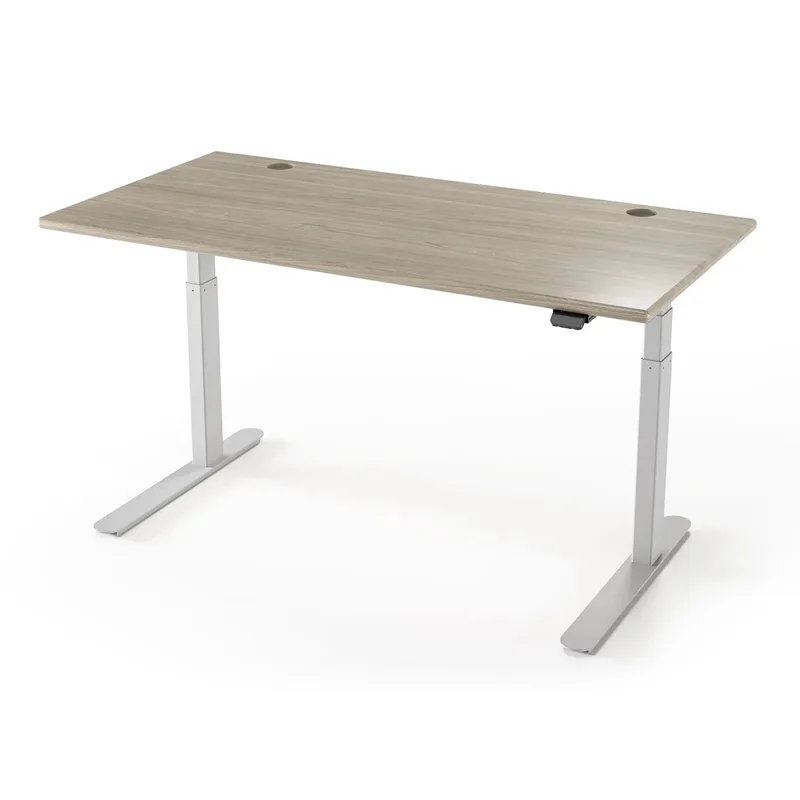
The Autonomous SmartDesk Pro launched when paying $700 for a dual-motor standing desk felt like a reasonable premium. In 2026, that market has moved. Autonomous themselves launched the Desk 5 and Desk 5 Pro as their new flagships, and competitors like the FlexiSpot E7 Pro now deliver more capacity and a longer warranty for $210 less.
That doesn’t make the SmartDesk Pro a bad desk. It means the reasons to choose it over cheaper or more capable alternatives have gotten specific. This review walks through exactly where the SmartDesk Pro still holds up — and where you’d be better served elsewhere.
Quick verdict: If you’re 6’2” or taller and need that 52” max height, the SmartDesk Pro at $699 still makes a case for itself. For everyone else, the FlexiSpot E7 Pro delivers more value at $489, and the UPLIFT V2 delivers better stability starting at $659.
| Desk | Price | Height Range | Capacity | Warranty | Rating |
|---|---|---|---|---|---|
| Autonomous SmartDesk Pro | Unavailable | 26.2”–52” | 310 lbs | 7 yr frame | 7.8/10 |
| FlexiSpot E7 Pro | Unavailable | 22.8”–48.4” | 355 lbs | 15 yr frame | 8.5/10 |
| UPLIFT V2 | $659+ | 25.3”–50.9” | 355 lbs | 15 yr commercial | 8.7/10 |
Autonomous SmartDesk Pro: Full Breakdown
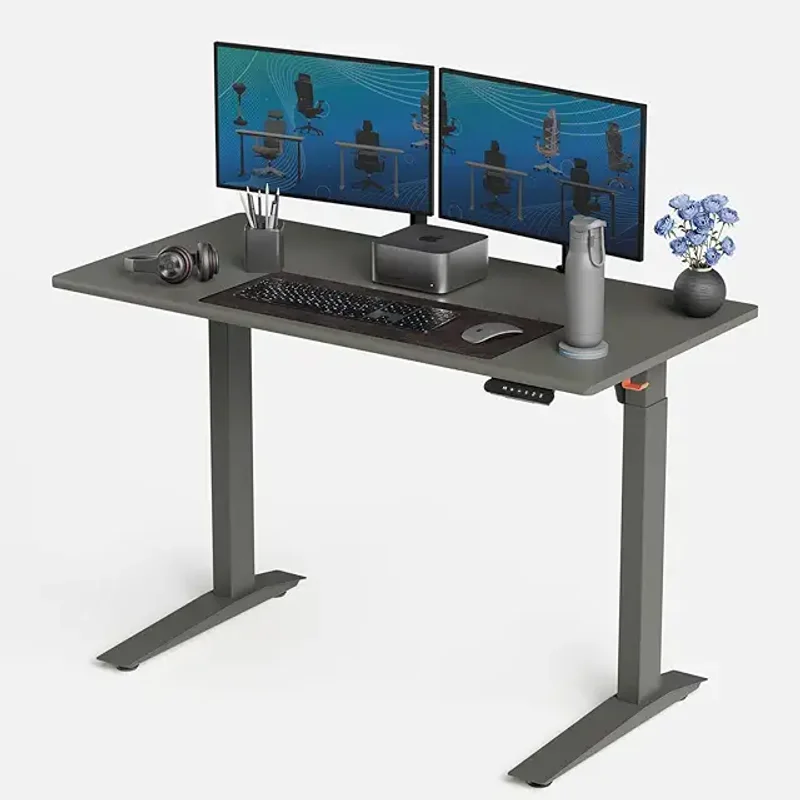
Autonomous SmartDesk 5 Pro
Pros
- ✓ 52" max height is among the tallest available at this price — ideal for users 6'2" and up
- ✓ 310 lb capacity handles heavy dual-monitor setups with headroom to spare
- ✓ Quiet motor operation — barely audible during height adjustments
- ✓ Nine desktop finish options at the medium size, including walnut and bamboo
Cons
- ✗ 26.2" minimum sitting height is too tall for users under about 5'6"
- ✗ Noticeable wobble above 48" during typing — no anti-collision sensor either
- ✗ Assembly takes 45–60 minutes with instructions that need improvement
Three desktop sizes are available: the small 43”×24” at $649, the medium 53”×29” at $699, and the XL 70”×30” at $999. Most buyers land on the medium — enough space for dual monitors without the price jump to XL, and it’s available in nine desktop finishes including walnut, bamboo, and matte black.
Design and Build Quality
The SmartDesk Pro looks clean. Steel legs, a slim powder-coated desktop profile, and proportions that fit a home office without screaming “office furniture.” The 310 lb weight capacity is comfortable headroom — a fully loaded dual-monitor setup with a desktop PC typically weighs well under 100 lbs.
The weak point is the MDF desktop surface. It scratches with everyday use and Autonomous doesn’t offer a hardwood option at this price. A desk pad is practically mandatory if you want it to look presentable after six months.
Height Range: The Genuine Advantage
This is where the SmartDesk Pro still earns attention. The 26.2”–52” range covers users up to around 6’5”, outreaching the FlexiSpot E7 Pro (48.4” max) and matching or exceeding most competitors in this price bracket. For someone who genuinely needs to stand above 49”, the SmartDesk Pro’s extra height range matters in ways that specs comparisons can understate.
The flip side: that 26.2” minimum sitting height is genuinely problematic for users under about 5’6”. At full-down, feet will float off the floor. The FlexiSpot E7 Pro bottoms out at 22.8”, which is significantly more inclusive. If you’re on the shorter side, check our best electric standing desks for home roundup for better-fitting options.
Motor Performance and Stability
The dual-stage motor moves at roughly 1.3 inches per second — slower than the FlexiSpot E7 Pro’s 1.5”/sec and behind some 3-stage competitors. Adequate for everyday use, but not the smoothest option in this class.
Stability holds up well at normal sitting and mid-range standing heights (roughly 38”–46”). Push above 48” and wobble becomes noticeable — a light bump on the desktop at full extension produces more sway than you’d want during focused work. The SmartDesk Pro also lacks anti-collision technology, which means the desk won’t stop if it meets a chair, cable, or object during descent. Most competitors at this price now include this as standard.
What’s Missing
No accessory ecosystem. No official cable management trays, keyboard tray add-ons, or monitor arm mounts designed for the frame. You’ll need to source those independently. Our best monitor arms for standing desks guide covers compatible options that work with any desk frame.
FlexiSpot E7 Pro: The Value Case Against the SmartDesk Pro
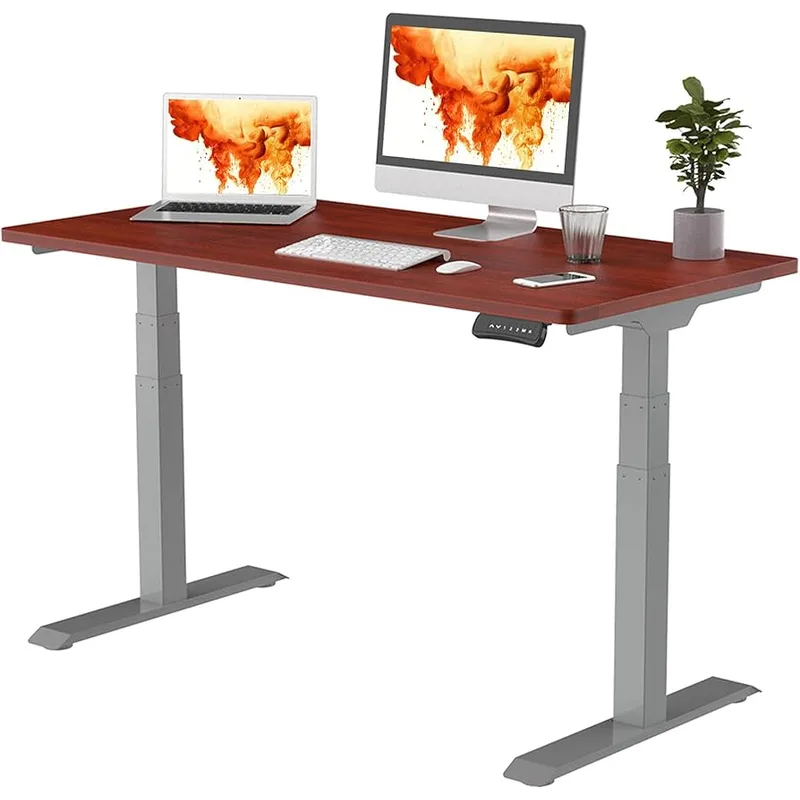
FlexiSpot E7 Pro
Pros
- ✓ 355 lb capacity at $489 — better specs per dollar than the SmartDesk Pro
- ✓ 15-year frame and motor warranty is among the best in this price category
- ✓ 22.8" minimum height works for users as short as 5'0"
- ✓ Anti-collision protection prevents damage to monitors and cables during descent
Cons
- ✗ 48.4" max height falls short for users over 6'3"
- ✗ Fewer desktop finish options than Autonomous
- ✗ Basic keypad lacks USB charging ports
The FlexiSpot E7 Pro at $489 is the most direct argument against the SmartDesk Pro, and it’s a strong one. It costs $210 less and outperforms on most quantifiable specs: 355 lb capacity vs. 310 lbs, a 15-year warranty vs. 7 years, anti-collision protection included, and a 22.8” minimum height that works for a broader range of users.
For most home office setups — single or dual monitors, laptop stand, a few accessories — the E7 Pro handles the load without issue. The 48.4” max height works for users up to about 6’2”. If that range fits you, the FlexiSpot E7 Pro is the more sensible purchase.
Where the SmartDesk Pro wins: aesthetic variety. The E7 Pro’s desktop options are limited. If matching a specific workspace aesthetic is important, Autonomous’s nine finish options give more flexibility.
UPLIFT V2: The Premium Option
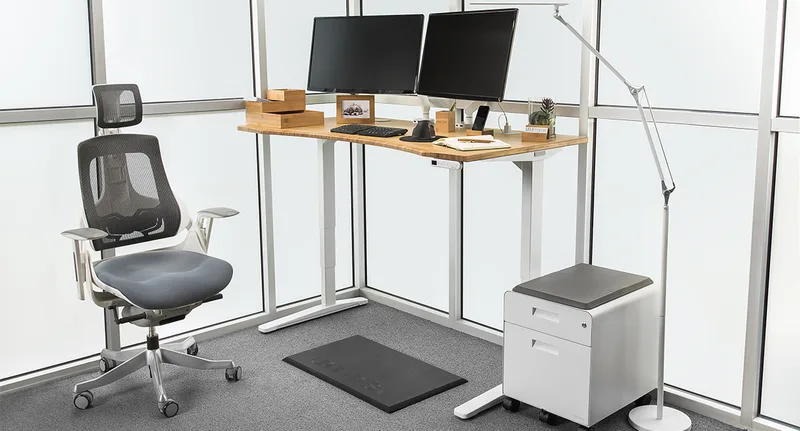
UPLIFT V2 Standing Desk
Pros
- ✓ BIFMA-certified stability — independently verified and measurably less wobble at full extension
- ✓ 15-year commercial warranty covers motors, legs, and frame
- ✓ Over 45 accessory add-ons: cable trays, keyboard trays, monitor arms, privacy screens
- ✓ Available in standard and commercial frames, plus 3-leg and 4-leg configurations
Cons
- ✗ Starts at $659 for frame only — desktop top sold separately, pushing total cost higher
- ✗ Not available on Amazon — direct purchase only can complicate returns
- ✗ Configuration options are extensive but can make the buying process overwhelming
The UPLIFT V2 starts at $659 — $40 less than the SmartDesk Pro — and delivers measurably better stability. The BIFMA certification means the frame has passed independent third-party evaluation for load and fatigue performance. At maximum extension, the V2 holds noticeably steadier than the SmartDesk Pro.
UPLIFT’s strongest argument is the accessory ecosystem. Over 45 add-ons — cable management trays, monitor arms, keyboard trays, privacy screens — all designed specifically for the frame. For someone building a long-term ergonomic setup, that integration is worth real money compared to sourcing individual solutions.
The tradeoffs: no Amazon listing (direct purchase from upliftdesk.com only), and frame-only listings require a separate desktop purchase that pushes the total above the starting price.
Buying Guide
Choose the Autonomous SmartDesk Pro if:
- You’re 6’2” or taller and regularly need standing heights above 49”
- Desktop finish aesthetics matter and you want more than two color options
- You want the 70”×30” XL footprint at this general price tier
Choose the FlexiSpot E7 Pro if:
- You want the best specs per dollar in this price range
- You’re under 5’6” (22.8” minimum height fits your sitting position)
- Long warranty coverage (15 years) matters without paying premium pricing
Choose the UPLIFT V2 if:
- Max-height stability is non-negotiable for your workflow
- You want a deep accessory ecosystem from a single brand
- Long-term ergonomic investment is the priority
New to standing desks? Our guide on how long you should stand at a standing desk covers the research on sit-stand ratios before you build habits around your new setup. A good anti-fatigue mat will make a bigger difference to daily comfort than most spec differences between these desks.
FAQ
Is the Autonomous SmartDesk Pro worth buying in 2026?
For most users, the FlexiSpot E7 Pro is the better buy at $210 less with better specs and warranty. The SmartDesk Pro justifies its price only if you need the extra height range (52” max) or want more desktop finish options. For users 6’2” and taller who stand above 49” regularly, it still makes sense.
What is the weight capacity of the Autonomous SmartDesk Pro?
310 lbs. That covers any realistic home office setup — dual monitors, desktop PC, speakers, books, and accessories combined typically weigh well under 100 lbs, leaving significant headroom.
Does the Autonomous SmartDesk Pro have anti-collision technology?
No. The SmartDesk Pro does not include anti-collision. If the desk meets an obstacle during downward movement, it will not stop automatically. Both the FlexiSpot E7 Pro and UPLIFT V2 include anti-collision protection as standard.
How does the Autonomous SmartDesk Pro warranty compare to competitors?
The SmartDesk Pro carries a 7-year frame warranty and 1-year desktop warranty. The FlexiSpot E7 Pro and UPLIFT V2 both offer 15-year frame warranties — more than double the coverage at lower or similar prices.
What desktop sizes does the Autonomous SmartDesk Pro come in?
Three sizes: 43”×24” ($649), 53”×29” ($699), and 70”×30” ($999). The medium 53”×29” is the most popular — it handles dual monitors and offers the widest selection of nine desktop finishes.
Is the Autonomous SmartDesk Pro available on Amazon?
Yes. The SmartDesk Pro is available on Amazon, which offers the option of Amazon’s return process compared to buying direct from autonomous.ai.
Conclusion
The Autonomous SmartDesk Pro was a stronger recommendation before the competition caught up. In 2026, the FlexiSpot E7 Pro undercuts it significantly on price while matching or exceeding it on specs, and the UPLIFT V2 nearly matches the SmartDesk Pro’s price while delivering better stability and a more complete ecosystem.
The SmartDesk Pro’s real advantage is narrow but genuine: 52” of max height for tall users, and nine desktop finishes for those who care about aesthetics. If either of those factors describes your situation, it’s a reasonable $699 choice.
Everyone else: start with the FlexiSpot E7 Pro and put the $210 savings toward a quality anti-fatigue mat and a monitor arm. You’ll end up with a better-equipped setup for less money.