The ergonomic office chair market in 2026 is more competitive than ever — adaptive lumbar tracking, sensor-based pressure adjustment, and next-gen elastomer backs are all landing in chairs at multiple price points. But Steelcase’s Series 2 has held its ground since launch, and reviewing it now reveals why: it occupies a very specific sweet spot between the affordable Steelcase Series 1 and the flagship Steelcase Gesture, offering a more sophisticated back system than the former at roughly half the cost of the latter.
If you’re shopping somewhere between $400 and $700 for a chair you plan to use for years, the Series 2 deserves a close look. Here’s the full picture.
Quick pick: If you want the best long-term chair in this tier, the Steelcase Series 2 at $672 is the answer. For buyers who need strong ergonomics under $400, the Branch Ergonomic Chair at $389 punches well above its price.
Comparison Table
| Chair | Price | Back System | Lumbar | Arms | Weight Cap | Warranty |
|---|---|---|---|---|---|---|
| Steelcase Series 2 | $633.08 as of Oct 18, 2026 | Air LiveBack flexors | Height-adj. | 4D | 400 lbs | 12 years |
| Branch Ergonomic Chair | $389.00 as of Oct 18, 2026 | Dual-layer mesh | Height-adj. | 3D | 275 lbs | 5 years |
| Autonomous ErgoChair Pro | Unavailable | Mesh | Adjustable | 4D | 300 lbs | 2 years |
1. Steelcase Series 2 — Editor’s Pick
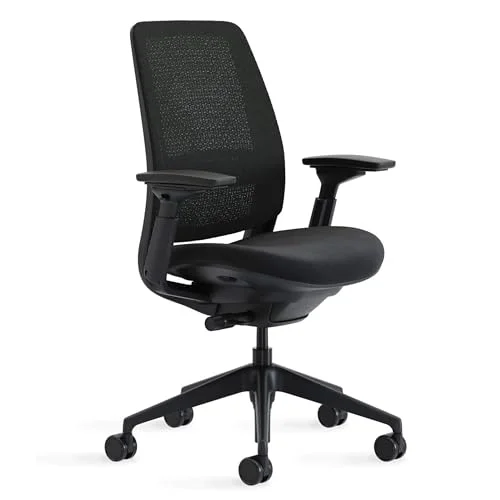
Steelcase Series 2
Pros
- ✓ Air LiveBack flexor system adapts to each vertebra independently
- ✓ Adaptive seat bolsters reduce pressure on the underside of thighs
- ✓ 400 lb weight capacity — one of the highest in the mid-range segment
- ✓ 12-year warranty is among the best in the business
Cons
- ✗ Lumbar adjusts only in height, not firmness
- ✗ No headrest on standard model (optional add-on)
- ✗ Arms use PU padding that feels stiff over time
The Series 2 sits at a specific rung in the Steelcase lineup that makes it genuinely interesting: it’s meaningfully better than the Series 1, but it doesn’t try to out-compete the Leap V2 or Gesture at two to three times the price.
The Air LiveBack system is the main event. The geometric flexor pattern on the backrest uses interconnected flexors that respond independently to pressure at different points along your spine. In practice, this means the back contours differently for someone leaning forward over a keyboard, sitting upright in meetings, or reclining for reading. The Series 1 has a flexible back too, but it’s a simpler single-flex system. The Series 2’s response is noticeably more granular.
The seat is also improved. Adaptive bolstering on the edges reduces pressure on the underside of the thighs — a small but real improvement for people who sit more than six hours a day. Seat depth adjusts from 17.75 to 22 inches, which accommodates both shorter and taller frames.
What’s missing? The lumbar adjusts only in height, not firmness — so if you want to dial in how hard the lumbar pushes, you’re out of luck. The standard chair has no headrest; that’s an optional add-on. And the 4D arms, while functional, use PU padding that some owners describe as stiff compared to the upholstered arms on premium Steelcase models.
The 400 lb weight capacity is one of the highest in this price segment. And the 12-year warranty is industry-leading — Steelcase backs this chair in a way few mid-range brands attempt. If you’re deciding between the Series 2 and something from a budget brand offering two or three years of coverage, the math on long-term ownership favors Steelcase.
Best for: Buyers who sit 7-9 hours daily, want a back system that adapts to posture changes, and plan to keep the chair for 5-10 years.
Buy the Steelcase Series 2 on Amazon
2. Branch Ergonomic Chair — Best Value
Branch Ergonomic Chair
Pros
- ✓ Exceptional value at $389 — far below Steelcase pricing
- ✓ Dual-layer mesh back keeps airflow high in warm offices
- ✓ Seat depth slider is a feature most chairs skip at this price
- ✓ Sturdy aluminum base feels premium compared to plastic competitors
Cons
- ✗ 275 lb weight capacity limits bigger users
- ✗ 3D arms are good but lack the precision of 4D or 5D systems
- ✗ Less lumbar adjustment range than the Series 2
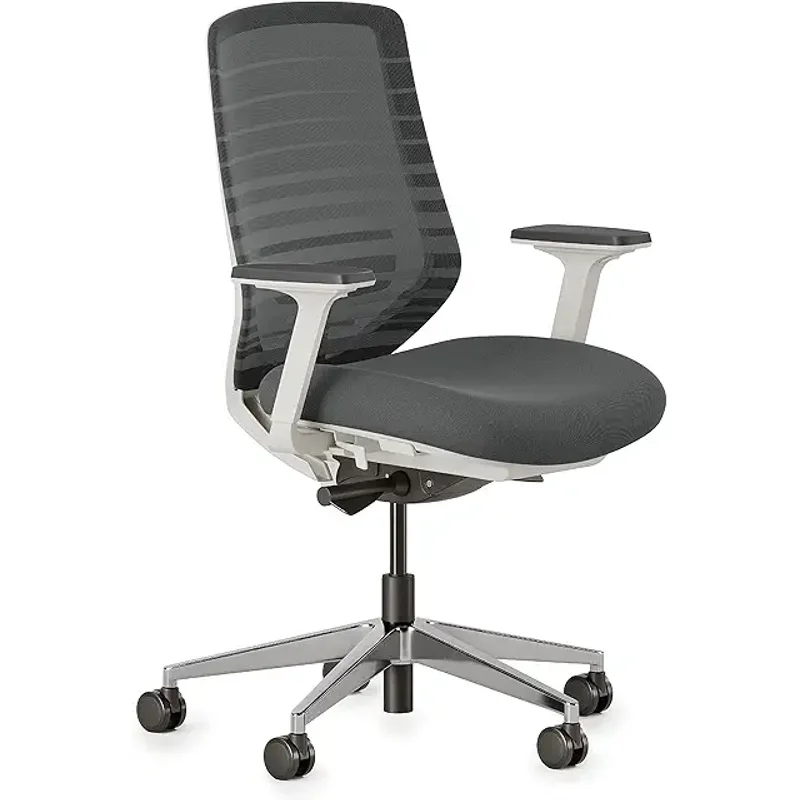
At $389, the Branch Ergonomic Chair is the clear best value in this comparison. It doesn’t have the manufacturing pedigree or warranty of Steelcase, but it checks enough ergonomic boxes to make it a legitimate alternative for anyone on a tighter budget.
The dual-layer mesh back handles airflow well — branch offices run warm, and the mesh doesn’t trap heat the way foam-backed alternatives can. The seat depth slider is a feature many chairs skip at this price. The aluminum base feels premium compared to plastic competitors in the $300 range.
Owner reports consistently praise the lumbar support, though it adjusts only in height on the standard model. (The Branch Ergonomic Chair Pro at a higher price point adds depth adjustment.) For most users, height adjustment alone is sufficient.
The limitation is weight capacity: 275 lbs is lower than the Series 2 or ErgoChair Pro. If you’re near or above that limit, the Branch isn’t the right pick.
Best for: Budget-conscious buyers who need solid lumbar support and breathability without spending Steelcase money.
Buy the Branch Ergonomic Chair on Amazon
3. Autonomous ErgoChair Pro — Best for Customization
Autonomous ErgoChair Pro
Pros
- ✓ Headrest included at base price — the Series 2 charges extra
- ✓ 9 adjustment points offer solid configurability for the money
- ✓ 300 lb capacity and comfortable for long sessions
- ✓ Mesh back with good breathability
Cons
- ✗ 2-year warranty is thin compared to Steelcase's 12-year coverage
- ✗ Build quality noticeably below Steelcase at a similar price bracket
- ✗ Adjustment mechanisms feel less precise than premium brands
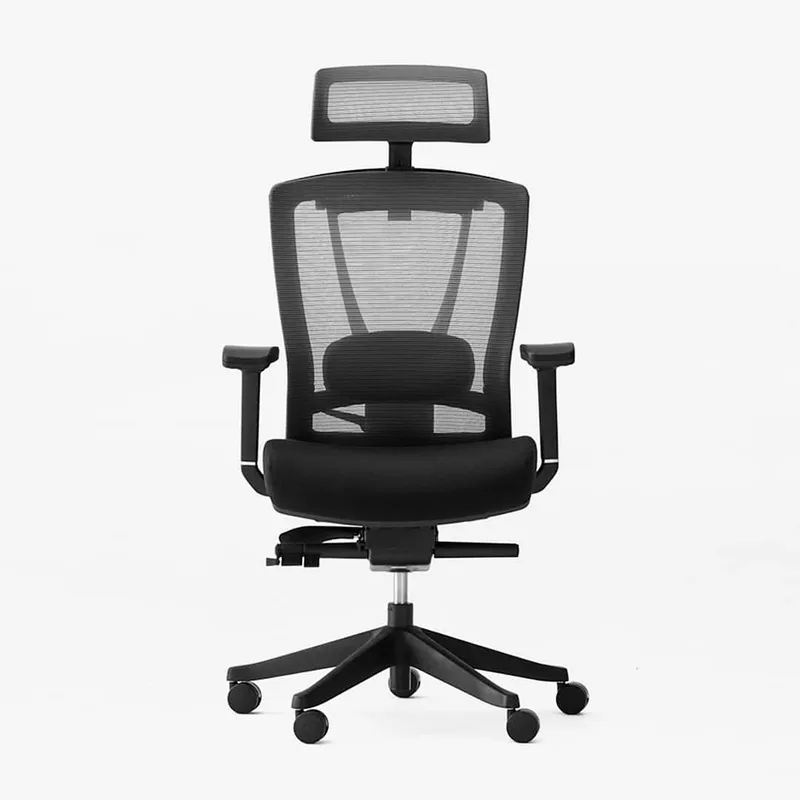
The ErgoChair Pro lands at $499 — pricing it closer to the Steelcase Series 2 than to the Branch, which makes the comparison harder to justify. What it offers that the others don’t at base price: a headrest. Nine adjustment points provide solid configurability including lumbar, armrests, seat angle, and recline tension.
The weak point is the warranty: two years. Compared to Steelcase’s 12 years and Branch’s five, this is a significant gap. Build quality from owner reports also runs a tier below what you’d feel from Steelcase hardware. The adjustment mechanisms are functional but feel less precise.
If the headrest matters to you and $499 is your ceiling, the ErgoChair Pro works. But at $672, you’re getting meaningfully better materials, a proven back system, and a warranty that lasts through multiple job changes.
Best for: Buyers who specifically need a headrest at a sub-$600 price and are comfortable with the shorter warranty.
Buy the Autonomous ErgoChair Pro on Amazon
Buying Guide: What to Look for in a Mid-Range Ergonomic Chair
Back support system
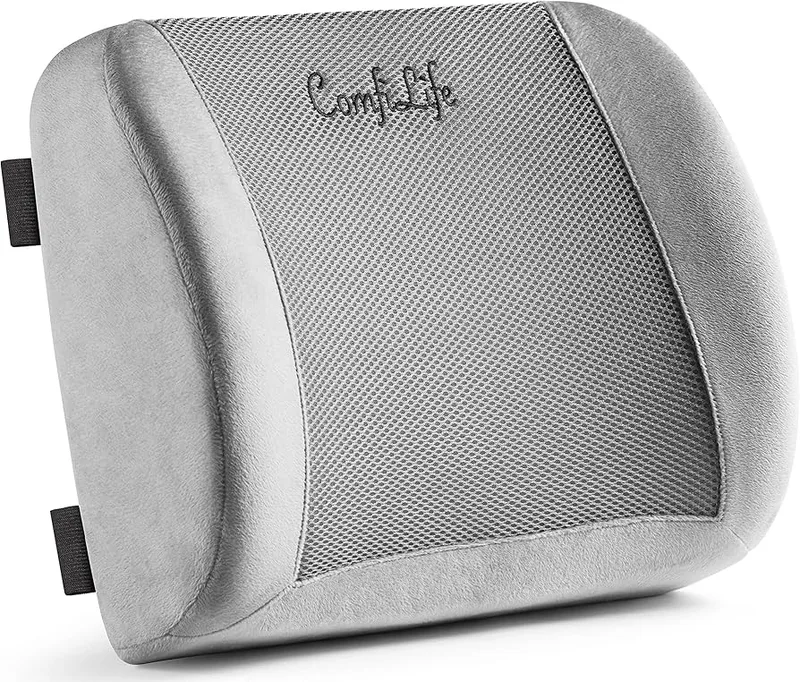
The spine is not uniform — it flexes differently at different heights. Chairs with zoned or independent flexor systems (like the Series 2’s Air LiveBack) accommodate this better than rigid or single-piece backs. At the $300-$400 tier, most backs are simpler. It’s one of the clearest ways you feel the difference when spending more.
Seat depth adjustment
If your thighs hover off the seat edge or your back can’t reach the lumbar support, seat depth is the fix. A chair without a depth slider often means people of non-average height just compromise. Look for at least a 4-inch range.
Lumbar: height vs. depth vs. firmness
Most chairs in this range offer height-adjustable lumbar. Firmness adjustment is rare below $700. Depth adjustment (how far the lumbar protrudes) starts showing up in chairs around $400+. If you’ve used chairs before and felt the lumbar never quite hit right, a chair with depth adjustment is worth the extra spend.
Weight capacity
Standard chairs cap at 250-275 lbs. Mid-range chairs like the Series 2 go to 400 lbs. If you’re near or above the listed capacity, prioritize this number — chairs used beyond their rated capacity deteriorate faster and can become unsafe.
Warranty
A 12-year warranty (Steelcase) means the company expects the chair to last at least that long and will back it. A 2-year warranty suggests either less confidence or less quality. When calculating price-per-year-of-use, long-warranty chairs often come out cheaper than replacing a budget chair every few years.
Price expectations in 2026
- Under $300: Budget mesh chairs. Adequate for part-time desk use. Few have proper lumbar.
- $300-$500: Strong mid-range. Branch, Autonomous, Flexispot chair lines. Good ergonomics, shorter warranties.
- $500-$800: Premium mid-range. Steelcase Series 2, refurbished Gesture. Real ergonomic engineering.
- $800+: Flagship territory. Steelcase Leap/Gesture new, Herman Miller Aeron. See our best luxury office chairs roundup.
If you’re deciding between a $389 chair and a $672 chair, consider how many hours per year you sit in it. Eight hours a day, 250 days a year = 2,000 hours annually. At that rate, a $672 chair you keep for 8 years costs $0.042 per hour. A $389 chair replaced in four years costs $0.049 per hour — roughly the same, with fewer ergonomic features.
Steelcase Series 2 vs Series 1 — Is the Upgrade Worth It?
The Series 1 starts around $415 new. The Series 2 starts around $588. For roughly $170-$250 more, here’s what you gain:
- Better back system: Air LiveBack with independent flexors vs. the Series 1’s simpler flex
- Adaptive seat bolstering: Reduced thigh pressure on long sessions
- Higher weight capacity: 400 lbs vs. 300 lbs on the Series 1
If you sit more than 6-7 hours daily, the Series 2’s back system is the upgrade that justifies the price. If you sit 4-5 hours, the Series 1 does the job.
Steelcase Series 2 vs Gesture — When to Spend More
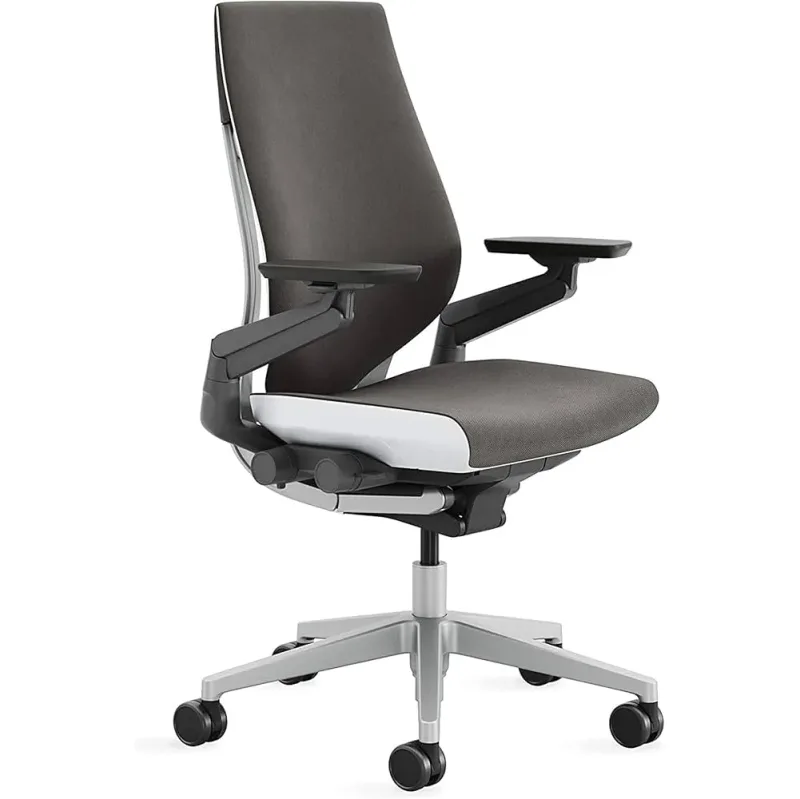
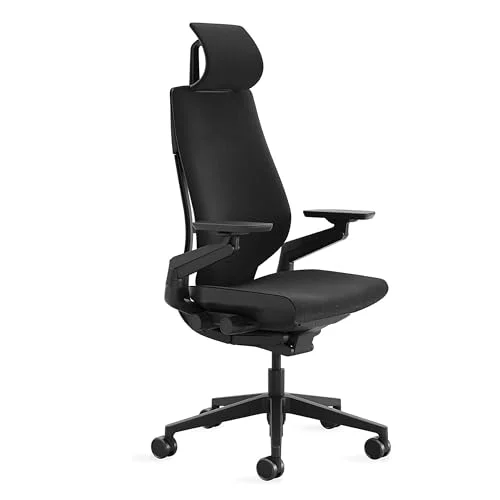
The Steelcase Gesture runs $1,195+ new. It adds a fully articulating back that follows your spine through every position (forward lean, recline, side lean), and the arm system is significantly more refined.
For most people who work a standard forward-facing computer setup, the Series 2 captures about 80% of the Gesture’s ergonomic value at 55% of the price. The Gesture justifies itself for people with neck or back pain who need maximum adaptability, people who shift posture frequently, or those working in ergonomic-sensitive environments. If cost isn’t a concern, consider checking if the Gesture is worth it in our are expensive office chairs worth it guide.
FAQ
Is the Steelcase Series 2 good for tall people?
The Series 2 supports users up to 6’5” comfortably given its adjustable seat height and depth range of 17.75 to 22 inches. Taller users should also consider the Steelcase Leap V2 or Gesture, which have wider adjustment envelopes. Our best ergonomic chairs for tall people guide covers the full options.
Does the Steelcase Series 2 have a headrest?
No headrest is included at base price — it’s available as an optional add-on. If a headrest is important, factor in the add-on cost, or consider the Autonomous ErgoChair Pro which includes one at $499.
Where can I buy the Steelcase Series 2?
The Series 2 is available on Amazon as well as directly from Steelcase and authorized resellers like Crandall Office Furniture, which carries factory-return units at discounted prices if you’re flexible on color.
How does the Steelcase Series 2 compare to the Herman Miller Aeron?
The Aeron at $1,395+ is in a different tier. The Aeron’s PostureFit SL sacrum and lumbar support system is exceptional, but at twice the price. For buyers not committed to flagship spending, the Series 2 is the stronger value. See our Herman Miller Aeron vs Steelcase Leap comparison for the full premium showdown.
Is the Steelcase Series 2 worth the price vs cheaper alternatives?
Compared to the Branch Ergonomic Chair at $389, the Series 2 costs $283 more and delivers a more sophisticated back system, 400 lb capacity, and a 12-year warranty versus 5 years. Whether that gap is worth it depends on daily hours in the chair and how long you plan to own it. Heavy daily users lean toward the Series 2; part-time desk workers lean toward the Branch. Our best ergonomic desk chairs under $500 roundup covers more options in the budget tier.
How long does the Steelcase Series 2 last?
Steelcase’s 12-year warranty is the strongest signal here. The chairs are built to commercial-grade durability standards. Owner reports consistently show these chairs running 10+ years with no mechanical failure. The main wear point is arm padding, which can be replaced via Steelcase’s parts program.
Conclusion
The Steelcase Series 2 is the right chair if you sit more than 6 hours daily, want a back system that adapts to how your posture shifts throughout the day, and plan to keep it for years. The Air LiveBack flexor system is a real ergonomic improvement over simpler mesh backs. The 400 lb weight capacity and 12-year warranty add durability confidence that budget alternatives can’t match.
If the Steelcase Series 2’s $672 price tag is out of reach, the Branch Ergonomic Chair at $389 is the best alternative — genuinely good ergonomics for significantly less.
If you want a headrest included without going over $500, the Autonomous ErgoChair Pro fills that gap, though the 2-year warranty is a real trade-off.
The Steelcase Series 2 is the desk chair I’d actually buy for a home office used 40+ hours a week. At that usage level, it earns its price.