Disclosure: PostureRanked is reader-supported. When you buy through links on our site, we may earn an affiliate commission at no additional cost to you. Our recommendations are based on independent research and testing.
PostureRanked is reader-supported. When you buy through links on our site, we may earn an affiliate commission at no additional cost to you.
You’ve narrowed it down to two desks. Both are well-built. Both have 15-year warranties. Both have thousands of positive reviews. Now the question is: which one is actually right for you?
This is a real decision — you’re spending $500–800 on something you’ll use every day for years. The differences between FlexiSpot and UPLIFT are subtle but meaningful, and they point clearly toward different buyers. For context on how both rank against the broader market, see our best standing desks of 2026 roundup.
Quick answer: FlexiSpot E7 Pro wins on value, motor design, and included features. UPLIFT V3 wins on customization and aesthetics. Pick based on which matters more to you.
Quick Comparison: FlexiSpot E7 Pro vs UPLIFT V3
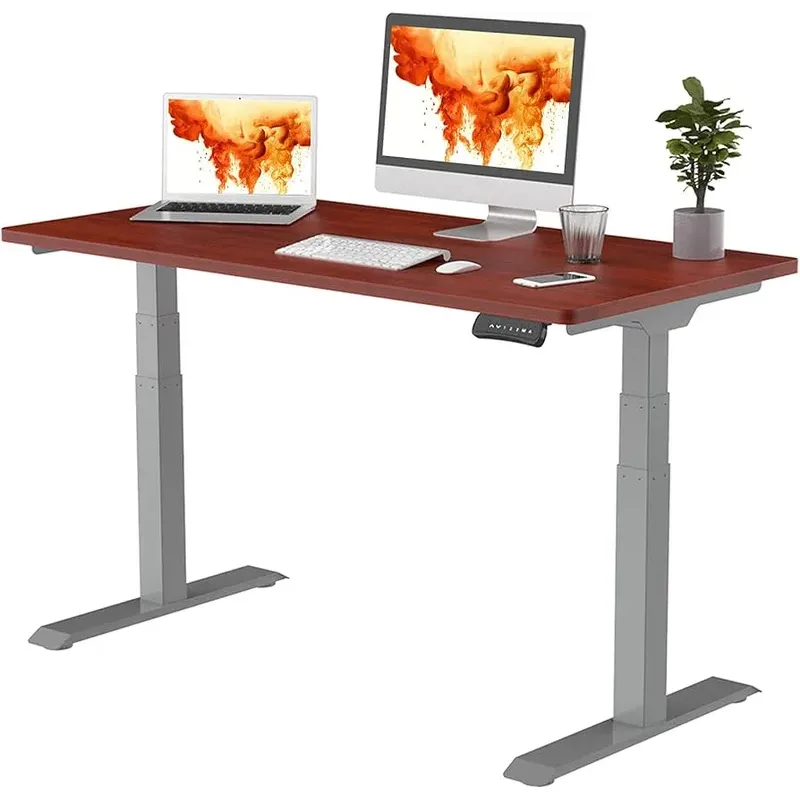
FlexiSpot E7 Pro
Pros
- ✓ Best weight capacity in class (440 lbs)
- ✓ Enclosed motor design resists dust and wear
- ✓ 4-preset keypad with USB-A port included standard
- ✓ Costs $100–200 less than comparable UPLIFT configs
Cons
- ✗ Fewer desktop finish options than UPLIFT
- ✗ Narrower accessory ecosystem
- ✗ Shorter color and finish selection vs UPLIFT's 30+ options
| Feature | FlexiSpot E7 Pro | UPLIFT V3 |
|---|---|---|
| Weight Capacity | 440 lbs | 355 lbs |
| Height Range | 25” – 50.6” | 24.3” – 49.9” |
| Adjustment Speed | 1.6” per second | 1.6” per second |
| Motor Design | Enclosed (sealed) | Exposed wiring |
| Noise Level | 34–46 dB | 34–44 dB |
| Frame Warranty | 15 years | 15 years |
| Starting Price | ~$500–600 | ~$599+ |
| Keypad Presets | 4 presets included | Costs $39 extra |
| Desktop Options | Good | 30+ styles |
Check FlexiSpot E7 Pro on Amazon | Check UPLIFT V3 at UPLIFT Desk
Detailed Comparison
Weight Capacity
FlexiSpot E7 Pro: 440 lbs | UPLIFT V3: 355 lbs
The E7 Pro wins this by a wide margin. 440 lbs versus 355 lbs gives you 85 lbs more headroom — enough to matter for heavy PC tower setups, triple-monitor rigs, or professional audio/video equipment.
For a typical dual-monitor setup, both handle the load easily. But the extra capacity on FlexiSpot is a real advantage if your setup is heavy or likely to grow. The standard FlexiSpot E7 (non-Pro) matches UPLIFT at 355 lbs, so this advantage is specific to the Pro model.
Winner: FlexiSpot E7 Pro
Height Range
FlexiSpot E7 Pro: 25” – 50.6” | UPLIFT V3: 24.3” – 49.9”
FlexiSpot’s top end is slightly higher (50.6” vs 49.9”), which matters for users over 6’3” who want the desk at true standing height. UPLIFT’s lower minimum (24.3” vs 25”) is marginally better for users under 5’4” who need the desk lower for sitting.
Neither difference is dramatic. Both desks comfortably accommodate users from about 5’2” to 6’4” in typical configurations.
Winner: Tie — slight edge to FlexiSpot for tall users, UPLIFT for shorter users
Motor Design and Durability
FlexiSpot E7 Pro: The motor is enclosed within a steel sleeve using a large gear and worm drive design. An anti-vibration pad sits at the base. Dust and debris can’t reach the internal components. The legs use a “hole-less” design where they embed into the frame rather than joining with traditional screws — cleaner and more structurally sound.
UPLIFT V3: Standard worm drive with exposed wiring. Functional and reliable, but dust accumulation over time can affect efficiency. The screw-joined leg design is conventional and solid, just not as refined as FlexiSpot’s approach.
This is a meaningful durability gap, particularly if your desk lives in a workshop, garage office, or dusty environment. Both carry identical 15-year warranties, but sealed motors should need less servicing over that span.
Winner: FlexiSpot
Stability
Both use T-frame dual-motor designs and perform comparably for typical office setups. In head-to-head testing at mid-height with a full monitor setup, neither shows concerning wobble.
Where they diverge: UPLIFT offers a V3 Commercial model with a crossbar support that noticeably reduces flex at maximum height. FlexiSpot counters with the E7 Plus — a four-leg frame that eliminates wobble almost entirely.
If you’re comparing standard models, it’s a tie. If stability at full height is critical, the UPLIFT V3 Commercial or FlexiSpot E7 Plus are the upgrades to consider.
Winner: Tie (both offer stability upgrades if needed)
Keypad and Controls
FlexiSpot E7 Pro: Ships with a premium keypad — four programmable height presets, LED height display, and a USB-A charging port built into the side. No upgrade required.
UPLIFT V3: The base keypad has only manual up/down buttons. No memory presets. To get programmable presets, you pay an extra $39 for the Advanced Memory Keypad.
This is a significant practical difference. Sit-stand habits live or die by how easy it is to switch positions. If you have to manually hold a button to reach your height every time, you’ll use it less often. FlexiSpot includes what UPLIFT charges extra for.
Winner: FlexiSpot — clearly
Price
FlexiSpot E7 Pro: ~$500–600 depending on desktop size and finish UPLIFT V3: ~$599+ before adding the keypad upgrade and most finish options
For a directly comparable configuration — 60” desktop, standard finish, preset keypad — you’re typically saving $150–200 with FlexiSpot. On a $700 purchase, that’s real money. Put it toward a quality chair or monitor arm instead.
Winner: FlexiSpot
Customization Options
UPLIFT V3: The clear winner. More than 30 desktop finishes including bamboo, real wood, reclaimed wood, and various laminates. Multiple frame colors. A deep accessory catalog: foot switches, grommets, integrated power strips, monitor arms, cable management solutions. If you want the desk to match your exact setup, UPLIFT has options FlexiSpot simply doesn’t.
FlexiSpot E7 Pro: Solid selection of sizes and desktop finishes, plus common accessories. Good, but not at UPLIFT’s level.
If aesthetics and configuration flexibility drive your decision, UPLIFT wins this category decisively.
Winner: UPLIFT — clearly
Assembly
FlexiSpot typically takes 30–45 minutes with clear, well-organized instructions. UPLIFT adds steps depending on your configuration — grommets, cable management, and accessory mounts can push assembly to 45–60 minutes.
Neither is difficult, but FlexiSpot is faster to set up.
Winner: FlexiSpot (slightly)
Warranty and Support
Both offer identical 15-year frame warranties and 30-day risk-free returns with no return shipping fees. Both brands have strong reputations for honoring warranties. UPLIFT has a longer market history and more community documentation. FlexiSpot’s support has improved significantly in recent years.
Winner: Tie
Feature-by-Feature Summary
| Category | Winner |
|---|---|
| Weight Capacity | FlexiSpot E7 Pro |
| Height Range | Tie |
| Motor Design | FlexiSpot |
| Stability | Tie |
| Keypad/Controls | FlexiSpot |
| Price | FlexiSpot |
| Customization | UPLIFT |
| Assembly | FlexiSpot |
| Warranty | Tie |
Buying Guide: What to Look for in a Standing Desk
Before you pull the trigger on either desk, make sure you’re buying for the right reasons. Here’s what actually matters.
Weight capacity: Count everything — monitors, arms, PC, speakers, accessories. A dual-monitor setup with a desktop PC can easily hit 80–100 lbs. Budget at least 2x your actual load for long-term motor health. Both desks handle most setups fine, but if you’re running a heavy professional rig, the E7 Pro’s 440 lb capacity is real insurance.
Height range: Measure your sitting and standing elbow heights before you buy. Sit at your current desk and note where your elbows naturally rest parallel to the floor. Stand and do the same. Most ergonomic guides recommend elbow-height as the desk surface target. Both FlexiSpot and UPLIFT cover the typical 5’2”–6’4” range without issue.
Preset keypad: Non-negotiable for regular sit-stand use. If you have to manually hold a button to adjust height every time, you’ll use the standing mode far less — defeating the whole point. This is exactly why FlexiSpot’s included 4-preset keypad is a meaningful advantage over UPLIFT’s base model.
Motor enclosure: Sealed motors last longer in real-world environments, especially if your office is dusty, near a garage, or in a dry climate. FlexiSpot’s sealed design wins this comparison cleanly.
Desktop size: Standard 60”×30” works for most setups. If you’re running three monitors or a large studio layout, go 72” wide. Both brands offer this.
Customization vs. value: If your desk needs to match specific decor or you want a real wood surface, go UPLIFT. If you want the best performance per dollar and don’t care about finish variety, FlexiSpot is the smarter buy.
Who Should Buy FlexiSpot E7 Pro?
Choose the FlexiSpot E7 Pro if you:
- Want the best performance per dollar
- Need the full 440 lb weight capacity for a heavy setup
- Don’t want to pay extra for preset memory (it’s included)
- Prefer an enclosed motor design for long-term durability
- Want simpler, faster assembly
- Plan to invest savings into a quality chair, monitor arm, or other accessories
Best FlexiSpot pick: E7 Pro for heavy or demanding setups. Standard E7 if you’re working within a tighter budget.
Who Should Buy UPLIFT V3?
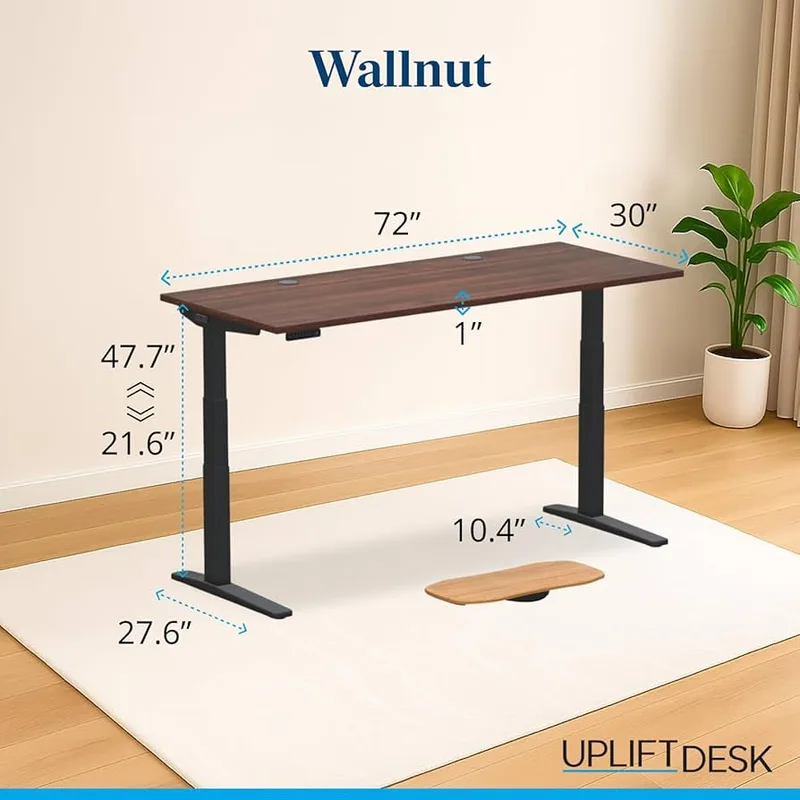
UPLIFT V3
Pros
- ✓ 30+ desktop styles and finishes
- ✓ Extensive accessory ecosystem
- ✓ Slightly lower minimum height (24.3") for shorter users
- ✓ V3 Commercial option for maximum stability
Cons
- ✗ Memory presets cost an extra $39 — not included
- ✗ Exposed motor wiring compared to FlexiSpot's sealed design
- ✗ Lower weight capacity (355 lbs vs 440 lbs)
Choose the UPLIFT V3 if you:
- Want to match a specific desktop finish to your office aesthetic
- Need a highly customized setup with specialty accessories
- Value UPLIFT’s extensive configuration ecosystem
- Want the V3 Commercial for extra crossbar stability at maximum height
- Are building a dedicated long-term home office and want it to look exactly right
Best UPLIFT pick: V3 for aesthetics and customization. V3 Commercial if you need maximum rigidity at full height.
Price Comparison by Configuration
| Configuration | FlexiSpot E7 Pro | UPLIFT V3 |
|---|---|---|
| 48”×24” basic | ~$500 | ~$599 |
| 60”×30” with presets | ~$600 | ~$700+ |
| 72”×30” premium top | ~$750 | ~$900+ |
Prices vary with sales and promotions. UPLIFT prices above include the preset keypad upgrade.
Frequently Asked Questions
Is UPLIFT worth the extra money over FlexiSpot?
Only if you specifically need UPLIFT’s customization options or desktop selection. For pure performance and value, FlexiSpot gives you more for less money.
Which desk is more stable?
Both perform comparably in typical use. For maximum stability, UPLIFT’s V3 Commercial (crossbar frame) or FlexiSpot’s E7 Plus (four-leg frame) both solve the wobble problem effectively.
Do both desks have anti-collision features?
Yes — both include anti-collision detection as standard. The desk stops and reverses if it senses resistance during movement.
Can I use my own desktop with these frames?
Yes. Both brands sell frame-only options that work with custom or third-party desktop surfaces.
Which has better long-term motor durability?
FlexiSpot’s enclosed motor design is better positioned for long-term use, particularly in dusty environments. Both carry 15-year warranties, but the sealed motor on FlexiSpot should need less maintenance over that span.
What’s the noise difference?
Both desks run at 34–46 dB in most configurations. UPLIFT’s range tops out slightly lower (44 dB) in some tests — a difference you won’t notice in normal office use.
The Verdict
For most buyers: FlexiSpot E7 Pro. Better value, higher weight capacity, enclosed motor, and a preset keypad included at no extra charge. FlexiSpot wins six of nine categories in this comparison. Unless you specifically need what UPLIFT does uniquely, this is the smarter purchase.
For customization-focused buyers: UPLIFT V3. If you’re building a home office that needs to look a specific way — real wood desktop, specific frame color, custom accessories — UPLIFT’s configuration options are unmatched. You’ll pay more, but you’ll get exactly what you want.
For maximum stability at any price: UPLIFT V3 Commercial or FlexiSpot E7 Plus. Both eliminate standing-height wobble. Pick based on which brand’s ecosystem you prefer.
The FlexiSpot E7 Pro wins on every objective measure. UPLIFT wins when your aesthetic preferences take over. Know which one you’re optimizing for, and you won’t be disappointed with either choice. For a full in-depth look at the FlexiSpot, read our FlexiSpot E7 Pro review. And complete your setup with an anti-fatigue mat and a monitor arm — the two accessories that make the biggest day-to-day difference.
Check FlexiSpot E7 Pro on Amazon
Check UPLIFT V3 at UPLIFT Desk
Also see: Best Standing Desks of 2026 | The Complete Standing Desk Setup Guide