Disclosure: PostureRanked is reader-supported. When you buy through links on our site, we may earn an affiliate commission at no additional cost to you. Our recommendations are based on independent research and testing.
| Product | Price | Rating |
|---|---|---|
| Secretlab Magnus Pro XL | $949 | 9.2 |
| FlexiSpot E7 Pro | $439.99 | 8.8 |
| UPLIFT V2 Commercial Standing Desk | $659 | 9.3 |
| ERGO COLLECT Gaming Electric Standing Desk | $599 | 8.2 |
| Autonomous SmartDesk Pro | $649 | 7.8 |
Disclosure: PostureRanked is reader-supported. When you buy through links on our site, we may earn an affiliate commission at no extra cost to you. Learn more
Gaming setups are getting heavier. A standard battlestation with dual ultrawide monitors, a full-tower PC, a capture card, and a streaming light can push 120–150 lbs of gear onto your desk surface. At CES 2026, smart workspace technology dominated the show floor — ProtoArc debuted a pressure-sensitive ergonomic chair that detects posture changes in real time, and Dowinx showcased their latest gaming chair innovations. The industry is taking gaming ergonomics seriously. The standing desk is the next logical step.
Standing gaming desks let you shift positions during long sessions and eliminate the hip and lower back fatigue that builds up after three or four hours of seated play. The catch: not all standing desks are stable enough for gaming. A frame that wobbles when you push a button will shake your monitor mid-match, and that’s unacceptable when precision matters.
Quick pick: If you want one answer right now, the Secretlab Magnus Pro XL is the best purpose-built standing gaming desk at $949. For maximum stability per dollar, the FlexiSpot E7 Pro at $439.99 has the highest weight capacity of any desk in this guide and 3-stage legs that stay solid.
Already have a gaming chair? Check out our best gaming chairs roundup to complete your setup.
1. Secretlab Magnus Pro XL — Editor’s Pick
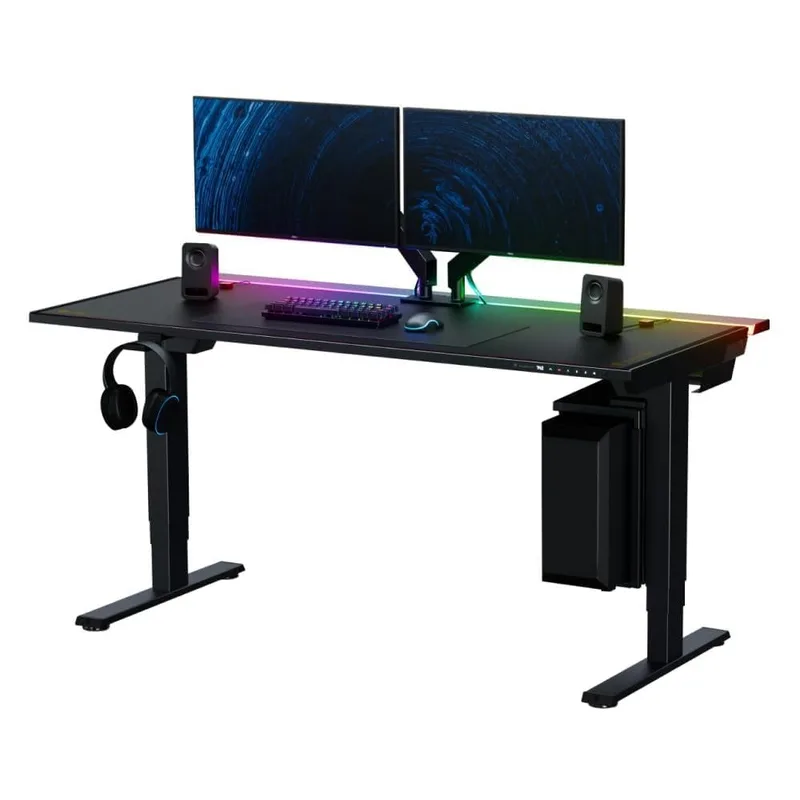
Secretlab Magnus Pro XL
Pros
- ✓ Purpose-built for gaming with full magnetic accessory ecosystem
- ✓ Integrated power supply column — no loose brick on the floor
- ✓ 70" × 31.5" full metal desktop is serious real estate
- ✓ Magnetic cable management keeps your battlestation clean
Cons
- ✗ 260 lb weight capacity is lower than competitors at this price
- ✗ $949 is expensive compared to general-purpose standing desks
- ✗ 49.2" max height limits use for gamers over 6'3"
The Magnus Pro XL is what happens when a gaming peripherals company designs a standing desk from the ground up. Secretlab built the Magnus line specifically for battlestations, and the XL version at 70” × 31.5” gives you real room for everything — dual monitors, speakers, a full-tower, and a microphone arm without cramping.
The standout feature is the integrated power supply column. Standard standing desks have a loose power brick dangling near the floor. The Magnus Pro buries the entire power supply inside the frame column, so your cable management is genuinely clean. Pair that with the magnetic MAGPAD desk mat and the magnetic cable clips, and you have a battlestation that looks intentional.
Stability-wise, the Magnus Pro holds up well for gaming. The dual-motor frame handles smooth transitions and the 260 lb capacity is enough for most setups. The one honest limitation: 260 lbs is lower than competitors at this price. The FlexiSpot E7 Pro handles 440 lbs. If you’re running three 34” monitors plus a heavy tower and accessories, do the math before buying.
Height range is 25.6” to 49.2”. Most gamers standing will use 40”–46”, which puts this well within range. Very tall gamers (6’3”+) may find 49.2” limiting for seated positions on bar stools or perching during extended play.
Best for: Gamers who want a purpose-built setup with clean cable management and don’t want to piece together their own battlestation from generic parts.
2. FlexiSpot E7 Pro — Best Value
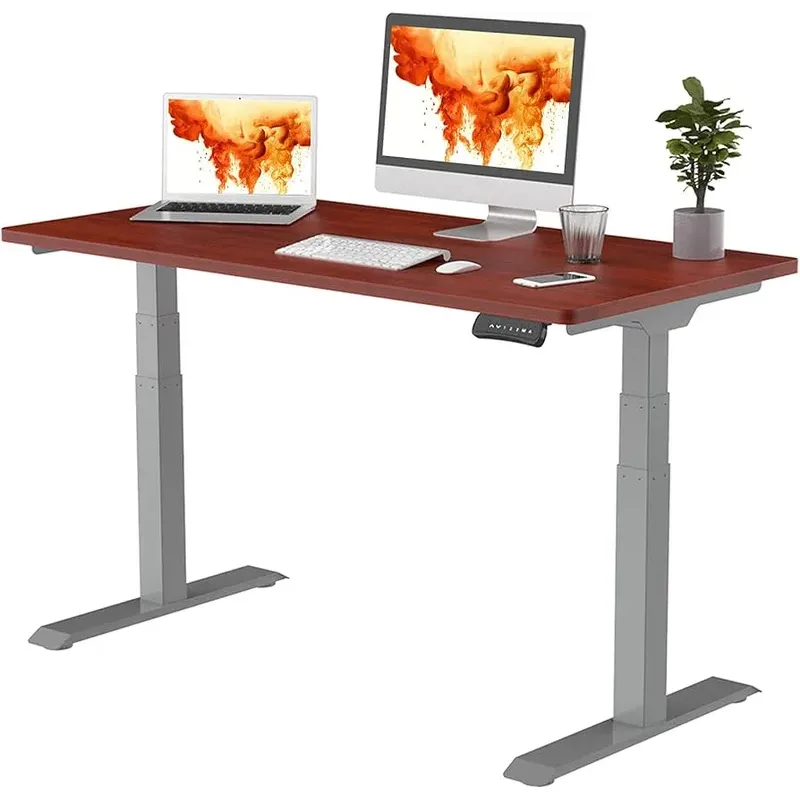
FlexiSpot E7 Pro
Pros
- ✓ 440 lb weight capacity — highest in this roundup by a wide margin
- ✓ 3-stage legs provide exceptional stability at standing height
- ✓ Built-in USB-A port on controller for device charging
- ✓ 25" minimum fits under short-desk configurations and petite users
Cons
- ✗ 55" × 28" desktop is tight for triple-monitor rigs
- ✗ No gaming-specific cable management or magnetic accessories
- ✗ Controller display is basic compared to premium options
The E7 Pro is the desk you buy when you want the best stability-per-dollar ratio and don’t care about gaming branding. At $439.99, it competes with desks twice its price on the specs that actually matter.
The key differentiator is 3-stage legs. Most standing desks use 2-stage legs, which extend and retract in two phases. 3-stage legs use three overlapping sections, which means greater vertical range AND better rigidity at standing height. At full extension, the E7 Pro stays noticeably more solid than comparably priced 2-stage frames. For gaming, that matters.
The 440 lb weight capacity is absurd for a $440 desk. This is the frame you want if you’re running a triple-monitor rig with a heavy desktop and full-size PC tower on a dedicated stand. FlexiSpot doesn’t scrimp on the motor or frame — the E7 Pro handles serious loads without complaint.
Where it falls short: the 55” × 28” desktop included is on the smaller side for serious battlestations. Most gaming setups want 60”+ of width for dual monitors with room to spare. You can upgrade to a larger top separately, but budget for that.
No gaming-specific features here — no integrated power supply, no magnetic cable management. You’ll run your own cable management solution. For most gamers, that’s a fine tradeoff at $440.
Best for: Gamers building a heavy multi-monitor rig on a budget. The 440 lb capacity and 3-stage stability make this the practical choice when you want the best frame without paying a gaming tax.
3. UPLIFT V2 Commercial — Most Stable
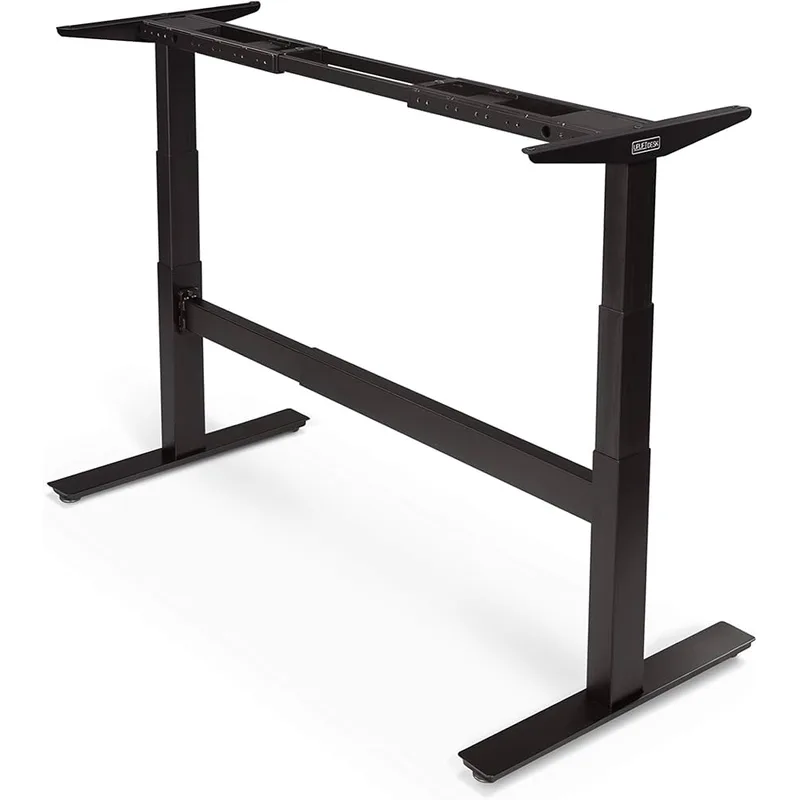
UPLIFT V2 Commercial Standing Desk
Pros
- ✓ Industry-leading 15-year warranty — no other standing desk comes close
- ✓ BIFMA stability certified for professional-grade build quality
- ✓ 21.6" minimum height is lowest in this roundup
- ✓ 45+ accessories let you build an entire customized battlestation
Cons
- ✗ Sold direct only — no complete desk on Amazon
- ✗ Base price rises quickly once you add desktop and accessories
- ✗ 47.7" standard max height requires extension legs for very tall users
The Uplift V2 Commercial earns the “most stable” label through engineering, not marketing. It’s BIFMA certified — an independent standard that validates structural integrity under load — and backs it up with a 15-year warranty. No gaming desk company offers anything close.
The V2 Commercial (as opposed to the standard V2) uses commercial-grade 3-stage legs with dual motors in each leg. At 355 lbs capacity and a 21.6” minimum height, it handles everything from ultra-low sitting configurations to aggressive standing positions. The minimum height of 21.6” is the lowest in this roundup, which matters if you ever want to lower the desk significantly for console gaming from a couch setup.
The real value proposition is the accessory ecosystem. Uplift offers 45+ desk add-ons — monitor arms, keyboard trays, cable management systems, under-desk drawers, side tables, cable spines. You can build a fully configured ergonomic battlestation from Uplift alone.
The downside is price creep. The $659 starting price looks attractive, but by the time you add a desktop top, a cable management tray, and maybe a monitor arm, you’re past $1,000. The Magnus Pro looks more expensive but comes complete.
Uplift sells primarily direct through their website — there’s no complete desk with top available on Amazon. Delivery takes longer than Prime shipping.
Best for: Gamers making a long-term investment in their workspace. The 15-year warranty means this is likely the last standing desk you’ll buy.
4. ERGO COLLECT Gaming Electric Standing Desk — Best Gaming Budget
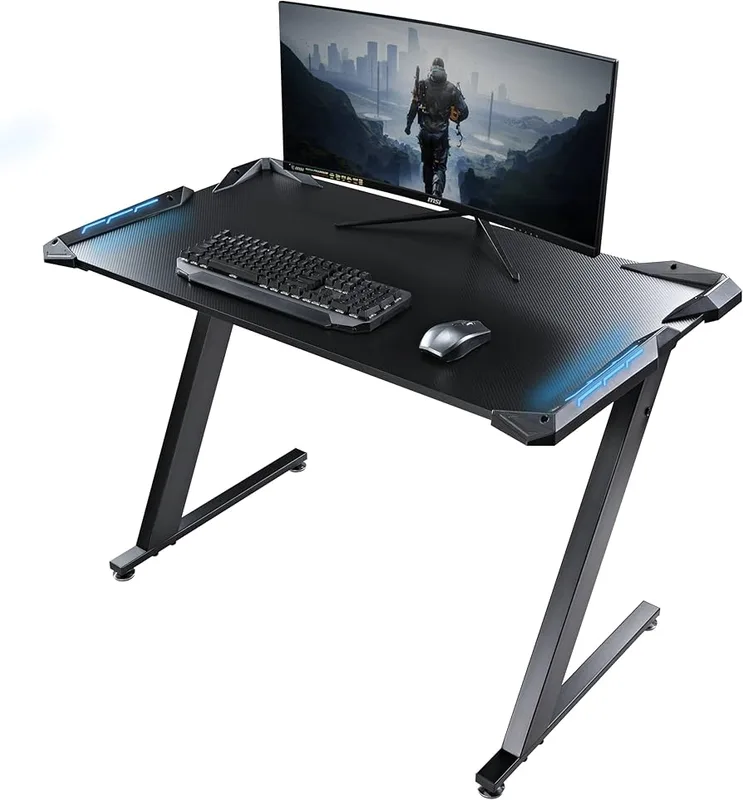
ERGO COLLECT Gaming Electric Standing Desk
Pros
- ✓ Carbon fiber top is scratch-resistant, water-repellent, and looks sharp
- ✓ Reinforced triangular steel frame significantly reduces wobble
- ✓ Sit-stand reminder and anti-collision built in at this price
- ✓ Assembles in under 10 minutes with quick-install system
Cons
- ✗ 45.3" max height is too low for gamers over 6' tall
- ✗ 264 lb capacity lower than competitors at similar price
- ✗ Newer brand with shorter track record than FlexiSpot or Uplift
The ERGO COLLECT is genuinely designed for gaming and streaming. The carbon fiber desktop is scratch-resistant and water-repellent — two properties that matter when you’re setting drinks next to your keyboard and dragging gear around. It looks good, holds up to daily abuse, and assembles in under 10 minutes.
The reinforced triangular steel frame is the real stability story here. Standard standing desk frames use two parallel legs; the ERGO COLLECT adds triangular bracing that reduces lateral wobble significantly at standing height. For a desk at this price, the stability is better than expected.
The built-in sit-stand reminder is a useful feature that most desks skip. It buzzes you every 30–60 minutes to switch positions, which is genuinely helpful when you’re deep in a session and forget to move.
The honest limitation is max height. At 45.3”, this desk is comfortable for gamers up to about 6’ tall. Anyone taller will find 45.3” too low for proper elbow-height alignment while standing. Check your personal standing desk height before buying.
Best for: Budget-conscious gamers who want gaming aesthetic and carbon fiber durability without spending $600+.
5. Autonomous SmartDesk Pro — Best for Tall Gamers
Autonomous SmartDesk Pro
Pros
- ✓ 52" max height works for gamers up to 6'5" without extension legs
- ✓ 300 lb capacity handles heavy multi-monitor and full-tower setups
- ✓ 7-year frame warranty at a mid-range price
- ✓ 70×30" desktop option available for large battlestations
Cons
- ✗ Noticeable wobble at maximum extension — avoid gaming at full height
- ✗ 26.2" minimum is too tall for users under 5'4"
- ✗ No anti-collision protection
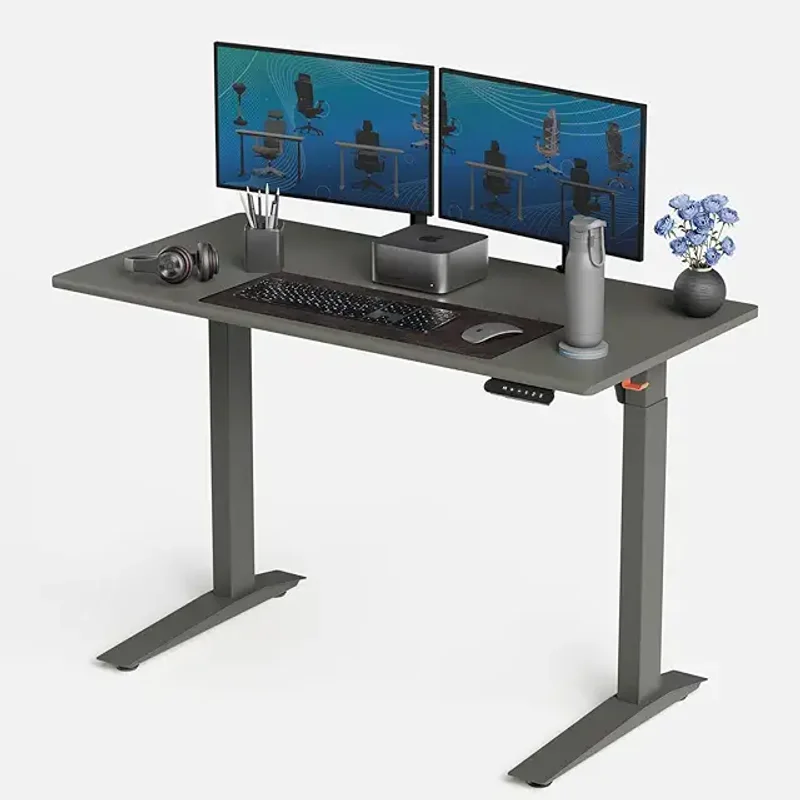
Most standing desks top out at 47”–51”. The Autonomous SmartDesk Pro hits 52”, which covers gamers up to 6’5” without needing extension legs. For tall users, this is a genuine differentiator.
The 300 lb capacity handles heavy setups, and the 7-year frame warranty is solid for the price. Available in three desktop sizes — including a 70×30” option — the SmartDesk Pro scales to large battlestation configurations.
The honest caveat: there’s noticeable wobble at maximum extension. This is documented in user reviews and our own evaluation. For gaming at 44”–48”, which covers most users standing, it’s stable enough. Push it to 52” and you’ll feel the frame flex. The practical advice is to use it at comfortable standing height, not maximum height.
Also: the 26.2” minimum height is on the taller side. Users under 5’4” may find the lowest sitting position uncomfortably high without an ergonomic chair with significant height range.
Best for: Tall gamers (6’+) who need a 52” max height and understand the stability tradeoff at full extension.
How They Compare
| Desk | Price | Height Range | Capacity | Desktop | Warranty |
|---|---|---|---|---|---|
| Secretlab Magnus Pro XL | $949 | 25.6”–49.2” | 260 lbs | 70”×31.5” | 5 years |
| FlexiSpot E7 Pro | $439.99 | 25”–50.6” | 440 lbs | 55”×28” | 5 years |
| UPLIFT V2 Commercial | $659+ | 21.6”–47.7” | 355 lbs | Customizable | 15 years |
| ERGO COLLECT Gaming | $599 | 28”–45.3” | 264 lbs | 55”×27.5” | TBD |
| Autonomous SmartDesk Pro | $649 | 26”–52” | 300 lbs | Up to 70”×30” | 7 years |
What to Look For in a Standing Gaming Desk
Stability First
This is the filter everything else runs through. A standing desk wobbles when the frame is weak, when the legs aren’t rigid at extension, or when the load exceeds the frame’s design. For gaming, you want a desk that stays still when you press a key, not one that vibrates your monitor.
3-stage legs are significantly more stable than 2-stage at the same price. If you’re choosing between two similarly priced desks and one has 3-stage legs, choose the 3-stage. The FlexiSpot E7 Pro and Uplift V2 Commercial both use 3-stage legs. The stability difference at standing height is real and noticeable.
Weight capacity is a proxy for frame quality. A 440 lb capacity desk (E7 Pro) uses better materials and thicker steel than a 150 lb capacity desk, even if you never put 440 lbs on it.
How Much Desktop Space Do You Actually Need?
- Single monitor + keyboard: 48”+ width is fine
- Dual monitors (27” each): 60”+ width, 30”+ depth
- Triple monitors or ultrawides: 70”+ width is comfortable
- Dual ultrawides (34”+ each): You need 70”+ and a strong frame
The Magnus Pro XL at 70” × 31.5” is the only option in this roundup that handles dual ultrawides without compromise. The FlexiSpot E7 Pro’s 55” top works for single-monitor or compact dual-monitor setups but gets cramped fast.
Height Range and Your Body
The standard formula: your optimal standing height is elbow height with shoulders relaxed. For most people, that falls between 38” and 46”. A desk with a 25”–50” range covers virtually everyone sitting and standing.
If you’re under 5’4”, pay attention to minimum heights. The Autonomous SmartDesk Pro’s 26.2” minimum can be uncomfortably high for shorter users. The Uplift V2 Commercial’s 21.6” minimum is best for petite setups.
Gaming-Specific Features
The Secretlab Magnus Pro XL is the only desk here with purpose-built gaming features: an integrated power supply, magnetic cable management, and a magnetic accessory ecosystem. These aren’t gimmicks — the cable management alone saves hours of setup time.
General-purpose standing desks (FlexiSpot, Uplift, Jarvis) are just as stable and functional, but you’ll source your own cable management solution.
Budget Expectations
- Under $500: FlexiSpot E7 Pro ($439.99) is the only legitimate option. Others in this range compromise on stability.
- $500–$700: ERGO COLLECT ($599), Autonomous SmartDesk Pro ($649), and UPLIFT V2 ($659+) compete here. The Uplift wins on warranty; the Autonomous wins on height range.
- $900+: Secretlab Magnus Pro XL ($949) is the only purpose-built gaming option in this tier.
FAQ
Do standing desks wobble when gaming?
Yes, cheaper frames wobble at standing height — especially 2-stage frames under load. The fix is 3-stage legs (FlexiSpot E7 Pro, UPLIFT V2 Commercial) or premium frame construction (Magnus Pro XL). A desk that’s rated for 300+ lbs and uses 3-stage legs will stay stable during gaming at normal standing heights.
What weight capacity do I need for a gaming setup?
A typical setup with a monitor, keyboard, mouse, and small speakers is 30–50 lbs. A heavier setup with dual 34” monitors, a tower PC on a separate stand, streaming gear, and accessories might reach 80–120 lbs. The 264 lb minimum in this roundup handles any realistic gaming setup with room to spare. The 440 lb FlexiSpot E7 Pro is overkill for most — but overkill means a stiffer, more solid frame.
How wide does a gaming desk need to be for dual monitors?
For two 27” monitors, you need at least 60” of desk width — 55” is tight. For two 32” monitors or ultrawides, budget 70”+. The Magnus Pro XL (70”) and Autonomous SmartDesk Pro (up to 70×30”) handle dual large-monitor setups. The FlexiSpot E7 Pro (55”) and ERGO COLLECT (55”) are tight for dual-monitor rigs.
Is the Secretlab Magnus Pro XL worth $949?
For gaming-specific features — integrated power supply, magnetic cable management, full metal construction — yes. It’s not the most stable or the highest-capacity desk here, but it’s the only one designed to be a battlestation rather than adapted to one. If you care about cable management and want everything integrated, $949 is reasonable. If you just want a stable frame, the FlexiSpot E7 Pro at $439.99 outperforms it on specs alone.
Can I use any standing desk for gaming, or do I need a gaming-specific one?
You can absolutely use a general-purpose standing desk for gaming — the Uplift V2 Commercial outperforms the Magnus Pro on pure stability metrics. “Gaming” desks add aesthetic touches and integrated features. What actually matters for gaming is stability, desktop size, and weight capacity, not whether the product page says “gaming” on it.
Conclusion
For most gamers, the FlexiSpot E7 Pro at $439.99 is the right call. The 440 lb capacity, 3-stage legs, and 25”–50.6” height range check every stability box. It’s not glamorous, but it holds your gear steady.
Want the purpose-built gaming experience? The Secretlab Magnus Pro XL at $949 is the answer — cable management handled, power supply integrated, battlestation complete. The MAGPAD ecosystem makes setup genuinely satisfying.
Making a long-term investment? The UPLIFT V2 Commercial with its 15-year warranty and BIFMA certification is the desk you buy once and don’t replace. The add-on ecosystem means it grows with your setup.
For your chair, check out the best gaming chairs guide — a stable desk and a good chair make a real difference in long sessions. And if you’re building out a full streaming rig, the ergonomic streaming setup guide covers desk position, camera placement, and lighting in detail.
Also worth reading: best gaming desks 2026 if you want to compare standing-only options against fixed-height gaming desks. And the gaming posture guide for how to actually use your new standing desk without developing new aches.