Your lower back doesn’t care how good your kill/death ratio is. After six or eight hours in a chair with a lumbar pillow that’s shifted two inches from where it started, you know it. Gaming chairs marketed for back pain vary enormously in what they actually deliver — some have genuine built-in lumbar systems with real adjustability, others ship with a loose pillow velcroed to the backrest and call it a day.
In 2026, the category has matured. Gaming chair brands are increasingly borrowing from high-end office seating, with built-in lumbar supports, cold-cure foams, and BackFit-style spine alignment systems appearing even at mid-range prices. The Razer Iskur V2 X — released in late 2026 — brought built-in adjustable lumbar to under $300 for the first time from a major gaming brand.
Quick pick: The Secretlab Titan Evo handles the most people well for the least compromise. If budget isn’t the issue, the Herman Miller x Logitech G Embody is the answer every back pain specialist would point to.
Secretlab Titan Evo Gaming Chair
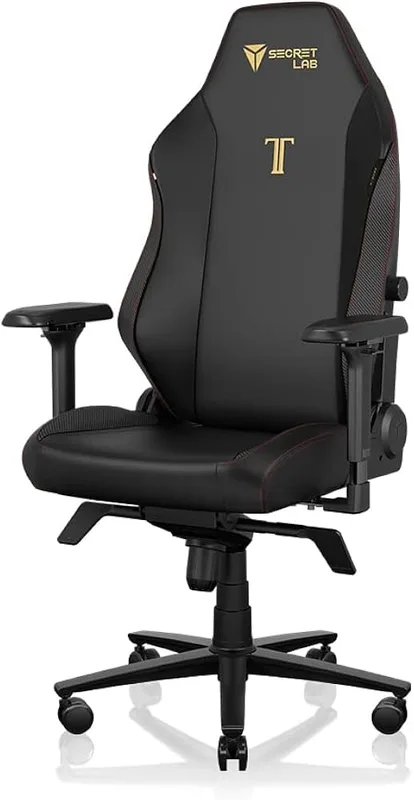
Secretlab Titan Evo Gaming Chair
Pros
- ✓ 4-way lumbar adjusts height, depth, and side-to-side tilt — genuinely useful for lower back pain
- ✓ Cold-cure foam holds shape better than standard polyurethane after years of use
- ✓ Magnetic memory foam neck pillow is easy to position and actually stays put
- ✓ Available in S, Regular, and XL sizes so most builds get a proper fit
Cons
- ✗ Premium price for a gaming chair — office chair alternatives exist at this range
- ✗ Break-in period of several weeks before the cold-cure foam fully softens
- ✗ Some users find the lumbar pushes too far forward until adjusted correctly
Best for: Most gamers wanting a complete back-pain solution under $600
The Titan Evo’s 4-way lumbar system is the reason it leads this list. Unlike chairs where “adjustable lumbar” means moving a pillow up or down, the Titan Evo’s built-in support adjusts for height, forward depth, left-right tilt, and firmness — four independent variables that let you actually dial in support for your spine’s shape, not a generic curve.
The cold-cure foam in the seat cushion is another differentiator. Standard polyurethane foam compresses and flattens within 12-18 months of daily use. Cold-cure foam — the same process used in high-end office chairs — maintains its shape significantly longer. Owner reports consistently mention the Titan Evo still feeling supportive two or three years in, where budget chairs often sag within the first year.
Available in Small (5’–5’6”), Regular (5’7”–6’2”), and XL (5’11”–6’9”), you can match the chair to your actual body dimensions rather than hoping a universal size fits. The magnetic memory foam neck pillow positions cleanly and stays where you put it — a small thing that makes a real difference when you’re adjusting posture through a long session.
At $579, this sits at the higher end of the mid-range gaming chair market. You can spend less and get something functional, or spend more and get office-chair engineering. The Titan Evo sits in the sweet spot where gaming-specific features and ergonomic credibility overlap. Secretlab runs periodic sales (spring, Black Friday) where it regularly drops to $499–$529 — worth checking before buying at full price.
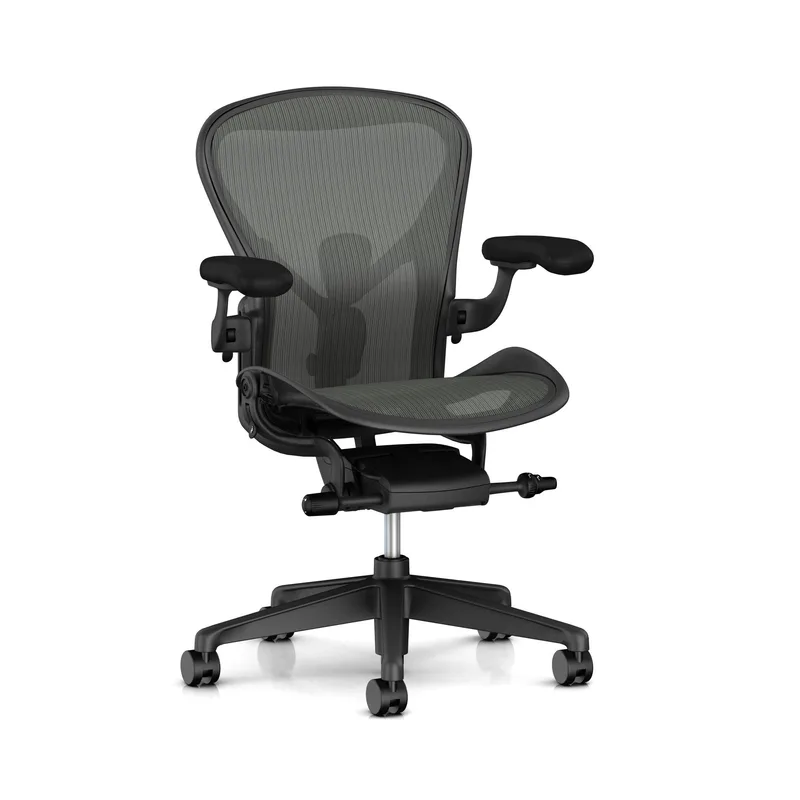
Herman Miller x Logitech G Embody Gaming Chair
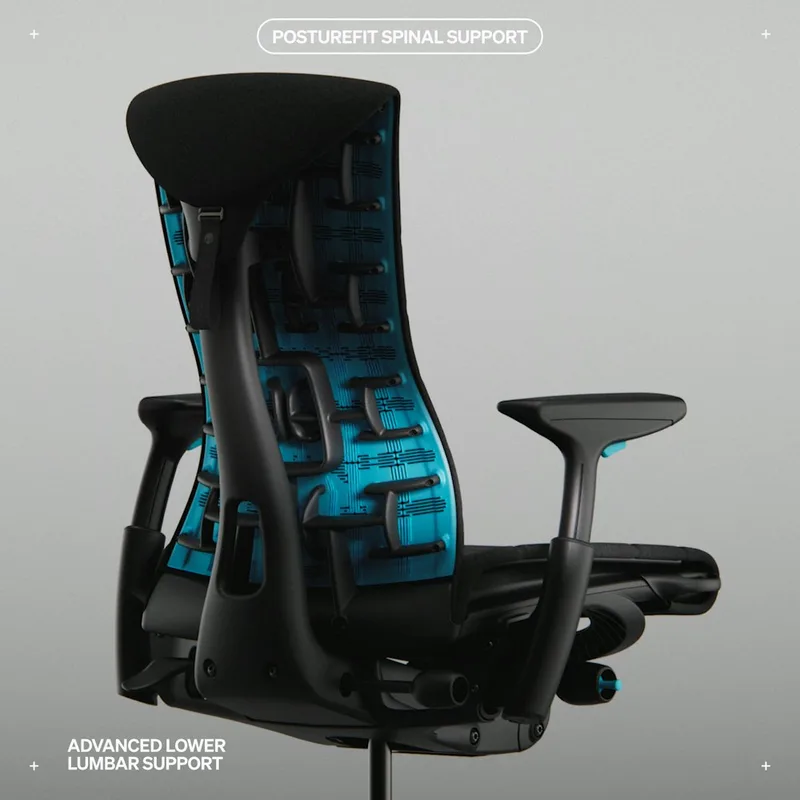
Herman Miller x Logitech G Embody Gaming Chair
Pros
- ✓ BackFit adjustment dial aligns the backrest to your actual spinal curve — not just a pillow
- ✓ Pixel matrix back distributes pressure across 144 individual support points
- ✓ 12-year warranty is the gold standard in the category
- ✓ Dynamic recline responds to body movement throughout the day rather than locking into angles
Cons
- ✗ Price is a hard sell — costs more than most gaming desks and chairs combined
- ✗ Looks more like an office chair than a gaming setup, which bothers some buyers
- ✗ No removable headrest cushion — some tall users want higher neck support
Best for: Serious players treating their setup as a long-term health investment
The Embody’s BackFit adjustment system is as close as a gaming chair gets to being fit specifically to your spine. A dial on the back of the backrest shifts the spinal support forward or back to match the curve of your lumbar region — not a pre-set curve, but yours. It’s what separates this from everything else in the gaming category.
The pixelated matrix support structure — 144 individual cells across the back panel — distributes pressure rather than concentrating it at two or three contact points. Research backing the Embody’s basic ergonomic approach is well-established; Herman Miller worked with ergonomic researchers over 10 years to develop the frame geometry. The gaming version adds an extra layer of copper-infused foam to manage heat during extended sessions.
At $1,499, you’re paying luxury office chair money for a gaming aesthetic. The 12-year warranty tells you something about how Herman Miller views the product’s lifespan versus an entry-level gaming chair. If you’re gaming four to six hours daily and already dealing with chronic lower back pain, the math on the warranty alone starts looking different.
The honest caveat: the Embody looks like an office chair. If your setup is a full RGB gaming build, this won’t match the aesthetic. That matters to some people and not at all to others.
Razer Iskur V2 Gaming Chair
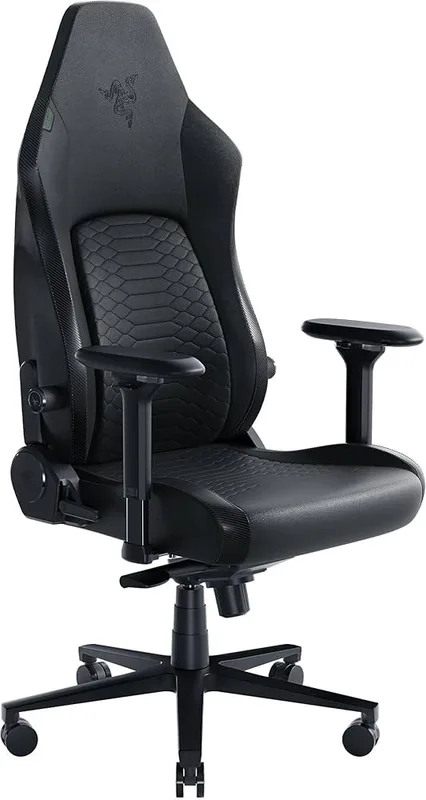
Razer Iskur V2 Gaming Chair
Pros
- ✓ Adjustable lumbar curve lets you dial in both the height and the forward angle — unusual at any price
- ✓ High-density foam cushions stay firm without the spongy collapse cheaper chairs show within months
- ✓ 152° recline range with solid tilt mechanism is good for brief rest breaks
- ✓ Razer's brand reputation means strong after-sales support and widely available replacement parts
Cons
- ✗ At $649, it overlaps with the Secretlab XL and starts approaching Embody territory
- ✗ Synthetic leather runs warm in summer sessions without active cooling
- ✗ Heavier than most competitors at 66 lbs, which matters for rearranging your setup
Best for: Back pain sufferers who want maximum lumbar adjustability in a gaming design
The Iskur V2’s lumbar system is the most technically adjustable of any gaming chair under $700. Most built-in lumbar systems give you height adjustment. The Iskur V2 adds a separate curve-intensity dial — you can set how aggressively the lumbar pushes forward into your lower back independently from where it sits vertically. For people with a pronounced lumbar curve, this is the difference between a chair that helps and one that irritates.
The high-density multi-layer foam cushions are meaningfully firmer than standard gaming chair foam, which matters for all-day support. Foam that compresses too easily under sitting weight stops providing lumbar reinforcement within a few months. The Iskur V2’s cushioning remains functional for longer based on owner feedback across the chair’s production history.
At $649, the Iskur V2 is harder to justify against the Titan Evo Regular ($579) — you’re paying more for lumbar curve adjustment that the Titan Evo lacks, while the Titan Evo offers more size options and arguably better long-term foam quality. If the lumbar curve dial is the specific fix you need for your back, the Razer earns its premium. Otherwise, the Titan Evo is the better default.
2026 update: Razer announced the Iskur V2 NewGen at CES 2026, featuring a HyperFlex Lumbar system with 360° swivel capability and updated dual-density cold-cured foam. The original V2 (listed above) remains available and is often discounted. The NewGen is priced at $649 as well — check both listings before buying.
AndaSeat Kaiser 3 Gaming Chair
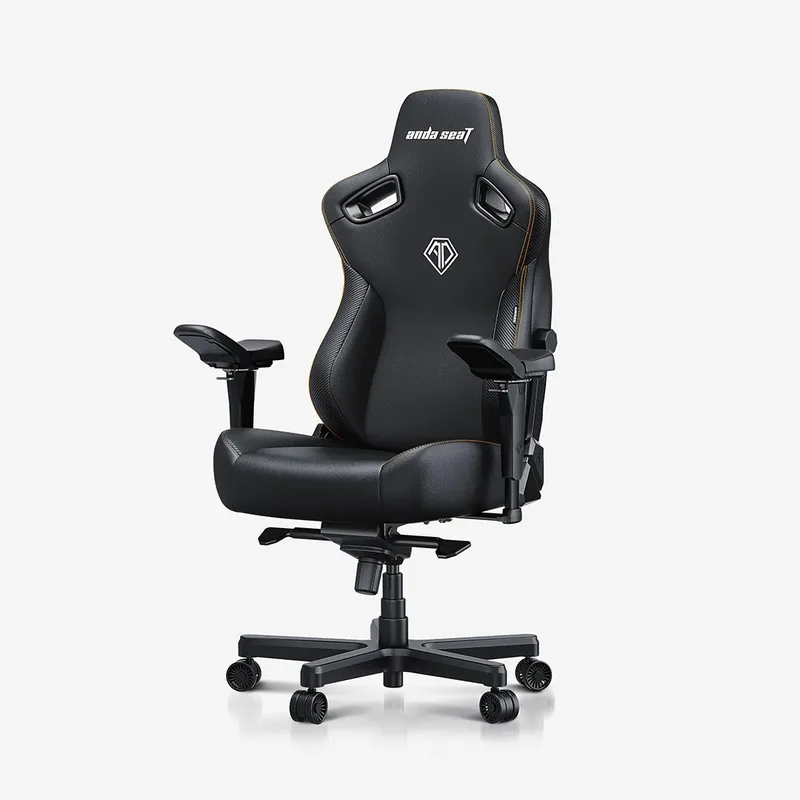
AndaSeat Kaiser 3 Gaming Chair
Pros
- ✓ 400 lb weight capacity and wider seat base accommodate larger builds that most chairs exclude
- ✓ Built-in lumbar adjusts independently for height and depth — not just a decorative bump
- ✓ Magnetic neck pillow repositions easily without velcro fidgeting
- ✓ Cold-cure foam and reinforced frame hold up well under heavier use per owner reports
Cons
- ✗ 2-year warranty is shorter than Secretlab or Razer at a similar price
- ✗ Chair is heavy and bulk packaging makes assembly awkward for solo setup
- ✗ Seat cushion slightly firm right out of the box — takes time to break in
Best for: Larger builds (250–400 lbs) who need a chair that doesn’t compromise on lumbar
Most gaming chairs rate their weight limits at 250-300 lbs and design the geometry around a median body. The Kaiser 3’s 400 lb capacity isn’t just a number change — the seat is wider, the backrest is taller, and the structural reinforcement is heavier-gauge throughout. For larger users, this translates to a chair that actually fits rather than one where you’re perched on the edge of the seat.
The built-in lumbar adjusts independently for height and depth, which keeps it from being a cosmetic feature. The magnetic neck pillow repositions without fighting velcro, which sounds minor until you’ve used a velcro-mounted pillow through six months of sessions. Cold-cure foam and the reinforced frame hold up well under regular heavy use — owner reports don’t show the early sagging that bonded-leather big-and-tall chairs commonly develop.
At $429, it’s competitively priced for what it offers. If you’re within the standard weight range, the Kaiser 3 doesn’t offer enough over the Titan Evo to justify the price. But for larger frames, it’s the first chair in this roundup actually built for you.
Razer Iskur V2 X Gaming Chair
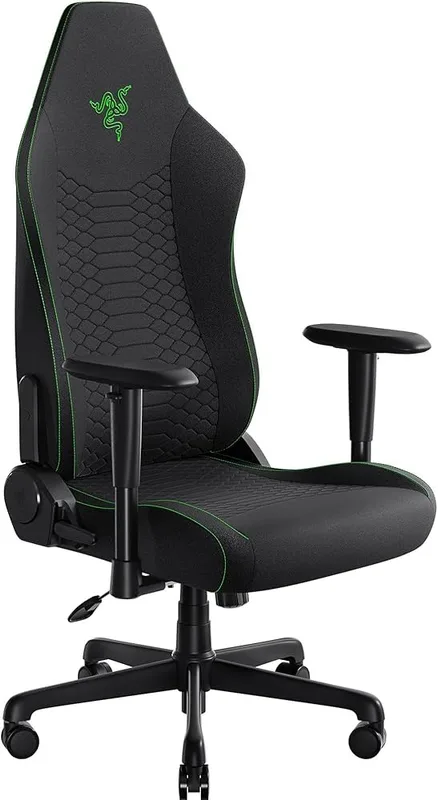
Razer Iskur V2 X Gaming Chair
Pros
- ✓ Built-in lumbar at under $300 is rare — most budget chairs still rely on loose pillows
- ✓ Widened seat base fits more body types than the original narrow Iskur design
- ✓ Plush fabric finish runs cooler than leather alternatives and resists dust
- ✓ 3-year warranty from Razer at this price is a genuine differentiator
Cons
- ✗ 2D armrests lack the width and pivot adjustments of the V2 standard — a real step down for mouse work
- ✗ Lighter construction than the V2 — some flex in the backrest under heavier weight
- ✗ No headrest pillow included; you'd add one separately for neck support
Best for: Budget buyers who won’t compromise on built-in lumbar support
Sub-$300 gaming chairs almost universally rely on loose lumbar pillows. The Iskur V2 X breaks that pattern — it includes a built-in adjustable lumbar at $299, the same design Razer uses in its more expensive chairs, not a pillow rebadged as support. For back pain sufferers who can’t stretch to $580+, this is the most important chair in the roundup.
The widened seat base addresses one of the original Iskur’s chief complaints: the seat was narrow. The V2 X fits a wider range of builds. The plush fabric finish runs cooler than synthetic leather alternatives and holds up well to daily use without the peeling that bonded leather develops.
The compromises are real. 2D armrests lack the width and angle pivot that 4D armrests provide — if you work with a wide mouse grip or play at different desk heights, you’ll feel the limitation. The construction is lighter than the V2 standard, and some flex shows in the backrest under heavier use. The missing headrest pillow is an easy fix with a $20 add-on.
For back pain management on a budget, the V2 X is the best-positioned chair under $300 on the market right now.
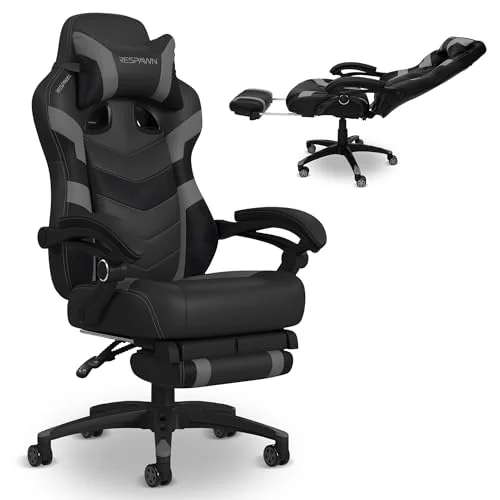
RESPAWN 400 Big and Tall Gaming Chair
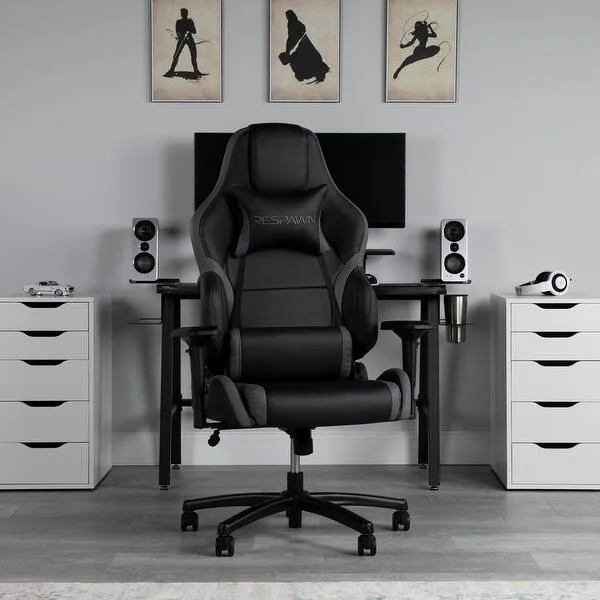
RESPAWN 400 Big and Tall Gaming Chair
Pros
- ✓ 400 lb weight capacity and wide seat at under $250 fills a genuine gap in the market
- ✓ 4D armrests on a chair this price is unusual — competitors in the range typically offer 2D
- ✓ 5-year warranty provides real peace of mind at the budget tier
- ✓ Available in multiple colors with consistent availability on Amazon
Cons
- ✗ Bonded leather peels with heavy use — real leather and fabric options from rivals age better
- ✗ Lumbar pillow rather than built-in support is a significant ergonomic compromise
- ✗ 130° max recline is more limited than most gaming chairs in this roundup
Best for: Heavier users who need 400 lb capacity on a tight budget
The RESPAWN 400 occupies a specific niche: 400 lb weight capacity at under $250. Most chairs in this weight class cost significantly more or are sold as office chairs without gaming aesthetics. The racing-style design, matching headrest and lumbar pillows, and color options give it gaming credentials at a price point where few alternatives exist.
The 4D armrests are genuinely unusual at this price tier — budget chairs almost exclusively offer 2D armrests or none at all. The 130° recline is modest by gaming chair standards but covers the most common sitting angles. The 5-year warranty is a genuine commitment that most chairs in this range skip.
The honest trade-off: the lumbar support is a pillow, not built-in, and bonded leather ages poorly. If you’re in the 300–400 lb range, the RESPAWN 400 fills a real gap. If you’re within the standard weight range, the Razer Iskur V2 X at $299 delivers better lumbar engineering for $50 more.
Comparison Table
| Chair | Price | Lumbar Type | Armrests | Weight Capacity | Warranty | Rating |
|---|---|---|---|---|---|---|
| Secretlab Titan Evo | $669.00 as of Oct 18, 2026 | Built-in 4-way | 4D | 285 lbs | 5 years | 9.2 |
| Herman Miller x Logitech Embody | $1,499 | BackFit + pixel matrix | 4D | N/A | 12 years | 9.5 |
| Razer Iskur V2 | $649 | Built-in + curve adjust | 4D | 300 lbs | 3 years | 8.8 |
| AndaSeat Kaiser 3 | $499.00 as of Oct 18, 2026 | Built-in (height + depth) | 4D | 400 lbs | 2 years | 8.5 |
| Razer Iskur V2 X | $299.99 as of Oct 18, 2026 | Built-in adjustable | 2D | 300 lbs | 3 years | 8.4 |
| RESPAWN 400 | Unavailable | Adjustable pillow | 4D | 400 lbs | 5 years | 7.8 |
Buying Guide: Gaming Lumbar vs. Office Lumbar
The single most important spec when buying a gaming chair for back pain is the lumbar type. Here’s the honest breakdown:
Lumbar pillow (most budget gaming chairs): A cushion strapped to the backrest with velcro. Adjusts by sliding it up or down. Compresses over time. Often migrates from your lower back during sessions. Works initially; degrades within 6-18 months.
Built-in adjustable lumbar (Secretlab, Razer, AndaSeat): A support structure integrated into the backrest that adjusts position without a separate cushion. Maintains consistent pressure against your lower back. The better implementations add depth adjustment — how far the lumbar pushes forward — not just height.
BackFit / spine-specific systems (Herman Miller Embody): Adjusts to match your actual spinal curve rather than a preset angle. The gold standard. Available on $1,000+ office chairs and the Embody gaming variant.
What to look for beyond lumbar:
- Seat depth adjustment — moving the seat forward or back relative to the backrest. Critical for shorter and longer legs to avoid edge pressure behind the knees.
- Seat cushion density — cheap foam compresses in the center within months. Cold-cure foam and high-density foam last significantly longer.
- Armrest quality — for back pain specifically, proper arm support reduces shoulder and upper back loading. 4D armrests that adjust width and angle are worth the premium.
- Chair size matching your body — a chair sized for a 5’10” median user won’t provide correct lumbar positioning for a 5’4” or 6’4” user. Check the manufacturer’s height and weight ranges.
Budget expectations: Meaningful built-in lumbar support starts around $300 (Razer Iskur V2 X). Lumbar with depth adjustment starts around $579 (Secretlab Titan Evo). Clinical-grade spine support starts around $1,499 (Herman Miller Embody).
FAQ
Are gaming chairs actually good for back pain?
Gaming chairs vary enormously. A chair with a built-in adjustable lumbar system, proper seat depth, and dense foam cushions can provide real back pain relief. A chair with only a loose lumbar pillow provides little meaningful support once the pillow migrates. The chairs on this list were selected specifically because they offer genuine ergonomic features — not just the aesthetic of support. See our gaming posture guide for positioning tips that work alongside any chair.
What’s the difference between a gaming chair and an ergonomic office chair for back pain?
Gaming chairs typically feature a racing-inspired design with high backrests, bolsters on the seat and back, and removable neck/lumbar pillows. Ergonomic office chairs (like Herman Miller or Steelcase models) focus more on lumbar mechanics, seat adjustment range, and long-term foam quality. The gap has narrowed — chairs like the Secretlab Titan Evo and Razer Iskur V2 borrow office-chair engineering — but high-end ergonomic office chairs still lead on precision back support.
How long should I sit in a gaming chair before taking breaks?
No chair eliminates the need for breaks. The general guidance from ergonomics research is to change position or stand every 30-45 minutes during extended desk sessions. A good chair reduces the pain of sitting; it doesn’t make unlimited sitting healthy. If you’re gaming for 4+ hours, a simple timer for micro-breaks every 45 minutes makes a bigger difference to back pain than any chair upgrade alone.
Can a gaming chair help with sciatica?
Some users report sciatica relief with chairs that offer seat depth adjustment (which reduces pressure behind the knees and on the glutes) and proper lumbar support. For diagnosed sciatica, a healthcare provider’s guidance on seating position is more valuable than any specific chair recommendation. If you’re evaluating chairs for sciatica specifically, look for chairs with seat depth adjustment and a firm, flat seat base rather than a bucket seat design.
What size gaming chair should I get?
Follow the manufacturer’s height and weight guidelines exactly. Most gaming chairs come in a Regular size optimized for 5’7”–6’2” users — smaller or larger users should look for Small, XL, or Big & Tall models. Sitting in a chair sized too large puts your lumbar support in the wrong position relative to your spine, negating its benefit entirely. Secretlab’s three-size range and the RESPAWN 400’s big-and-tall build are both worth looking at if you fall outside the standard range.
Is the Herman Miller Embody worth it for gaming?
For people dealing with chronic back pain who game regularly, the Embody’s ergonomic case is strong. At $1,499, the BackFit system, pixel support matrix, and 12-year warranty represent genuine engineering at a price that reflects it. For casual gamers or those without significant back pain, the Secretlab Titan Evo at $579 covers most of the benefit at less than a third of the Embody’s price. The Embody earns its cost specifically for heavy daily users with real back issues who aren’t getting adequate relief from mid-range options.
Conclusion
For most people with back pain from gaming, the Secretlab Titan Evo is the right answer — it’s the best combination of genuine lumbar adjustability, durable foam, and proper sizing for the price.
If you’re managing serious chronic back pain and budget isn’t the primary constraint, the Herman Miller x Logitech G Embody delivers ergonomic engineering that no gaming-specific chair currently matches.
On a tighter budget, the Razer Iskur V2 X at $299 stands alone — built-in adjustable lumbar at that price isn’t available anywhere else from a major brand.
For larger builds who need a 400 lb capacity, the AndaSeat Kaiser 3 provides the seat dimensions and structural reinforcement that standard chairs can’t.
Whatever you choose, pair it with the right positioning — our gaming posture guide covers monitor height, desk ergonomics, and break scheduling that make any chair more effective. And if you’re still narrowing your budget, our full gaming chairs roundup covers the broader category.