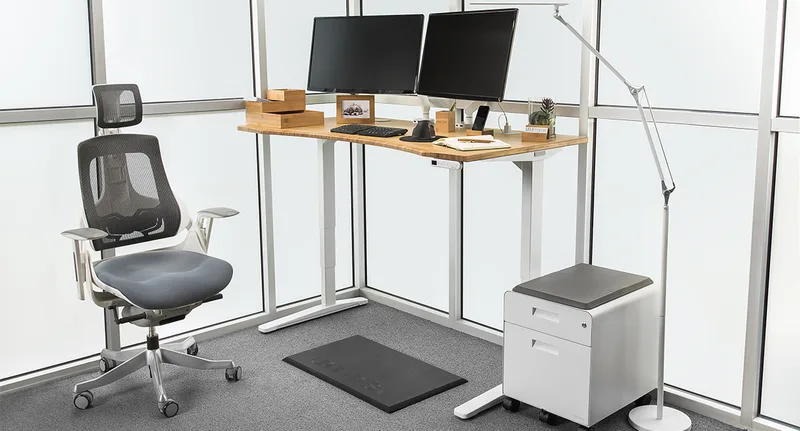
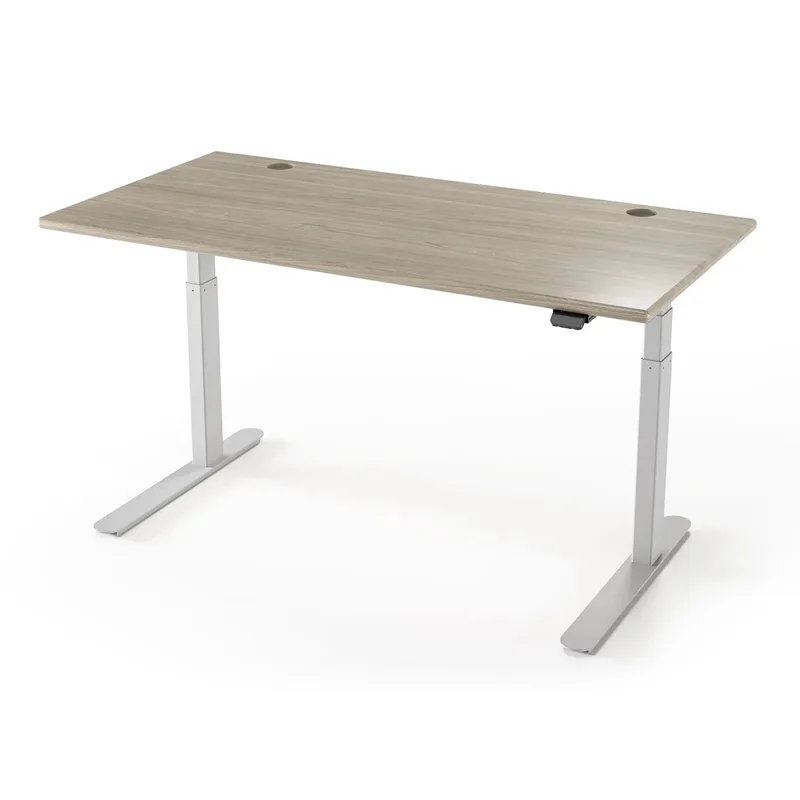
Corner standing desks have gone mainstream. If you run dual monitors, split your day between a computer and paper or creative work, or just hate a cramped surface, an L-shaped height-adjustable desk fixes what a rectangle can’t.
The category is lopsided in 2026. Premium three-leg desks cluster between $1,149 and $1,349. Then there’s a gap, and the budget builds start under $300. We left the middle empty on purpose: the mid-priced L-shaped pick we used to list is no longer sold on Amazon, and we won’t recommend a desk readers can’t buy.
Quick pick: The UPLIFT L-Shaped 3-Leg is the best corner standing desk if you can spend $1,149. Three motors, 535 lb capacity, and a 15-year warranty. On a budget, the FEZIBO Triple Motor at $284.08 is the one to get.
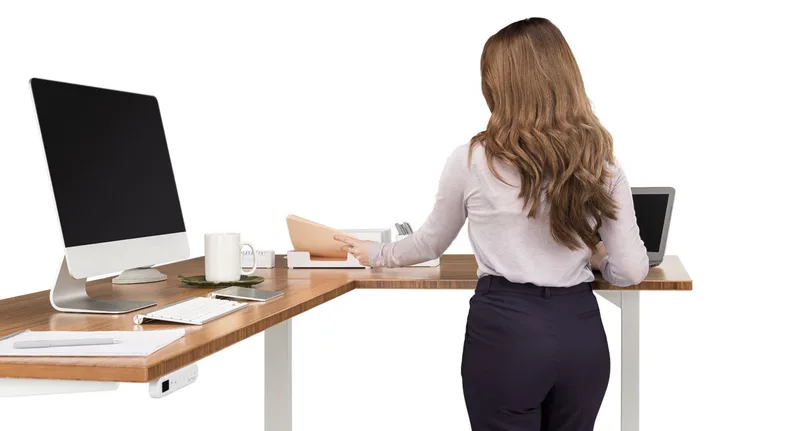
UPLIFT L-Shaped Standing Desk, 3-Leg
UPLIFT L-Shaped Standing Desk, 3-Leg
Pros
- ✓ 535 lb capacity is the highest here by a wide margin
- ✓ Three synchronized motors, one per leg, keep the corner steady
- ✓ 15-year warranty covers desktop, frame, motors, and electronics
- ✓ Six desktop size options, from 60x60 up to 80x78
Cons
- ✗ Starts at $1,149 before upgrading the desktop size
- ✗ Ships direct only, so no Amazon Prime returns
- ✗ Larger desktops add $120 to $355 to the base price
UPLIFT’s corner desk is the sturdiest option here. Three synchronized motors, one in each leg, mean the inner corner gets its own support instead of relying on a long spliced top. That matters, because corners are where cheaper L-shaped desks flex and shake.
The numbers are the best in the roundup. Capacity is 535 lbs, the height range runs from 22.6” to 48.7” on the V3 frame, and the warranty covers desktop, frame, motors, and electronics for 15 years. Desktop sizes run from 60”x60” up to 80”x78”, so you can match the desk to your corner instead of the other way around.
The cost is the base price of $1,149, with bigger tops adding $120 to $355. It also ships direct from UPLIFT, so you won’t get Prime returns. For a desk you’ll use for a decade, that’s a fair trade.
Best for: Heavy multi-monitor setups and buyers who want one desk to last.
Skip if: You’d rather spend under $500.
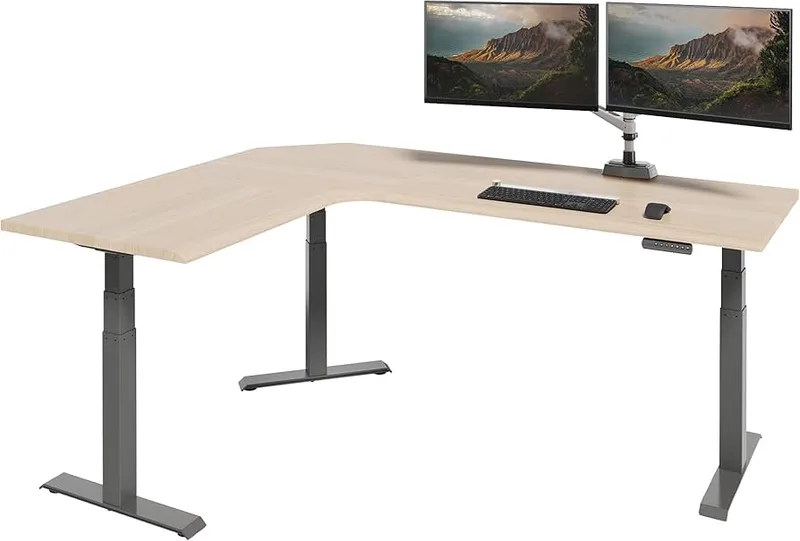
Vari ComfortEdge 80x60 L-Shape Electric Desk
Vari ComfortEdge 80x60 L-Shape Electric Desk
Pros
- ✓ 80x60 surface genuinely fits dual monitors, a laptop, and peripherals with room left
- ✓ ComfortEdge rounded front edge reduces wrist pressure during long typing sessions
- ✓ Reversible design fits left or right corner configurations without modification
- ✓ Premium build quality with very little panel flex even on the large top
Cons
- ✗ 200 lb weight capacity is lower than mid-range competitors despite the premium price
- ✗ Price of $1,349 is hard to justify unless you truly need the full 80x60 surface
- ✗ Ships in 3 boxes — assembly is complex and takes 2+ hours
Vari’s ComfortEdge puts its effort where most brands don’t: the front edge. The rounded edge takes pressure off your wrists during long typing sessions, which you notice more than any spec on paper.
The 80”x60” surface is big. Three monitors fit without creative arranging, with room left for a drawing tablet or a second keyboard. Height runs from 25” to 50.5”, which covers most tall users.
The weak spot is capacity. 200 lbs is low for $1,349. The UPLIFT holds more than two and a half times that for less money. Add up your monitor arms, screens, and speakers before you commit. It also ships in three boxes, so plan an afternoon for assembly.
Best for: Creative setups where surface size and edge comfort come first.
Skip if: Your rig is heavy. Take the UPLIFT or Autonomous.
Autonomous Desk 2 L-Shaped
Autonomous Desk 2 L-Shaped
Pros
- ✓ 400 lb weight capacity is the highest in this roundup — handles serious multi-monitor rigs
- ✓ Triple motor with four programmable height presets makes sit-stand switching quick
- ✓ 77"x64" desktop fits three 27-32" monitors, a PC, and laptops
- ✓ SPCC steel frame with solid construction for the $1,149 price point
Cons
- ✗ Only available direct from Autonomous — no Amazon fulfillment or returns
- ✗ Height range tops out at 48", which may not suit users over 6'3"
- ✗ Standard MDF desktop — not solid wood for the base configuration
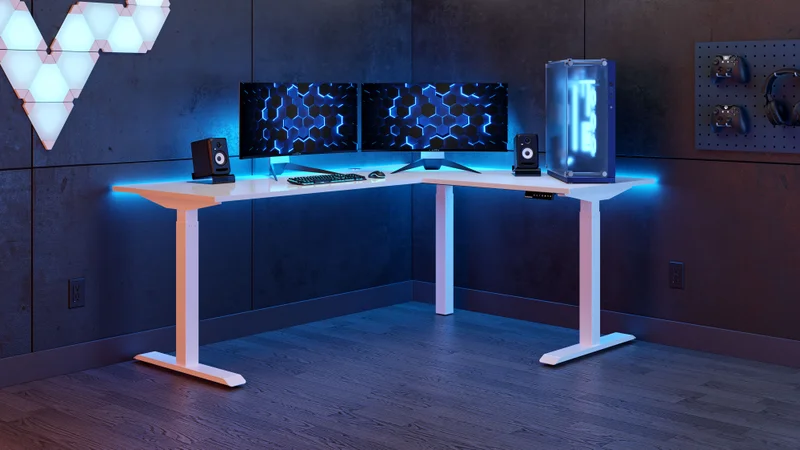
Autonomous sells this triple-motor L-shaped desk direct, at $1,149 as of this check. The 77”x64” surface fits three 27” to 32” monitors, a PC tower, and a couple of laptops. Capacity is 400 lbs, and a cable tray comes in the box.
Four programmable presets make switching heights a one-touch job. Autonomous quotes 50 dB operation, which is quiet enough for calls. The height range is the narrow part: 29.4” to 48”. Shorter users may not get a low enough sitting position, and the tallest users may run out of standing height.
At the same price as the UPLIFT it loses on capacity, warranty (10 years on the frame versus 15 overall), and height range. It wins on surface area for the money. Choose it if the 77”x64” footprint is what your corner needs.
Best for: Wide, monitor-heavy desks at a lower price than Vari.
Skip if: You’re under about 5’3”. The 29.4” minimum is high.
FEZIBO Triple Motor 63” L-Shaped Standing Desk
FEZIBO Triple Motor 63" L-Shaped Standing Desk
Pros
- ✓ Triple motor system under $300 adds real stability to the L-shaped configuration
- ✓ 330 lb weight capacity handles dual monitors, monitor arms, and accessories
- ✓ Splice board design makes the desktop connection clean and gap-free
- ✓ Industrial steel frame holds up to frequent daily adjustment cycles
Cons
- ✗ 27" minimum height is slightly high for users under 5'4"
- ✗ Surface finish quality isn't as refined as FlexiSpot or Vari at higher prices
- ✗ Customer support response times have been inconsistent per owner reports
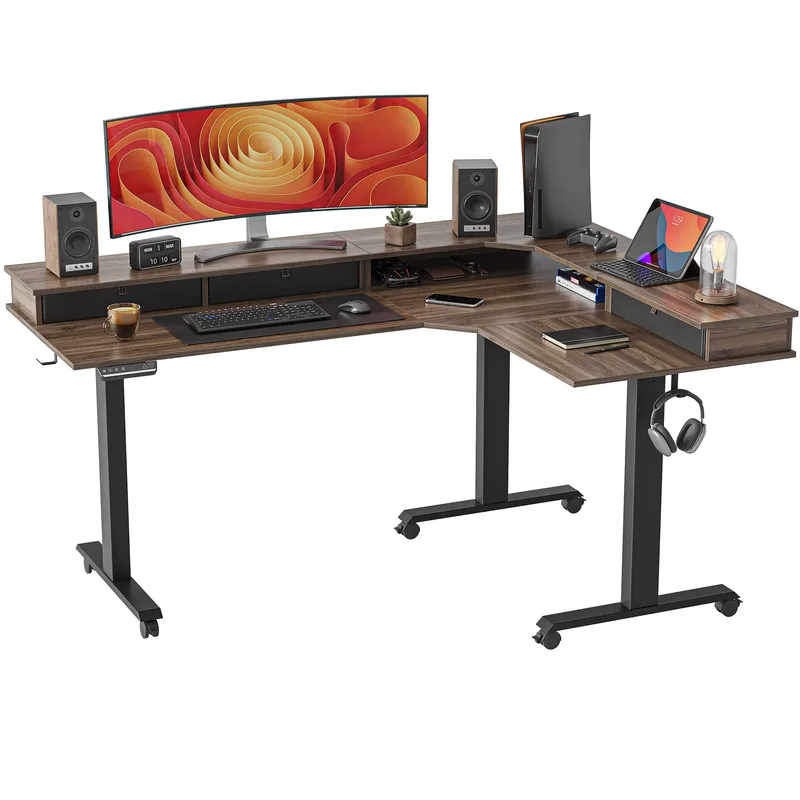
At $284.08, the FEZIBO is the value pick. A triple-motor frame at this price is rare. Most desks under $300 run a single motor, and in an L-shape the extra motors keep the lift even.
Capacity is 330 lbs, enough for dual monitors on arms plus a heavy keyboard. The range is 27” to 48”. Under 5’4”, the 27” minimum won’t get you a proper sitting height. The splice board joins the two surfaces cleanly with no obvious gap.
Finish is a step down from UPLIFT and Vari, and owners report uneven support response. Stock on the Amazon listing is limited right now, so check availability before you plan around it.
Best for: Buyers who want triple-motor stability without a four-figure price.
Skip if: You’re short, or you need dependable customer service.
VIVO 63x55 Corner Electric Standing Desk
VIVO 63x55 Corner Electric Standing Desk
Pros
- ✓ Under $300 for a 63x55 electric L-shaped desk is hard to beat
- ✓ Reversible 3-part top configures as a left or right corner
- ✓ Memory presets for sit and stand heights
- ✓ Ships via Amazon, so returns are simple
Cons
- ✗ Single motor means slower lift and more wobble near full height
- ✗ 225 lb capacity is tight for heavy dual-monitor rigs
- ✗ 28.5" minimum height is high for shorter users
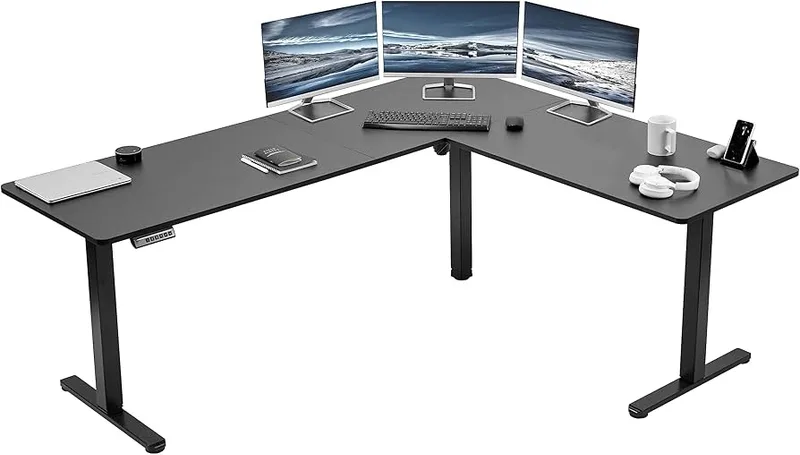
The VIVO is the entry point, at $259.99. You get a reversible 63”x55” L-shaped top, memory presets, and a 3-year warranty, sold through Amazon.
The compromises are real. A single motor lifts slowly and wobbles more near 46.8”. Capacity is 225 lbs, so one or two lighter monitors is the realistic load. The 28.5” minimum height is high for shorter users.
For a first standing desk or a secondary workspace, it does the job. If you plan to run a heavy rig, step up to the FEZIBO for a little more. It gets you three motors and 330 lbs.
Best for: First standing desk or light-use second workspace.
Skip if: You run heavy monitors or stand most of the day.
Which Corner Desk Fits Your Situation
Two monitors on arms and a laptop. The FEZIBO’s 330 lbs is plenty, and at $284.08 it’s the sensible spend. You only need the UPLIFT if you want the sturdiest frame or a decade of warranty coverage.
Three monitors, a PC tower, and peripherals. Go to the UPLIFT with an 80”x60” or larger top, or the Autonomous Desk 2 at 77”x64”. Both are triple-motor and both hold at least 400 lbs. Vari’s 200 lbs is the limit to watch with this much gear.
Drawing, design, or long typing days. Vari’s rounded ComfortEdge front is built for this. Its surface is the most comfortable for your wrists. Keep the load light, or pick the UPLIFT instead.
Shared or secondary space. Use the VIVO. A guest room or a second workstation rarely needs a heavy-duty frame, and returns go through Amazon if the fit is wrong.
Short or tall. Under 5’3”, check the minimum height first: UPLIFT (22.6”) and Vari (25”) go lowest, while Autonomous (29.4”), VIVO (28.5”), and FEZIBO (27”) sit higher. Over 6’3”, the UPLIFT (48.7”) and Vari (50.5”) reach furthest.
What to Look for in a Corner Standing Desk
Motor count. On an L-shape the desktop mass extends in two directions, so a single motor struggles. Triple motors give the steadiest lift. Three of the five desks here have them; Vari is dual-motor and the VIVO is single.
Height range. Set your elbows at 90 degrees with wrists neutral, then measure. Most adults between 5’3” and 6’2” need roughly 43” to 46” of standing height. Check the minimum, too, if you’re short.
Surface size. Measure your corner, including wall clearance and cable access. The area at the inner joint is often awkward to use, so a bigger top isn’t always more usable.
Weight capacity. Add up monitors (8 to 15 lbs each), arms (5 to 20 lbs), speakers, and everything else on the desk, then add a 50 lb buffer. If the total nears the rating, move up a tier.
Assembly. Plan 90 minutes at minimum and recruit a second person for the frame. Corner desks ship in multiple boxes.
For a broader comparison of L-shaped models, see our best L-shaped standing desks roundup.
FAQ
Are corner standing desks worth it over a standard desk?
For dual-monitor setups, yes. Both screens sit in your natural arc of vision, and the L separates a main work zone from a reference or paperwork zone.
What’s the difference between a 2-leg and 3-leg L-shaped desk?
A 3-leg design adds a column at the inner corner, which cuts flex and wobble. For regular standing and heavy monitors, the third leg is worth paying for.
How much weight can a corner standing desk hold?
Budget models range from about 225 to 330 lbs in this roundup. Premium desks hold 400 lbs (Autonomous) to 535 lbs (UPLIFT). Vari is the outlier at 200 lbs.
Can I use a corner standing desk on carpet?
Yes. Soft carpet lets the legs shift a bit during adjustment, so a hard mat under each leg column improves stability.
Do I need an anti-fatigue mat with a corner standing desk?
If you stand for long periods on hard floors, yes. See our guide to the best anti-fatigue mats for standing desks.
How do I organize cables on an L-shaped desk?
Use a cable spine from the desk leg to the floor to handle the movement, and an under-desk tray for power strips and slack. The inner joint is a natural route between the two sides.
The Bottom Line
The UPLIFT L-Shaped 3-Leg is the right call for most people who can afford it: the strongest frame, the highest capacity, and the longest warranty. If you need a bigger surface, look at the Vari ComfortEdge 80x60 or the Autonomous Desk 2 L-Shaped. On a budget, the FEZIBO Triple Motor gets you three motors for $284.08, and the VIVO is the cheapest way in at $259.99.
For help with the rest of your setup, see our complete standing desk setup guide and how to choose a standing desk in 2026.