Disclosure: PostureRanked is reader-supported. When you buy through links on our site, we may earn an affiliate commission at no extra cost to you. Learn more
Programmers and developers have a specific ergonomic problem that generic office chair guides miss: you’re not just sitting — you’re actively computing for 8 to 10 hours, arms extended forward, body locked into focus, shifting between monitor zones and keyboard without moving your feet. The wrong chair makes every one of those hours worse.
In 2026, the verdict from occupational health research is clear: what separates comfortable developers from fatigued ones isn’t always chair price — it’s how well the chair supports natural movement and adapts to postural shifts. Gaming chairs, despite their presence in developer home offices, consistently underperform here. Most use fixed lumbar cushions and constrained armrests that can’t match the positioning demands of long keyboard sessions.
Quick pick: The Steelcase Gesture leads for developers who can invest at the top of the range — its 360-degree arm system is purpose-built for keyboard and mouse work. For under $500, the Branch Ergonomic Chair Pro delivers more adjustment than anything else in its price class.
Quick Comparison
| Chair | Price | Arm System | Weight Cap | Rating |
|---|---|---|---|---|
| Steelcase Gesture | $1,499 | 360° pivot | 400 lbs | 9.3/10 |
| Steelcase Leap V2 | $1,399 | 3D adjustable | 400 lbs | 9.0/10 |
| Branch Ergonomic Chair Pro | $499 | 5D (14 adj. points) | 275 lbs | 8.8/10 |
| Autonomous ErgoChair Ultra 2 | $499 | Adjustable | 300 lbs | 8.4/10 |
| Sihoo Doro C300 Pro V2 | $430 | 8D adjustable | 300 lbs | 8.2/10 |
Steelcase Gesture — Editor’s Pick
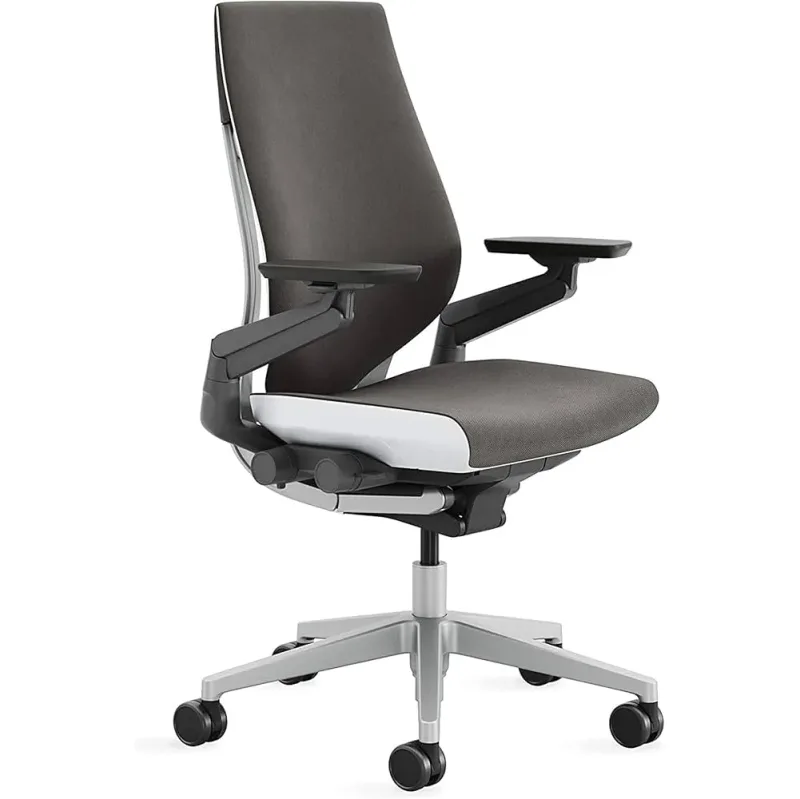
Steelcase Gesture
Pros
- ✓ 360-degree pivot arms follow every keyboard and mouse position — unmatched for typing comfort
- ✓ Adaptive back support flexes in zones to mirror your spine during posture shifts
- ✓ 400 lb weight capacity and 12-year all-parts warranty built for daily professional use
- ✓ Seat depth, height, recline tension, and forward tilt all independently adjustable
Cons
- ✗ Starts at $1,499 — the most expensive pick in this roundup
- ✗ No headrest included at base price
- ✗ Heavier than most chairs at 53 lbs
The Gesture is Steelcase’s answer to one specific observation: people in computing jobs move their arms constantly, and most chair arm systems can’t keep up. The design process included observing how people use keyboards, mice, tablets, and phones across a full workday. The result is a 360-degree arm pivot system that follows your arms forward, back, and sideways — not just up and down.
For developers, this matters in a way that’s hard to convey until you’ve used one. When you’re typing on a full keyboard, the Gesture arms stay under your forearms. When you reach for a reference book or secondary mouse, they move with you. When you shift to a secondary monitor, they rotate. Standard 4D armrests lose contact with your arms the moment you deviate from a centered position.
The back support is equally refined. Rather than a rigid shell that reclines as one unit, the Gesture’s back flexes in zones to mirror your spine. Combined with adjustable seat depth, recline tension, and forward tilt, it accommodates a wide range of body types without compromise.
At $1,499, it’s the most expensive chair in this roundup — and the one most worth it if you spend 8+ hours daily at a keyboard. For setup recommendations, see our full Steelcase Gesture review.
Best for: Developers who experience shoulder and arm fatigue from long keyboard sessions and want arms that adapt to every typing and mouse position.
Steelcase Leap V2 — Runner Up
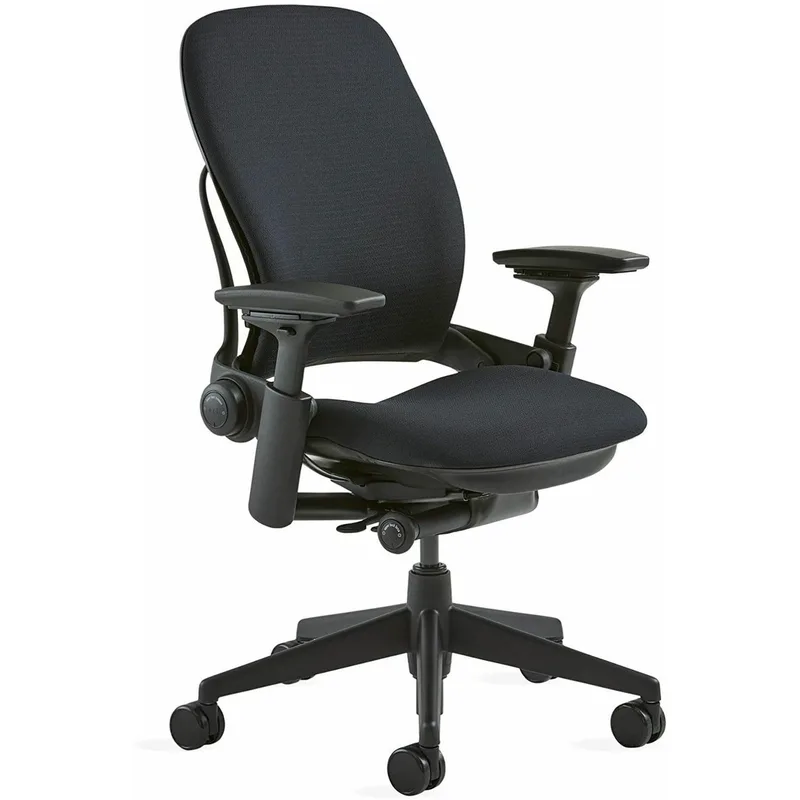
Steelcase Leap V2
Pros
- ✓ LiveBack technology flexes in two independent zones to follow your spine through every position
- ✓ Flexible seat front edge reduces thigh pressure during long coding sessions
- ✓ Independently adjustable upper and lower back force lets you tune support to your pain points
- ✓ Same 12-year warranty as the Gesture — comparable build quality at $100 less
Cons
- ✗ Arms don't pivot as freely as the Gesture's 360-degree system
- ✗ No dedicated seat depth slider — less precise than Gesture or Branch Pro
- ✗ Heavy at 51 lbs — not easy to reposition
The Leap V2 is Steelcase’s longer-standing flagship, and it trades some of the Gesture’s arm innovation for deeper back support. The core technology is LiveBack: a two-zone flexible spine built into the backrest that mirrors how your spine actually moves when you sit.
When you lean back to think through a problem, the lower back zone stays in contact with your lumbar. When you lean forward to review a diff or read documentation, the upper back flexes to follow your thoracic spine. Most chairs make you choose a posture and stay there. The Leap V2 supports all of them.
The flexible front seat edge deserves mention — it reduces pressure under the thighs, which addresses the numb-leg problem that developers notice after two to three hours in a standard chair.
Compared to the Gesture, the Leap V2 loses on arm flexibility but has equivalent back engineering and the same 12-year warranty at $1,399 versus $1,499. For developers whose primary pain point is lumbar and thoracic support rather than arm fatigue, the Leap V2 is the honest recommendation.
Best for: Developers who prioritize lumbar and upper back support, or those who frequently switch between leaning back to think and leaning forward to review code.
Branch Ergonomic Chair Pro — Best Value
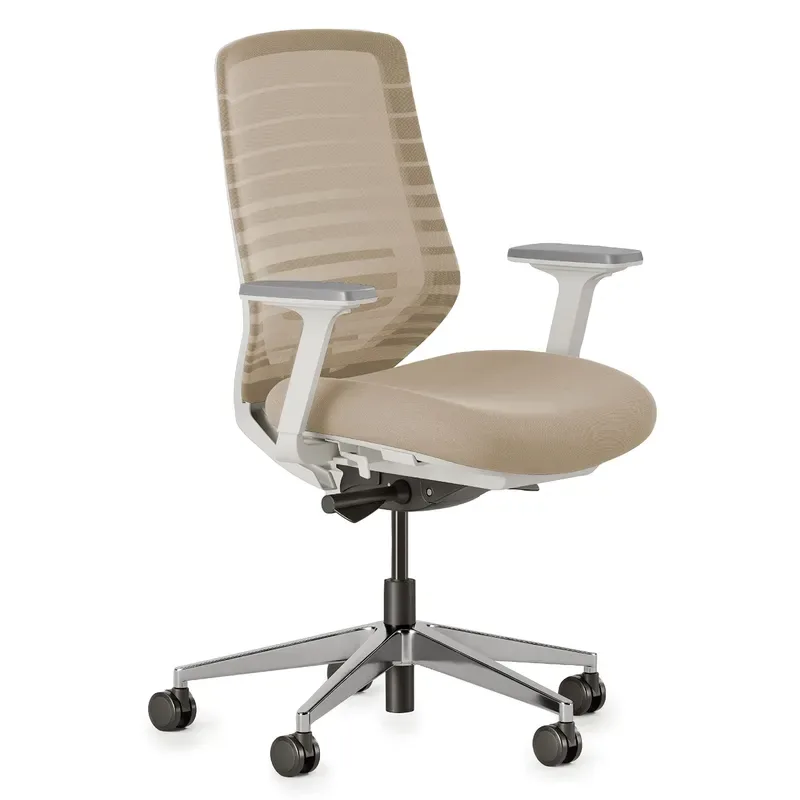
Branch Ergonomic Chair Pro
Pros
- ✓ 14 points of adjustment match chairs costing $800–$1,000
- ✓ 5D armrests adjust height, width, depth, angle, and pivot for precise typing position
- ✓ Forward tilt helps developers who lean toward monitors — uncommon at this price
- ✓ Seat depth adjustment properly reduces thigh pressure for extended sit periods
Cons
- ✗ 275 lb weight limit — not suitable for larger builds
- ✗ Lumbar adjusts depth only, not height
- ✗ No integrated headrest (sold separately)
Branch built the Ergonomic Chair Pro around a direct-to-consumer model and a clear target: match the adjustment depth of $800+ chairs at $499. The Pro — with 14 points of adjustment — largely achieves this.
14 adjustment points sounds like a marketing claim, but each one is real and developer-relevant. Beyond standard seat height and tilt tension, you get 5D armrests that adjust in five axes: up/down, forward/back, left/right, angle rotation, and pivot. You also get forward tilt — the ability to slope the entire seat forward — which engages the core and reduces lower back compression when you’re leaning toward your monitor. Forward tilt is uncommon at this price.
The one limitation is the lumbar: the Branch Pro adjusts depth but not height. If you have a specific pain point at a specific vertebra level, premium chairs like the Steelcase Leap V2 offer more precise positioning. For most developers buying their first serious ergonomic chair, the Branch Pro is the most rational starting point in 2026.
Best for: Developers buying their first premium ergonomic chair who want maximum adjustability under $500, particularly those who sit for 6-8 hour daily sessions.
Autonomous ErgoChair Ultra 2 — Best Mesh
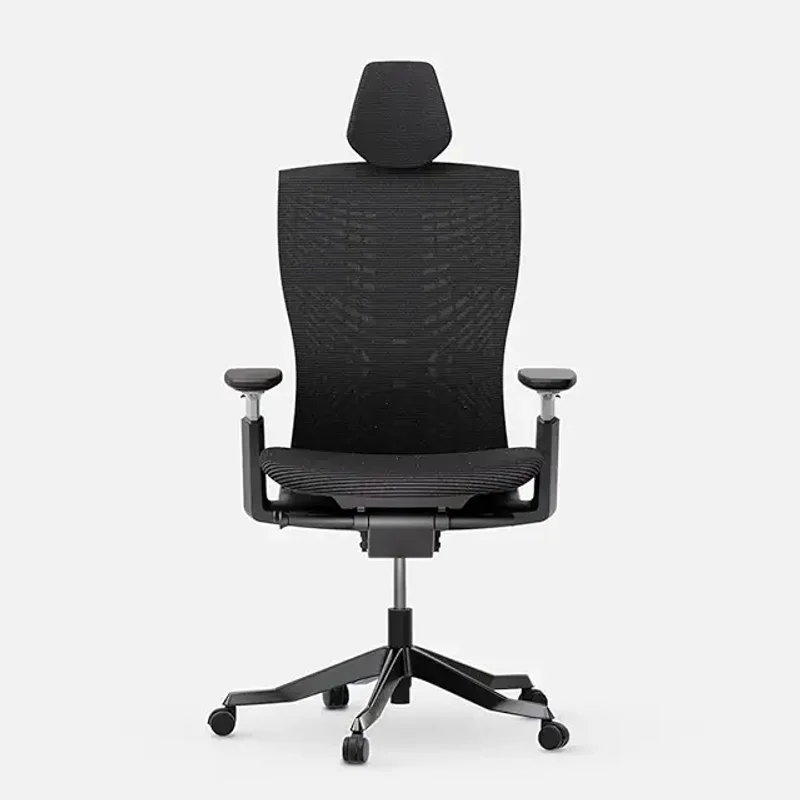
Autonomous ErgoChair Ultra 2
Pros
- ✓ Full breathable mesh back keeps you cool during all-day coding marathons
- ✓ Aluminum alloy frame adds structural durability beyond its price point
- ✓ 300 lb weight capacity — higher than Branch Pro at the same price
- ✓ Frequently on sale at Autonomous.ai for meaningful discounts below list price
Cons
- ✗ Fewer adjustment points than the Branch Pro at the same price
- ✗ Lumbar support less customizable than premium Steelcase options
- ✗ Customer service response times have been inconsistent per owner reports
The ErgoChair Ultra 2 is Autonomous’s current flagship, and its primary differentiator from the Branch Pro at the same $499 price is breathability. The full mesh back maintains airflow even during all-day sessions — something that foam-backed chairs can’t match once the room warms up.
The aluminum alloy frame adds structural durability beyond what you’d expect at this price point. The 300 lb weight capacity is also higher than the Branch Pro’s 275 lb limit, which matters for developers who’ve found budget ergonomic chairs feel undersized.
Where the Ultra 2 lags is in adjustment granularity. The Branch Pro’s 14 adjustment points and 5D arms give more precise typing position control. The Ultra 2 covers the core adjustments — height, lumbar, tilt — without the same depth of arm or forward tilt options.
Buy the Ultra 2 if you prioritize staying cool over maximizing adjustment points. Buy the Branch Pro if you need to precisely dial in every dimension of your posture.
Best for: Developers who work in warm environments or run hot during focused sessions, and want a breathable mesh back without sacrificing build quality.
Sihoo Doro C300 Pro V2 — Best Budget
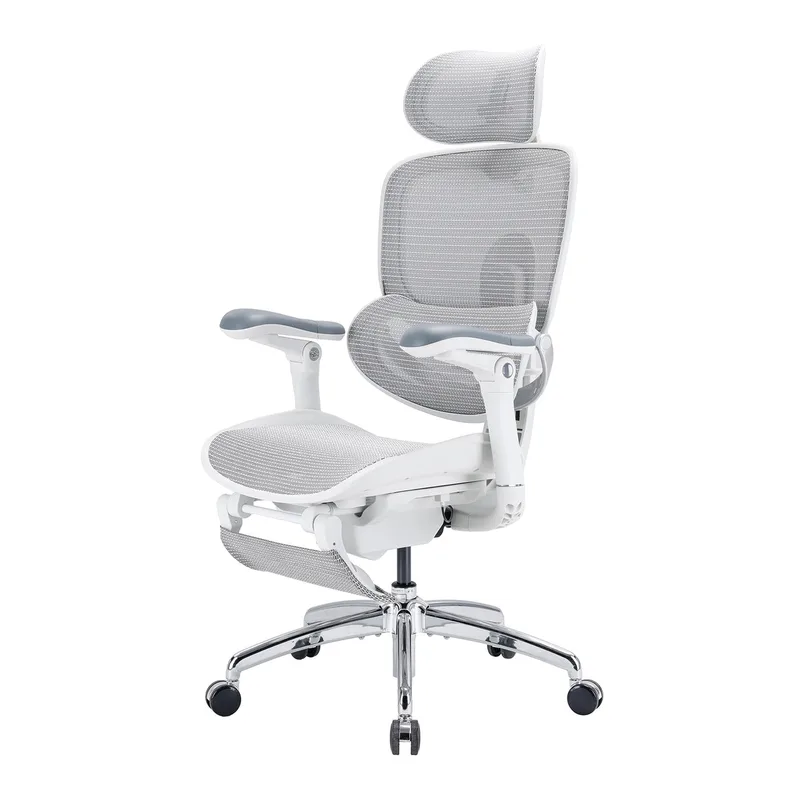
Sihoo Doro C300 Pro V2
Pros
- ✓ 8D armrests at under $450 — better arm positioning control than competitors at double the price
- ✓ Dynamic self-adaptive lumbar adjusts automatically as you shift position throughout the day
- ✓ 135° recline allows genuine break posture without leaving your workstation
- ✓ Covered by 9to5Mac and TechRadar in 2026 as a top sub-$500 ergonomic pick
Cons
- ✗ Plastic components feel less solid than Branch or Steelcase alternatives
- ✗ Adaptive lumbar firmness can feel stiffer than foam-backed systems
- ✗ Shorter warranty coverage than US-based competitors
The Sihoo Doro C300 Pro V2 was featured by 9to5Mac and TechRadar in mid-2026 as one of the strongest ergonomic chairs under $500 for its combination of adaptive lumbar and 8D armrests at a $430 price point. That coverage is accurate.
8D armrests at under $450 is genuinely unusual. 8D adjustment includes forward/back, up/down, left/right, angle rotation, width, and pivot — giving arm positioning control that most chairs in the $400–$600 range don’t offer. For developers whose arm and shoulder fatigue comes specifically from armrest mismatch, the C300 Pro V2’s arms rival chairs at twice the price.
The dynamic lumbar adapts automatically as you shift position rather than requiring manual readjustment. The 135° recline allows actual break posture without getting up from the desk.
Build quality is the honest limitation — plastic components feel less substantial than Branch or Steelcase alternatives. For developers on a strict budget who want the best arms and adaptive lumbar available under $450, the C300 Pro V2 is the pick.
Best for: Budget-conscious developers who want better arm positioning control than standard chairs at this price, and are willing to trade some build quality for adjustability.
What Programmers Need in an Ergonomic Chair
Generic ergonomic chair guides target “office workers.” Developers have specific requirements that most guides miss:
Arm Support for Keyboard and Mouse Work
This is the most underrated factor. When you type, your arms are held forward at keyboard height for hours. Most armrests are designed for a neutral resting position — not the active-extended posture you maintain while coding. Look for:
- 4D arms minimum — 5D or better if arm fatigue is your primary complaint
- Forward/inward pivot — arms that rotate to follow the keyboard position
- The Gesture’s 360° system if arm and shoulder fatigue is your top concern
Lumbar Support Across Multiple Postures
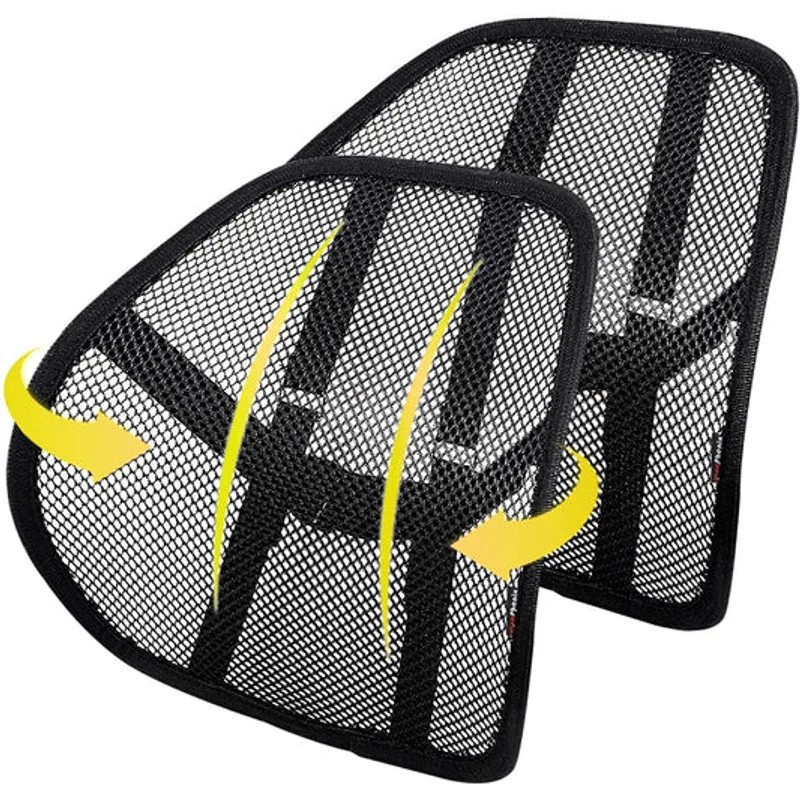
Developers switch between leaning forward (active work) and leaning back (review, thinking) multiple times per hour. Fixed-position lumbar cushions only help in one posture. Dynamic lumbar systems — the Steelcase LiveBack, or the Sihoo C300 Pro V2’s adaptive system — maintain support across all positions.
Seat Height for Dual-Monitor Setups
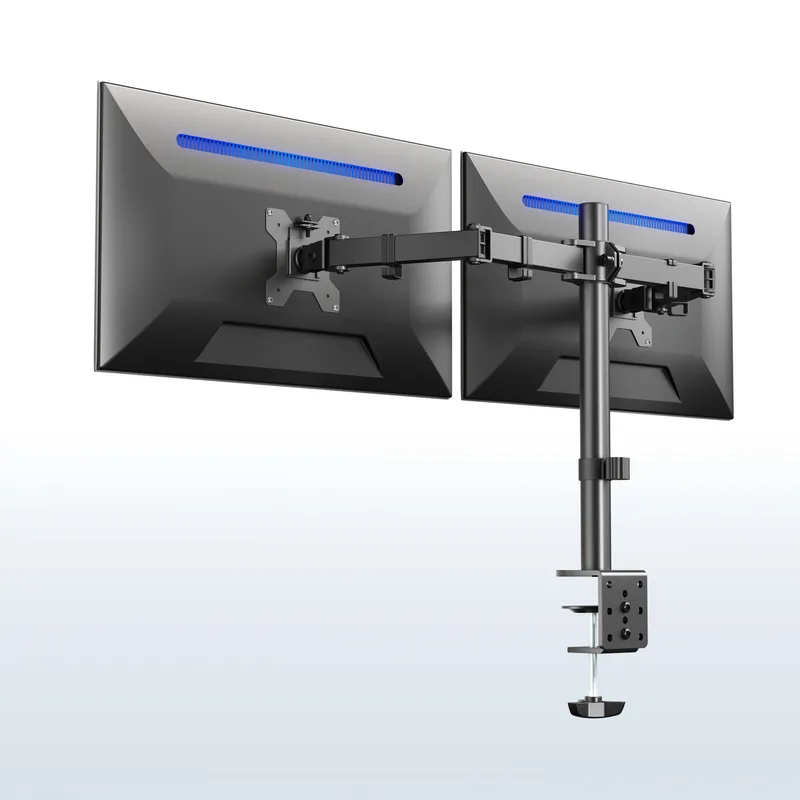
Taller developers with dual-monitor setups need higher seat heights to align eyes with screen center without raising shoulders. The Gesture reaches 20.5 inches seat height — one of the highest available. Budget chairs typically top out at 18–19 inches.
Breathability for Long Sessions
By hour four, foam seats trap heat. Mesh backs allow airflow that makes 8+ hour sessions physically manageable. The Autonomous Ultra 2 and Sihoo C300 Pro V2 prioritize this most directly in this roundup.
Budget Guide by Developer Profile
| Profile | Best Choice | Why |
|---|---|---|
| Heavy keyboard work, 8+ hrs/day | Steelcase Gesture | 360° arms eliminate arm fatigue |
| Back and lumbar pain is the main issue | Steelcase Leap V2 | LiveBack is the best dynamic support system |
| First ergonomic chair under $500 | Branch Ergonomic Chair Pro | 14 adj. points at an honest price |
| Works in a warm room | Autonomous ErgoChair Ultra 2 | Full mesh back maintains airflow |
| Strict budget under $450 | Sihoo Doro C300 Pro V2 | Best arms at this price point |
FAQ
What is the best chair for coding 8 or more hours a day?
The Steelcase Gesture is the most-cited recommendation for extended coding sessions. Its 360-degree arm pivot system reduces arm and shoulder fatigue from long keyboard work, and the 12-year all-parts warranty reflects genuine durability under daily professional use. For under $500, the Branch Ergonomic Chair Pro is the best value alternative with 14 adjustment points.
Why shouldn’t programmers use gaming chairs?
Most gaming chairs use a racing bucket seat design that positions you in a reclined driving posture rather than the neutral upright-to-slightly-reclined posture needed for keyboard work. Armrest travel is typically limited, lumbar cushions are fixed rather than dynamic, and the overall design prioritizes visual style over the multi-hour adjustability that long coding sessions demand. For more detail, see our guide on ergonomic chairs for back pain.
Is a $500 ergonomic chair worth it for a developer?
Yes, for most developers. The ergonomic difference between a $150 office chair and a $500 ergonomic task chair is measurable — in adjustment range, back support quality, and long-term durability. Most developers who switch from a basic chair to the Branch Ergonomic Chair Pro or Autonomous Ultra 2 notice reduced back and shoulder fatigue. The ROI over 5+ years of daily use is straightforward.
What’s the difference between the Steelcase Gesture and the Leap V2?
The Gesture’s primary advantage is its 360-degree arm system — arms that pivot in every direction to follow your arms. The Leap V2’s primary advantage is its LiveBack two-zone spine that mirrors your back’s movement. For developers whose pain is in arms and shoulders: Gesture. For developers whose pain is in the lower and upper back: Leap V2. Both carry 12-year warranties and 400 lb weight capacities.
Should I get a chair with or without a headrest for coding?
For most active coding postures, a headrest is optional rather than essential. When you’re typing, your head is typically forward and the headrest isn’t in contact. Headrests become more useful during the reclined thinking and review phases of work. The Branch Ergonomic Chair Pro offers a headrest as an optional add-on, which is a flexible approach.
How do I adjust an ergonomic chair for programming work?
Seat height should place your thighs roughly parallel to the floor with feet flat. Armrests should be at or slightly below elbow height so your shoulders stay relaxed. Lumbar support should contact the curve of your lower back without pushing your spine forward. For a full step-by-step process: How to Adjust Your Office Chair Properly.
Conclusion
For developers and programmers, the right chair is a professional tool with real productivity implications. Eight hours in the wrong chair doesn’t just create discomfort — it creates cumulative fatigue and pain that affects focus and health over months and years.
The Steelcase Gesture at $1,499 is the clearest recommendation for serious developers. Its 360-degree arm pivot system is purpose-built for keyboard and mouse work, and nothing in this roundup matches it for typing comfort over a full day.
The Steelcase Leap V2 at $1,399 is the honest recommendation for developers who prioritize lumbar and back support over arm flexibility — the better value of the two Steelcase options if back pain is your primary concern.
The Branch Ergonomic Chair Pro at $499 is where most developers should start their ergonomic chair journey. 14 adjustment points at this price is genuinely strong, and it covers the core needs of most coding postures.
The Sihoo Doro C300 Pro V2 at $430 is the best arms-per-dollar option in 2026 for developers on a strict budget.
For more on building a developer-optimized workspace, see our standing desks for programmers guide and how to set up your ergonomic chair properly — because even the best chair only helps when it’s correctly adjusted for your body and desk setup.