Disclosure: PostureRanked is reader-supported. When you buy through links on our site, we may earn an affiliate commission at no additional cost to you. Our recommendations are based on independent research and testing.
| Product | Price | Rating |
|---|---|---|
| VIVO Universal Desk Stabilizer Bar (Black) | — | 8.8 |
| VIVO Universal Desk Stabilizer Bar (White) | — | 8.8 |
| Katzco Rubber Stabilizer Shim Set | — | 8.4 |
| VIVO Dual Monitor Arm | — | 9.0 |
PostureRanked is reader-supported. When you buy through links on our site, we may earn an affiliate commission at no additional cost to you.
Few things are more frustrating than a standing desk that wobbles. Every keystroke sends ripples across your screen. Your coffee threatens to spill. Video calls become unwatchable as your camera shakes. Wobble ruins the standing desk experience and can make you question your entire purchase.
The good news: most wobble is fixable. This guide covers every cause and solution, from free quick fixes to hardware upgrades that eliminate wobble permanently. Start at the top — the free fixes alone solve the problem in the majority of cases. If you’re considering a replacement, our best standing desks of 2026 roundup focuses specifically on stability as a key evaluation criterion.
Diagnose Your Wobble Type
Not all wobble is the same. Identifying the type helps you apply the right fix.
| Wobble Type | Feels Like | Common Causes |
|---|---|---|
| Side-to-side (lateral) | Desk sways left/right | Missing crossbar, loose frame |
| Front-to-back | Desk rocks forward/back | Unstable legs, uneven floor |
| Typing bounce | Screen shakes when typing | Desktop flex, vibration transfer |
| General instability | Whole desk moves | Carpet, unlevel floor |
| At max height only | Stable low, wobbly high | Normal physics, overloaded desk |
Knowing your wobble type lets you skip solutions that won’t help. Lateral sway needs a crossbar. Front-to-back rocking needs floor leveling. Typing bounce often needs a monitor arm, not a stabilizer bar.
Quick Fixes (Try These First)
Before buying anything, try these free solutions that fix 80% of wobble issues.
1. Tighten All Fasteners
This single fix solves most wobble problems. Shipping, assembly, and daily use loosen fasteners over time. A single loose bolt can cause significant wobble, especially at standing height.
What to do:
- Get an Allen key set and screwdriver
- Access the underside of your desk
- Tighten every bolt and screw — frame, legs, motor mounts, desktop
- Check again after one week (bolts settle under load)
Don’t just tighten the obvious ones. Check the bolts where the legs attach to the frame, the bolts holding the desktop to the frame, and any motor mount hardware. People often find one completely loose bolt that was causing the entire problem.
2. Level the Feet
A one-millimeter tilt at the base translates to significant wobble at the desktop. Physics amplifies small errors over 45-50 inches of height.
What to do:
- Place a bubble level on your floor
- Identify low spots
- Adjust the leveling glides on each foot (most desks have these — they screw in or out)
- Re-check with level on the desktop itself
Tools needed: Bubble level (or use a smartphone app — most work fine)
3. Position Against a Wall
The simplest stability upgrade. Push the desk’s rear edge against a wall and the wall becomes a free structural brace.
What to do:
- Push the desk’s rear edge against a wall
- For corner placement, brace two sides
- Leave minimal gap between desk and wall
This prevents lateral movement entirely. A lot of standing desks — even decent ones — become noticeably stable with this single change. It’s the first thing to try if you can’t tighten bolts or don’t want to spend money.
4. Redistribute Weight
Uneven weight distribution stresses lift columns and causes wobble. A monitor arm mounted to one side, a heavy PC on the left, nothing on the right — this creates asymmetric stress that your frame amplifies.
What to do:
- Center heavy items (monitor, PC) over the frame legs, not the desktop edges
- Balance weight left-to-right as evenly as possible
- Avoid clustering everything on one side
Hardware Solutions
If quick fixes don’t fully resolve the issue, these products provide permanent stability improvements.
Crossbar Stabilizers
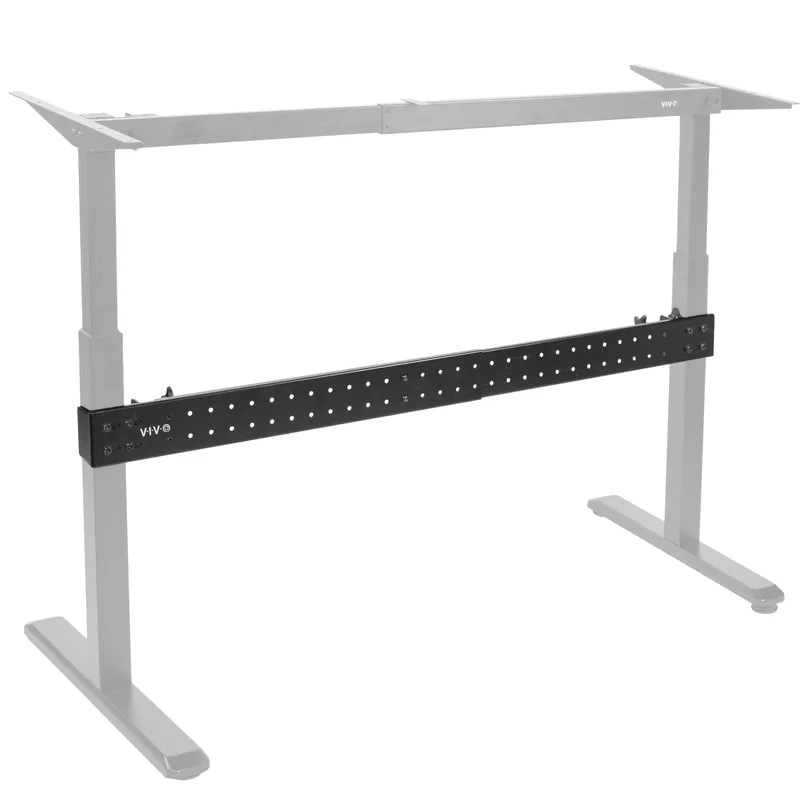
A crossbar connects the two legs of your desk, preventing side-to-side sway. It’s the single most effective hardware upgrade for lateral wobble — and the most overlooked solution.
Many budget standing desks ship without a rear crossbar to cut costs. Adding one aftermarket can reduce lateral wobble by 50-70%. The VIVO Universal Stabilizer Bar is the go-to recommendation for most two-leg frames.
VIVO Universal Desk Stabilizer Bar (Black)
- Adjustable length: 36” – 61.6”
- Fits most 2-leg frames (up to 3.2” column thickness)
- Heavy-duty C-clamp mounting — no drilling required
- All-steel construction, ~4 lbs
Check VIVO Stabilizer Bar (Black) on Amazon
VIVO Universal Desk Stabilizer Bar (White)
Same specs as the black version, just for white desk frames.
Check VIVO Stabilizer Bar (White) on Amazon
Important: Crossbars fix side-to-side wobble only. They don’t address front-to-back rocking, typing bounce, or floor-related instability.
Furniture Leveling Shims
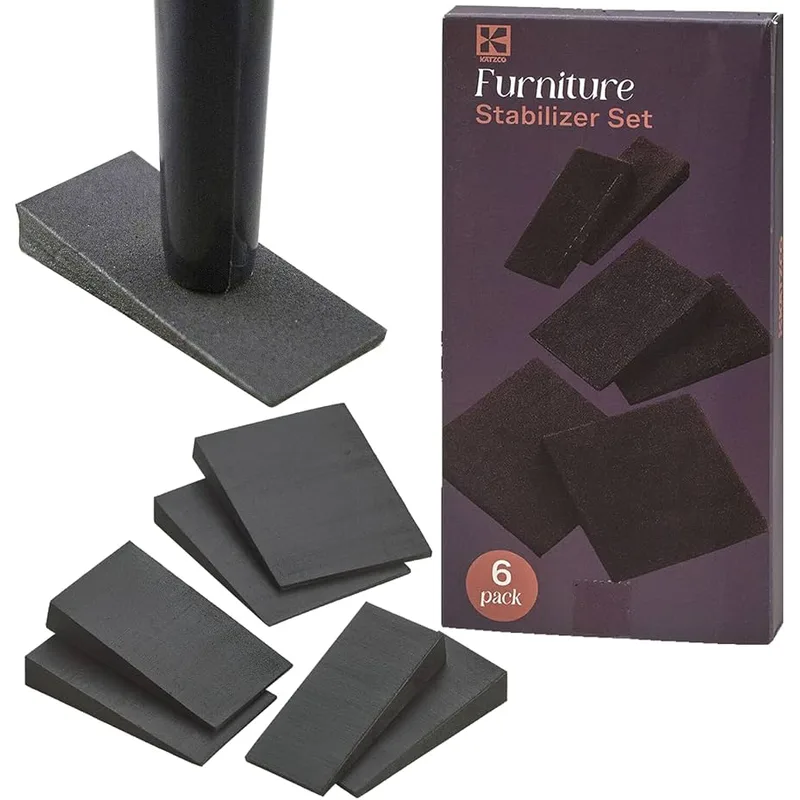
For uneven floors, leveling shims compensate for surface irregularities that adjustable feet can’t fully address. Rubber shims stack to any height and grip the floor without sliding.
Katzco Rubber Stabilizer Shim Set
- Multiple sizes for different gaps
- Non-slip rubber material
- Easy to stack for larger gaps
- Works on hard floor and under carpet
Check Katzco Rubber Stabilizer Set on Amazon
Anti-Vibration Pads
For desks on hard floors, vibration from typing can transfer up through the frame and into the desktop. Anti-vibration pads dampen this transfer at the source.
Place them under each desk foot for reduced vibration transmission, or between the desktop and frame brackets if your desktop is detachable.
Monitor Arms: Fixing Screen Shake Without Fixing the Desk
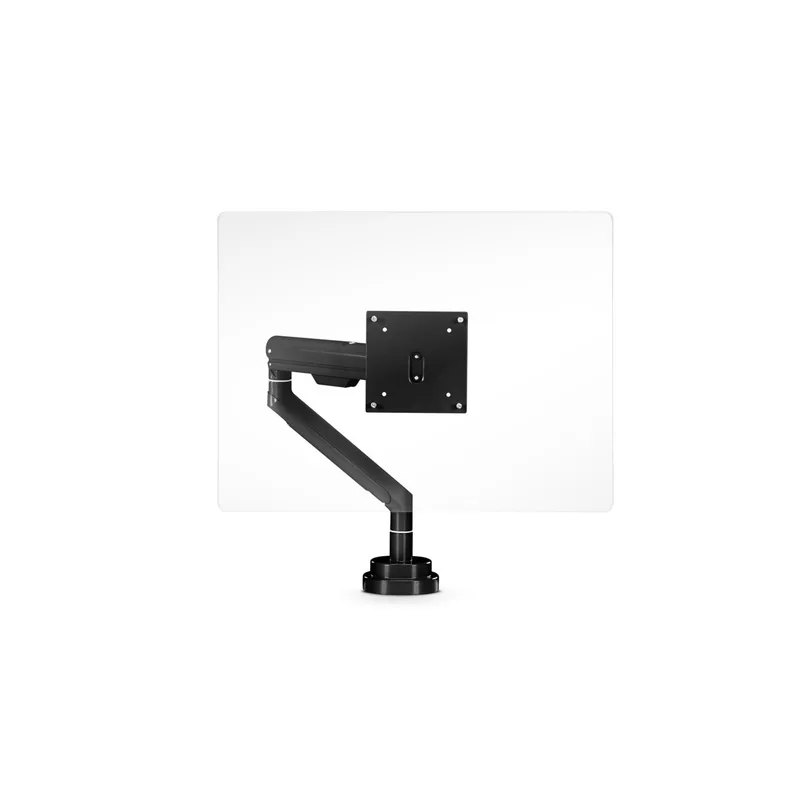
Sometimes the “wobble” isn’t the desk shaking — it’s your monitor shaking on its stand. These two problems feel identical but have different solutions.
Why Monitor Arms Help
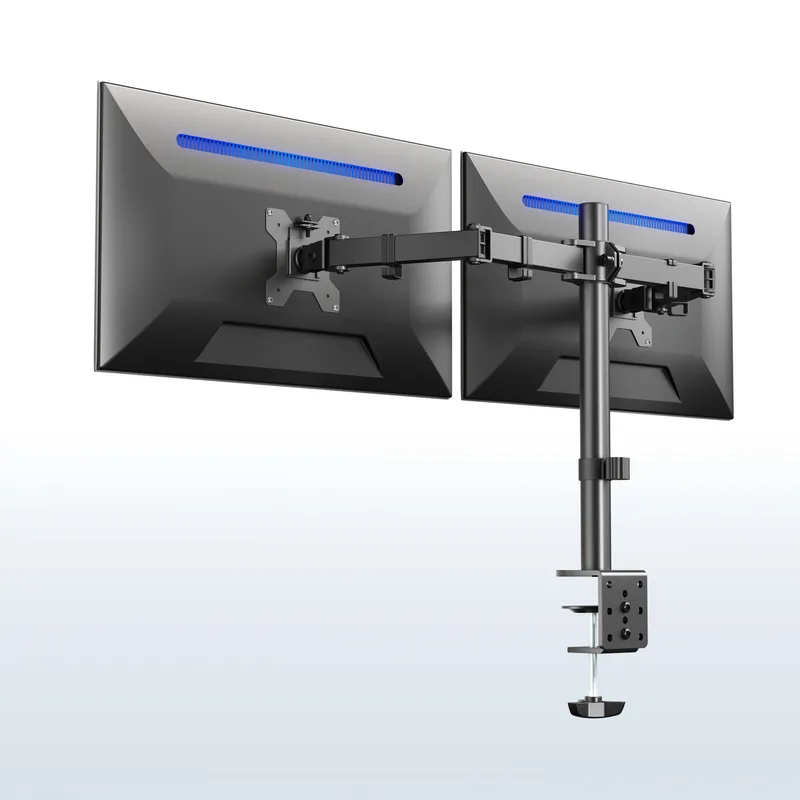
When your monitor sits on its stock stand on the desktop, every tiny desk vibration travels through the stand and gets amplified at the top of a tall, narrow post. A monitor arm clamps directly to the desk edge. Shorter lever arm. Less amplification. Often eliminates visible screen shake even on a moderately wobbly desk.
What to look for in a monitor arm for stability:
- VESA mount rated for your monitor’s weight (heavier monitors need arms rated for 20+ lbs)
- Thick clamp that grips the desk edge firmly — not tiny plastic clamps
- Gas spring or friction joint that holds position without drift
VIVO Dual Monitor Arm (B009S750LA)
One of the most-sold monitor arms on Amazon, and for good reason. The clamp is solid, the gas spring holds position, and it works for monitors up to 32 inches. Fits two monitors on a single desk clamp. Significantly reduces screen shake compared to stock stands.
Check VIVO Dual Monitor Arm on Amazon
Carpet-Specific Solutions
Thick carpet and padding are standing desk enemies. The soft surface allows feet to sink unevenly and shift during use — and no amount of bolt-tightening fixes a soft foundation.
Option 1: Plywood Base
Create a rigid foundation on top of the carpet.
What to do:
- Cut 3/4” plywood slightly larger than your desk footprint
- Place on carpet where the desk will stand
- Position desk feet on the plywood
The rigid plywood distributes load evenly across a large surface, prevents sinking, and creates a stable plane for leveling feet. Use at least 3/4” thickness — thinner sheets flex under load. This is the most effective carpet solution and costs $15-25 at any hardware store.
Option 2: Remove Casters or Adjustable Feet
Some desks perform better resting directly on their foot crossbar.
What to do:
- Remove wheels or adjustable feet if your frame has a base crossbar
- Let the frame’s base bar rest flat on the carpet
- Test stability
Caution: May void warranty on some desks. Check manufacturer guidelines first.
Option 3: Chair Mat or Hard Floor Protector
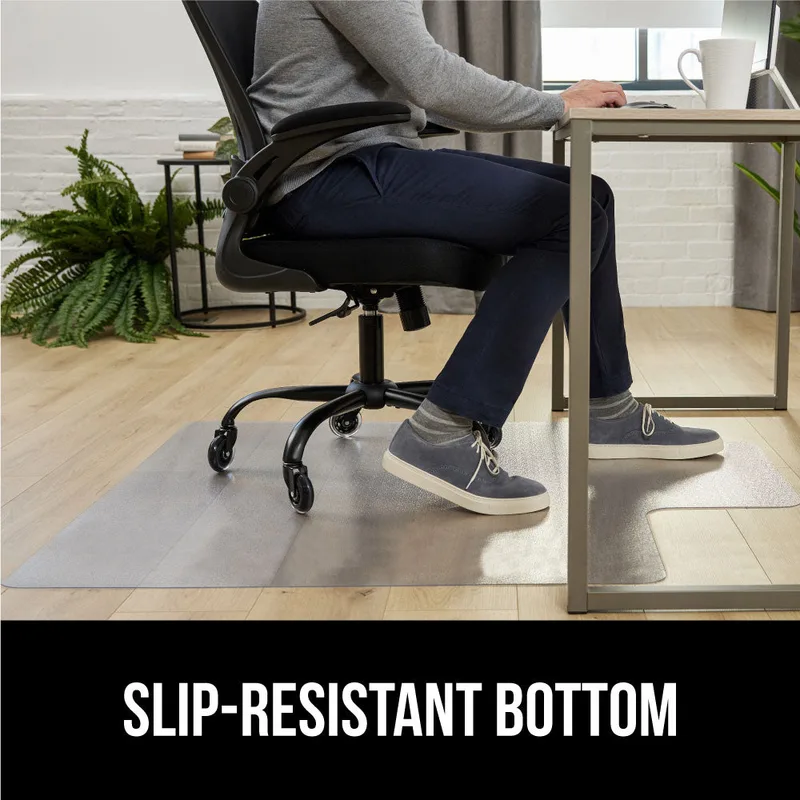
Anti-fatigue mats and hard-surface chair mats provide a firmer surface than carpet alone. Not as effective as plywood, but useful if you need the mat anyway (better than using it just for chair rolling).
For standing desks on carpet, a firm chair mat under the desk feet provides moderate improvement. Combined with leveling feet and wall positioning, it’s often enough.
The Physics of Height and Wobble
Some wobble at maximum height is physics, not a defect. Understanding why helps you set realistic expectations.
Standing desks at 45-50” height create a significant lever arm. The same force that causes negligible movement at sitting height (28-30”) produces noticeable sway at standing height because the moment arm is nearly double. Mass at the top (your monitor) amplifies this further.
Acceptable wobble:
- Minor sway when you push the desk intentionally
- Movement that damps out within 1-2 seconds
- No visible shake during normal typing
Unacceptable wobble:
- Screen shakes with every keystroke
- Desk moves position across the floor over time
- Wobble at sitting height (lowest setting)
- Frame visibly bends or flexes
If your desk is wobbling at 28” height with a normal load, that’s a structural problem — not a physics limitation. If it’s only wobbly at 45” standing height, that’s mostly normal.
Desk Design and Structural Wobble
Sometimes wobble isn’t fixable — it’s a design limitation you need to work around or buy your way out of.
Desk Designs and Wobble Risk
| Design | Wobble Risk | Why |
|---|---|---|
| Single leg (center) | High | No lateral support |
| Two-leg, no crossbar | Medium-High | Relies on desktop rigidity |
| Two-leg with crossbar | Low | Cross-bracing prevents sway |
| Four-leg | Very Low | Maximum stability |
| T-frame or H-frame base | Low | Wide footprint, inherent rigidity |
Signs Your Desk Has Structural Issues
- Wobble at lowest height with light load
- Frame visibly flexes or twists
- Wobble persists after tightening everything
- Single-motor design under a heavy load
If you’re hitting structural limits, adding a crossbar helps but may not eliminate wobble entirely. A T-frame or H-frame base is the permanent fix. Look for these features when shopping for a replacement.
Stability Checklist
Use this checklist to work through wobble systematically. Work top to bottom — most people find their fix before reaching the hardware section.
- Tightened all bolts and screws (frame, legs, motor mounts, desktop)
- Checked and adjusted leveling feet
- Verified floor is level (or shimmed gaps)
- Pushed desk against wall or into a corner
- Redistributed weight evenly left-to-right
- Moved heavy items toward center of frame
- Added crossbar stabilizer (if lateral sway persists)
- Addressed carpet issues (plywood, firm mat)
- Switched monitor to arm mount (if screen-shake specific)
- Re-checked fasteners after one week
What to Buy: Stability Accessories Guide
If you’ve worked through the free fixes and still have wobble, here’s how to spend money efficiently.
For lateral sway (left-right wobble): Buy a crossbar stabilizer first. The VIVO Universal Stabilizer Bar fits nearly every two-leg desk and costs around $30-40. It’s the highest-impact purchase for this specific problem.
For uneven floors: Rubber shims (under $15) before trying anything more complex. If your floor is significantly uneven, a 3/4” plywood sheet is more stable long-term.
For screen shake (but desk is otherwise stable): A monitor arm is the right solution, not a stabilizer bar. The VIVO Dual Monitor Arm handles two monitors and costs $30-50.
For carpet wobble: 3/4” plywood is the cheapest and most effective fix. Cut it yourself or have a hardware store cut it to size. Combined with wall positioning, it handles most carpet situations.
For general instability at all heights: That’s a structural desk problem. Crossbars help, but you may need to consider a replacement. Look for T-frame or H-frame bases in your budget — the FlexiSpot E7 and Uplift V2 are common upgrades from budget frames.
See our best standing desks of 2026 if you’re shopping for a replacement with better inherent stability. And if you’re setting up a new desk from scratch, read the complete standing desk setup guide to prevent wobble issues before they start. For the full picture of building an ergonomic workspace, the ergonomic workstation setup guide covers everything from desk to chair to accessories.
Prevention: Maintaining Stability
A stable desk stays stable if you maintain it. Most people who deal with recurring wobble simply skipped the maintenance.
Regular maintenance schedule:
- Monthly: Check key fasteners — motor mount bolts and leg-to-frame connections
- Quarterly: Re-level feet, especially if the desk has been moved
- Annually: Full bolt inspection top-to-bottom
Daily usage habits that extend stability:
- Don’t lean heavily on desk edges (the frame handles this, but it accelerates loosening)
- Don’t push the desk sideways when it’s at standing height
- Move desk to lowest position before relocating it
Frequently Asked Questions
Is some wobble normal for standing desks?
Slight wobble at maximum height is normal and unavoidable — it’s basic physics. However, wobble that affects your work (shaking monitor, spilling drinks, visible camera shake) is not acceptable and should be addressed using the steps in this guide.
Will a crossbar fix all wobble?
No. Crossbars fix side-to-side (lateral) wobble only. Front-to-back wobble requires floor leveling or wall bracing. Typing bounce usually needs a monitor arm or desktop reinforcement. If you have multiple wobble types, you may need multiple solutions.
My desk wobbles only on carpet. Is the desk defective?
Probably not. Carpet is inherently unstable — the same desk would likely be fine on hard floor. Use the plywood base solution or a firm chair mat. This fixes carpet wobble in nearly every case.
Can I add weight to stabilize the desk?
Yes — adding mass low on the frame (such as a heavy CPU holder or a weight plate resting on the base crossbar) can reduce wobble by lowering the center of gravity. However, this adds load to the motors and can shorten lifespan on budget frames. Don’t add more than 10-15 lbs beyond normal desktop load.
Should I return my wobbly desk?
Try all the free fixes first. If wobble persists at low heights or persists with maximum stabilization applied, the desk may have a design defect. Most wobble is fixable. Structural defects — visible frame flex, wobble at sitting height, bolts that won’t stay tight — are rarer.
How much wobble is too much for video calls?
If your camera visibly shakes during typing and the wobble is distracting to people on calls, that’s too much. A monitor arm typically fixes this even when the desk itself still has some movement. The arm shortens the mechanical advantage between the desk surface and the camera.
The Bottom Line
Loose bolts cause most wobble. Tighten everything first.
An unlevel floor causes the next most wobble. Level the feet or shim gaps.
Missing crossbar causes lateral sway on two-leg desks. The VIVO Stabilizer Bar is the right fix — $30-40 and it works on almost every frame.
Carpet causes the rest. A 3/4” plywood base solves it for under $20 in materials.
By use case:
- Quick fix, no money: Tighten bolts + push against wall
- Lateral sway: VIVO crossbar stabilizer
- Screen shake: VIVO dual monitor arm
- Carpet instability: 3/4” plywood base
- Uneven floor: Rubber leveling shims
- Persistent wobble at all heights: Time to look at a better frame — see our best standing desks of 2026
Most people with a wobbly desk are one tightened bolt away from solving it. Start there before spending a dollar.
Once your desk is stable, the Complete Ergonomic Workspace Setup Guide can help you dial in the rest of your workspace — chair height, monitor position, and keyboard placement.