Disclosure: PostureRanked is reader-supported. When you buy through links on our site, we may earn an affiliate commission at no additional cost to you. Our recommendations are based on independent research and testing.
Disclosure: PostureRanked is reader-supported. When you buy through links on our site, we may earn an affiliate commission at no extra cost to you. Learn more
Secretlab’s 2026 Easter sale (running through April 10) has the Magnus Pro at its lowest price of the year — up to $129 off. That’s a good time to ask whether the most talked-about gaming desk on the market actually deserves its reputation.
The short answer: yes, but with one real caveat.
Quick pick: The Magnus Pro is the right choice if cable management matters to you and you plan to keep this desk for years. If you want something a bit cheaper and don’t need the full height range, the newly launched Magnus Evo covers the same core experience for $50 less.
Secretlab Magnus Pro
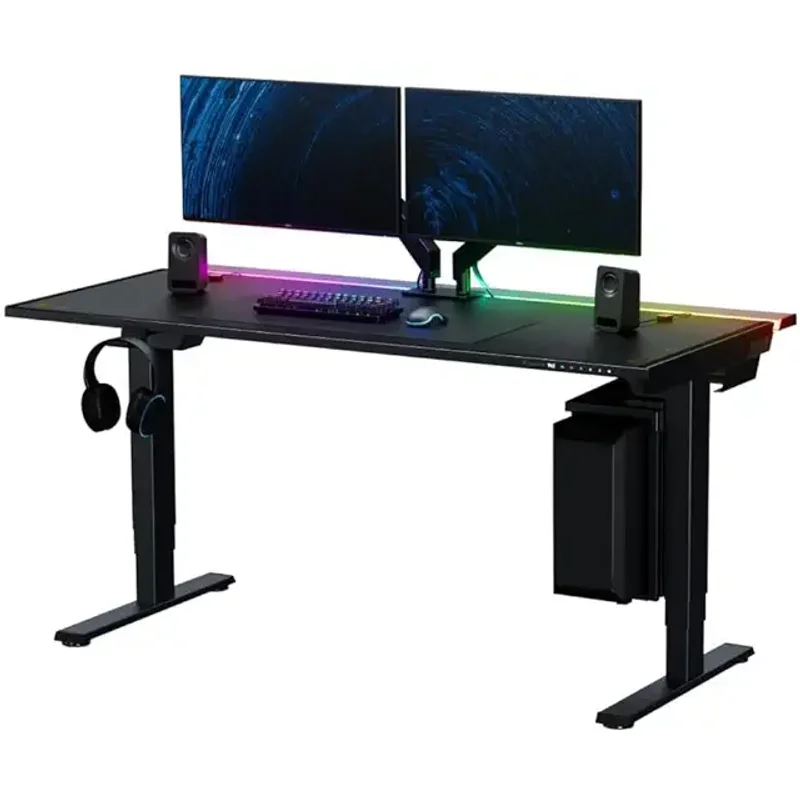
Secretlab Magnus Pro
Pros
- ✓ Best-in-class cable management — integrated power column means just one cable runs to the wall, everything else stays hidden inside the desk frame
- ✓ Rock-solid stability even at maximum 49-inch standing height — minimal wobble for a two-leg frame
- ✓ Whisper-quiet dual-motor lift with no grinding, gear noise, or shudder
- ✓ Full steel construction from frame to desktop — nothing feels cheap or plastic
Cons
- ✗ Starts at $799 and the full cable management experience requires accessories that push the total higher
- ✗ Weighs 125 lbs — this is a two-person assembly job and it's not moving around easily
- ✗ 5-year warranty is below the industry norm; serious competitors offer 10–15 years
The Cable Management Claim Is Real
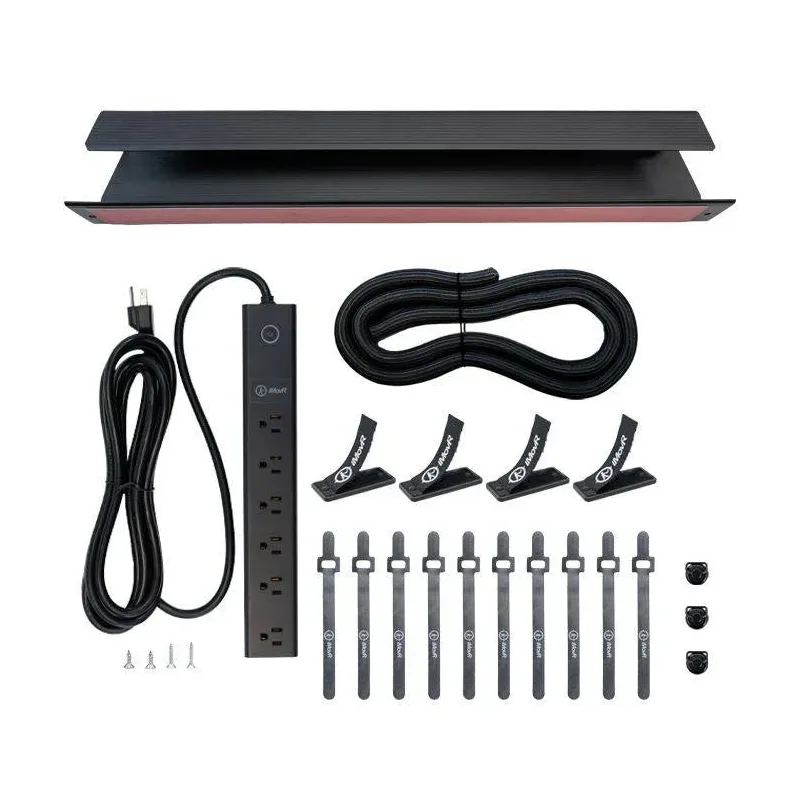
Most standing desk reviews spend a paragraph on cable management. The Magnus Pro deserves more than that because it fundamentally changes how a desk-based setup works.
The frame is full steel, which means Secretlab can run a proprietary cable trough along the full rear edge — a flip-up panel hides a full-width channel for power bricks, cables, and chargers. More importantly, there’s an integrated power supply column built into the left leg. One cable exits to the wall. Everything else — monitors, PC, USB hubs, chargers — stays tucked inside the desk.
No cable sleeves. No velcro bundles. No visible wire runs. Most people who’ve used a traditional standing desk and switch to the Magnus Pro describe it as going from a messy kitchen to a clean hotel room — immediately obvious, and hard to go back.
Stability at Standing Height
The Magnus Pro uses a two-leg frame, which is the design most susceptible to wobble at maximum height. Secretlab addressed this with heavy gauge steel and a wider crossbar design. The result is one of the most stable two-leg standing desks available. Multiple independent reviews confirm minimal fore-aft wobble at full 49-inch extension — the kind that won’t shake your monitor during fast mouse movements or typing.
That said, at maximum height you’ll notice some movement. It’s within normal tolerance for this class of desk, but buyers expecting zero wobble at standing height should know no two-leg frame eliminates it entirely. If you need absolute rigidity for a multi-ultrawide gaming setup, four-leg frames are the alternative.
Motor Performance
The dual-motor lift is whisper-quiet. Sit-to-stand transitions happen without gear noise or mechanical grinding. The motor speeds are consistent from bottom to full extension — no slowing under load. This matters more in practice than spec sheets suggest: a noisy motor is something you’ll hear every day, and it ages poorly.
The three programmable height presets work reliably. Set your sitting height, standing height, and an intermediate position if you use a standing mat. One press, and the desk moves without requiring you to hold the button through the whole journey.
What It Costs to Get the Full Experience
This is the Magnus Pro’s real friction point. The desk starts at $799 for the standard 59.1-inch model. That gets you the frame, the power column, and the cable trough. The desk pad, magnetic cable clips, and monitor arm mount system are sold separately and the costs add up. Budget $150–200 more if you want the full clean-desk aesthetic Secretlab shows in their marketing.
The 5-year warranty is a legitimate weakness at this price. FlexiSpot and Uplift both offer 10-year or 15-year coverage on comparable frames. Secretlab’s build quality appears to justify confidence beyond 5 years, but the warranty doesn’t back that up on paper.
Assembly
Budget a couple of hours and a second person. At 125 lbs, the Magnus Pro is not a solo project. The assembly process itself is well-documented and the hardware quality is high — no stripped screws, tight tolerances throughout — but the weight makes certain steps genuinely awkward alone.
Secretlab Magnus Evo
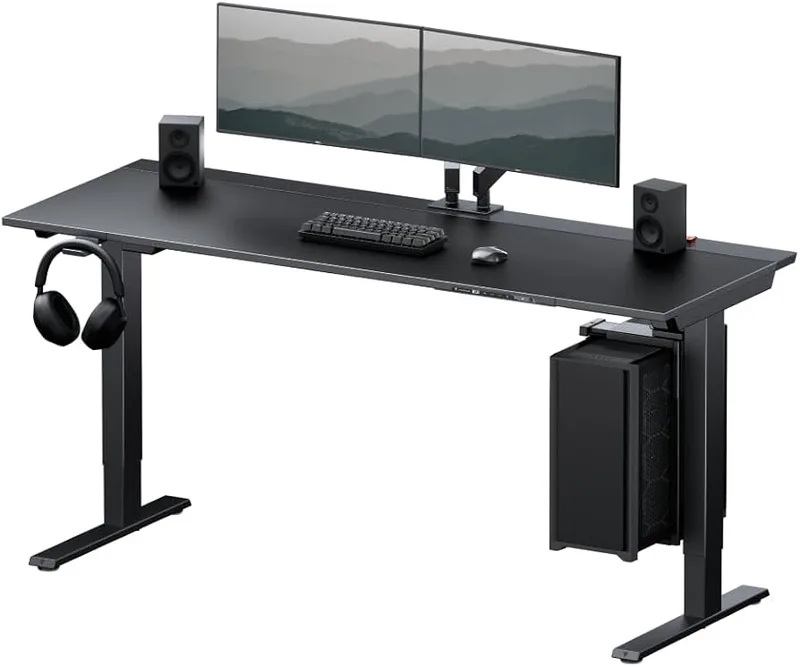
Secretlab Magnus Evo
Pros
- ✓ Same magnetic cable management system and integrated power column as the Magnus Pro — the core experience is identical
- ✓ More affordable entry into the Magnus ecosystem at $749
- ✓ New 2026 product with a simplified, cleaner magnetic zone layout
- ✓ Easier to assemble than the Magnus Pro due to lighter construction
Cons
- ✗ Narrower height range (28.3"–46.1") won't suit very short or very tall users
- ✗ Shallower desktop depth (25.2" vs 27.6") — tighter fit for a deep monitor plus full peripherals
- ✗ Just launched in 2026 — no long-term reliability data yet
Secretlab launched the Magnus Evo in 2026 as the more accessible entry point into the Magnus ecosystem. It shares the integrated power column and magnetic cable management that define the Magnus Pro experience. The desktop material changes to a hybrid soft-touch laminate with a metal rear edge, and the height range is narrower: 28.3 to 46.1 inches versus the Pro’s 25.6 to 49.2 inches.
The 3-inch difference at each end of the range matters for some users. If you’re under 5’4” or over 6’3”, the Evo may not hit your ideal sitting or standing height. For average-height users, it won’t matter.
At $749 ($50 less than the standard Magnus Pro), it’s a reasonable choice if you’re primarily a sitting-desk user who occasionally stands and doesn’t need the Pro’s extended range. Being brand new, there’s no long-term data on how the hybrid desktop holds up versus the Pro’s full metal surface — that’s worth watching.
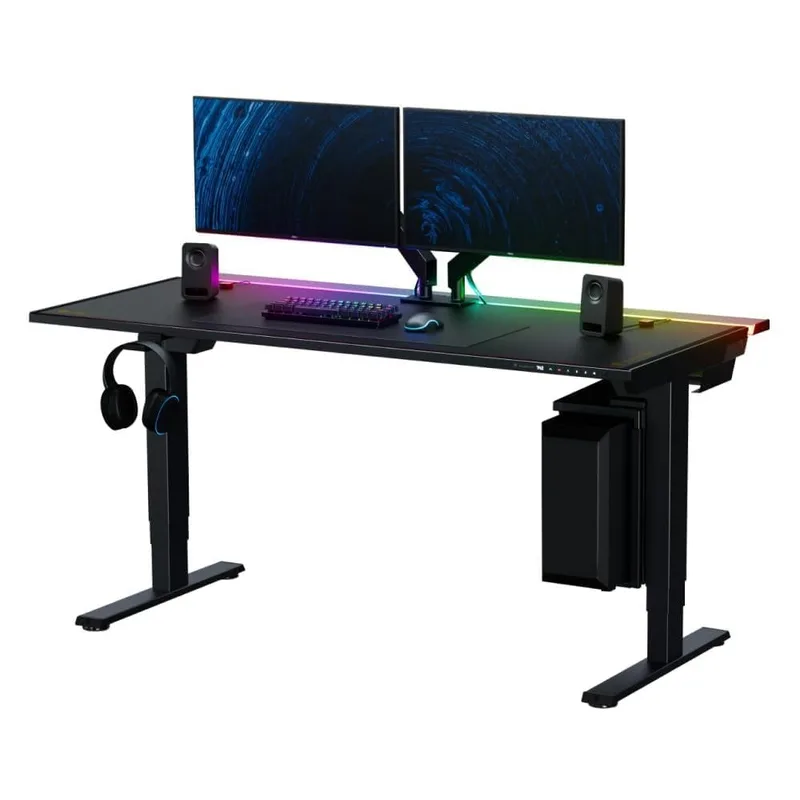
Comparison: Magnus Pro vs Magnus Evo
| Spec | Magnus Pro | Magnus Evo |
|---|---|---|
| Price | $799 | $749 |
| Desktop Size | 59.1” × 27.6” | 59.2” × 25.2” |
| Height Range | 25.6”–49.2” | 28.3”–46.1” |
| Desktop Material | Full steel | Hybrid laminate + metal edge |
| Cable Management | Integrated power column + trough | Integrated power column + magnetic zones |
| Warranty | 5 years | 5 years |
| Magnetic Ecosystem | Full | Full |
Who Should Buy the Magnus Pro
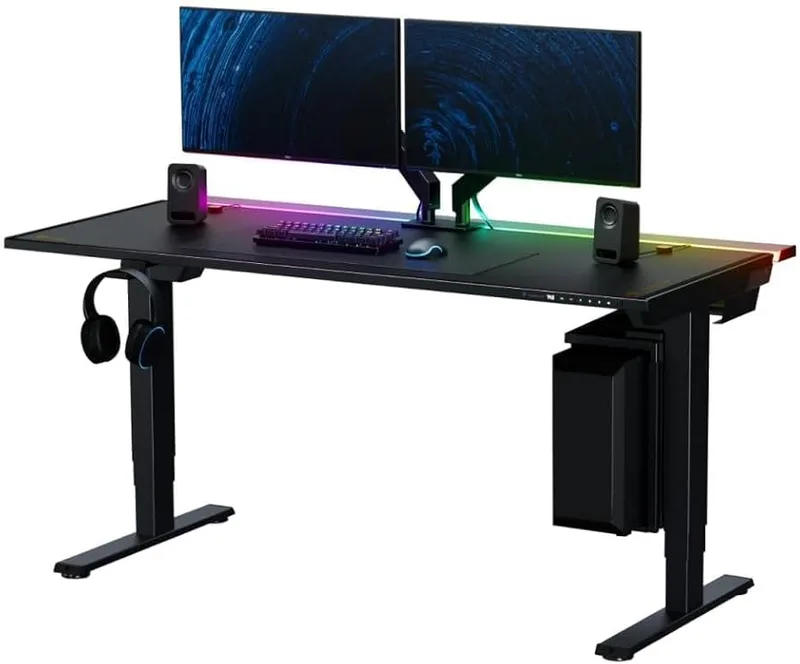
Buy it if: You care about a clean setup, you’ll actually use the standing function daily, and you plan to own this desk for 5+ years. The cable management alone justifies a significant premium over comparable frames. Gamers with a dense peripheral setup — multiple monitors, PC, USB hub, audio interface, console — will notice the difference immediately.
Skip it if: You’re primarily a sitter who stands occasionally and just wants a reliable frame. A FlexiSpot E7 at $499 or a similar frame handles the sitting-and-occasionally-standing use case at half the cost, even if cable management is messier.
Consider the Magnus Evo instead if: You’re an average-height user who wants the same magnetic ecosystem and integrated power column for $50 less and doesn’t need the full height range.
To pair this desk with a chair built for long gaming sessions, see our roundup of best gaming chairs or the full gaming posture guide for how to dial in the rest of your setup.
For more options across the standing desk category, our best gaming desks roundup and best standing desks guide cover the full range.
Buying Guide: What to Look for in a Premium Gaming Desk
Height range: Your ideal sitting height is elbows at 90 degrees. Your ideal standing height is the same. Most adults need a range from roughly 27 to 45 inches — make sure the desk covers both ends before you buy.
Stability: Two-leg frames are cheaper to manufacture but wobble more at standing height. H-frame (two crossbars) and C-frame designs handle stability differently. The Magnus Pro is one of the better two-leg designs available, but it’s still a two-leg frame.
Motor count: Dual-motor desks lift more smoothly and handle heavier loads. Single-motor desks are adequate for lighter setups but strain under triple-monitor configurations or heavy gaming rigs.
Cable management: Most desks include a basic cable tray at best. If you have a complex setup, budget for a dedicated cable management solution — or buy a desk like the Magnus Pro that integrates it into the frame.
Warranty: 5 years is acceptable minimum. 10 years is standard for serious long-term ownership. 15 years (offered by Uplift and some others) is the best available.
FAQ
Is the Secretlab Magnus Pro worth it for non-gamers?
The Magnus Pro’s design is gaming-inspired but the desk works equally well in a home office context. The cable management benefits apply for gaming setups and home office video calls alike. If the aesthetic doesn’t bother you, it performs as well as any premium standing desk at this price.
How hard is Magnus Pro assembly?
The assembly process itself is clear and well-engineered — the hardware is high quality and fits without force. The challenge is weight: at 125 lbs, attaching the frame to the desktop is difficult alone. Budget 1.5–2 hours and bring someone to help.
Can the Magnus Pro hold a triple-monitor setup?
Yes, within limits. The 265-pound weight capacity covers most triple-monitor builds including arms and peripherals. A setup with three 32-inch monitors, a gaming PC, and full desk peripherals typically falls in the 80–120 lb range — well within spec.
Does the Magnus Pro wobble at standing height?
Minimal wobble at standing height. Independent reviewers consistently describe it as one of the more stable two-leg frames available — noticeably better than most budget standing desks at max height. It’s not zero wobble, but it won’t shake your monitors during typing or mouse use.
What’s the difference between the Magnus Pro and the new Magnus Evo?
The Evo is $50 cheaper with the same core cable management system but a narrower height range (28.3”–46.1” vs 25.6”–49.2”) and a hybrid laminate desktop instead of full steel. For most average-height users, the Evo covers the same ground for less. The Pro is worth the extra cost if you need the full height range or want the all-metal desktop.
Does the Magnus Pro come with a desk mat?
Some bundles include a MAGPAD desk mat — check the specific Amazon listing. The base desk does not always include the mat. The MAGPAD is magnetic and integrates with the desk’s accessory ecosystem, but it’s optional.
Verdict
The Magnus Pro earns its reputation. Cable management this integrated is genuinely rare at any price, the stability is better than the two-leg frame suggests, and the steel construction communicates real build quality at every touchpoint. At $799 it’s not cheap — and the 5-year warranty is a legitimate weakness — but for a serious gaming or work setup that you plan to use daily for years, the premium over a basic standing desk is justified.
The Secretlab Magnus Pro is the desk I’d actually buy for a long-term gaming setup. If the full price is a stretch, the Magnus Evo covers the same core experience for $50 less — and the Easter sale through April 10 makes now a reasonable time to pull the trigger on either one.