The gaming chair vs ergonomic office chair debate has been settled by real users in 2026 — and the answer may surprise people who assumed gaming chairs had caught up. Across long-term ownership reports, chair forums, and user feedback, the same pattern keeps surfacing: people who switch from gaming chairs to proper ergonomic chairs rarely go back. The mechanics are different, the materials are different, and after 8 hours at a desk, those differences stop being theoretical.
That said, one gaming chair has genuinely closed the gap: the Secretlab TITAN Evo. It’s the only gaming chair with a built-in 4-way lumbar system that competes with what dedicated ergonomic chairs offer. If gaming aesthetics matter to you and your budget is around $370, it’s worth serious consideration.
For everyone else — particularly anyone logging 6–10 hours at a desk — an ergonomic office chair is the smarter call. Here’s how four picks from both categories stack up.
| Chair | Type | Price | Lumbar | Weight Cap | Rating |
|---|---|---|---|---|---|
| Secretlab TITAN Evo | Gaming | $669.00 as of Oct 18, 2026 | 4-way built-in | 285 lbs | 9.0 |
| DXRacer Formula | Gaming | Unavailable | Removable pillow | 200 lbs | 7.5 |
| Branch Ergonomic | Office | Unavailable | Adjustable built-in | 300 lbs | 9.0 |
| Steelcase Leap V2 | Office | $615.00-$1499.00 as of Oct 18, 2026 | LiveBack adaptive | 400 lbs | 9.2 |
1. Secretlab TITAN Evo Regular — Best Gaming Chair for Desk Work
Secretlab TITAN Evo Regular
Pros
- ✓ 4-way built-in lumbar rivals what dedicated ergonomic chairs offer
- ✓ 4D armrests adjust height, width, depth, and angle — not found on budget office chairs
- ✓ Magnetic memory foam neck pillow keeps your head aligned for hours
- ✓ Three sizes (S/R/XL) actually accommodate different body shapes and weights
Cons
- ✗ Leatherette traps heat during long sessions — noticeably warmer than mesh
- ✗ Racing bucket shape holds you in a fixed position with less dynamic movement
- ✗ Firm seat out of the box — break-in period of 2–4 weeks
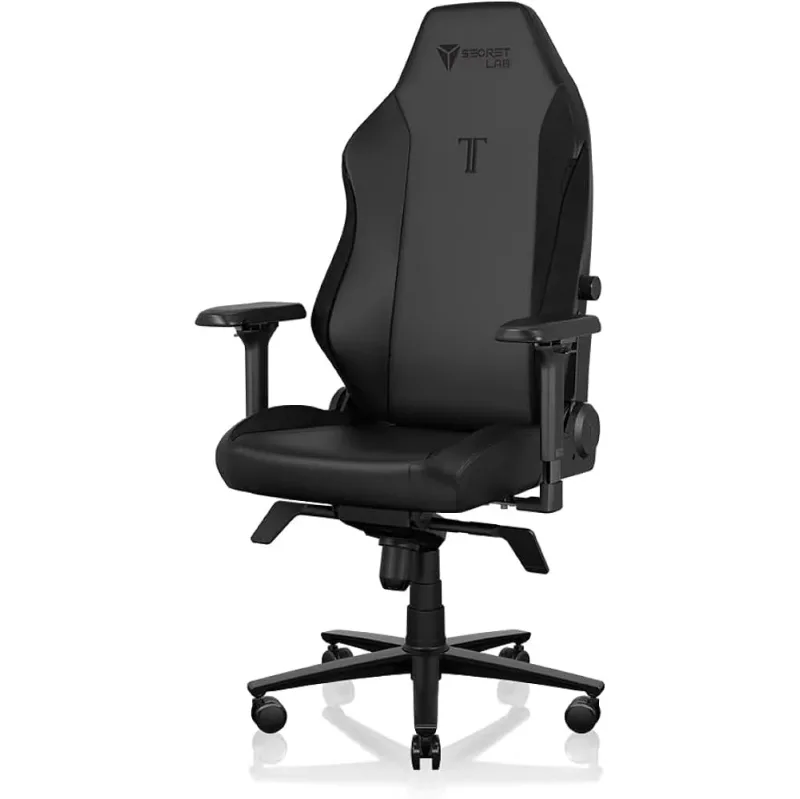
The TITAN Evo is the gaming chair for anyone who sits at a desk for both work and gaming. Most gaming chairs use a removable lumbar cushion that slips, migrates, and eventually gets tossed aside. Secretlab’s 4-way lumbar adjuster is built directly into the backrest — move it up or down, in or out, until it hits the exact spot your lower back needs. According to manufacturer specs and owner reports, it’s legitimately effective support that most gaming chairs can’t match.
The 4D armrests are another differentiator. Height, width, depth, and angle are all adjustable — a combination that many office chairs at similar price points don’t offer. Add the magnetic memory foam neck pillow, and you have a gaming chair that keeps your spine and neck in reasonable alignment for extended sessions.
Where the TITAN Evo falls short of a dedicated ergonomic chair: the NEO Hybrid Leatherette traps heat, and the racing bucket shape holds you in a fixed position. There’s no dynamic flex like you get from the Steelcase Leap, and no mesh to let air circulate. If you run warm or spend most of your day shifting position, you’ll feel those limitations.
Best for: Gamers who also work from home and want one chair for both use cases without giving up the gaming chair look.
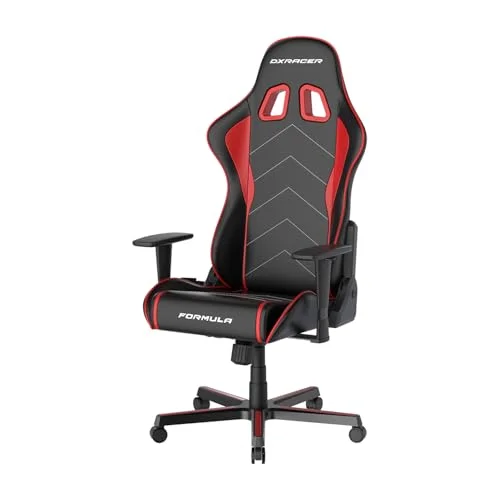
2. DXRacer Formula Series — Budget Gaming Pick
DXRacer Formula Series Gaming Chair
Pros
- ✓ All-steel frame feels surprisingly solid for the price
- ✓ Detachable headrest and lumbar cushions for a customized feel
- ✓ Classic racing chair look with an affordable entry price
- ✓ Wide range of color options for matching your setup aesthetic
Cons
- ✗ 200 lb weight limit excludes a meaningful portion of users
- ✗ Removable lumbar pillow shifts and slips — no integrated adjustment
- ✗ PU foam compresses noticeably within 12–18 months of daily use
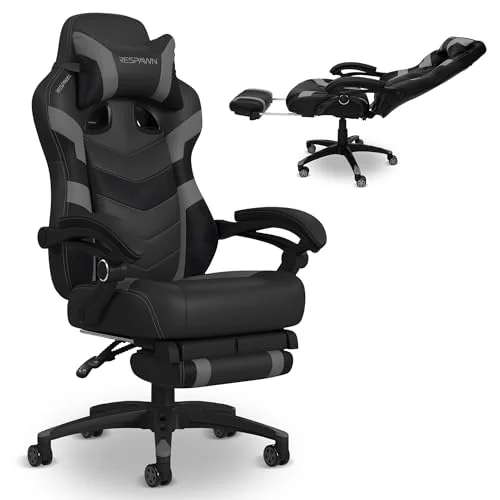
The DXRacer Formula is what most people picture when they hear “gaming chair.” Racing silhouette, side bolsters, bold color options, removable cushions. At $249, the all-steel frame is genuinely solid — this isn’t a chair that wobbles or flexes under normal use.
But the Formula illustrates exactly why budget gaming chairs struggle as office chairs. The removable lumbar pillow doesn’t stay put. After an hour, it’s shifted three inches up or fallen off the seat back. There’s no integrated adjustment mechanism. For occasional gaming sessions this is manageable, but as your primary work chair for 8 hours a day, it’s a real problem.
The 200 lb weight limit is worth flagging upfront — it excludes a meaningful number of users. And based on owner feedback, the foam begins to compress noticeably within 12–18 months of daily use. This isn’t a DXRacer-specific problem; it’s an issue across most budget gaming chairs that use cold-cured foam at this price point.
Best for: Casual gaming sessions of 2–4 hours, or anyone starting out with a tight budget who upgrades later.
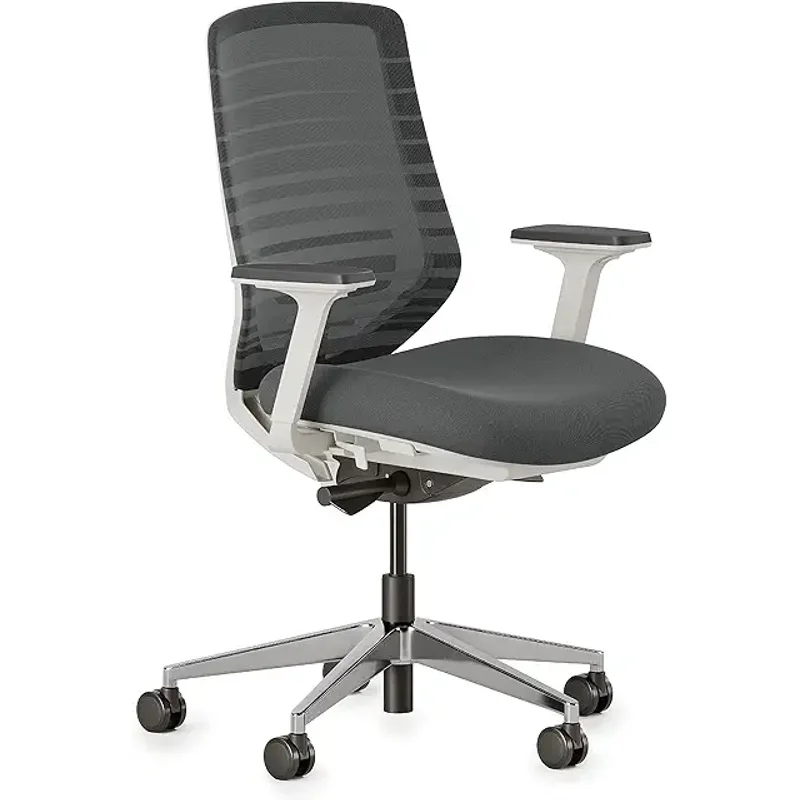
3. Branch Ergonomic Chair — Best Value Office Chair
Branch Ergonomic Chair
Pros
- ✓ Breathable mesh back keeps you cool through long work or gaming sessions
- ✓ Built-in lumbar stays where you set it — no loose pillow to lose or re-position
- ✓ 7-year warranty is exceptional for a chair in this price range
- ✓ Clean, neutral design fits office, home office, or living room setups
Cons
- ✗ Mesh back lacks the plush padding that padded gaming chairs provide
- ✗ Armrests don't adjust as widely as the Secretlab's 4D system
- ✗ Understated looks won't appeal to gamers who want the racing aesthetic
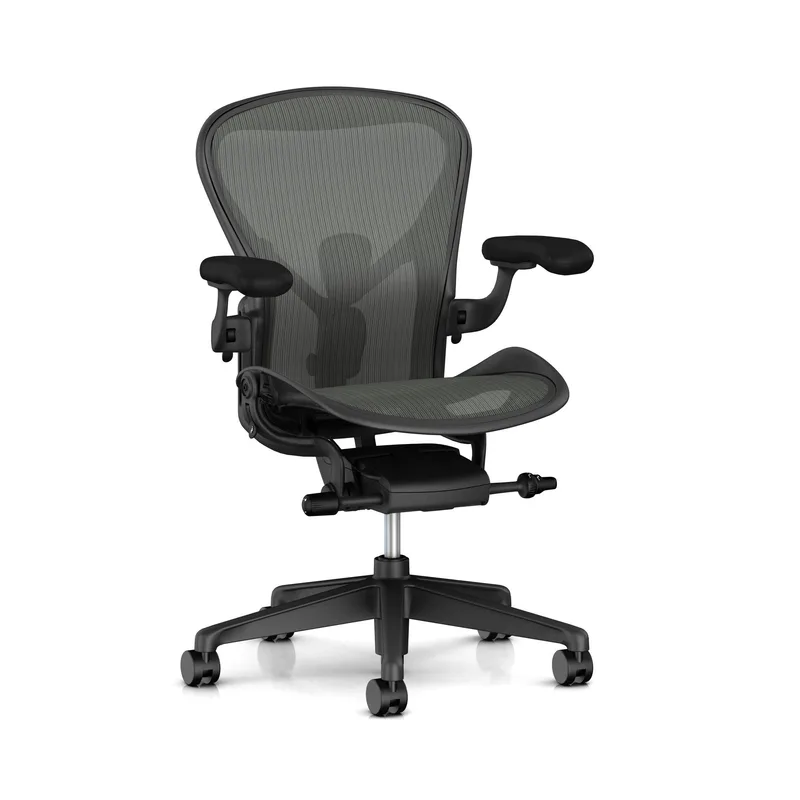
The Branch Ergonomic Chair is the chair that makes people understand what ergonomic design actually delivers. The mesh back breathes — genuinely. After a few hours in a leatherette gaming chair on a warm afternoon, sitting in the Branch feels like switching product categories entirely.
The built-in lumbar support adjusts in height and stays exactly where you set it. Based on owner feedback and warranty claims data, the 7-year warranty reflects Branch’s confidence in the build quality. At $359, this chair offers adjustability and materials quality that used to cost twice as much just a few years ago.
Where the Branch steps back compared to premium ergonomic chairs: the seat cushion is firm (most owners adapt within a week), there’s no headrest included, and armrest range isn’t as wide as the Secretlab’s 4D system. For the price, these are reasonable compromises. It’s still a better office chair than any gaming chair under $500.
Best for: Remote workers or students who need full-day support without approaching $1,000. The default recommendation for most people switching from gaming chairs.
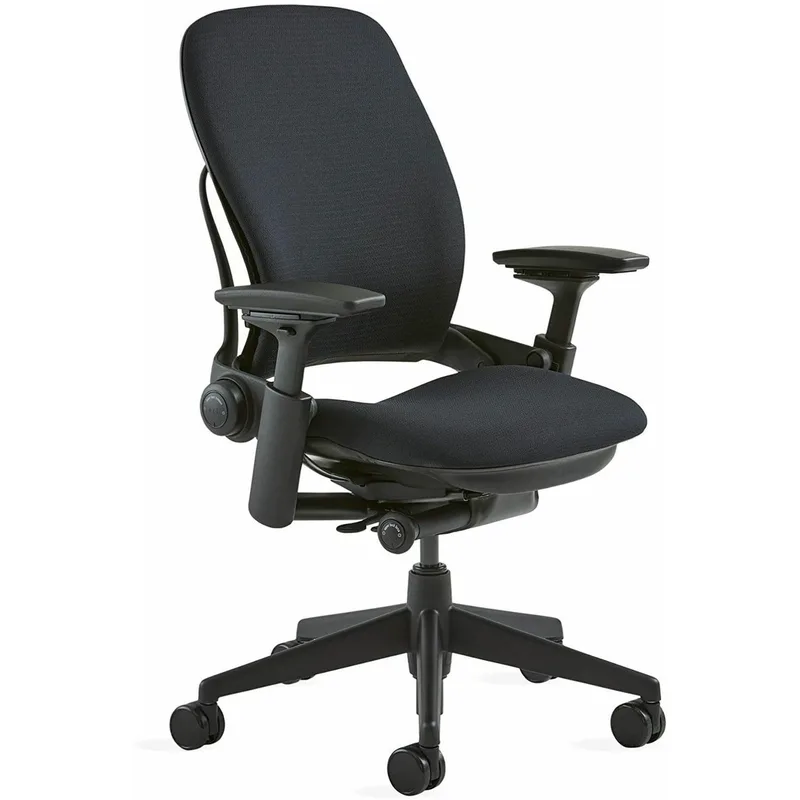
4. Steelcase Leap V2 — Best for Long Hours
Steelcase Leap V2
Pros
- ✓ LiveBack technology flexes to independently follow your spine as you shift
- ✓ Natural Glide System lets you recline without sliding away from your desk
- ✓ 12-year warranty — built and rated for 24/7 office use
- ✓ 400 lb capacity covers virtually all users without compromising support
Cons
- ✗ $1,399 is a significant investment — refurb units at $600–$900 are worth considering
- ✗ No built-in headrest — aftermarket options add $80–$150
- ✗ Zero gaming aesthetics — purely functional appearance
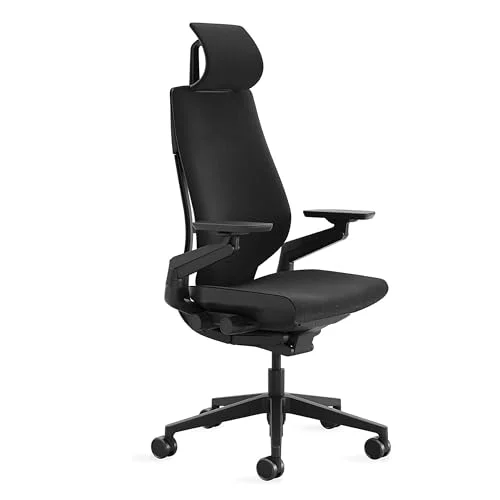
The Steelcase Leap V2 is what ergonomics consultants and occupational health specialists specify when the goal is long-term health and sustained productivity. At around $1,399, it’s a different price bracket entirely — and it earns that position through engineering that no gaming chair replicates.
LiveBack technology means the backrest flexes to follow your spine as you shift throughout the day, rather than holding you in a single fixed position. The Natural Glide System is particularly useful: when you lean back to think or stretch, the seat slides forward so you don’t drift away from your desk. After several hours at a keyboard, that detail becomes obvious.
The 12-year warranty tells you something important about how Steelcase builds this chair. It’s rated for 24/7 office use. A mid-range gaming chair will likely need replacing within 5 years; a well-maintained Leap V2 regularly lasts 15 years in active commercial use.
No headrest is included — plan for an extra $80–$150 if that’s important to you. And if the new price is too steep, refurbished Leap V2 units from office liquidators typically run $500–$700 and arrive in excellent condition.
Best for: Professionals, developers, writers, and anyone who treats their chair as a long-term productivity investment.
Accessories That Improve Either Chair
Whichever direction you go, a few accessories close the remaining gaps:
For gaming chair users: A quality external lumbar cushion helps if the built-in support isn’t hitting the right spot. The Everlasting Comfort Lumbar Support Pillow ($30) is a popular upgrade on chairs with weak or missing adjustable lumbar.
For office chair users without a headrest: The Headrest Pillow for Office Chair by Ticova clips to most mesh chairs and adds neck support the Branch and base Leap V2 lack.
For anyone standing occasionally: If you alternate between sitting and standing, an anti-fatigue mat pairs with either chair to reduce leg fatigue during standing intervals.
For protecting your floors: A chair mat protects hardwood and flooring from caster marks under any chair. The Gorilla Grip Premium Chair Mat ($45) is a popular option that works under both gaming and ergonomic chairs.
What Actually Separates These Two Categories
Once you strip away the aesthetics and marketing, three things separate gaming chairs from ergonomic office chairs:
Lumbar support delivery. Gaming chairs rely on removable pillows. Ergonomic chairs integrate lumbar adjustment into the backrest. A pillow can work if it stays in place — but over time it migrates, compresses, and eventually gets pushed aside. Integrated lumbar that you set once and forget is meaningfully better for all-day work. The Secretlab TITAN Evo is the exception that bridges this gap.
Materials and heat management. Leatherette and PU leather trap body heat. Mesh breathes. After 2+ hours, the temperature difference in your lower back is noticeable — especially in warmer months or poorly ventilated rooms. For warm-climate remote workers, this matters a lot.
Dynamic vs. static support. Gaming chairs hold you in a position. Well-designed ergonomic chairs move with you. The Steelcase Leap V2’s LiveBack technology and Natural Glide System are the clearest example: as your body shifts naturally throughout a long session, the chair adapts. Static posture for 8 hours is harder on your body than supported, gentle movement.
The Secretlab TITAN Evo closes the gap on lumbar and armrests — but it’s still a fixed-back leatherette chair. It outperforms every other gaming chair in this comparison. It doesn’t outperform the Branch or the Leap V2 for desk work.
Who Should Buy Which
Buy the Secretlab TITAN Evo if you game and work at the same desk, the racing chair aesthetic matters to you, and you want the one gaming chair that ergonomics-focused reviewers can recommend without caveats.
Buy the DXRacer Formula if you’re on a tight budget, game rather than work in your chair, and plan to sit for 4 hours or less per session.
Buy the Branch Ergonomic Chair if you work from home, sit for 6–10 hours a day, and want proper lumbar support and breathable materials without spending near $1,000. This is the recommendation for most people making this comparison.
Buy the Steelcase Leap V2 if your chair is a professional tool. You work long hours, experience discomfort in lesser chairs, and want something that pays for itself over 10+ years of daily use.
FAQ
Are gaming chairs bad for your back?
Most budget gaming chairs use removable lumbar pillows that shift and provide inconsistent support over long sessions. For occasional gaming of 2–4 hours, this isn’t a major issue. For full-day desk work, the inconsistency adds up and can contribute to lower back discomfort. The Secretlab TITAN Evo is the exception: its 4-way built-in lumbar provides more reliable support than any other gaming chair on the market.
Can I use an ergonomic chair for gaming?
Yes — and most people who make the switch don’t go back. Ergonomic chairs like the Branch or Steelcase Leap V2 support extended gaming sessions effectively. The trade-off is aesthetics: ergonomic chairs don’t have the racing chair silhouette that gamers often want in their setup. If looks matter, the Secretlab TITAN Evo is the best bridge between categories.
How does the Secretlab TITAN Evo compare to a proper ergonomic chair?
At $369, the Secretlab competes with — and often beats — ergonomic chairs priced under $300. Above that range, dedicated ergonomic chairs like the Branch pull ahead on breathable materials and integrated support. At $500+, the gap widens further. For a deeper look at the gaming chair category specifically, see our gaming chairs roundup.
What’s the best ergonomic chair under $500?
The Branch Ergonomic Chair at $359 is among the strongest options at this price point. For a full comparison of seven chairs in the under-$500 range, see the best ergonomic desk chairs under $500 roundup.
How long do gaming chairs last compared to ergonomic chairs?
Budget gaming chairs show noticeable foam compression and wear within 2–3 years of daily use. Premium gaming chairs like the Secretlab TITAN Evo are built to last 5+ years. Commercial-grade ergonomic chairs like the Steelcase Leap V2 (12-year warranty) and most Herman Miller models (12-year warranty) are designed for 10–15 years of continuous use.
How do I set up either chair correctly for the best posture?
The fundamentals are identical: seat height so your feet are flat on the floor with knees at roughly 90°, lumbar support positioned at the curve in your lower back, and armrests at elbow height so your shoulders don’t hunch. Ergonomic chairs simply offer more adjustment points to hit those targets precisely. Our guide to adjusting your office chair properly walks through each step for both chair types.
Conclusion
Gaming chairs look the part. Ergonomic chairs do the job.
For 2–4 hours of casual gaming on a budget, the DXRacer Formula is a reasonable starting point. For gamers who also work from home and want one chair to do both, the Secretlab TITAN Evo is the only gaming chair worth recommending seriously. For anyone sitting 6+ hours daily for work, the Branch Ergonomic Chair at $359 is the default pick — better lumbar, better materials, better long-term value. And for professionals who treat their chair as an investment in productivity and health, the Steelcase Leap V2 earns its price over a decade.
The ergonomic chair wins for desk work. That’s not a close call — it’s just the honest answer based on how these products are built and what they’re designed to do.
For a deeper look at posture and setup for long gaming sessions, read the gaming posture guide.