Disclosure: PostureRanked is reader-supported. When you buy through links on our site, we may earn an affiliate commission at no additional cost to you. Our recommendations are based on independent research and testing.
PostureRanked is reader-supported. When you buy through links on our site, we may earn an affiliate commission at no additional cost to you.
You’ve narrowed it down to two desks. The FlexiSpot E7 Pro and the Autonomous SmartDesk Pro keep showing up in every “best budget standing desk” list, and for good reason — they’re the two strongest options under $600. But they’re not interchangeable. One is built heavier with a longer warranty. The other costs less and goes taller. The right pick depends on how you actually work. For context on how these compare to the broader market, see our best standing desks of 2026 roundup.
Short on time? Get the FlexiSpot E7 Pro if you stand often and want something rock-solid for years. Get the Autonomous SmartDesk Pro if budget is tight and you mostly sit.
Quick Comparison: FlexiSpot E7 Pro vs Autonomous SmartDesk Pro
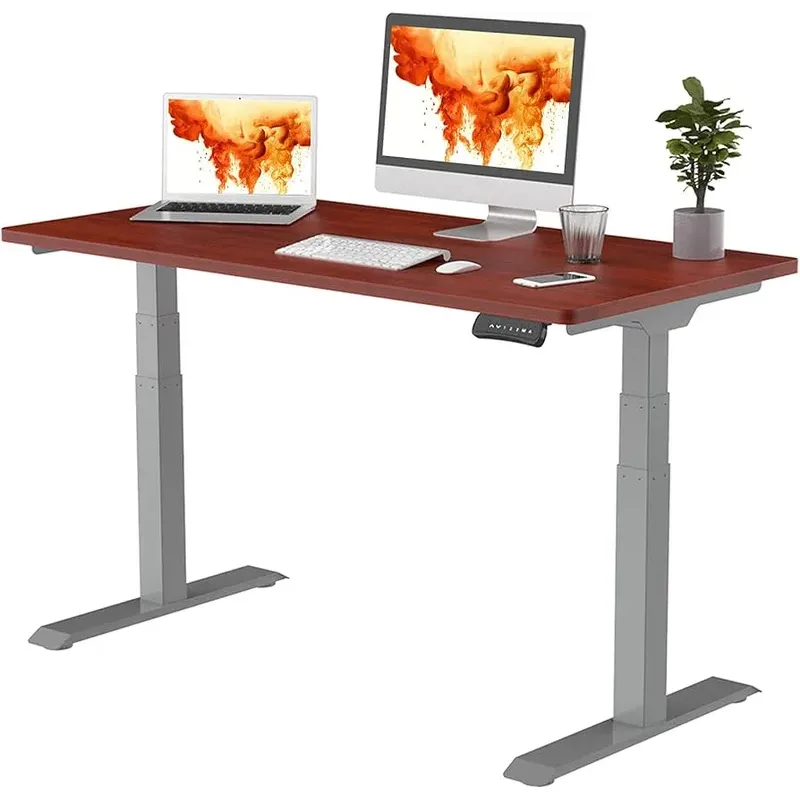
FlexiSpot E7 Pro
Pros
- ✓ 440 lb capacity with automotive-grade steel frame
- ✓ Fast 1.6"/sec motor speed with enclosed design
- ✓ 15-year frame warranty — best in class
- ✓ USB-A charging port on the controller
Cons
- ✗ $100-150 more than Autonomous upfront
- ✗ Heavier frame makes moving harder
- ✗ Limited desktop color options on Amazon
| Feature | FlexiSpot E7 Pro | Autonomous SmartDesk Pro |
|---|---|---|
| Weight Capacity | 440 lbs | 310 lbs |
| Height Range | 25” - 50.6” | 26.2” - 52” |
| Adjustment Speed | 1.6” per second | 1.1” per second |
| Motors | Dual motor (enclosed) | Dual motor |
| Frame Warranty | 15 years | 7 years |
| Desktop Warranty | 5 years | 1 year |
| Starting Price | ~$500-$600 | ~$400-$500 |
| Memory Presets | 4 presets + USB port | 4 presets |
| Assembly Time | ~30 minutes | ~45 minutes |
| Frame Material | Automotive-grade steel | Standard steel |
Winner at a glance: FlexiSpot E7 Pro for build quality and long-term value. Autonomous SmartDesk Pro for lowest upfront cost.
Build Quality and Weight Capacity
FlexiSpot E7 Pro: 440 lbs Autonomous SmartDesk Pro: 310 lbs
FlexiSpot wins this one and it’s not close. A 42% capacity advantage doesn’t just mean you can pile on more stuff — it means thicker steel, beefier joints, and a frame that won’t flex under pressure. The E7 Pro uses automotive-grade steel in the legs and crossbar. You notice it during assembly. Every component has real heft.
Most setups weigh under 100 lbs, so you’ll never hit either limit. But the extra capacity translates directly to rigidity. A desk rated for 440 lbs at 80 lbs of gear barely notices the load. A desk rated for 310 lbs at the same load works harder.
Autonomous builds a decent desk. It doesn’t feel cheap. But lean on it at standing height and you’ll feel the difference.
Winner: FlexiSpot E7 Pro
Height Range
FlexiSpot E7 Pro: 25” - 50.6” Autonomous SmartDesk Pro: 26.2” - 52”
Autonomous reaches 1.4 inches higher, which matters for very tall users — if you’re over 6’4”, that extra reach puts the desk at proper elbow height while standing. FlexiSpot goes 1.2 inches lower, which is more useful than it sounds. Shorter users, wheelchair users, or anyone who likes a low sitting position benefits from that 25-inch minimum.
For most people between 5’4” and 6’2”, both desks cover the full range you need. This category only matters at the extremes.
Winner: Tie — Autonomous for very tall users, FlexiSpot for shorter users
Motor Speed and Noise
FlexiSpot E7 Pro: 1.6” per second Autonomous SmartDesk Pro: 1.1” per second
FlexiSpot moves 45% faster. Over a full sit-to-stand transition (~25 inches), that’s 16 seconds versus 23 seconds. Not a massive difference for one transition. But if you switch positions four or five times a day, those seconds add up — and the slower desk starts to feel sluggish.
Noise is comparable. Both run under 50 dB (quieter than a conversation). FlexiSpot’s enclosed motor design runs a bit smoother though, and ages better. Some Autonomous users report a slight whine developing after 12-18 months of heavy use.
Winner: FlexiSpot E7 Pro
Stability
This is where cheap standing desks fall apart — literally. The real test isn’t sitting height. It’s standing height, where front-to-back wobble turns your monitor into a bobblehead.
FlexiSpot E7 Pro: Rock solid at all heights. Even at maximum extension, aggressive typing doesn’t cause visible monitor movement. The reinforced frame design and thicker legs pay off here more than anywhere else.
Autonomous SmartDesk Pro: Fine at sitting height. Acceptable up to about 42 inches. Above that, you’ll notice wobble — the monitor shakes during vigorous typing, and bumping the desk causes visible sway. It’s not unsafe. It’s just annoying.
If you stand for hours at a time, this category alone justifies the FlexiSpot premium.
Winner: FlexiSpot E7 Pro
Warranty and Support
| FlexiSpot E7 Pro | Autonomous SmartDesk Pro | |
|---|---|---|
| Frame | 15 years | 7 years |
| Motor | 5 years | 5 years |
| Desktop | 5 years | 1 year |
| Electronics | 2 years | 2 years |
FlexiSpot’s 15-year frame warranty is more than double Autonomous’s 7 years. The desktop warranty gap is even worse — 5 years versus 1 year. If you buy their laminate top and it chips or peels in year two, FlexiSpot covers it. Autonomous doesn’t.
Support quality also leans FlexiSpot. They offer US-based phone support with reasonable wait times. Autonomous runs primarily on email, and response times can stretch to several days during busy periods.
Winner: FlexiSpot
Control Panel and Features
Both desks include 4 memory presets, LED height displays, and anti-collision sensors. The core functionality is identical.
The differences: FlexiSpot’s controller includes a USB-A port for charging your phone or powering a desk lamp. The buttons feel solid with decent tactile feedback. Autonomous skips the USB port, and the controller housing feels slightly cheaper — thinner plastic, less satisfying clicks.
Neither controller is bad. But FlexiSpot’s USB port adds genuine daily utility.
Winner: FlexiSpot E7 Pro
Assembly
FlexiSpot: Clear labeled instructions, pre-attached wiring, partially assembled frame. Budget 25-35 minutes. Most people can do it solo, though a second person makes lifting the top easier.
Autonomous: More steps, manual wire routing, less intuitive instructions. Budget 40-50 minutes. Some buyers report receiving scratched or dented components — check everything before you start.
Neither requires a professional. FlexiSpot just makes it less of a chore.
Winner: FlexiSpot
Price and Value
FlexiSpot E7 Pro: ~$500-$600 (frame + top) Autonomous SmartDesk Pro: ~$400-$500 (frame + top)
Autonomous saves you $100-$150 upfront. That’s real money, and if your budget caps at $450, the decision makes itself.
But run the numbers differently. FlexiSpot at $550 over a 15-year warranty works out to $37/year. Autonomous at $450 over a 7-year warranty works out to $64/year. The “cheaper” desk costs 73% more per year of coverage.
FlexiSpot also runs frequent Amazon sales — Prime Day, Black Friday, random Tuesday promotions. The E7 Pro regularly drops to the $450-$500 range, which eliminates the Autonomous price advantage entirely while keeping the better build quality.
Winner: Autonomous for upfront cost. FlexiSpot for long-term value.
Who Should Buy Each Desk?
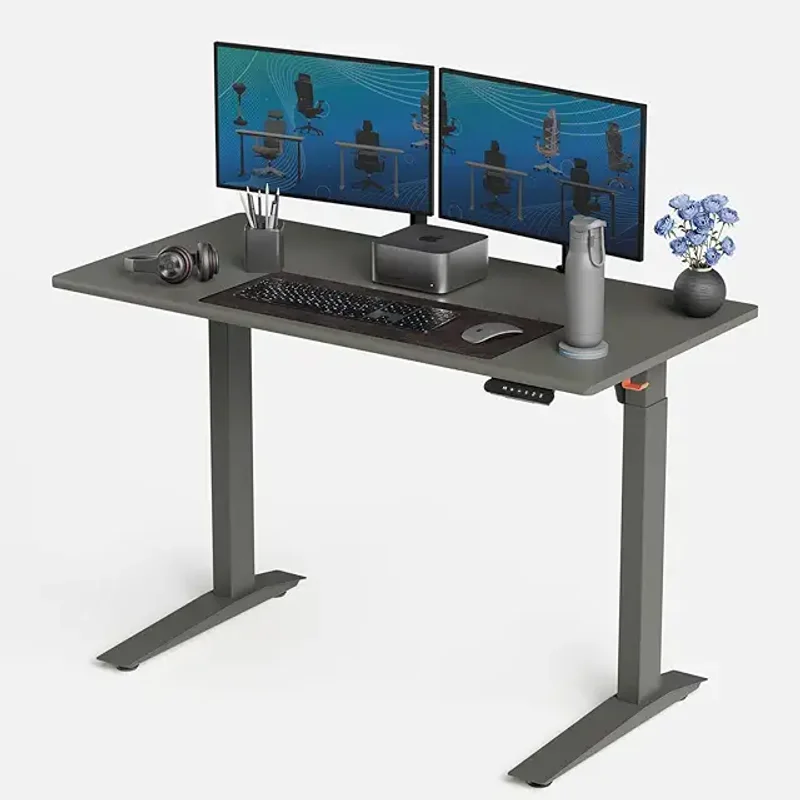
Autonomous SmartDesk Pro
Pros
- ✓ Lowest entry price among quality standing desks
- ✓ Reaches 52" — great for users over 6'4"
- ✓ Clean, minimal aesthetic
- ✓ 4 programmable memory presets
Cons
- ✗ Noticeable wobble above 42 inches
- ✗ Only 7-year frame warranty
- ✗ No USB port on controller
Choose the FlexiSpot E7 Pro if you:
- Stand for multiple hours daily
- Run a multi-monitor or heavy equipment setup
- Want a desk that lasts 10+ years
- Care about stability at standing height
- Value responsive customer support
Choose the Autonomous SmartDesk Pro if you:
- Need to stay under $450
- Mostly sit with occasional standing breaks
- Don’t load the desk heavily
- Are over 6’4” and need the extra height
- Plan to upgrade in 3-5 years anyway
What to Look for in a Budget Standing Desk
Shopping outside these two? Here’s what actually matters.
Weight capacity over 300 lbs. Not because you’ll load it that heavy — because higher capacity means sturdier construction. Desks rated under 200 lbs tend to wobble badly at standing height.
Dual motors, not single. Single-motor desks are slower, louder, and more prone to uneven lifting that causes the desk to rack (twist) over time. Dual motors are standard at this price range. Don’t settle for less.
Minimum 5-year frame warranty. The frame is the structural backbone. If a manufacturer won’t warranty it for at least 5 years, they don’t trust their own product. Look for 10+ years from reputable brands.
Anti-collision sensor. This reverses the desk if it hits a chair, shelf, or your knee. It’s a safety feature, not a luxury. Most desks in the $400+ range include it.
Memory presets (3-4 minimum). Switching heights without presets means holding a button and watching the display. Presets make transitions instant. If two people share the desk, you’ll each want your own sitting and standing heights saved.
Frequently Asked Questions
Is the FlexiSpot E7 Pro worth the extra money over the Autonomous SmartDesk Pro?
For most buyers, yes. The $100-$150 premium gets you a frame that’s measurably more stable, a motor that’s 45% faster, and a warranty that’s more than double the length. The only scenario where Autonomous makes more sense is a strict sub-$450 budget or if you rarely stand.
Can I use my own desktop with either desk frame?
Yes. Both brands sell the frame separately for around $350-$450. Any desktop between 48” and 80” wide works with the FlexiSpot frame. Autonomous supports 43” to 70”. Just make sure your top is at least 1” thick for solid mounting.
How loud are these desks during adjustment?
Both run under 50 dB — quieter than a normal conversation. You can adjust either desk during a video call without anyone noticing. FlexiSpot’s enclosed motors run slightly quieter and tend to stay quieter over time.
Do these desks wobble at standing height?
The FlexiSpot E7 Pro stays remarkably stable at all heights. The Autonomous SmartDesk Pro develops noticeable front-to-back wobble above 42 inches. If wobble bothers you, FlexiSpot is the safer bet.
How long does assembly take?
FlexiSpot: about 30 minutes with clear instructions and pre-attached wiring. Autonomous: about 45 minutes with manual wire routing. Neither needs professional assembly, but having a second person to help flip the desktop is useful for both.
Are there better alternatives at this price?
Below this range, the FlexiSpot E5 ($350-$400) is solid but drops to a single motor. Above it, the UPLIFT V3 ($600-$700) offers more customization with comparable build quality — see the FlexiSpot vs UPLIFT comparison for that head-to-head. For a full breakdown, see our best standing desks roundup.
The Bottom Line
FlexiSpot E7 Pro wins this comparison. It’s more stable, faster, built with better materials, and backed by a warranty that’s more than twice as long. The $100-$150 price premium pays for itself within a few years — and during sales, the gap shrinks to almost nothing. Read our full FlexiSpot E7 Pro review for the complete breakdown, and our Autonomous SmartDesk Pro review for more detail on that desk’s strengths and weaknesses.
Autonomous SmartDesk Pro is still a decent desk. If your budget is firm at $400-$450 and you mostly sit, it’ll serve you fine. It’s also the better pick for very tall users who need that 52-inch max height. But dollar for dollar over the life of the desk, FlexiSpot delivers more.
My recommendation: watch for FlexiSpot sales on Amazon. The E7 Pro drops to $450-$500 during Prime Day, Black Friday, and random midweek promotions. At that price, there’s no reason to pick Autonomous. Whichever you choose, add an anti-fatigue mat — it’s the most impactful accessory for making standing sessions comfortable.
Check FlexiSpot E7 Pro price on Amazon | Check Autonomous SmartDesk Pro price on Amazon