Disclosure: PostureRanked is reader-supported. When you buy through links on our site, we may earn an affiliate commission at no additional cost to you. Our recommendations are based on independent research and testing.
| Product | Price | Rating |
|---|---|---|
| FlexiSpot Comhar 55" | — | 9.0 |
| FlexiSpot Comhar 48" | — | 8.8 |
| FEZIBO Double Drawer 55" | — | 8.4 |
| FEZIBO 48" with Drawer | — | 8.4 |
| FlexiSpot with Monitor Stand & Dual Drawers | — | 8.6 |
| FEZIBO L-Shaped with Drawers | — | 8.6 |
| FlexiSpot Lockable Under-Desk Drawer | — | 8.8 |
PostureRanked is reader-supported. When you buy through links on our site, we may earn an affiliate commission at no additional cost to you.
You bought a standing desk and now your chargers, pens, notebooks, and random cables live in a pile next to your keyboard. Sound familiar?
Most standing desks ship as a slab on legs — functional but storage-free. That works if you have a filing cabinet nearby. It doesn’t work if your “filing system” is a shoebox under the desk.
Standing desks with built-in drawers fix this. One piece of furniture, workspace plus storage, no extra purchases. Here are the best options for 2026, tested and compared. If you’re still choosing which standing desk to buy, start with our best standing desks of 2026 roundup for the full comparison.
Short on time? The FlexiSpot Comhar 55” is the best overall — clean built-in drawer, USB charging, and 5-minute assembly. On a budget, the FEZIBO 48” with Drawer gets you storage for under $200.
Quick Comparison
| Desk | Size | Drawers | Weight Capacity | USB Charging | Price Range |
|---|---|---|---|---|---|
| FlexiSpot Comhar 55” | 55” x 28” | 1 built-in | 154 lbs | Yes (A + C) | $300–$430 |
| FlexiSpot Comhar 48” | 48” x 24” | 1 built-in | 110 lbs | Yes (A + C) | $230–$450 |
| FEZIBO Double Drawer 55” | 55” x 24” | 2 wooden | 176 lbs | No | $170–$285 |
| FEZIBO 48” with Drawer | 48” x 24” | 1 fabric | 176 lbs | No | $140–$260 |
| FlexiSpot Monitor Stand | 48” x 24” | 2 fabric | 250 lbs | No | $100–$270 |
| FEZIBO L-Shaped | 63” L-shape | 3 wooden | 330 lbs | No | $250–$330 |
1. FlexiSpot Comhar 55” — Best Overall
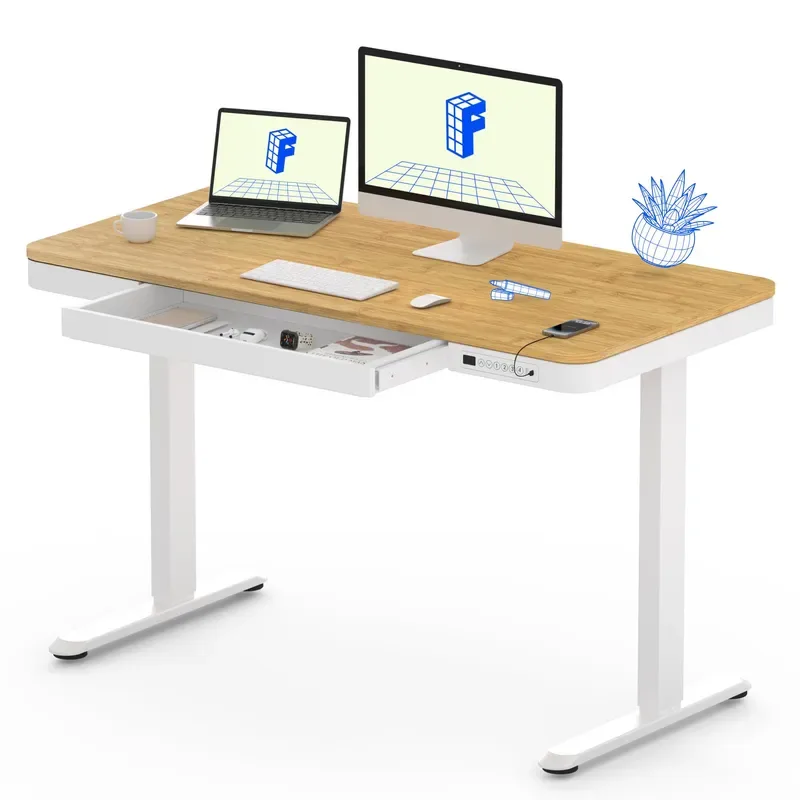
FlexiSpot Comhar 55"
Pros
- ✓ Largest built-in drawer of any Comhar model
- ✓ USB-A and USB-C charging ports
- ✓ 95% pre-assembled — ready in 5 minutes
- ✓ Wide 28" depth fits dual monitors easily
Cons
- ✗ 154 lb capacity limits heavy multi-monitor setups
- ✗ Single drawer may not be enough for paper-heavy workflows
- ✗ Pricier than FEZIBO alternatives
The Comhar 55” is what happens when someone actually thinks about where you’ll put your stuff. The drawer sits flush inside the desktop — not bolted on top, not hanging underneath. It’s integrated, like it was always supposed to be there.
The drawer itself is 23.6” x 11.2” x 2”. That fits a full-size notebook, pens, a phone charger, and some cables without cramming. USB-A and USB-C ports are built into the desktop edge, so you can charge devices without running cables to a power strip.
Assembly takes about five minutes. The desk arrives 95% pre-assembled — you’re basically just attaching the legs. Compare that to the 45-minute build on most FEZIBO models.
Who should buy this: Anyone who wants integrated storage without sacrificing desk aesthetics. The 55” x 28” surface handles dual monitors comfortably with room to spare. If you have a heavy multi-monitor setup, also review our best standing desks for dual monitors guide for capacity-focused options.
Who should skip this: Heavy setup users. The 154 lb capacity is fine for two monitors and a laptop, but if you’re running triple screens with monitor arms, look at the FEZIBO options with higher capacity.
Check FlexiSpot Comhar 55” (White) on Amazon
Check FlexiSpot Comhar 55” (Maple) on Amazon
2. FlexiSpot Comhar 48” — Best Compact
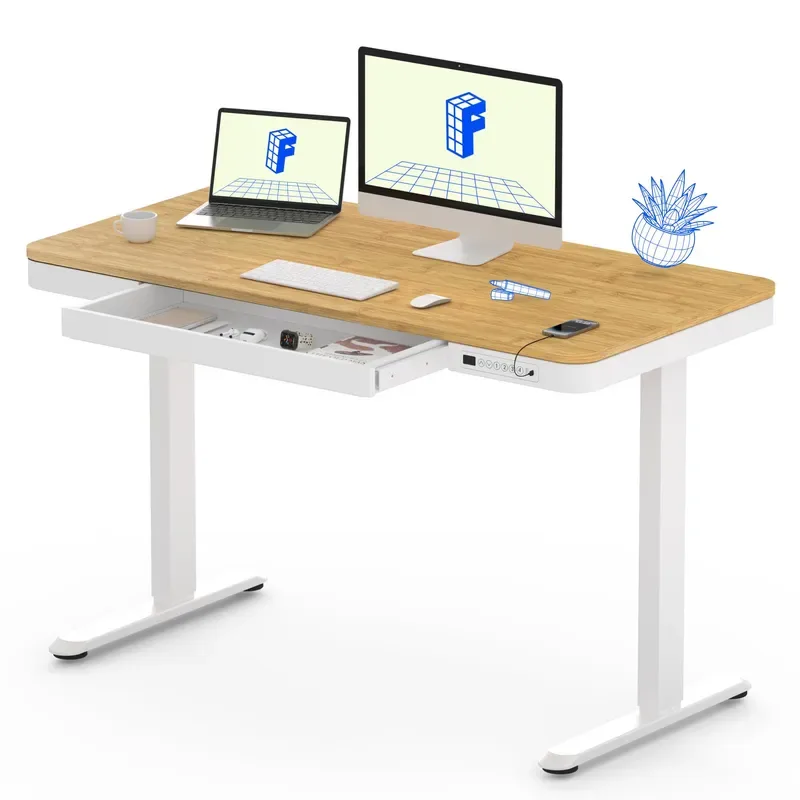
FlexiSpot Comhar 48"
Pros
- ✓ Same quality drawer as the 55" in a smaller footprint
- ✓ USB charging ports included
- ✓ FSC-certified wood desktop
- ✓ Quick 5-minute assembly
Cons
- ✗ 110 lb capacity is tight with dual monitors and arms
- ✗ 48" width feels cramped with two large screens
- ✗ No option for additional drawers
Same drawer, same USB charging, same 5-minute assembly — just in a 48” x 24” package. If your office can’t fit a 55” desk, this is the obvious pick.
The drawer dimensions are identical to the 55” model (23.6” x 11.2” x 2”), so you don’t lose storage by going smaller. You do lose 7 inches of desktop width and 4 inches of depth, which matters with dual monitors. A single ultrawide plus a laptop works great. Two 27” screens side by side gets tight.
The 110 lb weight capacity is the main compromise. That’s enough for a monitor, laptop, keyboard, and your drawer contents — but monitor arms and heavy equipment push the limits.
Who should buy this: Single-monitor users or anyone in a smaller space who still wants built-in storage and USB charging.
Who should skip this: Dual-monitor users. The 48” width and 110 lb capacity both work against a two-screen setup.
Check FlexiSpot Comhar 48” (White) on Amazon
Check FlexiSpot Comhar 48” (Maple/White) on Amazon
3. FEZIBO Double Drawer 55” — Best Budget Storage
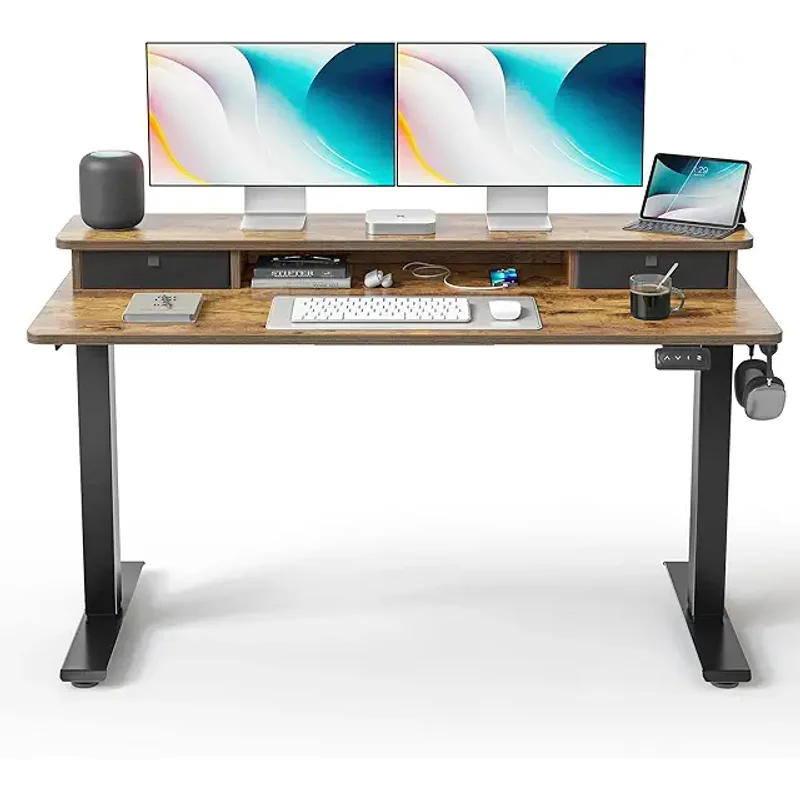
FEZIBO Double Drawer 55"
Pros
- ✓ Two drawers for better organization
- ✓ Higher weight capacity than both Comhar models
- ✓ Includes storage shelf and cable tray
- ✓ Significantly cheaper than FlexiSpot
Cons
- ✗ Splice board desktop has a visible center seam
- ✗ On-top drawers reduce usable desk depth
- ✗ No USB charging
FEZIBO’s approach: skip the premium finish, double the drawers, and charge half the price. The math works in your favor if storage matters more than aesthetics.
Two wooden pull-out drawers sit on the desktop surface with a storage shelf between them. They’re not flush-mounted like the Comhar — they sit on top. That reduces your usable desk depth by a few inches, but you get double the organization space.
The 176 lb weight capacity beats both Comhar models, which means dual monitors with arms are no problem. The motor runs under 50 dB, which is quieter than a normal conversation.
The tradeoff: the desktop is a splice board (two pieces joined during assembly). There’s a visible seam down the center. It’s not a dealbreaker, but it’s noticeable. No USB ports either.
Who should buy this: Budget-conscious buyers who prioritize storage quantity and weight capacity over fit-and-finish.
Who should skip this: Anyone who cares about desktop aesthetics. The visible seam and on-top drawers look more utilitarian than the Comhar’s integrated design.
Check FEZIBO Double Drawer 55” on Amazon
4. FEZIBO 48” with Drawer — Best Value
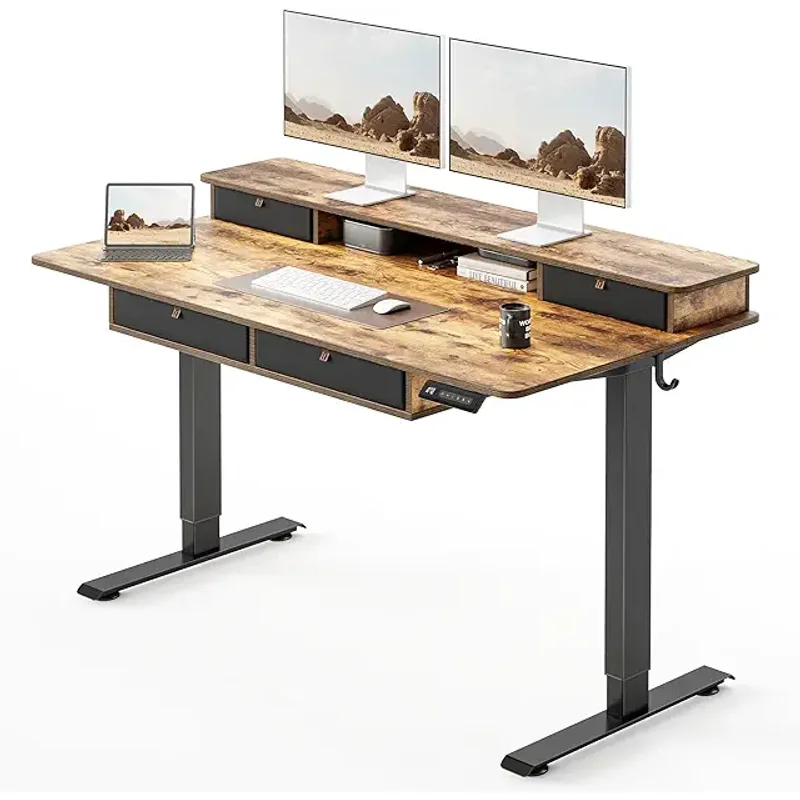
FEZIBO 48" with Drawer
Pros
- ✓ Lowest price with meaningful storage
- ✓ Higher capacity than premium options
- ✓ Waterproof fabric drawer
- ✓ Includes casters and hooks
Cons
- ✗ Fabric drawer looks less polished than wood
- ✗ Splice board with visible seam
- ✗ Smaller drawer than Comhar models
This is the cheapest standing desk with meaningful storage you can buy. Under $200 gets you a 176 lb capacity desk with a waterproof fabric drawer, four memory presets, and lockable casters.
The fabric drawer (15.7” x 9” x 3.15”) is smaller than the Comhar’s built-in drawer, and it hangs under the desktop rather than integrating into it. It looks less refined. But it holds notebooks, chargers, and small electronics without issue, and the waterproof material means a spilled coffee won’t ruin everything inside.
FEZIBO includes hooks for headphones and bags, plus casters if you need to roll the desk around. The 176 lb weight capacity matches their premium models and beats both FlexiSpot Comhars.
Who should buy this: Anyone on a tight budget who needs a standing desk with basic storage. Hard to beat the price-to-feature ratio.
Who should skip this: If desktop appearance matters to you. The splice board seam and fabric drawer look budget-tier — because they are.
Check FEZIBO 48” with Drawer on Amazon
5. FlexiSpot with Monitor Stand & Dual Drawers — Best for Multi-Monitor
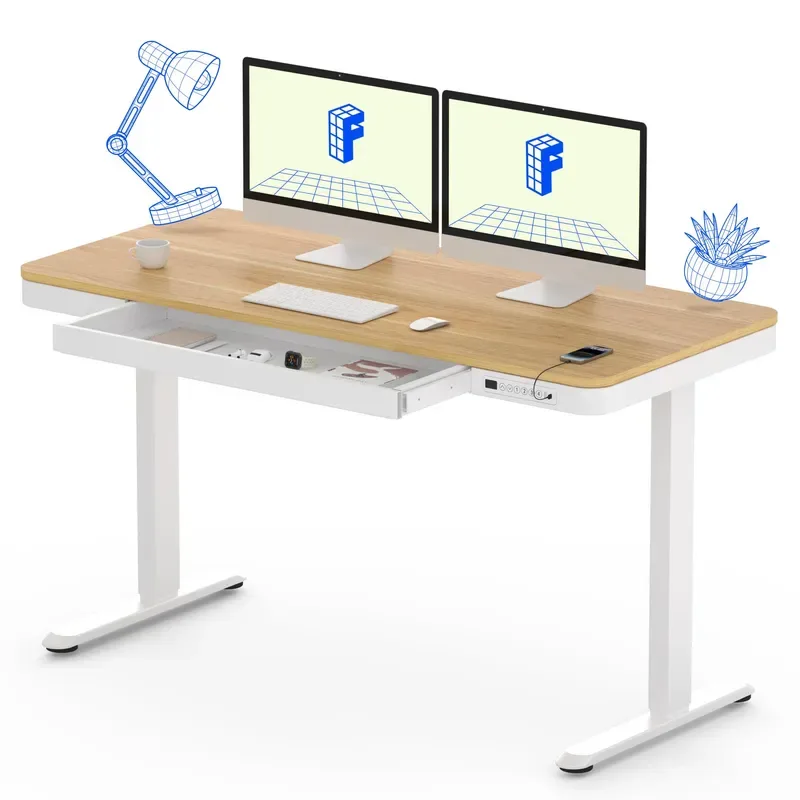
FlexiSpot with Monitor Stand & Dual Drawers
Pros
- ✓ Built-in monitor shelf eliminates need for arms
- ✓ Highest weight capacity in this roundup
- ✓ Two drawers plus headphone hook
- ✓ Aggressive pricing — often under $200
Cons
- ✗ Monitor shelf height is fixed
- ✗ Fabric drawers sit on desktop, not built-in
- ✗ Shorter max height than Comhar (45.7" vs 48")
This desk takes a different approach: instead of hiding storage inside the desktop, it builds a two-tier monitor shelf on top with drawers on each side.
The monitor shelf eliminates the need for a separate arm or stand. Your screens sit at a comfortable height — roughly 4-5 inches above the desktop. Two fabric drawers flank the shelf, providing compartmentalized storage for supplies and small items.
The standout spec is 250 lbs of weight capacity. That’s the highest of any rectangular desk here. Heavy monitors, a desktop PC, books — none of it matters.
Price is aggressive too. This model frequently drops below $200, and has been spotted under $150 during sales. For a standing desk with storage and a built-in monitor shelf, that’s hard to argue with.
Who should buy this: Multi-monitor users who want built-in elevation and storage without buying separate arms. Great value pick.
Who should skip this: Anyone taller than 6’2”. The 45.7” max height is the lowest in this roundup, and the fixed monitor shelf adds height you can’t adjust.
Check FlexiSpot with Monitor Stand on Amazon
6. FEZIBO L-Shaped with Drawers — Best for Corner Setups
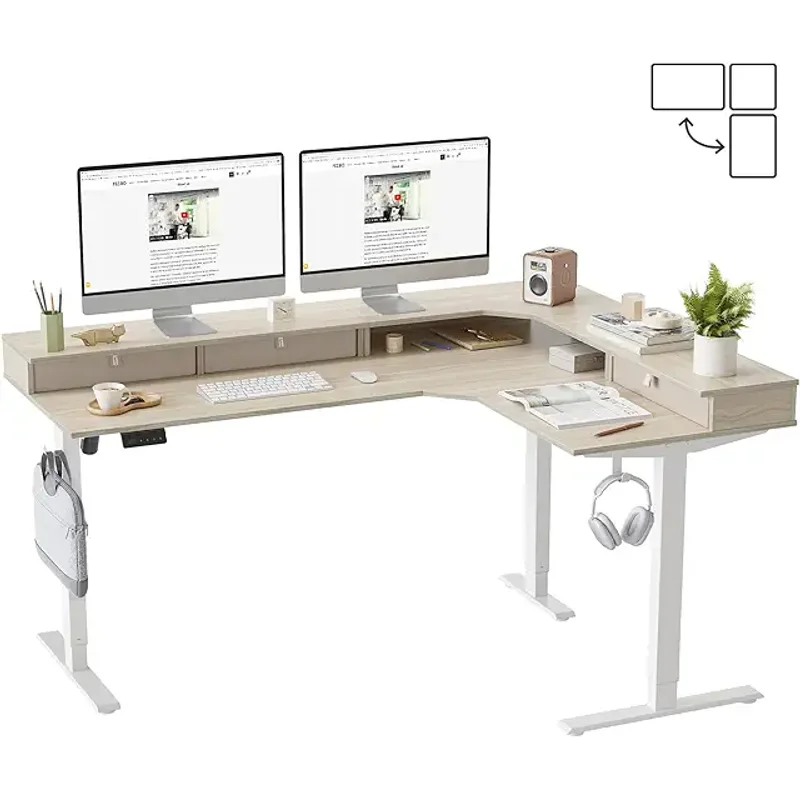
FEZIBO L-Shaped with Drawers
Pros
- ✓ Most storage and workspace of any option
- ✓ 330 lb capacity handles anything
- ✓ Triple motors lift smoothly and quickly
- ✓ Reversible L-shape for left or right corners
Cons
- ✗ Requires dedicated corner space
- ✗ Splice board desktop with visible seams
- ✗ More complex assembly than rectangular desks
If you have a corner and you want maximum workspace plus maximum storage, this is it. The 63” L-shaped desktop with three wooden drawers gives you more surface area and more storage than any other option here.
The triple motor system (one per leg) is the real upgrade. Three motors lift 330 lbs smoothly and handle the weight distribution challenges that L-shaped desktops create. Dual-motor L-desks often wobble at full height — the triple system eliminates that.
Three drawers means you can actually organize: one for tech accessories, one for office supplies, one for personal items. The reversible L-shape works for left or right corner configurations.
Who should buy this: Anyone with corner space who wants a dedicated command center. The combination of workspace, storage, and weight capacity is unmatched.
Who should skip this: If you don’t have a corner, this desk doesn’t make sense. It also takes longer to assemble than the rectangular options — budget 60-90 minutes.
Check FEZIBO L-Shaped on Amazon
Add-On: FlexiSpot Lockable Under-Desk Drawer
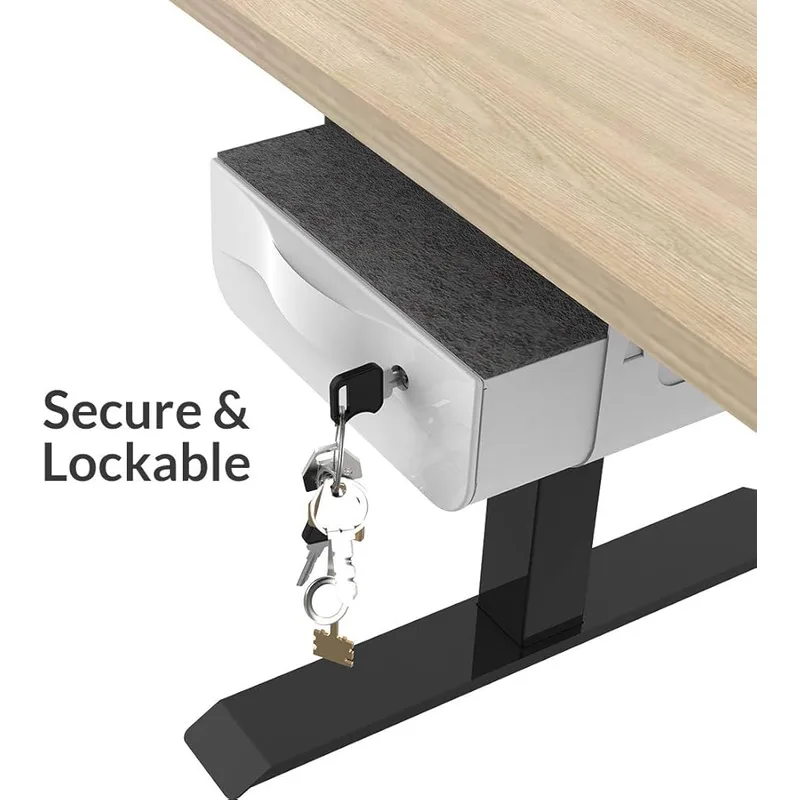
FlexiSpot Lockable Under-Desk Drawer
Pros
- ✓ Works with any desk — no replacement needed
- ✓ Lockable with 2 included keys
- ✓ Doesn't use any desktop space
- ✓ Smooth bearing slides
Cons
- ✗ Tricky to install solo (15 lbs, awkward angle)
- ✗ May reduce knee clearance
- ✗ Small internal capacity
Already have a standing desk you like? This mounts underneath it. No desktop replacement needed.
The drawer is compact (12.6” x 9.5” x 2.5” internal) but lockable with included keys. Good for securing a wallet, documents, or small electronics during the workday. Smooth bearing slides and a clean white finish keep it unobtrusive.
Fair warning: installation is awkward. The drawer weighs 15 lbs, and you’re screwing it in from below while holding it in place. Grab a friend or use a clamp to hold it while you drill. Once mounted, it works great — just check that you have enough knee clearance at sitting height before you commit.
Check FlexiSpot Under-Desk Drawer on Amazon
How to Choose a Standing Desk with Storage
Drawer Type Matters
Built-in drawers (FlexiSpot Comhar) sit flush in the desktop. They look clean and don’t reduce your usable surface. The downside: fixed position, can’t be removed.
On-top drawers (FEZIBO models) mount on the desktop surface. More storage capacity, but they eat into your working depth. If you use deep keyboards or need space in front of your monitor, measure first.
Under-desk drawers (FlexiSpot S01) mount below. Zero impact on desktop space, but they reduce knee clearance and don’t work with every desk.
Weight Capacity
Don’t just think about what’s on the desk now — think about what you’ll add later. A monitor arm adds 15-25 lbs. A second monitor adds another 10-15 lbs. Drawer contents add up too.
- 110 lbs (Comhar 48”): Single monitor + laptop + accessories
- 154 lbs (Comhar 55”): Dual monitors without heavy arms
- 176 lbs (FEZIBO 48”/55”): Dual monitors with arms, comfortable margin
- 250 lbs (FlexiSpot Monitor Stand): Anything short of a CNC machine
- 330 lbs (FEZIBO L-Shaped): Triple monitors, desktop PC, printers — whatever you need
Desktop Size
Match the desk to your setup:
- 48” wide: Fine for a single monitor or laptop. Tight with two screens.
- 55” wide: Comfortable for dual monitors. The sweet spot for most home offices.
- 63” L-shaped: Maximum space. Good if you split between computer work and paperwork.
USB Charging
Only the FlexiSpot Comhar models include USB ports. If you charge phones or earbuds at your desk daily, the built-in ports eliminate one more cable running to a power strip. If you already have a USB hub, this feature doesn’t matter. For a complete guide to keeping cables under control, our best cable management solutions article covers the most effective options.
Frequently Asked Questions
Do drawers affect desk stability?
Barely. Built-in drawers add minimal weight and sit within the frame’s center of gravity. On-top drawers shift the balance slightly but not enough to notice. Overloaded under-desk drawers are the only real risk — keep them within their weight rating.
Can I add drawers to my existing standing desk?
Yes. The FlexiSpot Under-Desk Drawer mounts to most desktops with screws. Desktop organizers also work but take surface space. Check your desk’s underside clearance before buying.
Are built-in drawers worth the premium over on-top drawers?
Depends on what you value. Built-in drawers look cleaner and preserve desk depth. On-top drawers offer more total storage for less money. If aesthetics matter, go Comhar. If storage volume matters, go FEZIBO.
How much weight can desk drawers hold?
Built-in drawers: 10-15 lbs typically. Under-desk drawers: FlexiSpot rates theirs at 22 lbs. On-top drawers vary but generally handle 15-20 lbs per drawer. Don’t store heavy tools or books — stick to office supplies and electronics.
Will under-desk drawers hit my knees?
Possibly. The FlexiSpot drawer is 3.9” tall. At sitting height (roughly 28-29”), that brings the bottom of the drawer to about 24-25” off the ground. If you’re over 6’ tall, knee clearance gets tight. Mount it toward the back of the desk, not centered.
What about cable management with storage desks?
Most FEZIBO models include a cable management tray. The Comhar doesn’t, but its clean under-desk profile makes aftermarket cable trays easy to add. The FlexiSpot Monitor Stand desk includes a headphone hook, which helps with at least one cable.
The Bottom Line
For most home offices, the FlexiSpot Comhar 55” is the best standing desk with storage. The built-in drawer integrates cleanly, USB charging is genuinely useful, and the 5-minute assembly means you’re working — not building furniture — on day one. It’s the desk that feels like someone actually designed it for daily use, not just checked a feature box.
On a budget, grab the FEZIBO 48” with Drawer. Under $200 for a standing desk with storage, 176 lb capacity, and four memory presets. The fabric drawer won’t win design awards, but it holds your stuff and the desk works.
Need maximum storage? The FEZIBO L-Shaped with three drawers and 330 lbs of capacity is a corner office in a box. And if you love your current desk, the FlexiSpot Under-Desk Drawer adds lockable storage without replacing anything. Pair whichever desk you choose with an anti-fatigue mat for comfortable standing sessions.