Disclosure: PostureRanked is reader-supported. When you buy through links on our site, we may earn an affiliate commission at no additional cost to you. Our recommendations are based on independent research and testing.
| Product | Price | Rating |
|---|---|---|
| Ergotron WorkFit-TX Standing Desk Converter | $499 | 9.3 |
| Rocelco 46-Inch Large Height Adjustable Standing Desk Converter | $249 | 8.4 |
| VIVO 32-Inch Standing Desk Converter | $149 | 8.8 |
| FlexiSpot 35-Inch Standing Desk Converter | $159 | 8.6 |
| FEZIBO 36-Inch Standing Desk Converter | $119 | 7.8 |
| Mount-It! MI-7929 Standing Desk Converter | $194.99 | 7.9 |
Disclosure: PostureRanked is reader-supported. When you buy through links on our site, we may earn an affiliate commission at no extra cost to you. Learn more
You know you should stand more. But spending $700–$1,500 on a full electric standing desk feels like a lot when you’re not sure you’ll actually use it. That’s where sit-stand desk converters come in. Not sure which path is right? Our standing desk vs. desk converter comparison covers the tradeoffs in detail.
A good converter sits on top of your existing desk and raises your monitor, keyboard, and mouse to standing height — no new desk, no assembly headaches, no electrical outlets needed. The best ones take 30 seconds to adjust and feel solid at any height. The worst ones wobble, require two hands to move, and make you regret every dollar you spent.
I looked at dozens of desk converters to find the six worth your money in 2026. If you need a quick answer: the Ergotron WorkFit-TX is the best converter money can buy, and the VIVO 32” gives you 90% of that experience for $149.
1. Ergotron WorkFit-TX — Best Overall
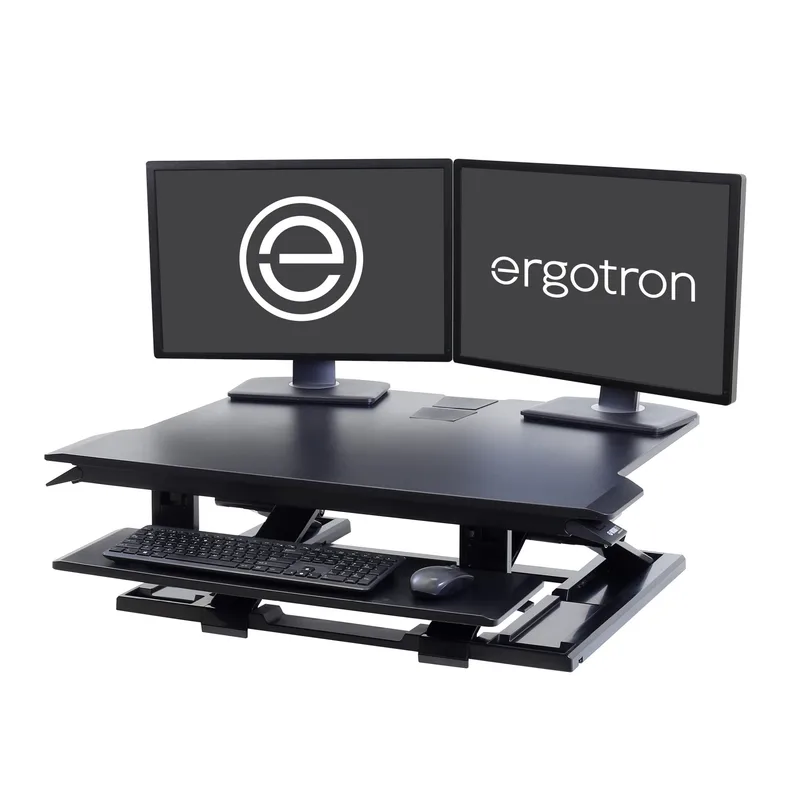
Ergotron WorkFit-TX Standing Desk Converter
Pros
- ✓ Largest worksurface depth in class at 27 inches
- ✓ Infinite height positions with no preset clicks
- ✓ Ships fully assembled with no setup required
- ✓ Sits only 2 inches above desk when lowered
Cons
- ✗ Most expensive at $499
- ✗ Requires a desk with at least 24 inches usable depth
- ✗ Keyboard tray is only 8 inches deep
View on Amazon · $499
The WorkFit-TX is what every other converter is trying to be. It ships fully assembled, sits a hair-thin 2 inches above your desk when lowered, and raises to full standing height with a single squeeze of the side lever. No clicking through preset stops — just smooth, infinite positioning anywhere in the 20-inch travel range.
The worksurface is 32 inches wide and 27 inches deep, which is more real estate than almost any converter on the market. Your keyboard, mouse, coffee cup, and a notebook all fit comfortably. The keyboard tray drops 3 inches below the desktop and adjusts independently, which matters for typing ergonomics more than most people realize.
At 58 lbs, it’s heavy — you’ll want a second person to lift it onto your desk the first time. And at $499, it’s priced like a standing desk accessory, not a budget compromise. But if you want the best converter available and plan to use it every single day, nothing else comes close.
Best for: Power users, remote workers who use their converter 6+ hours a day, or anyone who wants to invest once and never think about it again.
2. Rocelco 46” Large Desk Converter — Best for Wide Setups
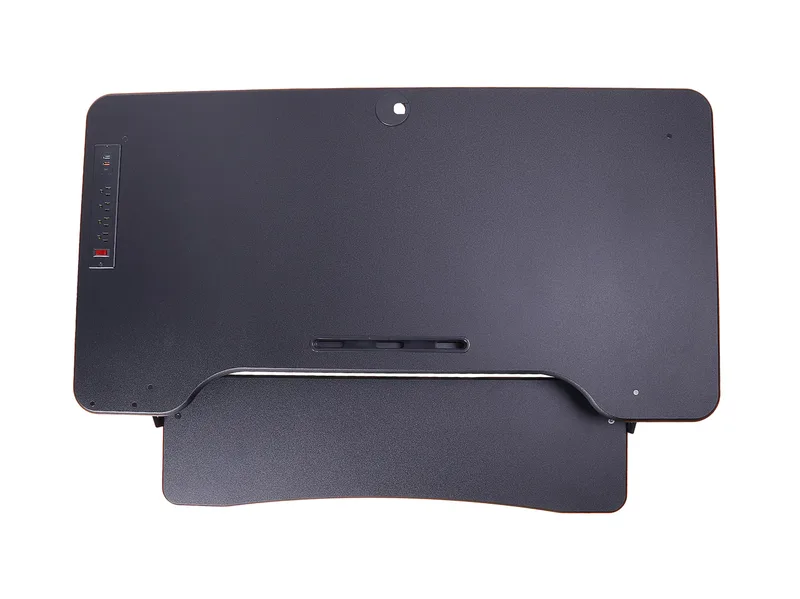
Rocelco 46-Inch Large Height Adjustable Standing Desk Converter
Pros
- ✓ Widest surface in this roundup, fits three monitors
- ✓ Retractable keyboard tray tucks away cleanly
- ✓ Gas spring makes adjusting smooth and easy
- ✓ Grommet hole for clean cable routing
Cons
- ✗ Large footprint requires a big desk, 46 inches wide minimum
- ✗ Heavy unit that is hard to reposition
- ✗ Wobble increases at max height with heavier loads
View on Amazon · $249
If you’re running three monitors or need serious desktop real estate, the Rocelco 46” is the obvious pick. The 45.75-inch wide surface is the largest in this roundup by a significant margin — dual 27-inch monitors sit side by side with room to spare, and there’s still space for a laptop stand or a dedicated camera.
The retractable keyboard tray is a nice touch: it tucks away when you’re in sitting mode so you get your full desk back, then pulls out when you raise the surface to stand. Gas spring assist makes it easy to move up and down, though like most X-frame converters, it gets slightly wobbly at maximum height with heavier loads.
At $249, this sits comfortably between the budget picks and the Ergotron. You’re paying for width and the retractable tray. If your desk is 48 inches or wider and you run a wide monitor setup, this is the one.
Best for: Triple monitor setups, content creators, programmers who need space for reference books or multiple devices.
3. VIVO 32” Desk Converter — Best Value
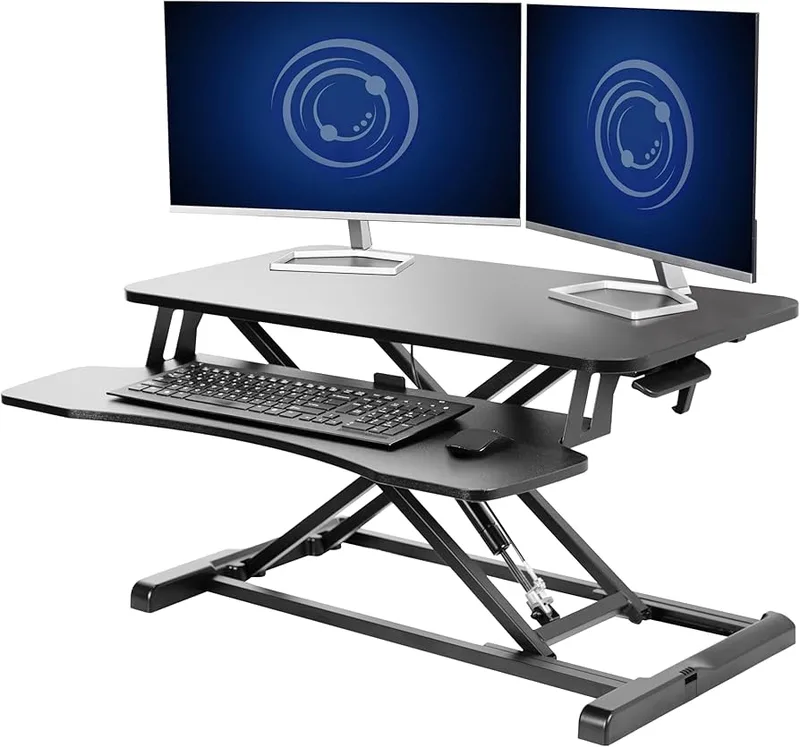
VIVO 32-Inch Standing Desk Converter
Pros
- ✓ Stepless height adjustment with no preset clicks
- ✓ Straight vertical lift with no forward arc
- ✓ Excellent price-to-quality ratio under $150
- ✓ Compact 16-inch base depth fits smaller desks
Cons
- ✗ Requires some assembly
- ✗ Keyboard tray removal requires a hex tool
- ✗ Surface depth of 15.7 inches is shallower than premium options
View on Amazon · $149
The VIVO is the converter I’d buy for most people. It does everything right without a premium price tag: straight vertical lift (so your monitors don’t swing forward and back as you adjust), stepless height adjustment with no preset clicks, and a compact 16-inch base depth that works on shallower desks.
The 31.5-inch surface comfortably holds dual 24-inch monitors or a single 27–32-inch screen. The keyboard tray is included and removable. Build quality is solid for the price — the frame doesn’t flex, and the gas spring stays smooth.
Some assembly is required (takes about 15 minutes), and removing the keyboard tray needs a hex tool. Minor annoyances. For $149, you get a converter that easily outperforms options at $200+. This is the one I’d recommend without hesitation to anyone who asks.
Best for: Home office workers, first-time converter buyers, anyone who wants a well-reviewed, reliable converter without paying the Ergotron premium.
4. FlexiSpot 35” Desk Converter — Best for Dual Monitors
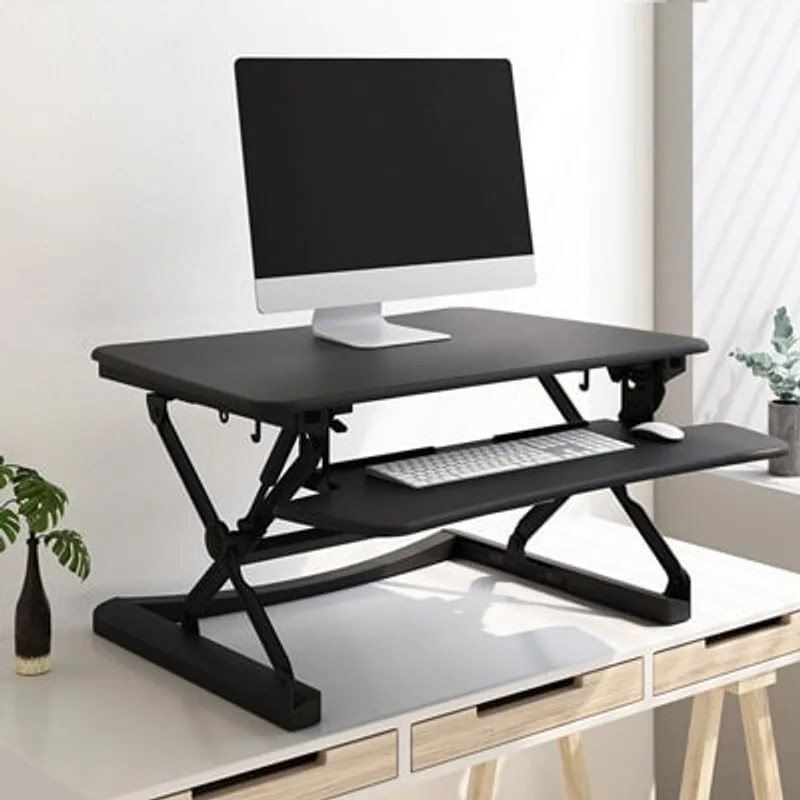
FlexiSpot 35-Inch Standing Desk Converter
Pros
- ✓ ACA-certified ergonomic design
- ✓ Wide 35-inch surface handles dual monitors comfortably
- ✓ Straight vertical lift for stability and space efficiency
- ✓ 5-year frame warranty
Cons
- ✗ Keyboard tray not independently height-adjustable
- ✗ Heavy at 35 or more lbs
- ✗ Large 23.2-inch depth eats significant desk real estate
View on Amazon · $159
This FlexiSpot 35” converter is a solid dual-monitor pick at a mid-range price. The 35-inch surface is one of the larger footprints in this price range, making it genuinely comfortable for dual-monitor setups. The straight vertical lift keeps the surface stable and doesn’t steal desk space from the front when you raise it.
FlexiSpot’s warranty and build reputation are among the best in this category, and the included keyboard tray gives you proper wrist positioning while standing.
The keyboard tray isn’t independently height-adjustable, which is a real limitation. If the fixed keyboard position doesn’t suit your typing style, you’ll notice. The unit is also heavy, so moving it around isn’t casual.
Best for: Dual monitor setups, buyers who want a brand-name warranty, or anyone upgrading from a budget converter.
5. FEZIBO 36” Standing Desk Converter — Best Budget
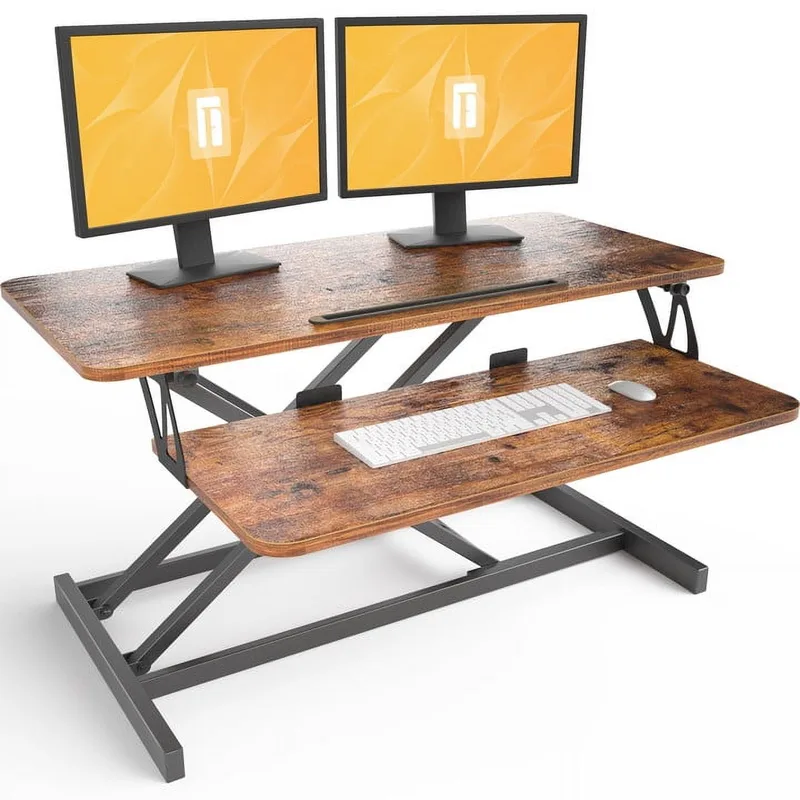
FEZIBO 36-Inch Standing Desk Converter
Pros
- ✓ Pre-assembled, just place it on your desk
- ✓ Wide 36-inch surface at a budget price
- ✓ Good height range accommodates most users
Cons
- ✗ Adjustment lever is awkwardly positioned and hard to reach
- ✗ Build quality noticeably below premium options
- ✗ Keyboard tray not independently adjustable
View on Amazon · $119
The FEZIBO is the “just make it work” option. It arrives pre-assembled — you take it out of the box, place it on your desk, and you’re standing in under two minutes. The 36-inch surface is wider than most premium options, which makes it feel like a deal.
The adjustment lever is positioned awkwardly far back, which means you have to reach over your keyboard platform to squeeze it. It gets annoying fast. Build quality is noticeably below the VIVO or FlexiSpot — the materials feel lighter and there’s more flex in the frame at height.
But at $119 with a wide surface and pre-assembled convenience, it’s a real option if budget is the primary concern. Buy through Amazon so returns are easy if you’re not happy with it.
Best for: Budget-constrained buyers who want a wide surface, rental apartments where a permanent solution doesn’t make sense, or low-use situations.
6. Mount-It! MI-7929 — Best for Minimal Setups
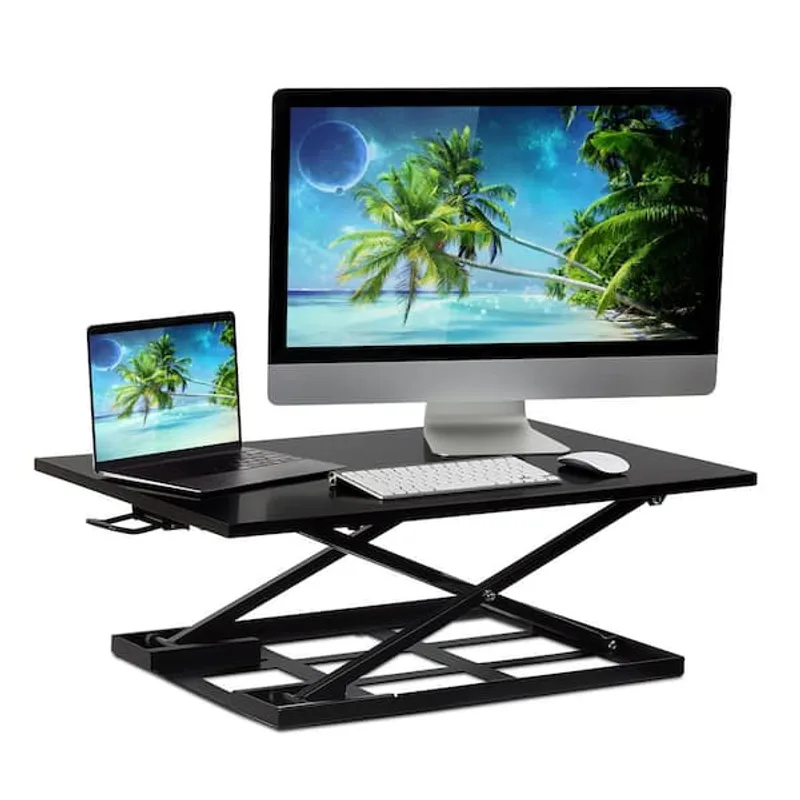
Mount-It! MI-7929 Standing Desk Converter
Pros
- ✓ Industry-leading 10-year warranty
- ✓ Ultra-low 2.5-inch profile when collapsed
- ✓ Pre-assembled with zero setup required
- ✓ ANSI/BIFMA certified
Cons
- ✗ No keyboard tray included
- ✗ 20 lb weight limit rules out heavier dual monitor setups
- ✗ Max height of 16.9 inches may fall short for users 6 feet or taller
View on Amazon · $194.99
The Mount-It! is the cleanest-looking converter in this roundup. When lowered to its minimum 2.5-inch height, it barely registers on your desk — just a flat surface with a slight lift. When you need to stand, squeeze and raise. No keyboard tray, no complexity.
What makes it stand out at this price is the warranty: 10 years, which is remarkable for a converter at this price. It’s also ANSI/BIFMA certified for safety, which most budget converters can’t claim.
The trade-offs are real: 20 lb weight limit (rules out heavier dual monitor setups), no keyboard tray (your keyboard and mouse have to go on the main surface), and a max height of 16.9 inches that won’t reach true standing height for anyone over 6 feet using a standard 29-inch desk. It’s a laptop and single monitor solution, full stop.
Best for: Laptop users, single monitor setups, minimalists who want clean aesthetics and a long warranty.
Desk Converter vs. Full Standing Desk: Which Should You Buy?
This is the real question. Here’s the honest breakdown:
Choose a desk converter if:
- Your existing desk is good and you don’t want to replace it
- You’re renting or moving frequently
- Your budget is under $500
- You want to try standing before committing to a full desk
Choose a full standing desk if:
- You stand more than 3–4 hours per day
- You want a cleaner, more permanent setup
- You have the budget ($500–$900 for a quality motorized frame)
- You want to adjust multiple times per day without friction
The hidden cost of converters: they add significant height to your desk. If your desk is 29–30 inches tall and the converter adds 15–20 inches, you’re standing at 44–50 inches. That works for most people between 5’6” and 6’2”, but check the math for your height before buying.
For a full motorized standing desk comparison, see our best standing desks guide. If you’re specifically looking at entry-level desks in the same price range as premium converters, our best standing desks under $500 roundup is worth a look.
Comparison Table
| Converter | Price | Width | Height Range | Weight Cap | Warranty | Keyboard Tray |
|---|---|---|---|---|---|---|
| Ergotron WorkFit-TX | $499 | 32” | 2”–20” | 40 lbs | 5 years | Yes, independent |
| Rocelco 46” | $249 | 46” | Continuous | 40 lbs | 1 year | Yes, retractable |
| VIVO 32” | $149 | 31.5” | 4.5”–20” | 33 lbs | 3 years | Yes, removable |
| FlexiSpot 35” | $159 | 35” | 5.9”–19.7” | 35 lbs | 5 years | Yes, fixed |
| FEZIBO 36” | $119 | 36” | 4.5”–20.1” | 33 lbs | 1 year | Yes, fixed |
| Mount-It! MI-7929 | $194.99 | 32” | 2.5”–16.9” | 20 lbs | 10 years | No |
What to Look For in a Desk Converter
Height Range
A converter needs to go low enough that it doesn’t raise your monitors when you’re sitting, and high enough that you’re not hunching when standing. Target a height range that, when added to your desk height, gets your monitor eye line to around nose level while standing.
For a 30-inch desk with a 27-inch monitor, you typically need 12–18 inches of lift. Most converters in this list hit that range comfortably for users under 6’3”.
Lift Mechanism
Straight vertical lift (like the VIVO and FlexiSpot 35”) is more stable and doesn’t steal depth from the front of your desk when raised. The surface goes straight up and down.
X-frame converters (like the Rocelco) work similarly but can have slightly more sway at maximum height.
Preset vs. infinite adjustment: Infinite (stepless) adjustment is better — you get exactly the height you want instead of settling for “close enough.”
Surface Width
- Under 32 inches: Tight for dual monitors
- 32 to 36 inches: Comfortable for dual 24-inch monitors or a single 27–34-inch ultrawide
- 36 inches or wider: Triple monitors or very wide setups
Keyboard Tray
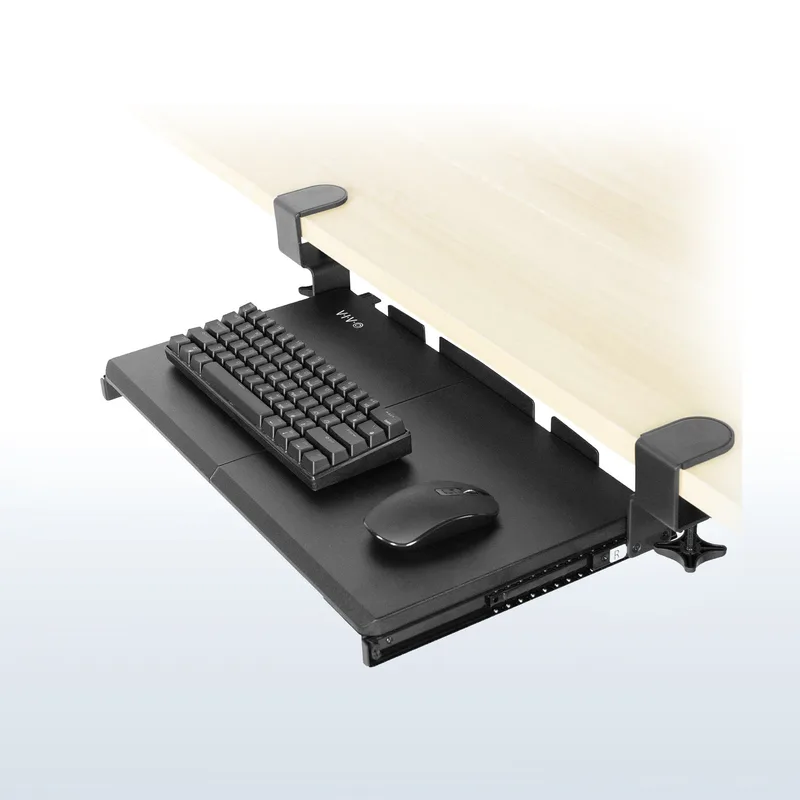
The best setups have the keyboard tray 3–4 inches below the desktop surface so your wrists are neutral when typing. A fixed single-level surface forces you to compromise between good monitor height and good keyboard height — your monitor will be too high or your keyboard too low.
If you’re using a laptop, a single-level surface is fine. If you have a monitor and external keyboard, prioritize a converter with a keyboard tray.
Weight Capacity
Most quality converters handle 33–40 lbs. A typical 27-inch monitor weighs 10–15 lbs. Two monitors can push 20–25 lbs. Add keyboard, mouse, and accessories and you’re pushing 30 lbs without trying hard. A 20 lb limit (like the Mount-It!) works for laptops and single screens only.
Frequently Asked Questions
Are desk converters as good as real standing desks?
For occasional standing (1–2 hours a day), yes — they do the job. For heavy use or if you want to transition multiple times daily, a full standing desk with a motor is smoother and more ergonomic. The converter is the lower-friction, lower-cost path in. The standing desk is the permanent solution.
Will a desk converter work on any desk?
Generally yes, as long as your desk can support the weight (most can handle 40–60 extra lbs) and has enough surface area. The main constraint is depth: large converters like the Rocelco 46” need 24 or more inches of desk depth. Measure your desk before ordering.
How long should I stand at a standing desk converter?
Start with 20–30 minute standing intervals and sit between them. The goal is to break up prolonged sitting, not to stand all day. Standing for 8 hours is just as bad as sitting for 8 hours — your body needs movement and variety. Aim for roughly 2–3 hours of standing spread across your workday.
Do I need an anti-fatigue mat with a desk converter?
Yes. Standing on a hard floor for any significant time causes foot and lower back fatigue. An anti-fatigue mat costs $30–$80 and makes a real difference. See our anti-fatigue mat guide for recommendations.
Why is the Ergotron so much more expensive?
You’re paying for fully assembled convenience, infinite height positioning, a 27-inch deep worksurface, and a 5-year warranty backed by actual engineering support. It’s also built from solid metal rather than MDF and steel — it weighs 58 lbs because it’s substantially built. For daily use over 3–5 years, the cost difference works out to dollars per month.
Can I use a desk converter with an ultrawide monitor?
Yes, but check the weight capacity and surface width. A 34-inch ultrawide monitor typically weighs 15–20 lbs. The surface needs to be at least 35 inches wide to center it properly. The Rocelco 46” and FlexiSpot M2B are the best choices for ultrawide users in this roundup.
Our Top Picks
Best overall: The Ergotron WorkFit-TX at $499 is the converter to buy if you want the best. Fully assembled, infinite height, the deepest worksurface in class.
Best value: The VIVO 32” at $149 is the smart pick for most people. Stepless adjustment, compact footprint, solid build.
Best for wide setups: The Rocelco 46” at $249 is the only converter that genuinely fits three monitors.
Best budget: The FEZIBO 36” at $119 — wide surface, pre-assembled, gets the job done.
If you’re still on the fence between a converter and a full electric standing desk, check out our complete standing desk guide for a more detailed comparison.