Disclosure: PostureRanked is reader-supported. When you buy through links on our site, we may earn an affiliate commission at no additional cost to you. Our recommendations are based on independent research and testing.
| Product | Price | Rating |
|---|---|---|
| Ergotron LX Single Monitor Arm | $179 | 9.2 |
| Ergotron HX Heavy Duty Monitor Arm | $349 | 9.0 |
| Ergotron HX HD Gaming Monitor Arm | $399 | 8.8 |
| HUANUO TitanLift Heavy Duty Monitor Arm | $89 | 8.5 |
| VIVO Dual Monitor Stand STAND-V002O | $49.99 | 7.9 |
Disclosure: PostureRanked is reader-supported. When you buy through links on our site, we may earn an affiliate commission at no extra cost to you. Learn more
Your monitor’s biggest enemy isn’t dead pixels or panel issues — it’s a wobbly stand. Gaming with a cheap monitor arm means constant micro-adjustments, creeping tilt, and a setup that never quite feels right. A proper monitor arm changes everything: instant repositioning, freed-up desk real estate, and a display that stays exactly where you put it, session after session.
In 2026, the monitor arm market has grown well beyond basic single-screen mounts. You’ll find heavy-duty ultrawide arms rated for 44+ lbs, purpose-built 1000R curved gaming mounts, and dual-arm setups for under $50. The challenge is matching the right arm to your specific display.
In a hurry? The Ergotron LX is the right call for 95% of gamers with 24–34 inch monitors. If you’re running a 34–49 inch ultrawide, step up to the Ergotron HX.
Ergotron LX Single Monitor Arm — Editor’s Pick
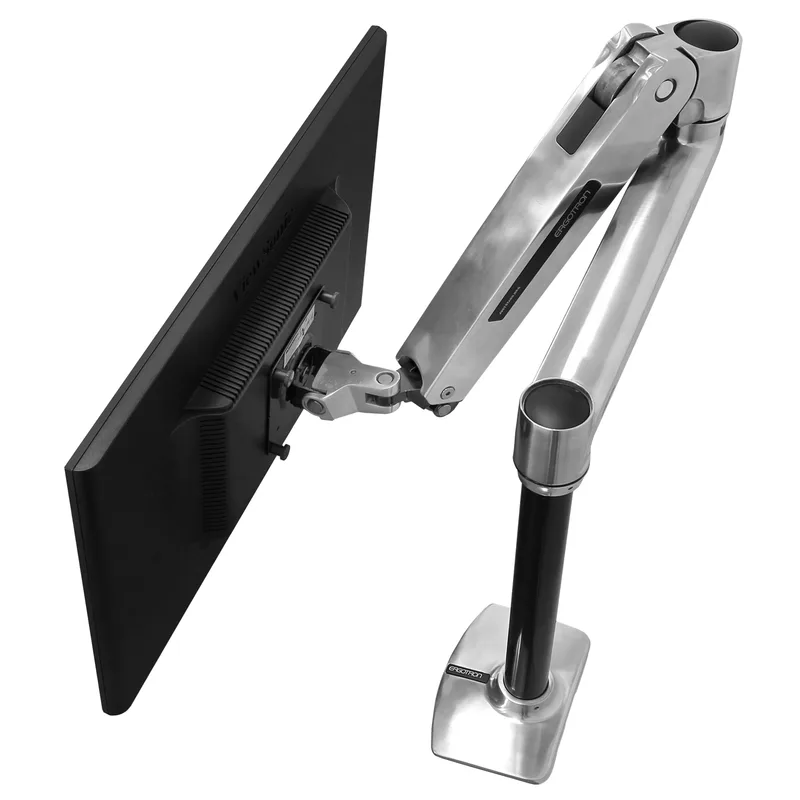
Ergotron LX Single Monitor Arm
Pros
- ✓ Buttery-smooth gas spring adjustment holds position perfectly
- ✓ Rock-solid at any angle — no monitor droop after months of use
- ✓ Reach and height range covers almost any desk setup
- ✓ 10-year warranty is exceptional in this category
Cons
- ✗ 25 lb limit rules out heavy ultrawides (34-inch+ ultrawide monitors)
- ✗ Pricier than budget options doing 80% of the same job
- ✗ Polished aluminum scratches if you're not careful during install
The Ergotron LX is the monitor arm that everyone else is measured against. Smooth gas-spring movement, a 10-year warranty, and build quality that holds up for years. It handles monitors up to 34 inches and 25 lbs — which covers most 27-inch, 32-inch, and slim 34-inch gaming displays.
What separates the LX from cheaper alternatives is how the arm moves. Adjust the tension once to match your monitor’s weight, and from that point forward it floats. No locking knobs, no repositioning fights. Just grab the bezel and move it where you want it.
The reach is generous: 13 inches of horizontal extension and a height range that covers standing desks and standard sit-down setups. Tilt, pivot, and rotate are all included.
At $179, it’s not cheap. But it’s the kind of product you buy once and forget about.
Best for: Gamers with a single 24–34 inch monitor who want a premium mounting experience without the ultrawide price premium.
Ergotron HX Heavy Duty Monitor Arm — Best for Ultrawide
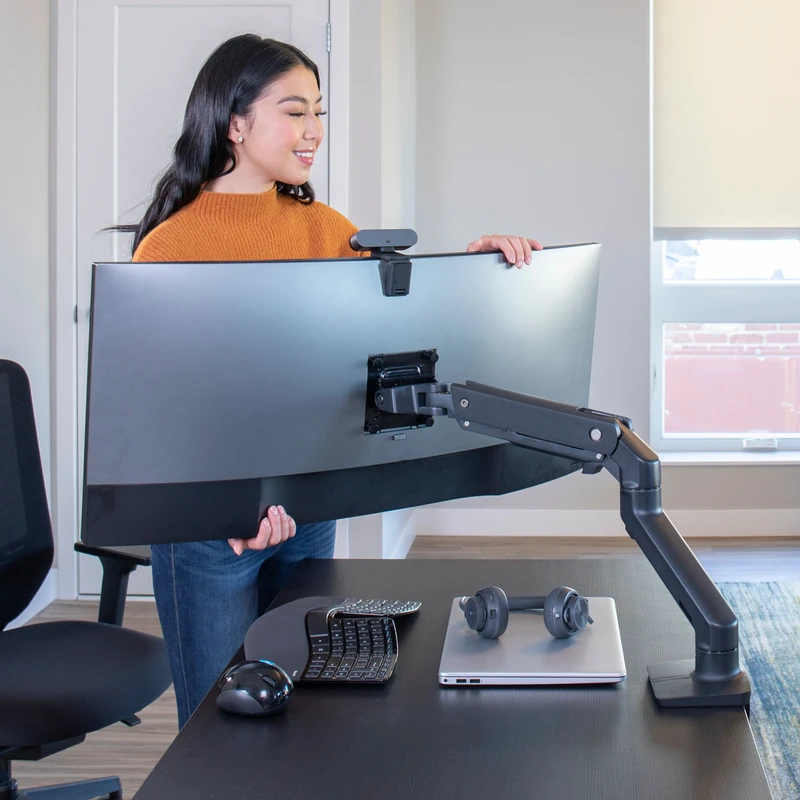
Ergotron HX Heavy Duty Monitor Arm
Pros
- ✓ Handles the heaviest gaming ultrawides without flinching
- ✓ Same polished gas-spring feel as the LX, scaled up for big screens
- ✓ Extensive tilt, pan, and height adjustment range
- ✓ Backed by Ergotron's industry-best 10-year warranty
Cons
- ✗ Overkill and overpriced for monitors under 30 lbs
- ✗ Minimum 20 lb weight requirement — lighter screens won't stay put
- ✗ Pricey for what is ultimately a metal arm on a gas spring
The Ergotron HX exists because the LX simply can’t handle what ultrawide gaming monitors weigh. A 38-inch ultrawide can tip the scales at 20–28 lbs; a 49-inch super-ultrawide can hit 35 lbs. The LX’s 25 lb limit is a hard stop. The HX is rated for 20–42 lbs, with the same premium gas spring and 10-year warranty as its smaller sibling.
The key word here is minimum: the HX requires a monitor that weighs at least 20 lbs to work properly. Drop in a light 27-inch display and the arm will float up on its own. This isn’t an arm for every monitor — it’s an arm specifically for heavy, wide gaming panels.
Stability is exceptional. Ultrawide monitors have a longer lever arm and are more susceptible to wobble; the HX counters this with a heavier-duty column base and a stiffer central joint. Even aggressive mouse movements don’t transfer noticeable vibration to the display.
At $349, you’re paying significantly more than budget alternatives. But for a 34-inch or 49-inch ultrawide, there’s a reason the HX consistently ends up on enthusiast recommendation lists.
Best for: Ultrawide gaming monitors from 34 to 49 inches weighing between 20 and 42 lbs.
Ergotron HX HD Gaming Monitor Arm — Best for 1000R Curved
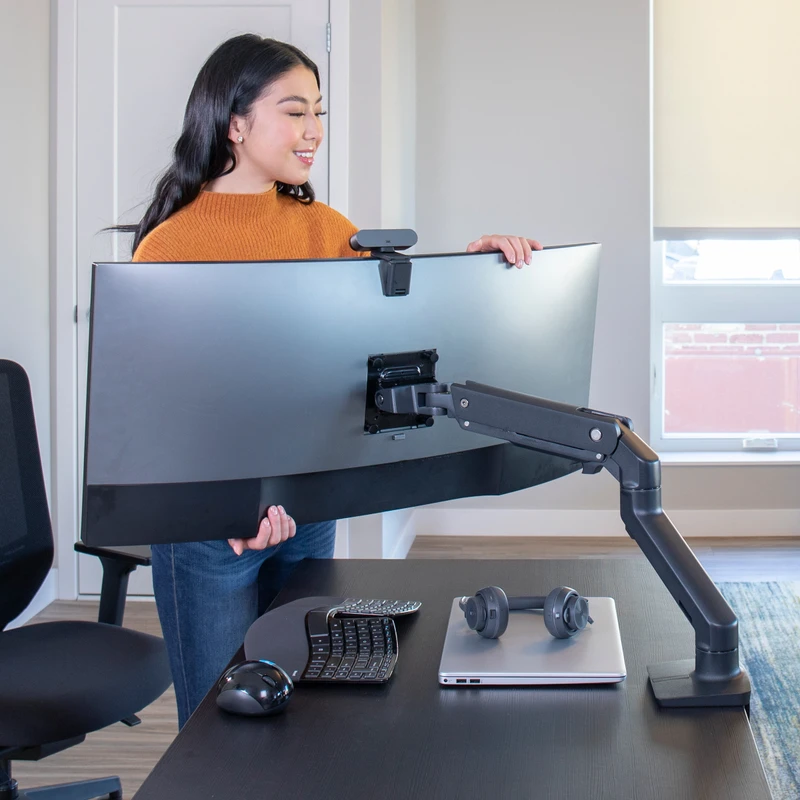
Ergotron HX HD Gaming Monitor Arm
Pros
- ✓ Purpose-built for 1000R curved gaming monitors like the Samsung Odyssey G9
- ✓ HD Pivot accommodates the extreme screen depth of 1000R displays
- ✓ Same heavy-duty gas spring as the standard HX
- ✓ Matte black finish looks great in a gaming setup
Cons
- ✗ Narrow use case — only worth it if you own a 1000R or tighter curved monitor
- ✗ Minimum 28 lb weight requirement is more restrictive than the standard HX
- ✗ Very expensive for a niche product that solves one specific problem
This is a very specific product for a very specific problem. If you own a 1000R curved gaming monitor — think Samsung Odyssey G9 or similar extreme-curve displays — you’ve probably noticed that standard monitor arms can’t fully flatten out to match the mounting point angle. The HX HD’s purpose-built HD Pivot solves this.
The HD Pivot is a rotational joint that accommodates the deep screen depth of 1000R curved monitors. Without it, you’re fighting the display’s natural orientation on a standard arm. With it, the monitor sits flush, positions naturally, and the arm movement still flows smoothly.
Everything else is the same HX heavy-duty platform: 28–42 lb weight range, 49-inch maximum, 10-year warranty. The matte black finish integrates cleanly into most gaming setups.
The $399 price is only justifiable if you actually have a 1000R curved display. For any other monitor, the standard HX at $349 saves you $50 and works just as well.
Best for: Gamers specifically running extreme-curve (1000R or tighter) ultrawide gaming monitors.
HUANUO TitanLift Heavy Duty Monitor Arm — Best Value
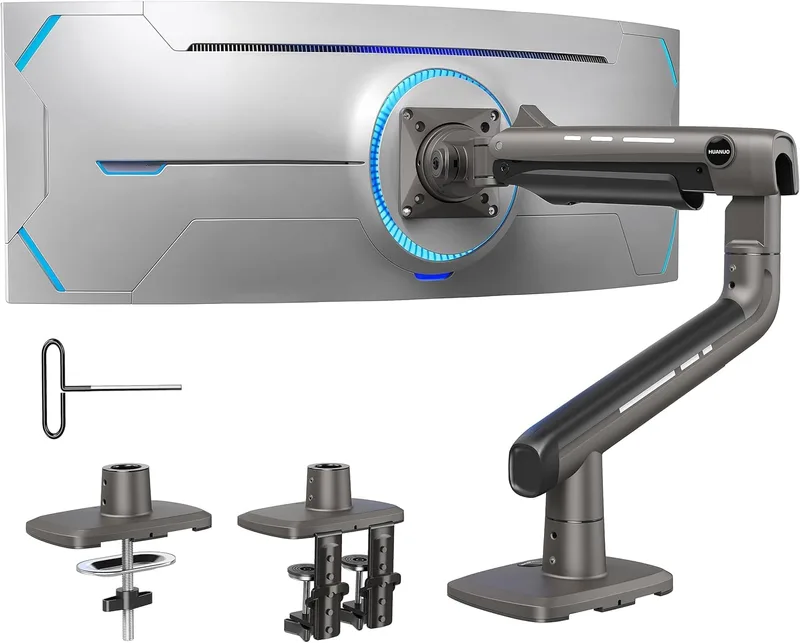
HUANUO TitanLift Heavy Duty Monitor Arm
Pros
- ✓ Supports 44 lbs — more capacity than the Ergotron HX at a fraction of the price
- ✓ Dual C-clamp mount provides extra desk stability for heavy ultrawides
- ✓ Aluminum alloy construction feels far more premium than the price suggests
- ✓ Full tilt, swivel, and height adjustment included
Cons
- ✗ Gas spring tension adjustment is less refined than Ergotron
- ✗ Only 100x100mm VESA — doesn't support 75x75mm patterns
- ✗ Fewer color options and less aesthetic polish than Ergotron
The TitanLift surprised reviewers when it launched: aluminum construction, 44 lb weight capacity, dual C-clamp mounting, and full tilt/swivel/height adjustment for under $100. According to user feedback, the gas spring system holds position reliably on heavy displays, and the dual C-clamp provides better desk stability than the single-point mounting of most competitors.
The caveat is refinement. The tension adjustment is functional but less precise than Ergotron. VESA compatibility is limited to 100x100mm — monitors using 75x75mm patterns won’t work. And at this price point, you’re not getting Ergotron’s fit and finish.
For gamers who need to support a 38–49 inch ultrawide but can’t justify $349 for a standard Ergotron HX, the TitanLift closes most of the capability gap at roughly a quarter of the price. Worth having on the shortlist if you’re budget-conscious.
Best for: Budget-conscious gamers with heavy ultrawide monitors (34–49 inch range, up to 44 lbs).
VIVO STAND-V002O Dual Monitor Stand — Best Budget Dual
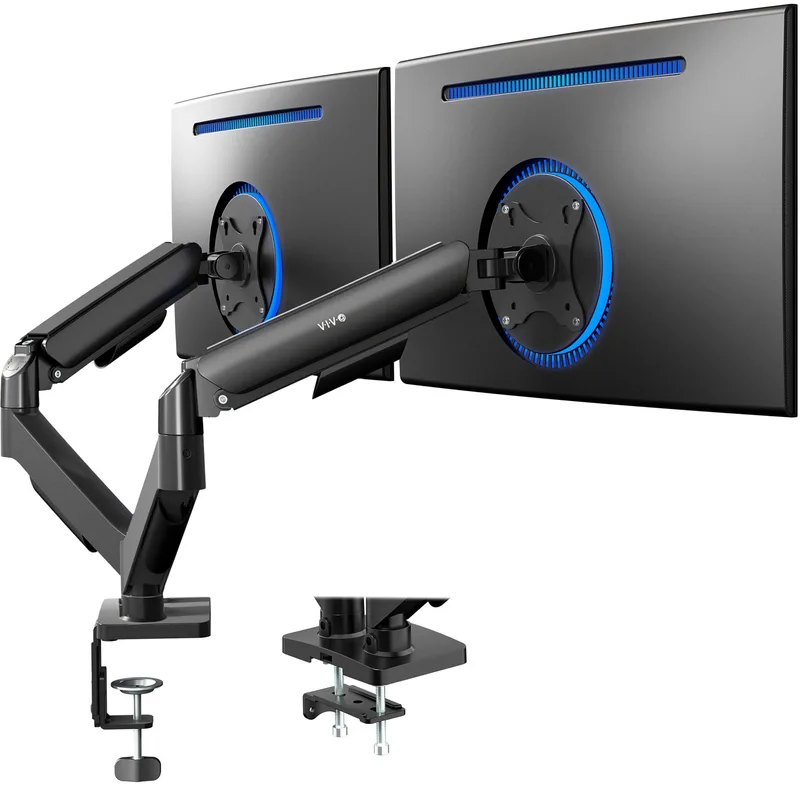
VIVO Dual Monitor Stand STAND-V002O
Pros
- ✓ Two independent arms for under $50 — nothing else comes close at this price
- ✓ Both arms adjust independently for asymmetric monitor positioning
- ✓ Supports screens up to 32 inches per arm — works for most gaming setups
- ✓ C-clamp and grommet mounting options included
Cons
- ✗ 19.8 lb per arm limit rules out heavier gaming monitors
- ✗ Not suitable for ultrawide monitors — stick to 27-inch or smaller
- ✗ Mechanical spring system requires manual height locking — no free-float
Running two monitors for gaming — one main display, one for Discord, streaming chat, or a browser — doesn’t require a premium dual arm costing several times more. The VIVO STAND-V002O puts two independently adjustable arms on your desk for $49.99.
Each arm handles screens up to 32 inches and 19.8 lbs. That’s enough for a pair of 27-inch gaming monitors or a main 32-inch display paired with a smaller secondary screen. The mechanical counterbalance spring holds position once you lock it in, though it lacks the free-float adjustment of a gas-spring arm.
What you give up: smooth gas-spring movement, premium build feel, and any capacity for heavy monitors. What you get: dual-arm functionality at a price that undercuts every single-arm premium option on this list. For a secondary streaming screen or a budget dual setup, it’s the practical choice.
Best for: Gamers setting up a dual monitor system on a budget, with monitors up to 32 inches and 19.8 lbs each.
Monitor Arm Comparison Table
| Arm | Price | Max Weight | Max Size | Best For |
|---|---|---|---|---|
| Ergotron LX | $179 | 25 lbs | 34” | Standard gaming monitors |
| Ergotron HX | $349 | 42 lbs | 49” | Heavy ultrawides |
| Ergotron HX HD | $399 | 42 lbs | 49” | 1000R curved gaming |
| HUANUO TitanLift | $89 | 44 lbs | 49” | Budget ultrawide |
| VIVO STAND-V002O | $49.99 | 19.8 lbs/arm | 32”/arm | Budget dual setup |
Gaming Monitor Arm Buying Guide
Start with your monitor’s actual weight (without stand)
This is the number that determines which arm you can use, and most buyers skip it. Look up your monitor model’s specs and find the “without stand” weight. A 32-inch gaming monitor might weigh 12 lbs without the stand; a 49-inch ultrawide can easily hit 30+ lbs.
Match this number to the arm’s weight range, not just its maximum. Gas-spring arms work best when the monitor’s weight falls in the middle of the rated range. If your monitor weighs 22 lbs and an arm is rated 20–42 lbs, you’ll be at the very bottom of its range and may have trouble keeping the arm from floating upward.
Desk thickness and edge clearance matter
C-clamp mounts need clearance underneath the desk surface and work best on desks 1–3 inches thick. Unusually thin or thick desk surfaces may require grommet mounting or an adapter. Check this before ordering — most monitor arm returns are desk compatibility issues.
VESA compatibility
Almost all gaming monitors use VESA 75x75mm or 100x100mm patterns. Check your monitor’s spec sheet to confirm. The HUANUO TitanLift is the only arm on this list that doesn’t support 75x75mm, so verify compatibility if you’re considering it.
Cable management
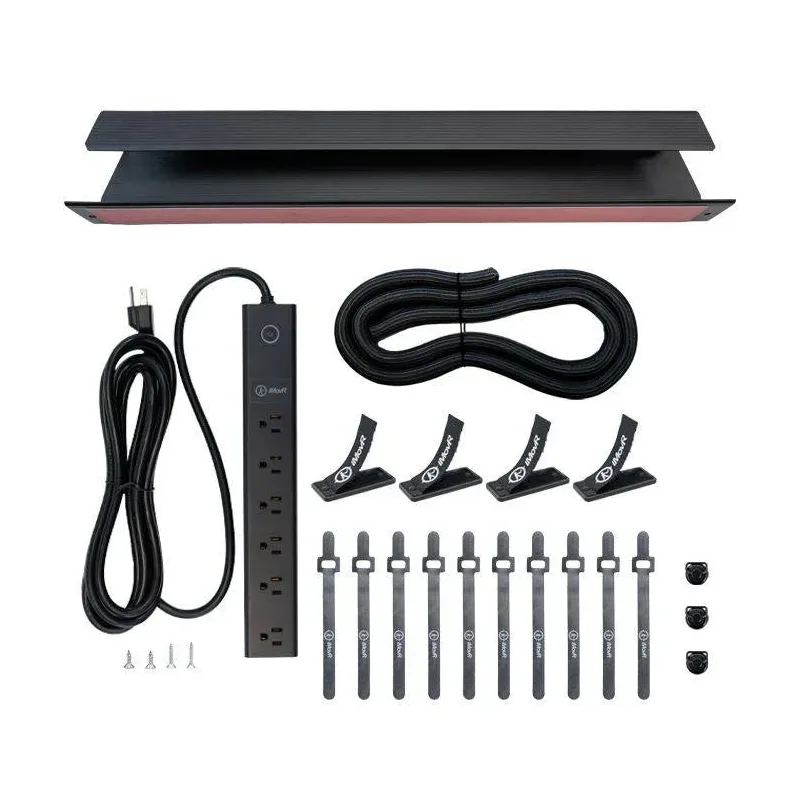
Premium arms from Ergotron include internal cable routing channels that hide HDMI, DisplayPort, and USB cables inside the arm. Budget arms from VIVO and similar brands often rely on external velcro clips or leave cables exposed. If cable aesthetics matter to your setup, factor this into your decision.
Dual monitor arms vs. two single arms
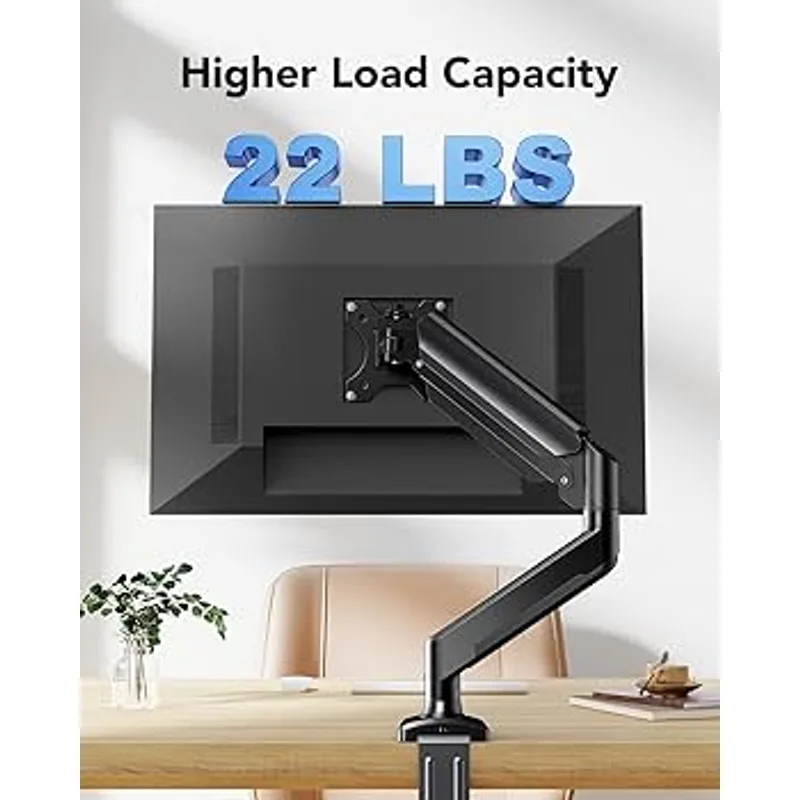
A dual arm shares one pole and clamp between two monitors, which saves desk edge space. The trade-off is that moving one arm slightly often affects the other arm’s positioning due to shared weight on the column. Two separate single arms give more independent adjustment but require twice the desk edge real estate. For gaming, dual arms work well when both monitors are similar in size.
FAQ
What monitor arm should I get for a 27-inch gaming monitor?
The Ergotron LX is the best choice for a 27-inch gaming monitor. It handles screens up to 34 inches and 25 lbs, and the gas-spring movement is genuinely enjoyable to use daily. If budget is a concern, the VIVO STAND-V002O works well for 27-inch panels and lets you add a second monitor later.
Can I use a regular monitor arm on an ultrawide gaming monitor?
Only if the arm is rated for the weight. Ultrawide monitors — particularly 34-inch and 49-inch models — often weigh 20–35 lbs without the stand. Standard arms like the Ergotron LX top out at 25 lbs and won’t hold heavier ultrawides. Use the Ergotron HX or HUANUO TitanLift for anything over 25 lbs.
Is the Ergotron HX HD worth the extra $50 over the standard HX?
Only if you own a 1000R curved monitor. The HD Pivot on the HX HD accommodates the extreme screen depth of 1000R displays like the Samsung Odyssey G9. For flat panels or monitors with a gentler curve (1800R or less), the standard HX works just as well and saves you $50.
Do gaming monitors shake on monitor arms?
High-quality arms like Ergotron largely eliminate the monitor wobble common to cheaper mounts. The LX and HX use gas-spring mechanisms with locking joints that absorb minor vibrations. Budget arms with mechanical springs can transmit more desk vibration to the display. If you’re in a high-action gaming environment with a lot of desk thumping, investing in a higher-end arm is worthwhile.
What’s the best monitor arm for a dual gaming setup?
The VIVO STAND-V002O is the best budget dual option at $49.99. If you want premium dual-arm quality, the Ergotron LX Dual gives you two independently adjustable LX-quality arms for screens up to 27 inches each, though it costs significantly more. For most gaming dual setups with two 27-inch monitors, the VIVO handles the job competently.
Do I need to check my desk’s VESA compatibility?
No — VESA is a monitor standard, not a desk standard. Monitor arms attach to your desk via a clamp or grommet. VESA compatibility applies to how the arm connects to your monitor (the four bolt holes on the back). Check your monitor’s VESA pattern (75x75 or 100x100mm is most common), not your desk.
Conclusion
For most gamers, the Ergotron LX is the right answer. It covers 24–34 inch monitors, moves smoothly, and holds position reliably for years. If you’re gaming on a 34-inch or larger ultrawide, step up to the Ergotron HX — the extra cost is justified by the weight capacity and stability on heavy displays.
Serious curved-display gamers with a 1000R setup should look at the Ergotron HX HD. If budget is the priority, the HUANUO TitanLift competes surprisingly well with premium arms at a fraction of the price. And for a dual gaming setup without a big investment, the VIVO STAND-V002O delivers two functional arms for $50.
For broader context on your gaming ergonomics, read our Gaming Posture Guide and Best Ergonomic Streaming Setup guides.