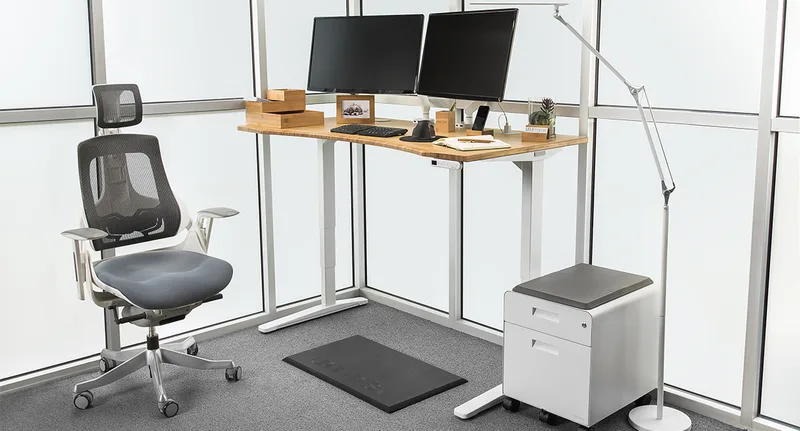
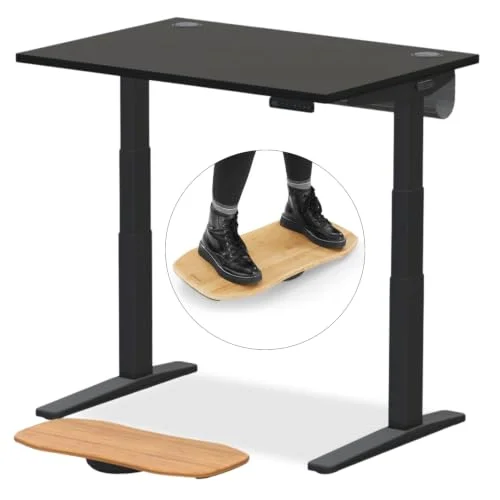
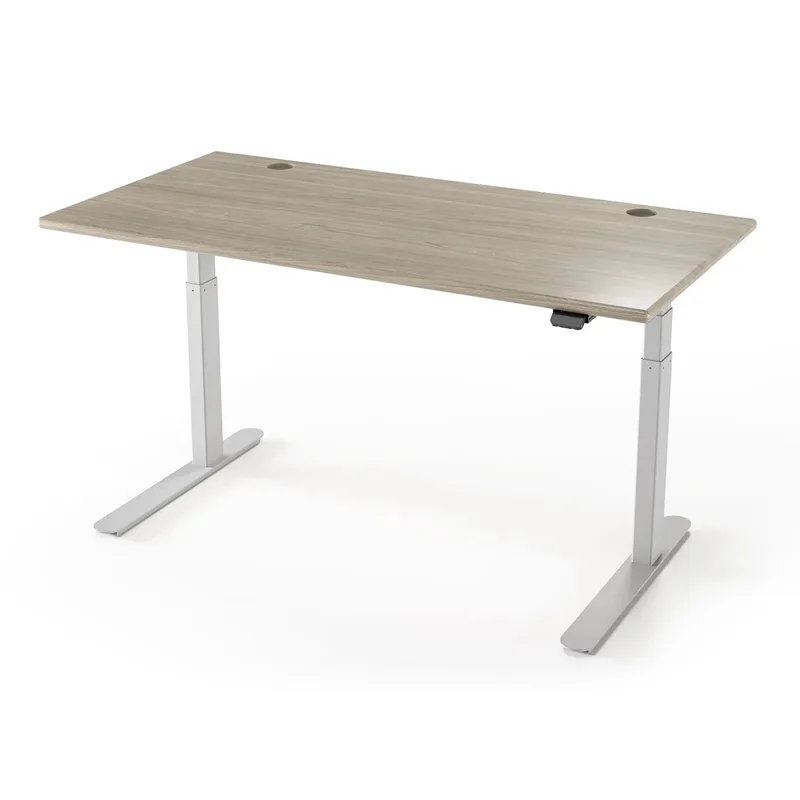
If you’re running a dual or triple monitor setup, a regular rectangular desk is working against you. You end up stretching across an awkward corner, running cables over your lap, and losing half your screen real estate to the angle. An L-shaped desk solves all of that by putting corner space to work — giving you one main monitor zone and one side zone for a second screen, stream deck, or mic arm.
The 2026 gaming desk market has grown significantly, with more models offering built-in power management and cable routing than ever before. The catch: most desks in this category lean hard on RGB and thin on substance. This guide cuts through the aesthetics and focuses on what actually matters for multi-monitor setups — surface width, stability under load, cable management, and real ergonomics.
Quick pick: The SEDETA 67” is the one to buy if you want the most desk for the money. The FlexiSpot Pro L-Shaped is the one to buy if you want to sit and stand.
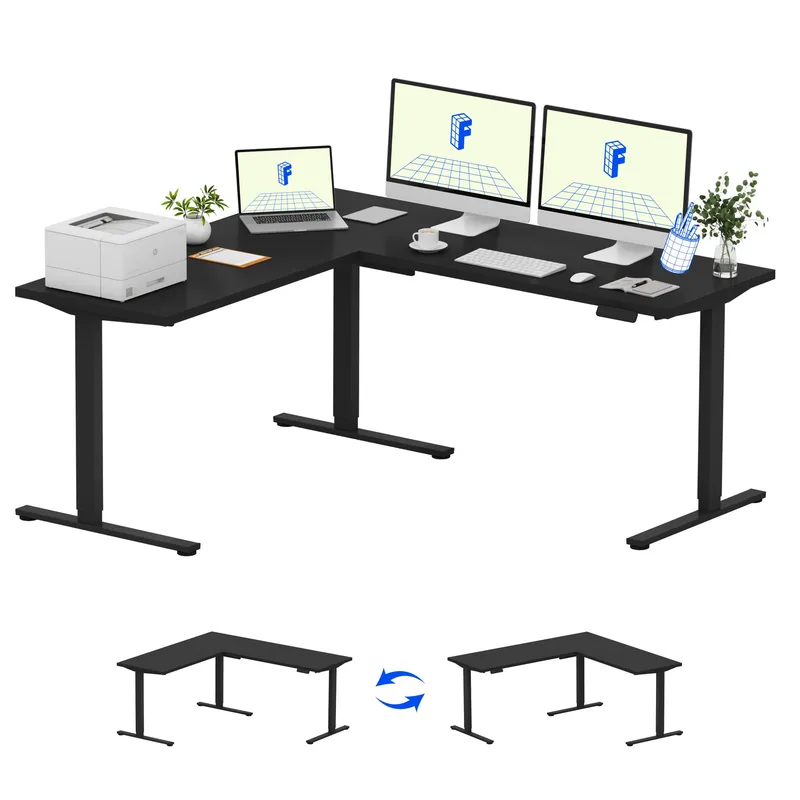
FlexiSpot Pro L-Shaped Electric Standing Desk
FlexiSpot Pro L-Shaped Electric Standing Desk
Pros
- ✓ Sit-to-stand means zero lower back fatigue during long sessions
- ✓ Huge 63" x 40" surface handles a triple monitor setup with room to spare
- ✓ Anti-collision tech stops and reverses if it hits your chair or a cable
- ✓ 5-year warranty is rare at this price point
Cons
- ✗ At $449, it's the most expensive pick here by a wide margin
- ✗ Assembly takes 60-90 minutes and requires two people for the frame
- ✗ No built-in power strip or USB ports
The only sit-stand option on this list, and the one that changes how you use your setup entirely. FlexiSpot’s L-shaped standing desk brings their proven dual-motor lifting mechanism to a corner configuration — 63 inches wide, 40 inches deep, adjustable from 28.3” to 47.6” in height.
The surface area alone is a reason to consider this: 63 x 40 inches is genuinely large enough for a 49-inch ultrawide on the main arm and a 27-inch secondary on the short side. Most fixed gaming desks top out at 60” total; this gives you that from the main side alone.
Where this earns its price is the engineering. Dual motors with anti-collision means the desk reverses automatically if it detects resistance — it won’t crush a cable or your chair. Three memory presets mean you set your sitting height once and your standing height once, then forget about it.
The 5-year frame warranty is rare at this price. Most budget desks offer 1–2 years. For a piece of furniture you’ll sit at 8+ hours a day, that matters.
The real downside is assembly. This takes a solid 60–90 minutes and benefits from two people. There’s no built-in power strip, so you’ll want to add a cable management tray or Velcro strip along the back edge. Check Amazon for current pricing.
Best for: Gamers or remote workers who want to use their battlestation for work too, or anyone dealing with back pain from long seated sessions.
SEDETA 67-Inch L-Shaped Gaming Desk
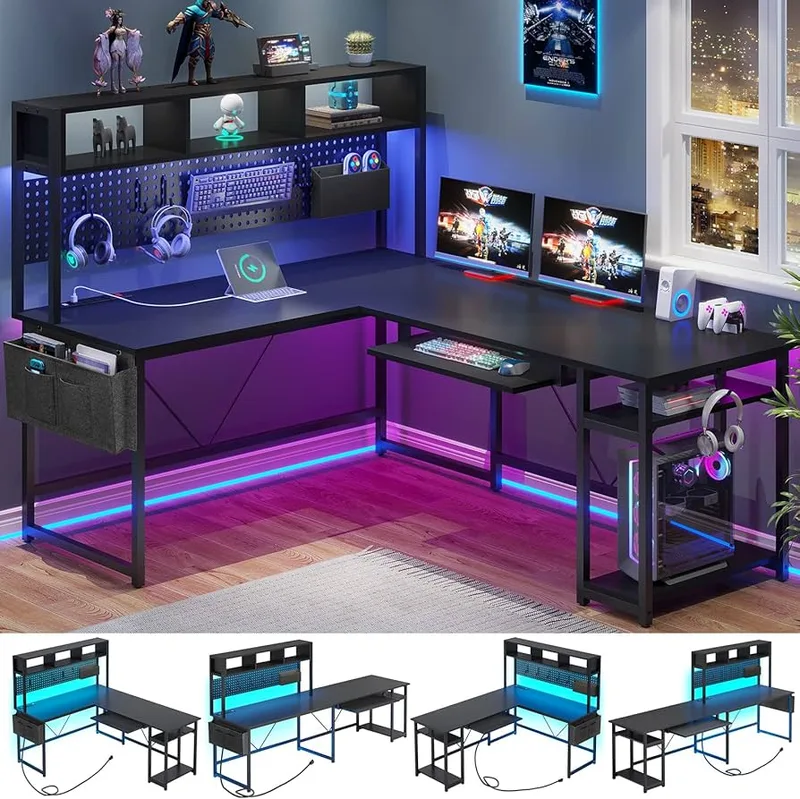
SEDETA 67-Inch L-Shaped Gaming Desk
Pros
- ✓ 67" gives you genuine triple-monitor real estate without cramping
- ✓ Pegboard is actually useful -- hang headsets, cables, controllers, notes
- ✓ 4 outlets + 2 USB built into the desk means zero power strip hunting
- ✓ Keyboard tray keeps your arm posture clean and frees up desk space
Cons
- ✗ Fixed height -- not adjustable, so get your chair setup right
- ✗ RGB LED strip installation can be fiddly on the first setup
- ✗ Storage bag is fabric, not rigid
The SEDETA is the best-value L-shaped desk for multi-monitor setups. At $229.99, it packs in features you’d normally only find on significantly more expensive desks: a 47-inch pegboard, built-in 4-outlet power strip with 2 USB ports, a keyboard tray, LED strip with app control, storage bag, and a surface wide enough to hold three monitors.
The 67” total surface (reversible L) means you can run a 32” center monitor, a 27” vertical secondary, and still have room for a mic arm, headset stand, and notes — without anything hanging off the edge. This is what makes it the go-to for dual and triple monitor setups at the $230 price point.
The pegboard is genuinely useful. Mount a headphone hook, hang a cable strip, clip a notes board — it keeps the surface clear in ways that built-in shelves don’t. Setup takes about 90 minutes and is manageable solo, though the LED strip installation gets fiddly.
One thing to note: the desk is fixed height, not adjustable. You need to pair it with a proper ergonomic chair to get your posture right. See our gaming posture guide for the correct setup sequence.
With over 4,800 Amazon reviews and a 4.6/5 rating, this is one of the most-reviewed L-shaped gaming desks on the platform. The consistent feedback: solid value, real feature set, slightly annoying LED strip installation.
Best for: Gamers who want maximum desk space and features at the $230 price point, especially for dedicated gaming rooms.
SEVEN WARRIOR 50.4-Inch L-Shaped Gaming Desk
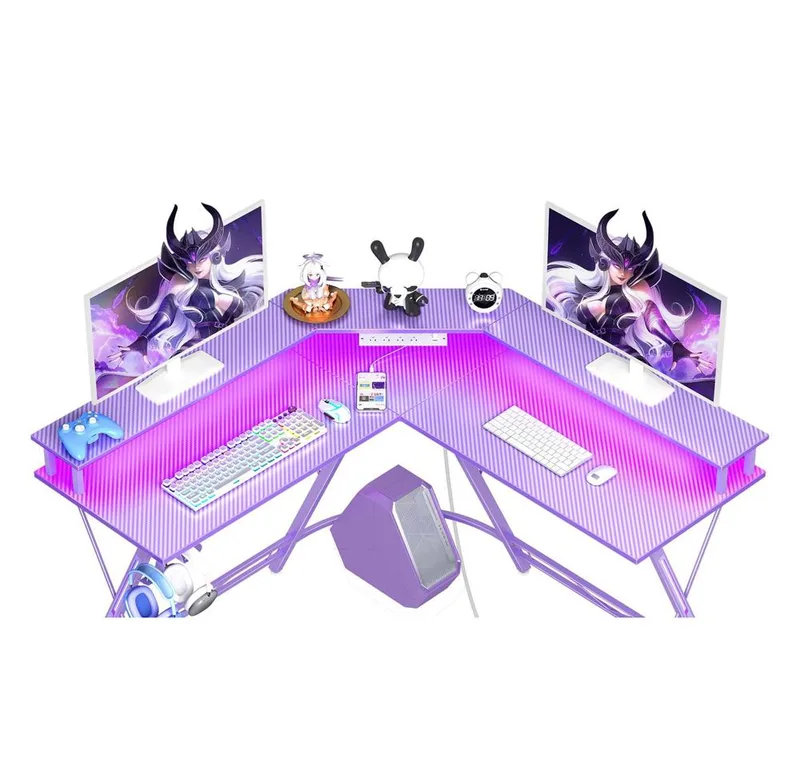
SEVEN WARRIOR 50.4-Inch L-Shaped Gaming Desk
Pros
- ✓ Carbon fiber texture looks premium -- not the cheap plastic-wrap kind
- ✓ Full-width monitor riser lifts your screen to eye level, reducing neck strain
- ✓ 4 outlets built in covers gaming PC, monitor, headset stand, and phone
- ✓ Compact enough for 10x10 rooms without sacrificing monitor width
Cons
- ✗ 50.4" is on the tighter side for a triple monitor setup
- ✗ Monitor riser height is fixed -- no vertical adjustment
- ✗ Cup holder placement is awkward on some configurations
The Seven Warrior hits a specific sweet spot: compact enough for apartments and smaller rooms, but purpose-built for gaming with a full-width monitor riser and built-in power. The carbon fiber texture is convincing — it holds up better to wear than the printed vinyl wrap on cheaper desks.
The full monitor riser is the feature that separates this from basic budget desks. It spans the full length of the main side and lifts your screens to a more ergonomic position, reducing the forward head lean that builds up over long gaming sessions. Pair this with a proper chair height and you have a solid posture setup without spending extra on a monitor arm.
Power integration is solid: 4 outlets and 2 USB ports handle gaming PC, monitor, LED controller, headset stand, and phone simultaneously. The RGB lighting has 8 modes — not the most elaborate system, but it works without an app install.
Where it falls short: 50.4” is right at the edge for a triple monitor setup. Two 27” monitors plus a webcam mount gets tight. If you’re running three displays, size up to the SEDETA or FlexiSpot.
Best for: Dual monitor setups in smaller rooms, or gamers who want a cleaner carbon fiber aesthetic without the full storage tower.
AODK 53-Inch L-Shaped Gaming Desk
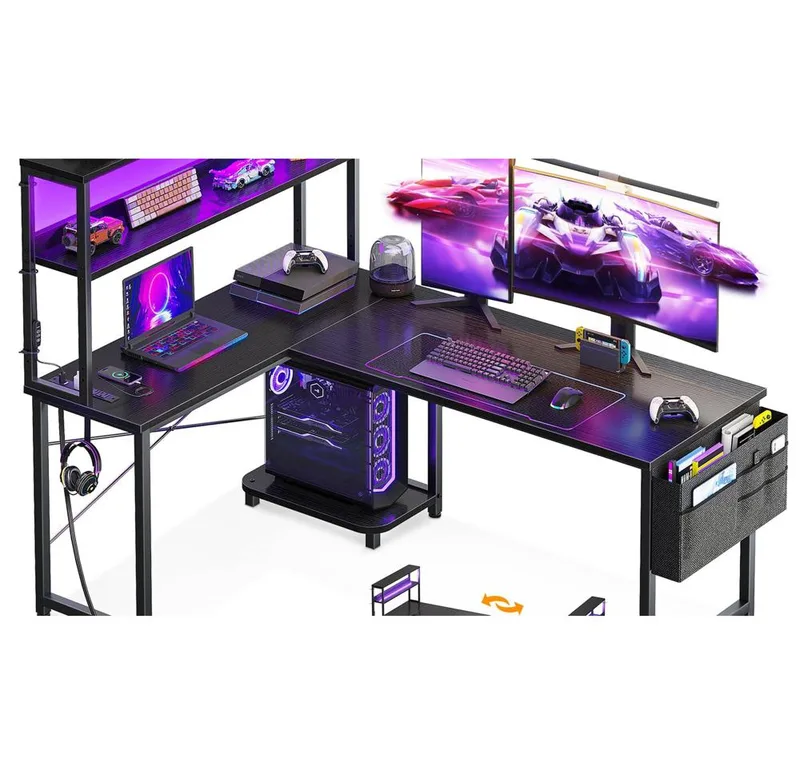
AODK 53-Inch L-Shaped Gaming Desk
Pros
- ✓ 3 inches wider than the Seven Warrior -- fits dual monitors more comfortably
- ✓ CPU stand keeps your tower off the floor with a dedicated shelf
- ✓ Reversible design works in left-corner or right-corner rooms
- ✓ LED system has more modes than most competitors at this price
Cons
- ✗ Storage bag is fabric, not hard-sided
- ✗ Power strip cord is short -- you may need an extension cable
- ✗ Monitor stand is basic; a separate arm would be better for multi-monitor
Three inches wider than the Seven Warrior and reversible — the AODK fits comfortably in either a left-corner or right-corner room layout, which matters more than you’d think when positioning your monitor toward a window or door. It has everything: LED strip (10 colors, 8 brightness grades, memory function), built-in 3-outlet power strip, headphone hook, CPU stand, and a storage shelf.
The CPU stand is a genuinely useful addition that the Seven Warrior lacks. Keeping your tower off the floor improves airflow, reduces dust intake, and keeps your rig at arm’s reach for USB swaps. That’s a feature typically reserved for pricier options.
The 4.6/5 rating from nearly 900 reviews confirms what the specs suggest: this is a reliable, well-featured desk that delivers on its promises. Assembly is straightforward and most users report it takes about 45 minutes.
Main limitation: the power cord is short — you’ll likely need an extension cable to reach your wall outlet depending on corner placement. The storage bag is fabric rather than rigid, so it’s fine for cables and controllers but not anything heavy.
Best for: Gamers who want CPU storage, reversibility, and a strong feature-to-price ratio.
Homall 51-Inch L-Shaped Gaming Desk
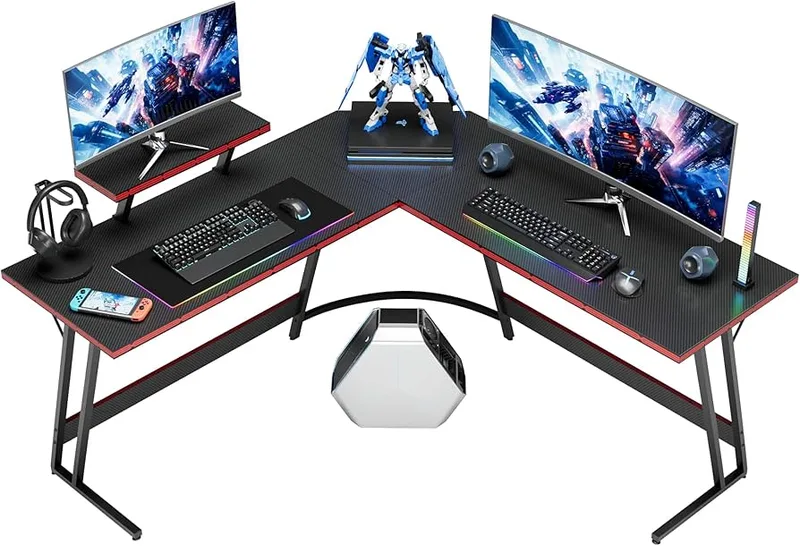
Homall 51-Inch L-Shaped Gaming Desk
Pros
- ✓ Under $70 for a full L-shaped corner desk -- genuinely the cheapest reliable option
- ✓ Carbon fiber finish looks expensive for the price
- ✓ Removable monitor riser means you can add a monitor arm later
- ✓ Steel Z-frame is more stable than many desks twice the price
Cons
- ✗ No power outlets, USB ports, or RGB -- stripped-down feature set
- ✗ At 51", fits dual monitors but the corners get tight
- ✗ Build quality is noticeably lighter than mid-range picks
The Homall is the answer to one question: what’s the best L-shaped gaming desk under $100? For $69.99, you get a full corner desk with a carbon fiber finish, removable monitor riser, steel Z-frame legs, and a 220 lb weight capacity. That’s it. No RGB, no power strip, no USB ports — stripped down to the essentials.
What’s impressive is the Z-frame construction. Most budget desks use thin table legs that flex noticeably under a heavy monitor setup. The Homall’s Z-frame provides front-to-back stability that punches well above its price point, with the 220 lb capacity meaning you’re not worried about a multi-monitor plus PC setup overloading it.
Assembly is fast — most users complete it in 20–30 minutes — and the removable monitor riser means you can add a monitor arm down the road when budget allows.
For a first gaming desk, shared home office, or a second desk in a studio setup, the Homall delivers. It’s not a long-term premium solution, but it’s a genuinely good desk at $69.99.
Best for: Budget buyers, first-time gaming desk setups, or anyone who wants a clean corner desk without features they won’t use.
Comparison Table
| Desk | Price | Surface Width | Height Adj | Power Outlets | Rating |
|---|---|---|---|---|---|
| FlexiSpot Pro L-Shaped | Unavailable | 63” x 40” | Yes (28–48”) | None built-in | 9.0 |
| SEDETA 67” | Unavailable | 67” reversible | No | 4 outlets + 2 USB | 8.7 |
| Seven Warrior 50.4” | Unavailable | 50.4” | No | 4 outlets + 2 USB | 8.5 |
| AODK 53” | $109.98 as of Oct 18, 2026 | 53” reversible | No | 3 outlets + 2 USB | 8.2 |
| Homall 51” | $64.99 as of Oct 18, 2026 | 51” | No | None | 7.8 |
How to Choose an L-Shaped Gaming Desk for Multi-Monitor Setups
Surface width matters more than total desk size
The number to focus on is the width of the main side — the long edge where your primary monitors sit. For dual monitors (two 27” displays): you need at least 50”. For triple monitors: 60”+ on the main side. L-shaped desks list their dimensions in confusing ways, so check both sides of the L, not just the total.
Height adjustability is a real upgrade
Fixed-height gaming desks work fine if you pair them with the right chair and get your screen position right. But if your setup doubles as a work desk — or if you have back issues — a motorized standing option like the FlexiSpot removes the constraint entirely. Read our guide on best gaming desks to see how L-shaped standing desks compare to standard rectangular options.
Built-in power strips: convenient but not mandatory
Most L-shaped gaming desks in the $150–250 range include a built-in power strip with USB ports. These are convenient but add complexity — if the power strip fails, you’re dealing with a warranty claim on the whole desk. Cheaper desks without built-in power (like the Homall) let you add a separate cable management solution exactly where you want it.
Cable management determines how clean your setup looks
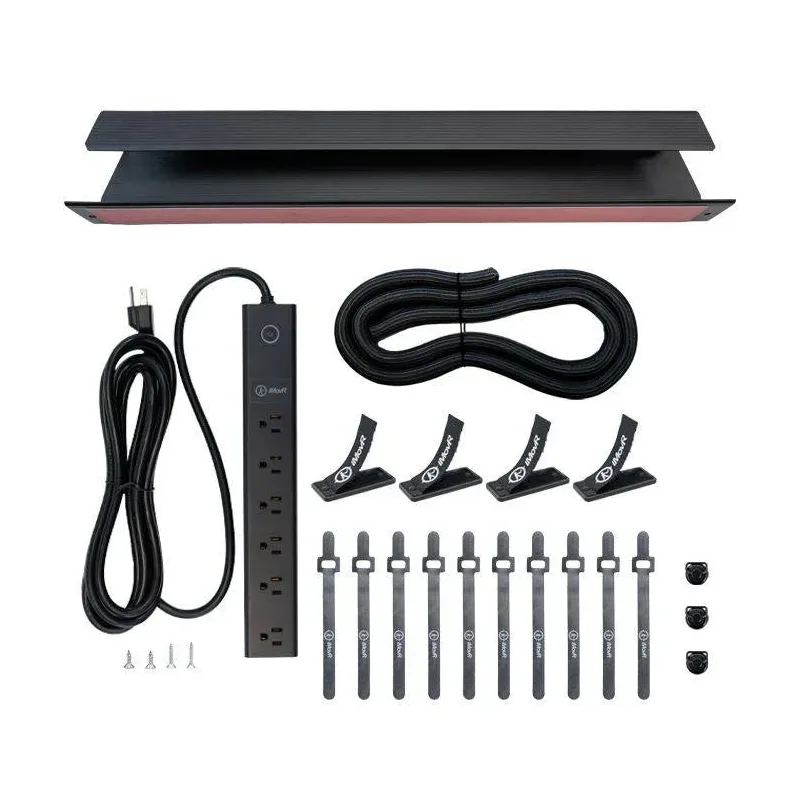
An L-shaped desk with two monitors, a PC, and peripherals will have 10–15 cables if you’re not careful. Look for: cable routing holes in the desktop, a back cable tray or spine, and mounting points for a Velcro strip along the underside. The SEDETA’s pegboard handles cable routing better than most.
Stability under monitor weight
A dual monitor setup with two 27” displays plus arms can weigh 25–35 lbs. Add a PC tower, peripherals, and a mouse pad and you’re pushing 50–60 lbs on the surface. All five desks here handle that fine. Where stability matters most: standing desks at full height. The FlexiSpot’s dual motor handles this well; cheaper standing desks in the $200 range can wobble noticeably at max height.
Budget expectations
- Budget tier (Homall): functional, stripped down
- $150–200: AODK, Seven Warrior — featured, compact
- $180–230: SEDETA — maximum features at this tier
- $400+: FlexiSpot — the only option here with sit-stand functionality
FAQ
How wide should an L-shaped desk be for dual monitors?
For two 27” monitors side by side, you need at least 50 inches of usable surface on the main side. Factor in a few inches of clearance on each side and a small gap between monitors, and 54–58” gives you comfortable room. If you’re using ultrawide or 32”+ displays, go 60” or more.
Are L-shaped gaming desks hard to assemble?
Most are not, but build time varies. Budget desks like the Homall take 20–30 minutes. Feature-packed desks like the SEDETA with pegboard and multiple shelves run 60–90 minutes. Height-adjustable desks like the FlexiSpot need two people for the frame lift. All five desks here include clear instructions and all required tools.
Can I use a monitor arm with an L-shaped gaming desk?
Yes — and for multi-monitor setups, a monitor arm is better than a built-in riser because it lets you position each display independently and frees up desk surface. Most L-shaped desks have 1” to 1.5” thick tops that work with standard C-clamp monitor arms. Check the desk’s edge thickness before buying a grommet-mount arm.
Do L-shaped gaming desks work in non-corner rooms?
Technically yes, but you lose most of the advantage. L-shaped desks are designed to fit against two adjacent walls and use corner dead space. Used in the middle of a room, they take up more floor space than a rectangle and leave the short side awkward. For non-corner rooms, a wide rectangular desk like those in our best gaming desks roundup is usually the better call.
Is a sit-stand L-shaped desk worth the extra cost?
For a dedicated work-and-gaming setup, yes. The FlexiSpot at $449 versus the SEDETA at $229.99 is a meaningful price difference. If you’re spending 6–10 hours at the desk daily — split between gaming and remote work — the ability to stand for a few hours significantly reduces lower back fatigue. For pure gaming use, a well-configured fixed desk with a good ergonomic chair gets you most of the benefit.
What’s the best L-shaped gaming desk for back pain?
Pair a mid-range fixed-height desk like the SEDETA with a proper ergonomic chair setup and you’ll address most posture issues. See our gaming posture guide for the chair height, monitor distance, and keyboard placement sequence that matters most. If back pain is a significant concern, the FlexiSpot’s sit-stand functionality is the more direct solution — alternating between sitting and standing throughout the day beats any static position.
Conclusion
For most multi-monitor gaming setups, the SEDETA 67” is the right call at $229.99. It provides more surface, more storage, and more built-in power than anything else at this price point. The 4,800+ reviews back it up.
If you’re building a combined work-and-gaming setup and want to stand, the FlexiSpot Pro L-Shaped is the investment that pays off. Height adjustability at the L-shaped format is rare under $500, and the 5-year warranty means you’re not gambling on a furniture purchase.
For tight budgets, the Homall at $69.99 is a legitimate desk, not a compromise. Stripped down, but the carbon fiber finish and Z-frame stability give it real character above its price.
Whatever you choose, combine it with the right chair and screen positioning. Our gaming posture guide covers the exact setup sequence for multi-monitor battlestations that keeps your neck and back out of trouble. And once the desk is sorted, our guide to the best gaming chairs will complete the setup.