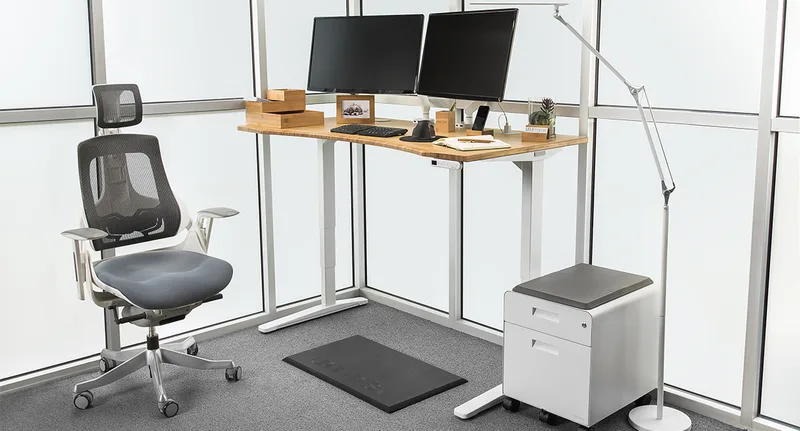
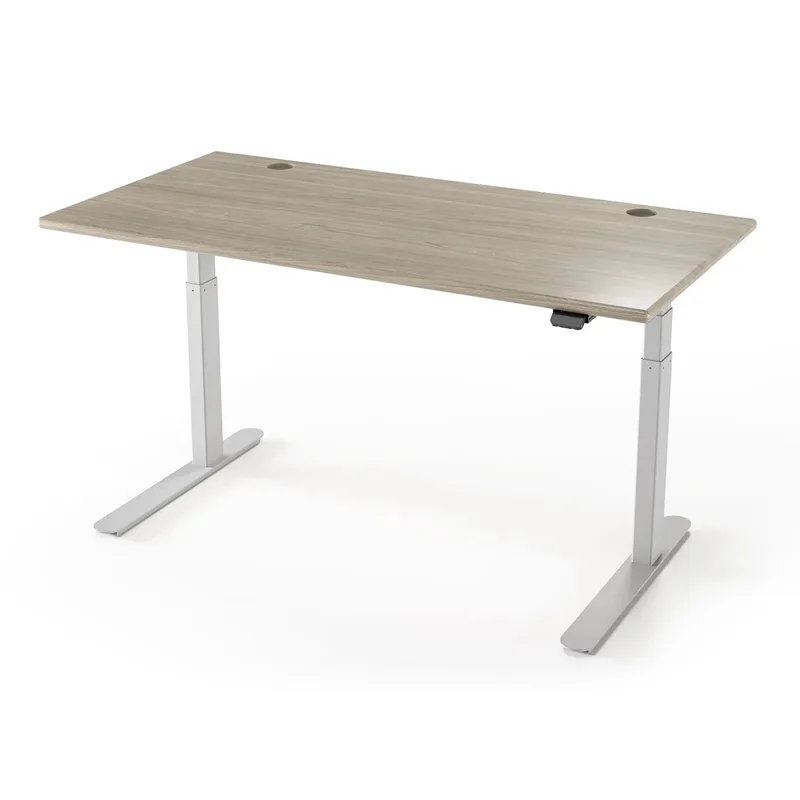
Most “heavy-duty” standing desk lists quietly round a 275 lb rating up to “heavy duty” and call it a day. That’s not enough capacity if you’re a bigger user, running dual towers and a monitor arm stack, or just don’t want to think about a weight limit every time you add gear to the desktop. The standing desk market is on track to top $9 billion in 2026 as more home and hybrid offices add a sit-stand setup, and that growth has pulled in a real tier of triple- and quad-motor frames rated well past the 300 lb mark that most “heavy duty” lists stop at. We checked live capacity ratings across six of them, from a 330 lb corner frame to a 535 lb 4-leg monster, so you can match the desk to your actual load instead of a rounded-up spec sheet. If you just want the recommendation: the UPLIFT V3 4-Leg Bamboo at $1,428 has the highest capacity here at 535 lbs. If you want serious capacity without the 4-leg price, the Autonomous Desk 2 L-Shaped at $949 rates 400 lbs on an L-shaped frame for less than most 2-leg premium desks.
UPLIFT V3 4-Leg Bamboo Standing Desk — Editor’s Pick
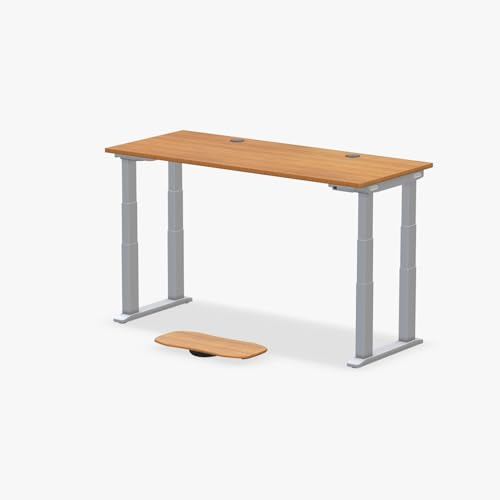
UPLIFT V3 4-Leg Bamboo Standing Desk (72x30)
Pros
- ✓ 535 lb capacity is the highest of any desk in this roundup, with real headroom for dual towers, a multi-monitor arm stack, and a mechanical keyboard tray without touching the rated limit
- ✓ Four independent motors (one per leg) keep the desktop level under lopsided loads, like a heavy monitor arm clamped to one corner
- ✓ 72x30 bamboo desktop is thick and rigid enough that it doesn't flex when you lean on it while standing
- ✓ 15-year warranty on the frame and motors is the longest backing of any desk here
Cons
- ✗ At $1,428 for the 72x30 bamboo configuration, it's the most expensive desk in this roundup by a wide margin
- ✗ 4-leg frame takes up more floor space and is a two-person assembly job
- ✗ Bamboo desktop weighs enough on its own that shipping and unboxing is a workout
UPLIFT V3 4-Leg Bamboo Standing Desk (72x30)
Pros
- ✓ 535 lb capacity is the highest of any desk in this roundup, with real headroom for dual towers, a multi-monitor arm stack, and a mechanical keyboard tray without touching the rated limit
- ✓ Four independent motors (one per leg) keep the desktop level under lopsided loads, like a heavy monitor arm clamped to one corner
- ✓ 72x30 bamboo desktop is thick and rigid enough that it doesn't flex when you lean on it while standing
- ✓ 15-year warranty on the frame and motors is the longest backing of any desk here
Cons
- ✗ At $1,428 for the 72x30 bamboo configuration, it's the most expensive desk in this roundup by a wide margin
- ✗ 4-leg frame takes up more floor space and is a two-person assembly job
- ✗ Bamboo desktop weighs enough on its own that shipping and unboxing is a workout
Four legs means four independent motors instead of two, and that’s the real reason this frame tops out at 535 lbs instead of the 355 lbs UPLIFT rates its standard 2-leg V3 for. Each corner lifts its own share of the load, so a heavy monitor arm clamped off to one side doesn’t put uneven strain on a single pair of motors the way it would on a 2-leg desk. The 72x30 bamboo desktop is dense enough that it doesn’t telegraph any flex when you lean your weight into it while standing, which matters more than people expect once you’re past the 300 lb range and actually loading a desk with real equipment.
The trade-offs are size and price. A 4-leg frame eats more floor space than a C-frame design and is genuinely a two-person assembly given the weight of both the frame and the bamboo top. At $1,428, it’s also the most expensive desk in this roundup — if your load genuinely doesn’t need 535 lbs of headroom, the 2-leg UPLIFT V3 below gets you most of the same build quality for nearly half the price.
Best for: Anyone who wants the highest weight ceiling available and is willing to pay and assemble for it.
iMovR Lander L-Shaped Standing Desk — Best Premium
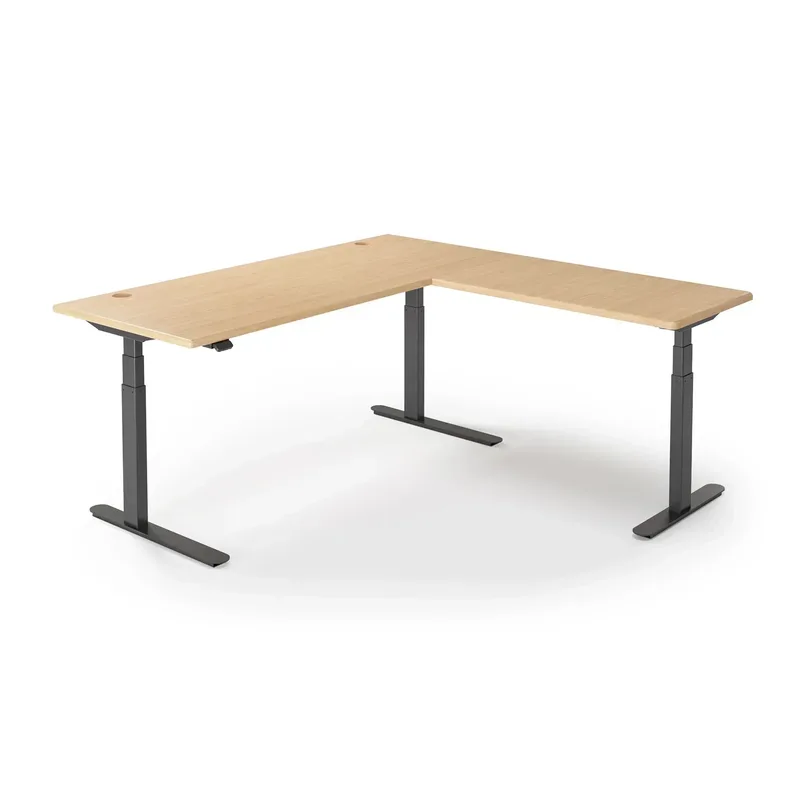
iMovR Lander L-Shaped Standing Desk
Pros
- ✓ 450 lb triple-motor lift is rated higher than every desk here except the UPLIFT 4-leg, on an L-shaped frame built for a real multi-monitor command center
- ✓ 23-to-49-inch range is one of the widest available, covering very short and very tall users on the same frame
- ✓ Gesture control paddle with Bluetooth app tracking is a more polished control experience than a basic keypad
- ✓ Made in USA with a 10-year warranty backs up the premium price
Cons
- ✗ Starting at $1,995 for the laminate desktop, this is a significant investment before you add a solid-wood upgrade
- ✗ Only available direct from iMovR — no Amazon listing to compare against a Prime checkout
- ✗ L-shaped footprint needs a genuine corner; it won't fit a straight wall layout
iMovR Lander L-Shaped Standing Desk
Pros
- ✓ 450 lb triple-motor lift is rated higher than every desk here except the UPLIFT 4-leg, on an L-shaped frame built for a real multi-monitor command center
- ✓ 23-to-49-inch range is one of the widest available, covering very short and very tall users on the same frame
- ✓ Gesture control paddle with Bluetooth app tracking is a more polished control experience than a basic keypad
- ✓ Made in USA with a 10-year warranty backs up the premium price
Cons
- ✗ Starting at $1,995 for the laminate desktop, this is a significant investment before you add a solid-wood upgrade
- ✗ Only available direct from iMovR — no Amazon listing to compare against a Prime checkout
- ✗ L-shaped footprint needs a genuine corner; it won't fit a straight wall layout
The Lander is the only L-shaped desk in this roundup with a genuinely high capacity rating — 450 lbs on a triple-motor base, second only to the UPLIFT 4-leg above. That capacity is paired with the widest height range here, 23 to 49 inches, so it works for a much broader range of user heights than most competitors without needing a riser or a shim. The gesture control paddle with an LCD readout and Bluetooth app tracking is also a step up from the basic keypads on most of the other desks here.
That refinement comes at a real cost: the laminate configuration starts at $1,995, and it’s sold only direct from iMovR, so there’s no Amazon Prime checkout or easy price comparison. The L-shape also needs an actual corner to sit in — it’s not a desk you can push against a flat wall.
Best for: Buyers who want the highest-capacity L-shaped frame available and don’t mind paying premium, direct-only pricing for it.
UPLIFT V3 2-Leg Walnut Standing Desk — Best for Standard-Width Desks
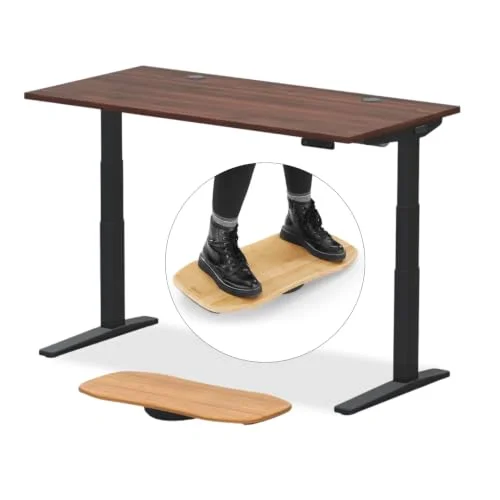
UPLIFT V3 2-Leg Walnut Standing Desk (60x30)
Pros
- ✓ 355 lb capacity comfortably covers a heavy monitor arm setup or a pair of towers without needing a 4-leg frame
- ✓ 60x30 walnut desktop is a standard footprint that fits a normal home office instead of requiring a dedicated room
- ✓ Same 15-year warranty and advanced keypad as UPLIFT's pricier 4-leg frame
- ✓ 2-leg C-frame is a faster, one-person assembly compared to the 4-leg version
Cons
- ✗ 355 lbs is well short of the 535 lb 4-leg UPLIFT above if you're genuinely pushing the upper end of heavy-duty use
- ✗ 2-leg frame has slightly more flex at full height under an off-center load than a 4-leg design
- ✗ $808 is still a premium price for a standard-width desk
UPLIFT V3 2-Leg Walnut Standing Desk (60x30)
Pros
- ✓ 355 lb capacity comfortably covers a heavy monitor arm setup or a pair of towers without needing a 4-leg frame
- ✓ 60x30 walnut desktop is a standard footprint that fits a normal home office instead of requiring a dedicated room
- ✓ Same 15-year warranty and advanced keypad as UPLIFT's pricier 4-leg frame
- ✓ 2-leg C-frame is a faster, one-person assembly compared to the 4-leg version
Cons
- ✗ 355 lbs is well short of the 535 lb 4-leg UPLIFT above if you're genuinely pushing the upper end of heavy-duty use
- ✗ 2-leg frame has slightly more flex at full height under an off-center load than a 4-leg design
- ✗ $808 is still a premium price for a standard-width desk
If 535 lbs is more headroom than you’ll ever use, the standard 2-leg UPLIFT V3 rates 355 lbs — still well above the 220-275 lb range most “standard” standing desks top out at — on a 60x30 walnut desktop that fits a normal home office instead of demanding a dedicated room. It carries the same 15-year warranty and advanced memory keypad as the pricier 4-leg version, and the 2-leg C-frame goes together faster since it’s realistically a one-person assembly.
The honest limitation is the ceiling: 355 lbs is a real step down from the 4-leg UPLIFT’s 535 lbs if you’re genuinely near the top end of “heavy duty” use, and a 2-leg frame flexes slightly more under an off-center load at full height than a 4-leg design does. At $808, it’s still a premium price for a desk in this weight class.
Best for: Buyers who want serious capacity on a normal-sized desktop without the 4-leg footprint or price.
Autonomous Desk 2 L-Shaped — Best Value
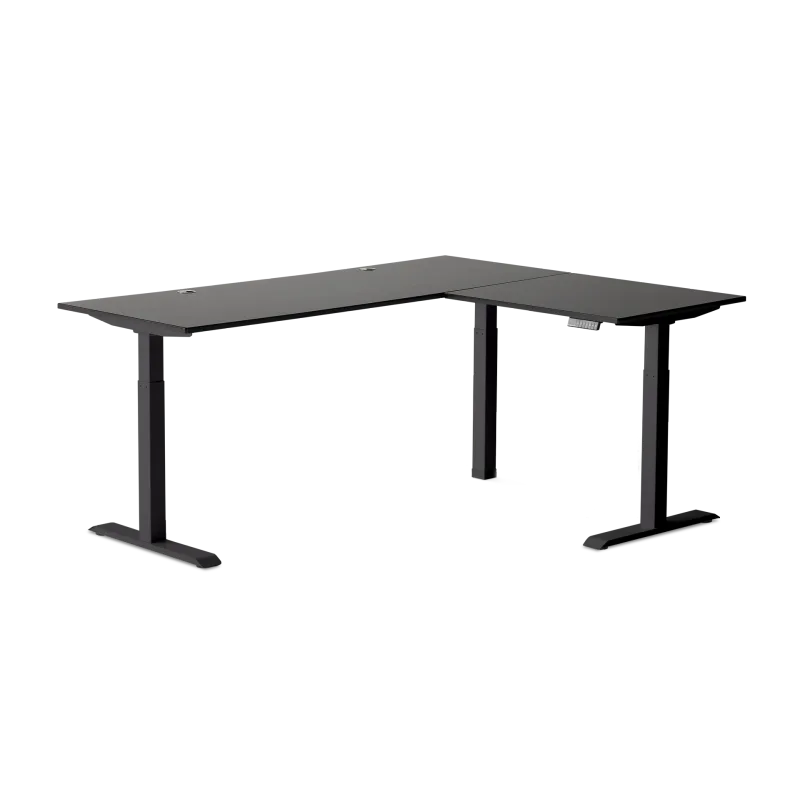
Autonomous Desk 2 L-Shaped
Pros
- ✓ 400 lb rated capacity and a triple motor system for well under the price of the UPLIFT or iMovR L-shaped options
- ✓ 77-inch L-shaped surface gives real room for a multi-monitor setup plus a separate work zone
- ✓ BIFMA certification means the frame has passed independent commercial-grade stability and load testing, not just a marketing number
- ✓ 2.3 in/sec lift speed is faster than most desks in this roundup
Cons
- ✗ 400 lbs is solid but still well under the UPLIFT 4-leg's 535 lb rating
- ✗ Sold direct from Autonomous (or select retailers like Best Buy and Newegg), not through Amazon
- ✗ Reviewers note the desktop laminate shows scuffs faster than the bamboo options here
Autonomous Desk 2 L-Shaped
Pros
- ✓ 400 lb rated capacity and a triple motor system for well under the price of the UPLIFT or iMovR L-shaped options
- ✓ 77-inch L-shaped surface gives real room for a multi-monitor setup plus a separate work zone
- ✓ BIFMA certification means the frame has passed independent commercial-grade stability and load testing, not just a marketing number
- ✓ 2.3 in/sec lift speed is faster than most desks in this roundup
Cons
- ✗ 400 lbs is solid but still well under the UPLIFT 4-leg's 535 lb rating
- ✗ Sold direct from Autonomous (or select retailers like Best Buy and Newegg), not through Amazon
- ✗ Reviewers note the desktop laminate shows scuffs faster than the bamboo options here
At $949, the Autonomous Desk 2 L-Shaped delivers a 400 lb triple-motor rating for meaningfully less than the UPLIFT or iMovR L-shaped options, and it backs that number up with BIFMA certification — an independent commercial furniture standard, not just a number on a spec sheet. The 77-inch L-shaped surface gives real separation between a monitor zone and a secondary work area, and at 2.3 inches per second, it lifts faster than every other desk in this roundup.
It’s sold direct from Autonomous or through select retailers like Best Buy and Newegg rather than Amazon, so factor that into your return-policy comparison. Owner reviews also note the laminate desktop picks up visible scuffs faster than the bamboo tops on the UPLIFT desks.
Best for: Buyers who want L-shaped, near-400 lb capacity without paying premium-desk prices.
Progressive Desk L-Shaped Standing Desk — Best for Corner Workstations
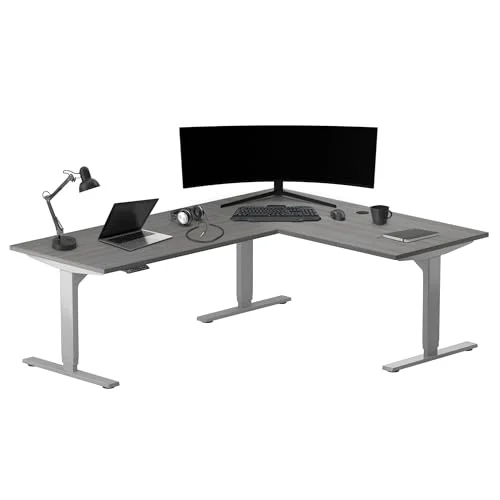
Progressive Desk L-Shaped Standing Desk (78x48)
Pros
- ✓ 3-leg triple-motor frame is noticeably more stable in a corner layout than 2-leg L-shaped competitors
- ✓ 78x48 surface is large enough for a genuine dual-workstation corner setup, not just a single monitor stack
- ✓ Under 45 dB lift is quieter than several competing L-shaped frames
- ✓ 4-position memory keypad covers sit, stand, and two custom presets
Cons
- ✗ 330 lb capacity is the lowest of the L-shaped desks in this roundup — check your total equipment load before buying
- ✗ At $1,210.64, it costs more than the higher-capacity Autonomous L-shaped desk
- ✗ Assembly is a two-person job given the size and weight of the corner top
Progressive Desk L-Shaped Standing Desk (78x48)
Pros
- ✓ 3-leg triple-motor frame is noticeably more stable in a corner layout than 2-leg L-shaped competitors
- ✓ 78x48 surface is large enough for a genuine dual-workstation corner setup, not just a single monitor stack
- ✓ Under 45 dB lift is quieter than several competing L-shaped frames
- ✓ 4-position memory keypad covers sit, stand, and two custom presets
Cons
- ✗ 330 lb capacity is the lowest of the L-shaped desks in this roundup — check your total equipment load before buying
- ✗ At $1,210.64, it costs more than the higher-capacity Autonomous L-shaped desk
- ✗ Assembly is a two-person job given the size and weight of the corner top
Progressive Desk’s 78x48 corner frame runs on three legs instead of two, and that extra leg shows up as real stability in a true corner installation — it doesn’t rock the way some 2-leg L-shaped frames do when you lean on the far end of the desktop. At 78x48 inches, the surface is large enough for an actual dual-workstation corner setup, and the sub-45 dB lift is quieter than several competing L-shaped frames.
The 330 lb capacity is the lowest of the three L-shaped desks in this roundup, so tally your monitor arms, PC towers, and accessories before assuming you have headroom. It’s also priced above the higher-capacity Autonomous L-shaped desk, and the size of the corner top makes assembly a two-person job.
Best for: Readers who want a stable three-leg corner desk and don’t need to push past 330 lbs.
VIVO Electric 4-Leg Standing Desk Frame — Best Budget
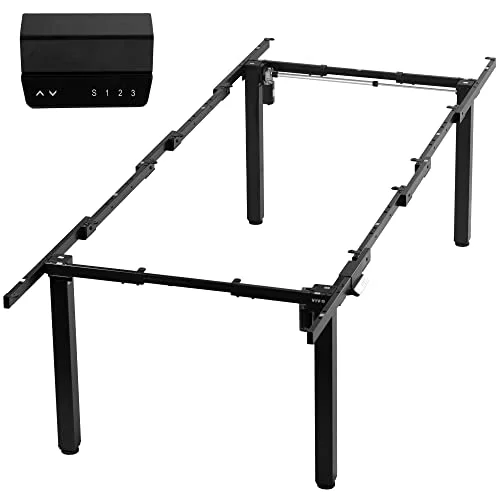
VIVO Electric 4-Leg Standing Desk Frame (DESK-E-400B)
Pros
- ✓ 352 lb capacity on a 4-leg frame for under $500 undercuts every other desk in this roundup on price per pound of capacity
- ✓ Supports desktops up to 130x60 inches, large enough for a genuine multi-station workbench or L-shaped custom top
- ✓ 4-leg design is inherently more stable under a wide, heavy desktop than a 2-leg frame at this price
- ✓ Memory controller with height presets is a real feature most budget frames skip
Cons
- ✗ Frame only — you'll need to source and attach your own desktop, which adds cost and assembly time
- ✗ 27.7-to-46-inch height range is the shortest here, which may not reach standing height for taller users
- ✗ 0.95 in/sec lift speed is the slowest of any motorized desk in this roundup
VIVO Electric 4-Leg Standing Desk Frame (DESK-E-400B)
Pros
- ✓ 352 lb capacity on a 4-leg frame for under $500 undercuts every other desk in this roundup on price per pound of capacity
- ✓ Supports desktops up to 130x60 inches, large enough for a genuine multi-station workbench or L-shaped custom top
- ✓ 4-leg design is inherently more stable under a wide, heavy desktop than a 2-leg frame at this price
- ✓ Memory controller with height presets is a real feature most budget frames skip
Cons
- ✗ Frame only — you'll need to source and attach your own desktop, which adds cost and assembly time
- ✗ 27.7-to-46-inch height range is the shortest here, which may not reach standing height for taller users
- ✗ 0.95 in/sec lift speed is the slowest of any motorized desk in this roundup
Under $500, the VIVO DESK-E-400B is the only frame in this roundup that undercuts every other option on price while still clearing 350 lbs — 352 lbs, specifically, on a 4-leg dual-motor base that supports desktops up to a genuinely huge 130x60 inches. That combination of a wide top-size range and a sub-$500 price makes it the pick for a custom workbench, an L-shaped DIY top, or any multi-monitor build where you already have a desktop in mind and just need a frame that can carry it.
The catch is that it’s frame only — budget for a separate desktop and the extra assembly time that comes with sourcing and mounting one. The 27.7-to-46-inch height range is also the shortest in this roundup, which may not reach a comfortable standing height for taller users, and the 0.95 in/sec lift is the slowest motor speed here.
Best for: Budget shoppers building a custom desktop who still want a 350+ lb rated frame.
Buying Guide: What “Heavy-Duty” Actually Means
Ignore the marketing rounding. A lot of desks marketed as “heavy duty” are rated 250-275 lbs — better than a bargain single-motor desk, but not meaningfully different from a mainstream dual-motor frame. The desks in this roundup start at 330 lbs and go up to 535 lbs, which is the range where you stop having to think about your load.
Add up your real load, not just your body weight. Weight capacity covers the user standing or leaning on the desk plus everything sitting on top of it — monitors, monitor arms, a PC tower, a keyboard tray, books, whatever lives on the surface. A dual-monitor arm alone can run 30-50 lbs before you’ve added a single piece of equipment, and a full standing desk monitor arm setup with two large displays pushes that higher.
4-leg and triple-motor frames handle uneven loads better. A 2-leg C-frame desk distributes weight across two motors; a 4-leg or triple-motor frame like the UPLIFT 4-leg, iMovR Lander, Autonomous, or Progressive Desk spreads it further, which matters most when your gear is clustered off to one side rather than centered.
Static capacity isn’t the same as lifting capacity. A desk’s rated weight capacity is what it can safely support and move through its full height range — not just hold still at one height. All six desks here list a true lift capacity, not a stationary hold figure.
Budget expectations. Frame-only heavy-duty options start around $500 (VIVO). Complete 2-leg desks in this capacity range run $800-950 (UPLIFT V3 2-leg, Autonomous). L-shaped and 4-leg frames with the highest capacity ratings run $1,200-2,000 (Progressive Desk, UPLIFT 4-leg, iMovR).
FAQ
What weight capacity actually counts as “heavy duty” for a standing desk?
Most mainstream dual-motor desks rate 220-275 lbs. Anything rated 300 lbs or higher is a genuine step up, and the desks in this roundup range from 330 to 535 lbs — the tier where you can add a full multi-monitor setup, a tower, and a keyboard tray without running the numbers every time.
Does a higher weight rating mean the desk won’t wobble?
Not entirely — weight capacity and stability are related but not identical. A 4-leg or triple-motor frame like the UPLIFT 4-leg or iMovR Lander tends to hold steadier under an uneven load than a 2-leg frame rated for the same weight, because the load is spread across more lift points.
Do I need a 4-leg frame, or is a 2-leg desk enough?
If your total load (monitors, arms, PC, accessories) stays under roughly 350 lbs, a 2-leg frame like the UPLIFT V3 2-leg covers it with a smaller footprint and easier assembly. Go 4-leg or triple-motor if you’re running dual towers, a heavy monitor arm stack, or want real headroom above your current setup.
Why do some heavy-duty desks not have an Amazon listing?
Some brands, including iMovR and Autonomous’s L-shaped configuration, sell primarily through their own sites or a small set of retailers rather than Amazon. That doesn’t affect build quality — it just means you’re comparing warranty and return terms directly with the manufacturer instead of through Amazon’s standard process.
Is a frame-only desk like the VIVO a good option?
Yes, if you already have a desktop in mind or want a custom size — the VIVO DESK-E-400B supports tops up to 130x60 inches for well under $500. Just budget separately for the desktop itself and factor in the extra assembly step of attaching it to the frame.
Conclusion
For the highest capacity available: the UPLIFT V3 4-Leg Bamboo at $1,428 rates 535 lbs, the ceiling of this roundup, backed by a 15-year warranty.
If you want L-shaped and near-top capacity: the iMovR Lander at $1,995 rates 450 lbs with the widest height range here, at a genuine premium price.
If a standard-width desk with serious capacity is enough: the UPLIFT V3 2-Leg Walnut at $808 rates 355 lbs on a footprint that fits a normal home office.
If you want L-shaped capacity without premium pricing: the Autonomous Desk 2 L-Shaped at $949 rates 400 lbs and is BIFMA certified.
If a stable three-leg corner desk fits your space: the Progressive Desk L-Shaped at $1,210.64 rates 330 lbs with a quiet, sub-45 dB lift.
If you’re building a custom setup on a budget: the VIVO DESK-E-400B at $499.99 rates 352 lbs on a frame that fits desktops up to 130x60 inches.
Whichever frame you choose, pair it with our guide to the best anti-fatigue mats for standing desks — a high-capacity desk gets the weight rating right, but a proper mat is what keeps you comfortable enough to actually use it standing every day.