Disclosure: PostureRanked is reader-supported. When you buy through links on our site, we may earn an affiliate commission at no additional cost to you. Our recommendations are based on independent research and testing.
| Product | Price | Rating |
|---|---|---|
| BenQ ScreenBar Halo | — | 9.4 |
| BenQ ScreenBar | — | 9.0 |
| BenQ ScreenBar Pro | — | 9.0 |
| Dyson Solarcycle Morph | — | 8.6 |
| Lepro LED Desk Lamp | — | 8.2 |
| Quntis Monitor Light Bar | — | 8.2 |
| BenQ e-Reading Desk Lamp | — | 8.8 |
PostureRanked is reader-supported. When you buy through links on our site, we may earn an affiliate commission at no additional cost to you.
Poor desk lighting — flickering LEDs, the wrong color temperature, harsh overhead glare — is a surprisingly common cause of afternoon headaches and eye strain. Getting the right task light often fixes the problem within days. We’ve researched and compared every major desk lamp and monitor light bar worth considering.
Here’s what actually matters: the right light eliminates screen glare, matches your room’s ambient brightness, and shifts color temperature throughout the day. Get those three things right and your eyes stop working overtime. Get them wrong and no amount of blue-light glasses will save you.
Short on time? The BenQ ScreenBar Halo is the best option for most people — zero screen glare, a handy wireless puck, and a backlight that kills the contrast between your bright monitor and dark desk. If $179 is too steep, the standard BenQ ScreenBar uses the same optics for about $109.
Quick Comparison: Best Desk Lamps for Eye Strain
| Lamp | Best For | Type | Brightness | Color Temp | Price |
|---|---|---|---|---|---|
| BenQ ScreenBar Halo | Best Overall | Monitor Light Bar | 500 lux | 2700K-6500K | ~$179 |
| BenQ ScreenBar | Best Value Light Bar | Monitor Light Bar | 500 lux | 2700K-6500K | ~$109 |
| BenQ ScreenBar Pro | Best Hands-Free | Monitor Light Bar | 500 lux | 2700K-6500K | ~$180 |
| Dyson Solarcycle Morph | Best Traditional Lamp | Desk Lamp | 1000 lux | 2700K-6500K | ~$650 |
| Lepro LED Desk Lamp | Best Budget | Desk Lamp | 800 lux | 2700K-6500K | ~$30-35 |
| Quntis Monitor Light Bar | Budget Light Bar | Monitor Light Bar | 400 lux | 3000K-6500K | ~$40 |
| BenQ e-Reading Desk Lamp | Best for Mixed Work | Desk Lamp | 1800 lux | 2700K-5700K | ~$220 |
Monitor Light Bars vs. Traditional Desk Lamps
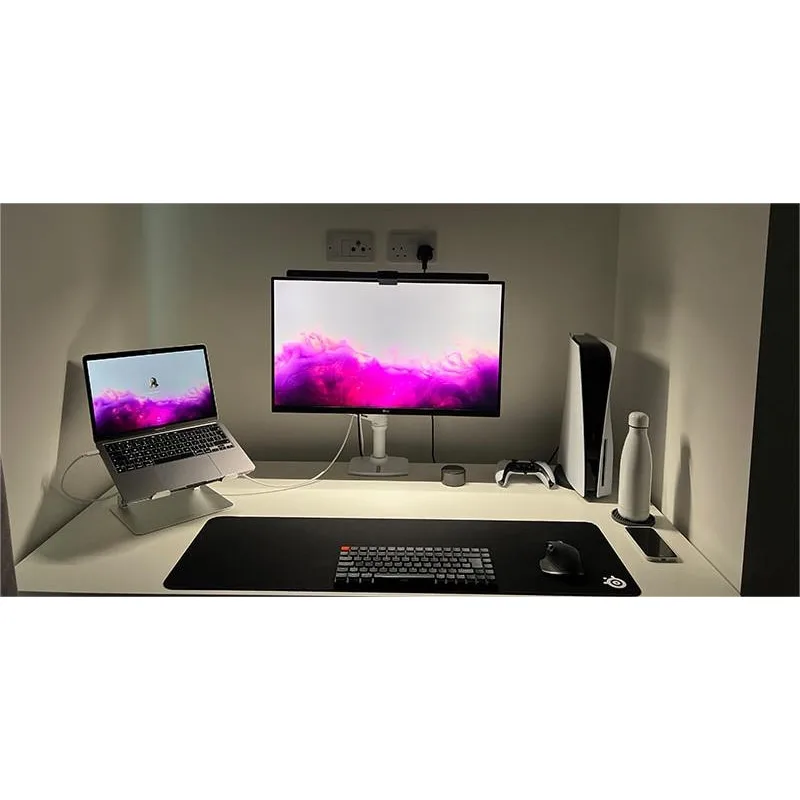
Quntis Monitor Light Bar
Pros
- ✓ Budget-friendly at ~$40
- ✓ Amazon #1 Best Seller in USB reading lights
- ✓ Decent auto-dimming for the price
Cons
- ✗ Not truly asymmetric — some screen glare possible
- ✗ Lower brightness than BenQ options
- ✗ Build quality is okay, not great
Before diving into individual picks, the biggest choice you’ll make is light bar vs. desk lamp. They solve the same problem differently.
Monitor Light Bars
Mount on top of your monitor and point light downward onto your desk. The good ones use asymmetric optics so zero light hits your screen.
Why you’d want one:
- No screen glare at all (with quality models)
- Saves desk space completely
- Powered by USB — no extra outlet needed
- Even illumination across keyboard and desk area
Best for: Computer-centric work, small desks, minimalist setups, programmers and writers who stare at screens all day.
Traditional Desk Lamps
Sit on or clamp to your desk. Higher maximum brightness and more positioning flexibility, but they take up space and can cause screen reflections.
Why you’d want one:
- Higher max brightness for detailed work
- Works for paper documents and crafts
- More adjustable angles
- Better if you frequently switch between screen and non-screen tasks
Best for: Mixed computer and paper work, artists, anyone who needs serious brightness or does a lot of reading physical documents.
BenQ ScreenBar Halo — Best Overall
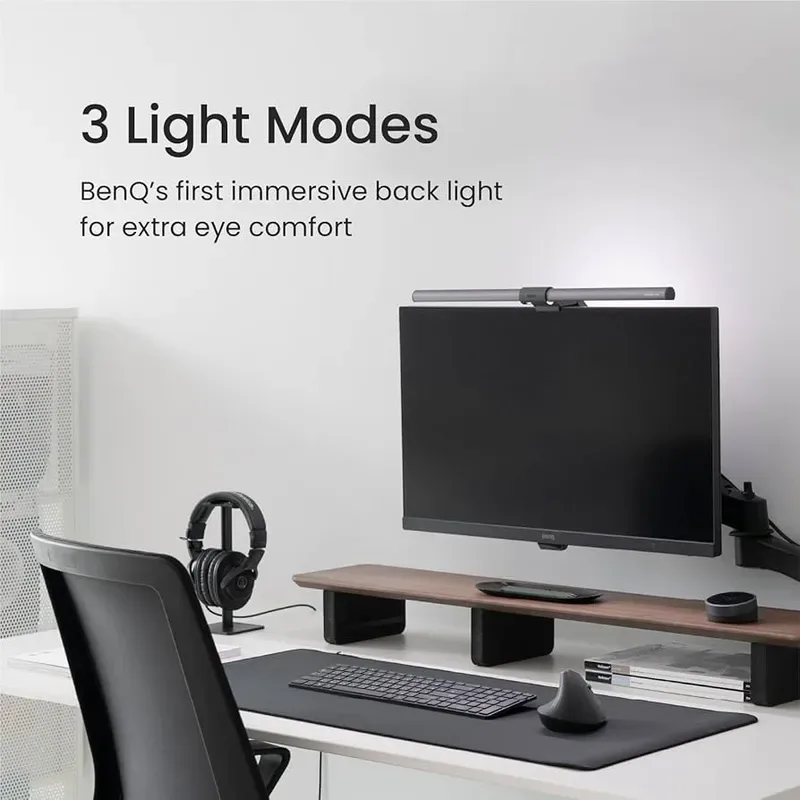
BenQ ScreenBar Halo
Pros
- ✓ Asymmetric lighting eliminates screen glare
- ✓ Backlight reduces contrast fatigue
- ✓ Wireless puck control is effortless
Cons
- ✗ Premium pricing at ~$179
- ✗ Puck needs AAA batteries
The Halo does one thing no other light bar does well: it has a backlight that softly illuminates the wall behind your monitor. That matters more than you’d think. The harsh contrast between a bright screen and a dark wall is one of the sneakiest causes of eye strain, and the Halo’s ambient glow eliminates it.
The wireless puck controller sits on your desk and lets you adjust brightness and color temperature with a quick twist. No reaching up to the bar. Auto-dimming kicks in when ambient light changes, so the lamp adapts as the sun moves through the day.
BenQ’s patented asymmetric optics are the real star. Place a mirror at screen level and you get absolutely zero light reflection — the asymmetric design keeps all light forward and down onto your desk. The 500 lux output covers an 85 x 50 cm area evenly, which means your entire keyboard and document space is lit without hot spots.
Who should buy this: Anyone who works at a computer for 4+ hours a day and wants the single best solution for eye strain. It’s set-and-forget good.
Who should skip this: If you mostly do paper-based work, a traditional desk lamp will serve you better. And if $179 feels steep, the standard ScreenBar uses the same optics.
Price: ~$179
Check BenQ ScreenBar Halo on Amazon
BenQ ScreenBar — Best Value Light Bar
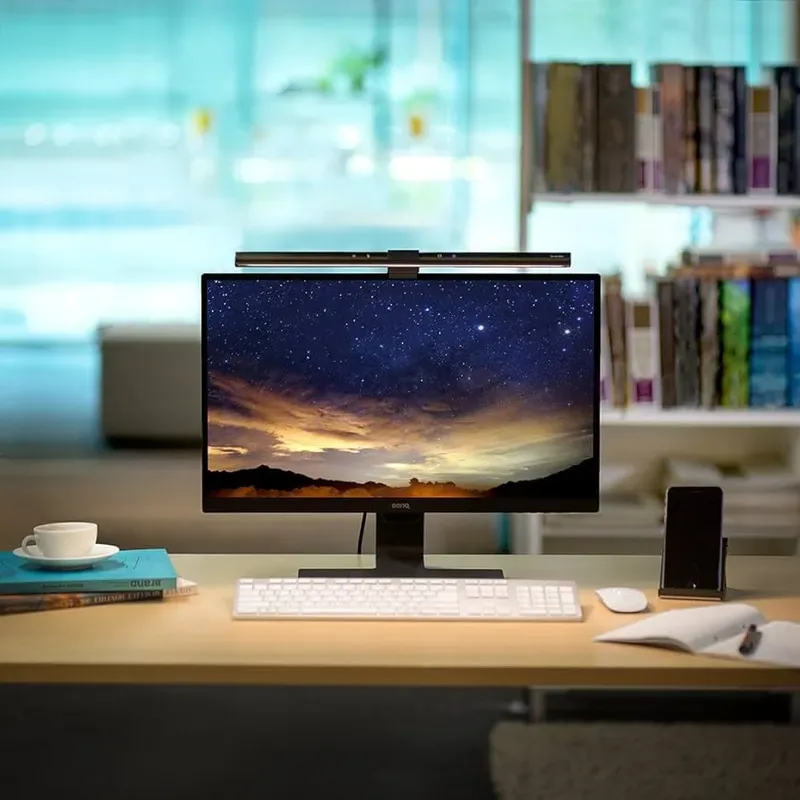
BenQ ScreenBar
Pros
- ✓ Same core optics as the Halo for $70 less
- ✓ Compact and space-saving
- ✓ Auto-dimming sensor works well
Cons
- ✗ No wireless remote
- ✗ No backlight feature
The standard ScreenBar is the smart-money pick. Same patented asymmetric lighting as the Halo and Pro. Same 500 lux brightness. Same 2700K-6500K range. You lose the wireless puck (touch controls on the bar instead), the backlight, and — that’s basically it.
For $109 vs. $179, you’re getting 90% of the Halo’s performance. The auto-dimming sensor still adjusts to ambient light. The optics still eliminate screen glare completely. The build quality still feels premium.
Touch controls on the bar itself work fine once you memorize the positions. Tap the right side for brightness, left for color temperature, center for auto-mode. Not as elegant as the Halo’s puck, but you stop thinking about it after a week.
Who should buy this: Budget-conscious buyers who still want genuinely effective eye protection. Best bang-for-buck in the monitor light bar category.
Who should skip this: If the contrast between your monitor and dark wall bothers you, the Halo’s backlight is worth the $70 premium. Also skip if reaching up to the bar for adjustments would annoy you.
Price: ~$109
Check BenQ ScreenBar on Amazon
BenQ ScreenBar Pro — Best Hands-Free
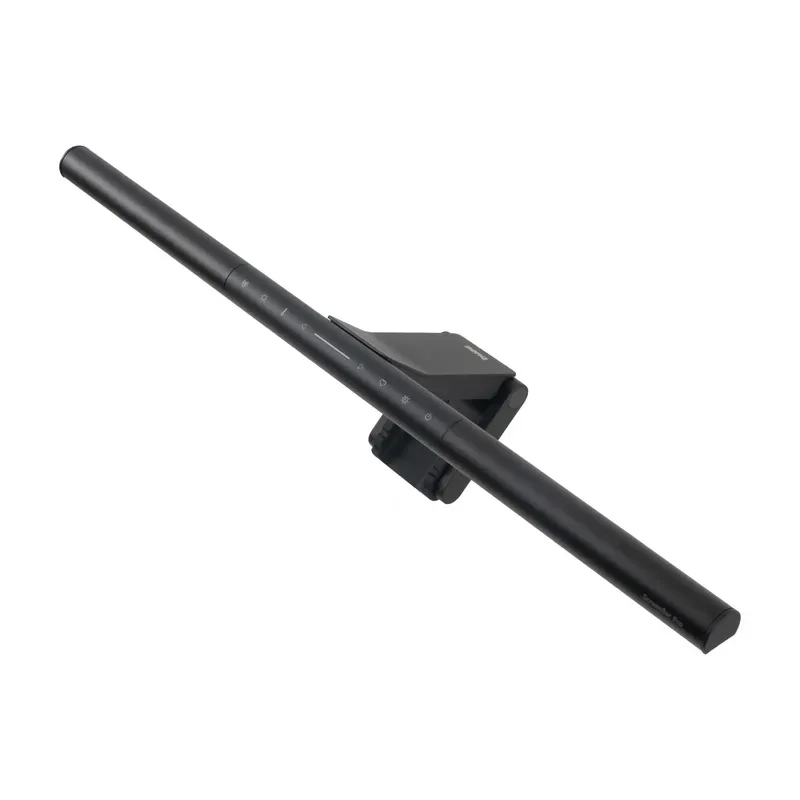
BenQ ScreenBar Pro
Pros
- ✓ Turns on automatically when you sit down
- ✓ Hands-free brightness adjustment
- ✓ Low blue light mode for evenings
Cons
- ✗ Highest price in the ScreenBar lineup
- ✗ Proximity sensor can be finicky
The Pro’s killer feature is a proximity sensor. Sit down at your desk, the light turns on. Walk away, it turns off. Combined with auto-dimming, this thing runs itself entirely — you literally never touch it.
It also has a dedicated low blue light mode, which shifts the output to warmer wavelengths for late-night work sessions. Useful if you don’t want to rely solely on software-based night modes.
The optical performance matches the Halo and standard ScreenBar. IEEE PAR 1789 flicker-free certified, same 500 lux, same asymmetric design. Touch controls live on the bar itself, similar to the standard model.
Here’s the thing: at ~$180, it costs about the same as the Halo but trades the backlight and wireless puck for the proximity sensor. That’s a lateral move, not an upgrade. Which is “better” depends entirely on what annoys you more — reaching for a switch, or the bright-screen-dark-wall contrast.
Who should buy this: People who want completely hands-free lighting. Great for shared workstations or if you frequently step away from your desk.
Who should skip this: If you’d rather have a backlight and wireless control, get the Halo instead. They’re priced nearly the same.
Price: ~$180
Check BenQ ScreenBar Pro on Amazon
Dyson Solarcycle Morph — Best Traditional Lamp
Dyson Solarcycle Morph
Pros
- ✓ Automatic daylight-synced color temperature
- ✓ Exceptional build quality and 60-year LED lifespan
- ✓ Four lighting modes for different tasks
Cons
- ✗ Very expensive at ~$650
- ✗ Takes up desk space
- ✗ Can cause screen reflections if positioned poorly
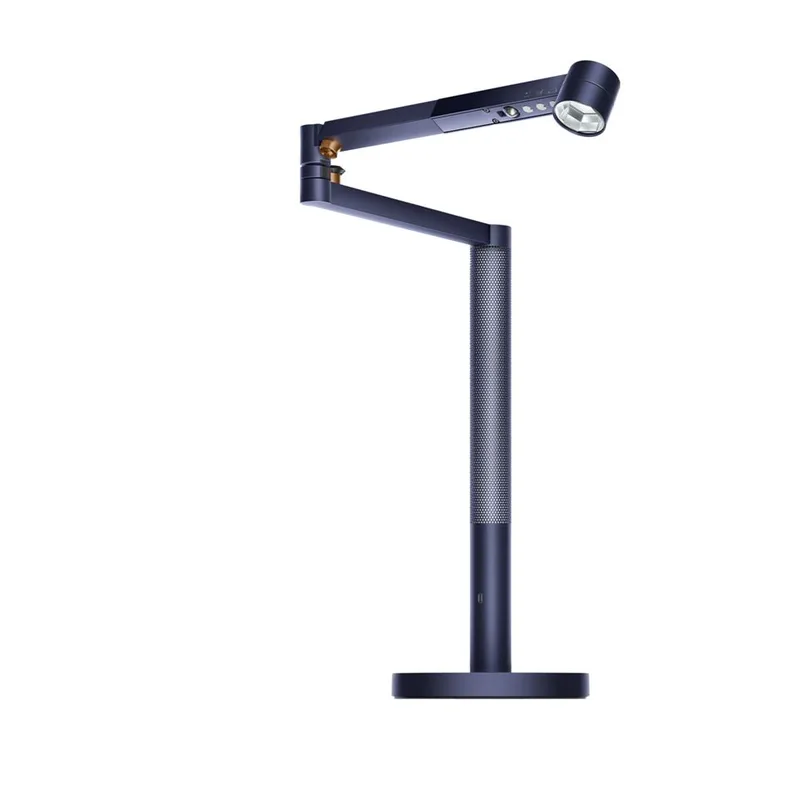
Dyson’s entry into task lighting is, predictably, over-engineered in the best way. The Solarcycle Morph tracks your local daylight conditions and continuously adjusts color temperature to match natural light patterns. Morning work gets cool, energizing light. Evening sessions shift warm automatically.
The “Morph” name refers to its four distinct modes: task light, indirect uplight, feature spotlight, and ambient glow. The lamp physically transforms between modes. It’s impressive engineering and genuinely useful — the indirect mode bouncing light off the ceiling creates beautiful ambient fill.
Build quality is absurd. A heat pipe cooling system means the LEDs will last an estimated 60 years. There’s a USB-C port on the stem for charging devices. The motion sensor wakes it when you approach.
But let’s be real: this is $650. For eye strain specifically, the BenQ light bars do a better job at preventing screen glare for a fraction of the price. The Dyson makes sense if you need a traditional desk lamp, do a mix of screen and paper work, and value design enough to pay for it.
Who should buy this: Design-conscious professionals who do mixed work (screen + paper + reading) and want a premium object on their desk. Also great for anyone who struggles with circadian rhythm issues.
Who should skip this: Pure computer workers. A $109 BenQ ScreenBar will reduce eye strain more effectively. And anyone on a budget — obviously.
Price: ~$650
Check Dyson Solarcycle Morph on Amazon
Lepro LED Desk Lamp — Best Budget
Lepro LED Desk Lamp
Pros
- ✓ Under $35 with 4.7-star rating and 1,000+ reviews
- ✓ Forbes Vetted — independently tested and approved
- ✓ Touch control with 5 brightness levels and 5 color modes
Cons
- ✗ Build quality is plastic-tier at this price
- ✗ Light distribution less even than premium BenQ options
- ✗ No USB charging port on base model
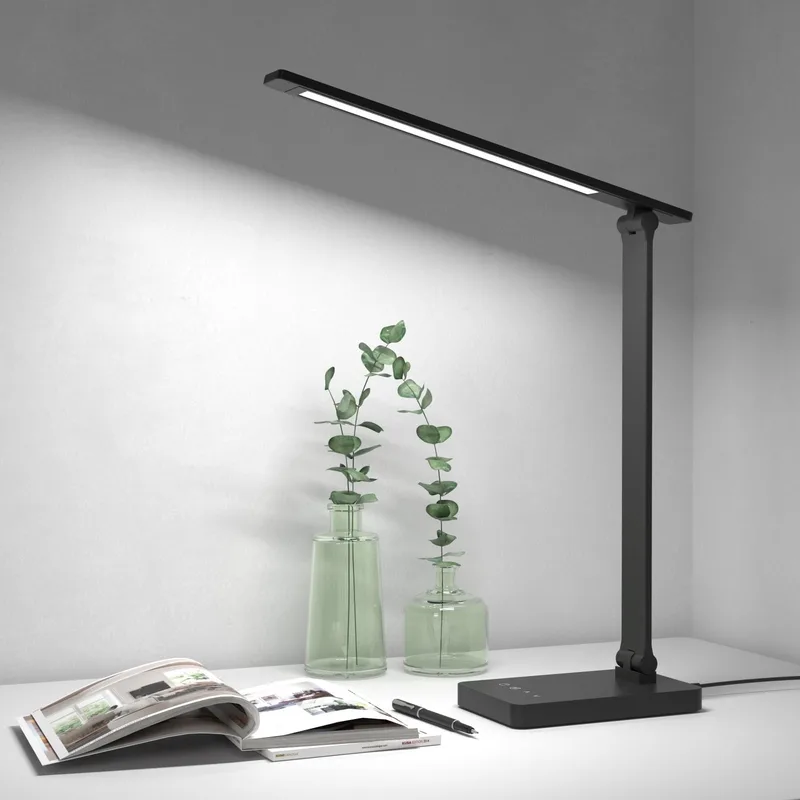
The Lepro LED Desk Lamp is the budget pick after TaoTronics’ Amazon ban ended their category presence. At under $35, the Lepro delivers the basics well: 5 color temperature presets, 5 brightness levels, and a touch control panel that’s responsive and intuitive. 800 lux maximum output is enough for most home office setups.
Forbes included this in their Vetted product recommendations — a legitimate third-party endorsement worth noting for a lamp in this price range. The 4.7-star rating holds across 1,000+ Amazon reviews, which is a reliable signal for a product at this tier.
Build quality is what you’d expect at the price point — plastic construction that feels functional rather than premium. The light distribution is decent but not as uniform as the BenQ options, and there’s no USB charging port included in the base model. As with most desk lamps at this tier, careful positioning matters: keep it to the side opposite your dominant hand and angle it to avoid screen reflections.
Who should buy this: Students, casual work-from-home setups, or anyone who wants adjustable task lighting under $40. Good as a secondary light alongside a monitor light bar.
Who should skip this: Heavy computer users who’d benefit more from a glare-free light bar. Anyone who wants premium build quality — spend up to the BenQ instead.
Price: ~$29.99–$35
Check Lepro LED Desk Lamp on Amazon
Quntis Monitor Light Bar — Budget Light Bar
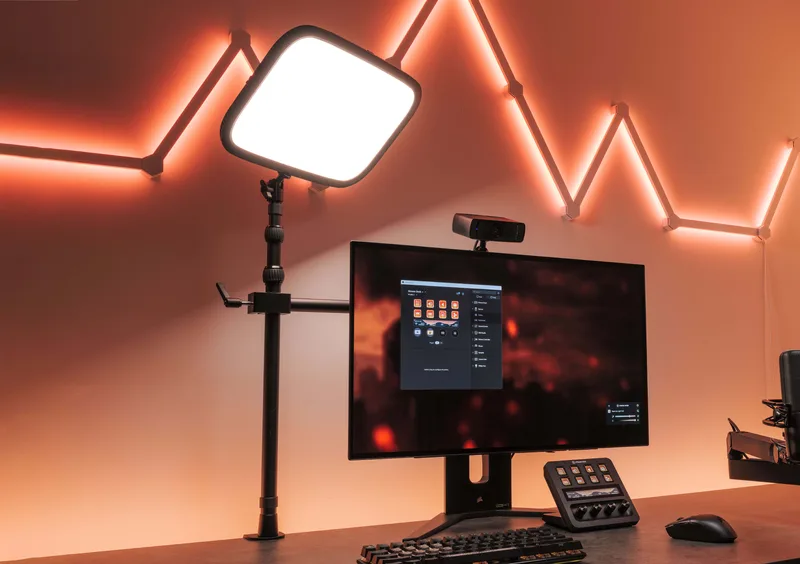
The Quntis is the most popular budget light bar on Amazon for a reason — it delivers 80% of what BenQ offers at roughly a third of the price. Touch controls, auto-dimming, stepless brightness and color temperature adjustment. All the basics are covered.
The catch? It’s not truly asymmetric. BenQ’s patented optics completely eliminate screen glare. The Quntis reduces it significantly but doesn’t eliminate it entirely. I noticed faint reflections on a glossy monitor that weren’t there with the BenQ. On a matte screen, it’s barely noticeable.
Brightness tops out at 400 lux vs. 500 lux for BenQ, which is enough for most desk setups but can feel thin if your room has a lot of ambient light. Build quality is decent plastic — nothing exciting, nothing broken after six months of daily use.
Who should buy this: Budget-conscious buyers who want the space-saving benefit of a light bar without spending $100+. Perfectly acceptable for a secondary workspace or dorm setup.
Who should skip this: If you have a glossy monitor, the slight glare will annoy you — spend the extra for a real BenQ. And if you’re already spending $200+ on your monitor setup, the $70 difference to a ScreenBar is worth it.
Price: ~$40
Check Quntis Monitor Light Bar on Amazon
BenQ e-Reading Desk Lamp — Best for Mixed Work
BenQ e-Reading Desk Lamp
Pros
- ✓ Widest coverage area of any desk lamp tested
- ✓ Curved head eliminates hot spots
- ✓ Same flicker-free tech as BenQ light bars
Cons
- ✗ Takes up desk space
- ✗ Can reflect on screen if not positioned carefully
- ✗ Limited to 5700K max color temperature
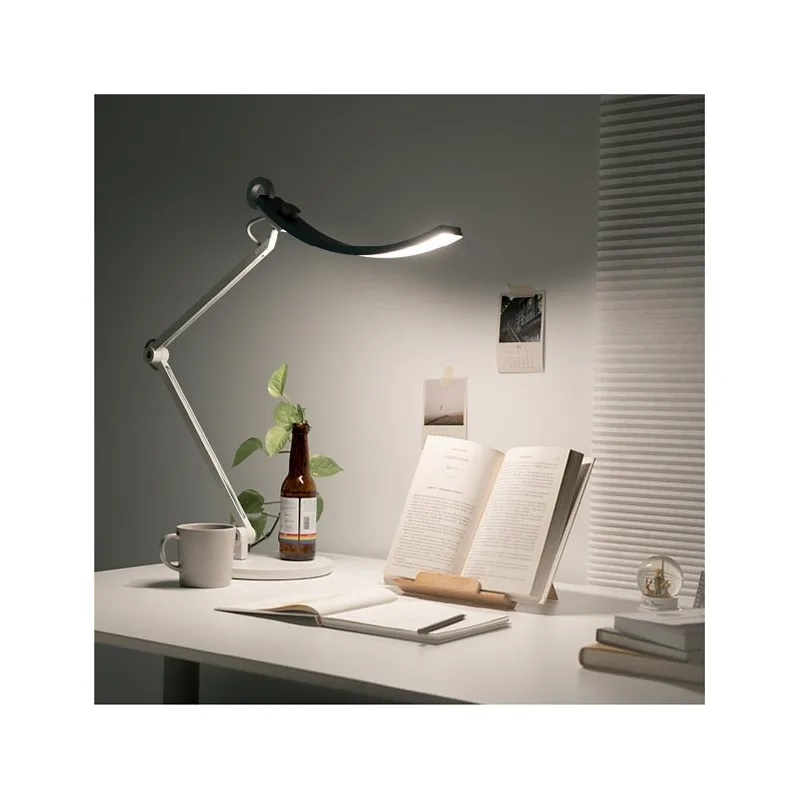
The e-Reading lamp takes BenQ’s eye-care technology and puts it in a traditional desk lamp form factor. The curved head design is the standout — instead of a single point source, it creates a wide, even wash of light across a 90cm area. No hot spots. No harsh shadows.
At 1800 lux maximum brightness, this is the most powerful option here by a wide margin. If you work with physical documents, art prints, or anything that demands serious illumination, nothing else comes close. The swing arm offers solid adjustability, and the base includes a dial for brightness and color temperature.
The auto-dimming sensor works the same as BenQ’s light bars — it reads ambient conditions and adjusts to maintain consistent desk illumination. Same flicker-free LED technology too.
The trade-off vs. a light bar: it takes desk space, and if you’re not careful with positioning, it can throw reflections onto your screen. I found placing it to the left side, angled toward the desk surface rather than straight down, eliminated the issue. But it requires intentional setup that a light bar doesn’t.
Who should buy this: People who split time between computer and paper work — architects, designers, accountants, students. Also a great choice if you need to illuminate a large desk area beyond what a light bar covers.
Who should skip this: Pure computer workers should get a light bar instead. And it’s not cheap at ~$220, so budget buyers should look at the Lepro or Quntis.
Price: ~$220
Check BenQ e-Reading Desk Lamp on Amazon
Buying Guide: What to Look for in an Eye-Friendly Desk Lamp
Flicker-Free Certification
This is non-negotiable. Cheap LEDs flicker at frequencies your conscious mind can’t detect, but your eyes absolutely can. After a few hours, the result is headaches and fatigue that seem to come from nowhere. Look for IEEE PAR 1789 certification or explicit “flicker-free” specs from reputable brands.
Adjustable Color Temperature
Your lighting needs change throughout the day:
- 2700K-3000K (warm): Evening work, reducing blue light before sleep
- 4000K-4500K (neutral): General daytime work — this is the sweet spot for most tasks
- 5000K-6500K (cool): Detailed focus work, morning alertness boost
A lamp that’s locked to one temperature forces a compromise. Adjustable means you can match the light to the task and time of day.
Asymmetric Optics (for Light Bars)
This is the feature that separates a $30 light bar from a $100 one. True asymmetric optics direct all light downward onto your desk, sending zero light toward your screen. Budget bars reduce screen glare; BenQ’s asymmetric design eliminates it. If you stare at a screen all day, this difference matters.
Auto-Dimming
Sensors that adjust brightness based on ambient light maintain consistent desk illumination as natural light shifts through the day. Without auto-dimming, a lamp that’s perfect at noon will be way too bright at 10 PM and not bright enough when a cloud rolls in.
Brightness Level
Aim for 300-500 lux at your desk surface for computer work. Higher isn’t always better — excessive brightness next to a dimmer screen creates the same contrast problem you’re trying to avoid. For paper-intensive work or detailed tasks, 500-1000 lux is appropriate.
Low Blue Light Mode
Blue light (420-480nm) can contribute to digital eye strain and may affect sleep quality. A dedicated low blue light mode shifts output toward warmer wavelengths for evening work sessions. It’s not essential if you already use night mode on your devices, but it’s a nice addition.
Frequently Asked Questions
Do monitor light bars actually help with eye strain?
Yes, measurably. The biggest eye strain culprit during computer work is the contrast between your bright screen and the dim area around it. A light bar illuminates your desk and keyboard, evening out the brightness across your field of vision. Quality light bars with asymmetric optics also eliminate screen glare — another major strain source. Studies on proper task lighting show up to 60% reduction in eye strain symptoms.
Is a monitor light bar better than a desk lamp for computer work?
For pure computer work, yes. Light bars eliminate screen glare by design and take zero desk space. Desk lamps require careful positioning to avoid reflections and eat into your workspace. However, if you regularly work with paper documents, physical books, or do creative work that needs broader illumination, a desk lamp gives you more versatility.
What color temperature should I use for computer work?
4000K-5000K (neutral to slightly cool) during the day. This matches natural daylight and keeps you alert without being harsh. After sunset, shift down to 3000K-3500K to reduce blue light exposure, which can interfere with your sleep cycle. If your lamp has auto-adjustment, let it handle this — it tracks natural light patterns better than you’ll remember to.
How much should I spend on a desk lamp for eye strain?
$100-$120 is the sweet spot. The BenQ ScreenBar at ~$109 delivers genuinely eye-protective technology: flicker-free LEDs, asymmetric optics, auto-dimming, and full color temperature range. Below $100, you start losing important features. Above $180, you’re paying for nice-to-haves like wireless remotes and proximity sensors. The $30-$60 range (Quntis, Lepro) helps noticeably compared to no task lighting, but lacks the optical engineering that makes the real difference.
Can I just use my room’s overhead light?
You can, but it’s a poor solution for focused work. Overhead lights create downward shadows on your desk, cause screen glare from above, and you can’t adjust their brightness or color temperature for your specific workspace. Task lighting puts controlled, adjustable light exactly where you need it. The ideal setup is moderate ambient room lighting plus a dedicated task light at your desk.
Should I combine a light bar with a desk lamp?
For most people, one or the other is sufficient. But if you have a large L-shaped desk or regularly switch between computer work and paper tasks, a light bar for your monitor area plus a desk lamp for a secondary zone works well. Just make sure the desk lamp doesn’t throw reflections onto your screen.
The Bottom Line
For computer-focused work, the BenQ ScreenBar Halo is the clear winner. The asymmetric lighting eliminates screen glare completely, the backlight reduces contrast fatigue from a bright monitor against a dark wall, and the wireless puck makes adjustments effortless. At $179, it’s a genuine investment in your daily comfort.
On a budget? The standard BenQ ScreenBar at ~$109 delivers the same optical technology without the wireless puck and backlight. It’s the best value in this category. If even that’s too much, the Quntis at ~$40 gets you most of the way there.
For mixed work? The BenQ e-Reading Desk Lamp provides the widest, most even coverage in a desk lamp form factor. Ideal if you split time between screen and paper.
For pure budget? The Lepro LED Desk Lamp at ~$30-35 offers adjustable lighting that’s miles better than working under a bare overhead bulb.
The Dyson Solarcycle Morph is a beautiful piece of engineering, but at $650, it only makes sense if you value the design and need a multi-mode lamp. For pure eye strain reduction, BenQ’s $109 ScreenBar outperforms it.
Don’t overthink this. Bad desk lighting causes real, cumulative eye strain that compounds over months of daily work. A $100-$200 task light pays for itself the first week you stop getting afternoon headaches. Lighting is one pillar of a complete home office — our best desk accessories for remote work guide covers every other category, from monitor arms to cable management. If you want a standalone deep dive on the ScreenBar, see our BenQ ScreenBar review.